
If you’re considering a Dyson fan or already own one, you’ve probably heard claims about how quiet these bladeless fans are. But are Dyson fans truly silent? And what should you expect in terms of noise, both during the day and at night? Understanding Dyson fan noise is important if you want a peaceful home or office. This article breaks down everything you need to know—how Dyson fans work, what makes them different, real-world noise levels, and practical ways to reduce unwanted sound. Let’s dive into the world of Dyson fan noise, so you can make the best choice for your comfort and peace of mind.
How Dyson Fans Create Airflow
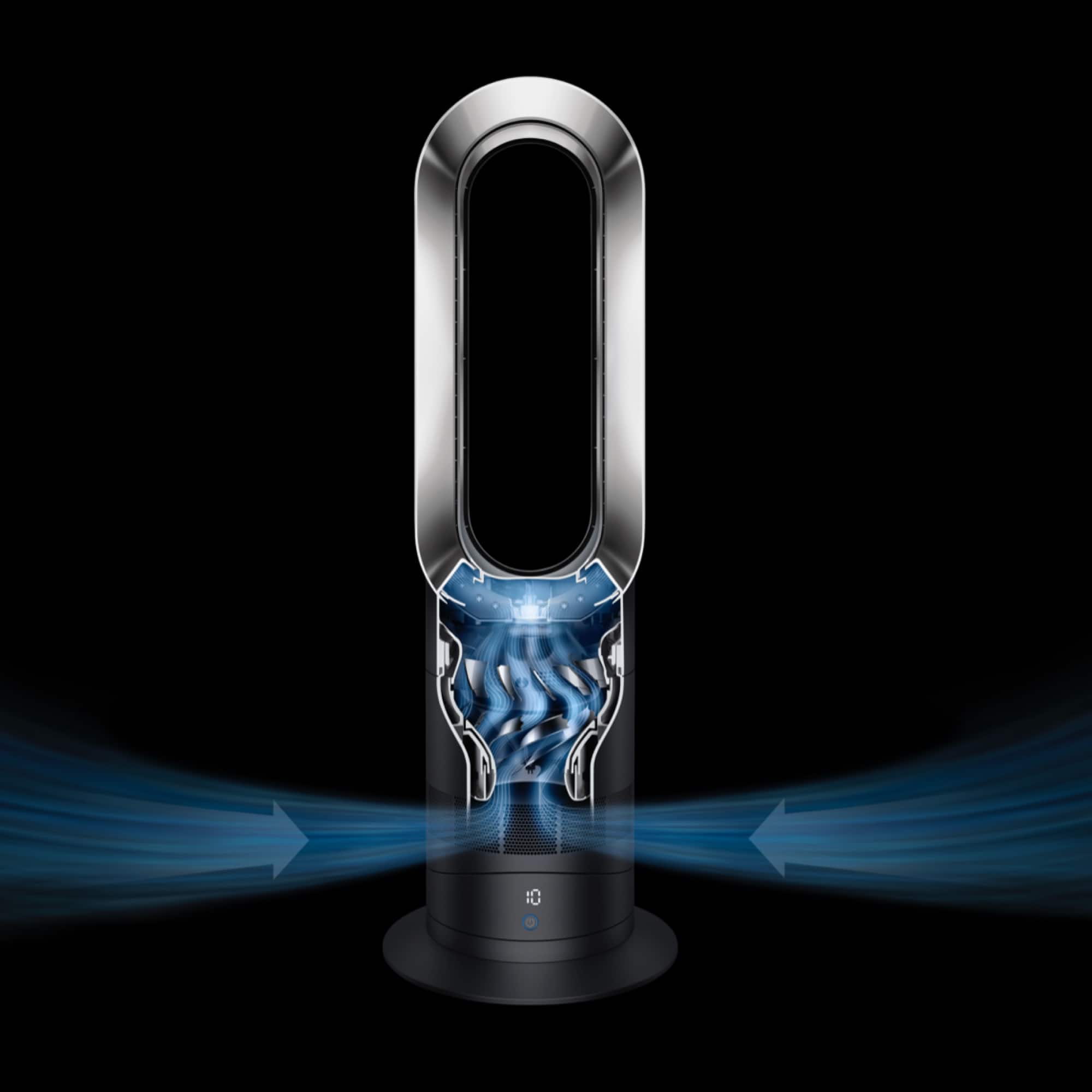
Dyson’s bladeless fans look sleek and futuristic, but the technology inside is what really sets them apart. Traditional fans use spinning blades to move air. This can lead to choppy airflow and more noticeable noise. Dyson fans, like the popular Dyson AM07 or Dyson Pure Cool, use a system called Air Multiplier technology.
Here’s how it works: Inside the base of the fan, a small brushless motor pulls air in. The air is pushed up into the loop (the ring-shaped top), where it’s forced through a thin slit around the edge. This high-speed air draws in more surrounding air, multiplying the airflow. The result is a steady, smooth stream of air with no spinning blades exposed.
This design naturally removes the buffeting sound that blade fans make. However, the motor and the air moving at high speed can still create some Dyson fan noise. It’s more of a soft hum or whoosh, rather than a sharp or rattling sound. This is why many people find Dyson fans less annoying than old-fashioned fans, but not completely silent.
Comparing Dyson Fan Noise Levels
To understand Dyson fan noise, it helps to look at real data. Manufacturers measure noise in decibels (dB), a unit that shows how loud a sound is. The lower the number, the quieter the device.
Here’s a comparison of popular Dyson fans and how their noise levels stack up against other common sounds:
| Fan Model | Noise Level (dB) | Setting (Speed) | Comparable Sound |
|---|---|---|---|
| Dyson AM06 Desk Fan | 50 dB | Max | Normal conversation |
| Dyson AM07 Tower Fan | 61 dB | Max | Office background |
| Dyson Pure Cool TP04 | 56 dB | Max | Moderate rain |
| Typical Blade Fan | 65–70 dB | Max | Loud TV |
| Whisper | 30 dB | N/A | Very quiet room |
Most Dyson fans are around 50–61 dB at their highest speed. For comparison, a normal conversation is about 60 dB. This means Dyson fans are not silent, but they are often quieter and less distracting than blade fans.
At lower settings, Dyson fans can drop below 40 dB, which is suitable for bedrooms or nurseries. However, some users notice a high-pitched whine at certain speeds, which can be more noticeable than a low hum.

Why Do Dyson Fans Make Noise?
Even without visible blades, Dyson fans have parts that move fast. The main sources of Dyson fan noise are:
- Motor noise: The electric motor spins at high speed. While it’s designed to be quiet, all motors make some sound.
- Airflow noise: When air is forced through a small slit, it creates a “whoosh” sound. Faster airflow means louder noise.
- Resonance: In some rooms, the shape or furniture can echo the fan’s sound, making it seem louder.
- Vibration: If the fan is not on a stable surface, tiny vibrations may add extra noise.
Some models, especially older ones, can develop rattling or buzzing if parts become loose or dusty. Regular cleaning and careful placement can help reduce these noises.
Dyson Fan Noise In Real Life: User Experiences
Numbers are helpful, but what do real users say? Reviews and forums give a clearer picture of what to expect from Dyson fans.
- Many users praise the lack of buffeting—that sharp, choppy sound of blades cutting air. Dyson fans feel smoother and less “windy.”
- Some people are surprised by a soft whirring or high-pitched tone at higher speeds. For light sleepers, this can be bothersome at night.
- In very quiet rooms, even a low hum can feel louder. In a busy office or living room, the fan noise often fades into the background.
- Users with allergies appreciate that Dyson purifier fans don’t just move air—they also filter dust and pollen, so the noise is a trade-off for cleaner air.
- A few owners report that their fans became noisier after a year or two, often due to dust buildup or worn parts.
One non-obvious insight: Perception of noise depends on the environment. For example, a Dyson AM07 may feel silent in a city apartment with street sounds, but obvious in a quiet country bedroom.
Dyson Fan Noise Vs. Other Cooling Options
How does Dyson compare to other ways of staying cool? Here’s a quick look:
| Device Type | Typical Noise Level (dB) | Main Noise Source |
|---|---|---|
| Dyson Bladeless Fan | 50–61 dB | Motor & Airflow |
| Standard Blade Fan | 60–70 dB | Blades & Motor |
| Window Air Conditioner | 55–70 dB | Compressor, Fan, Vibration |
| Ceiling Fan | 40–60 dB | Motor, Blades |
| Mini USB Desk Fan | 45–65 dB | Blades, Motor |
Key insight: Dyson fans are not always the quietest, but their sound is smoother and less sharp. This makes them feel less distracting, even if the decibel number is similar to other fans.
Reducing Dyson Fan Noise: Practical Tips
If you find your Dyson fan noise distracting, there are ways to make it quieter:
- Lower the speed: Even dropping one level can cut the noise by a noticeable amount.
- Place the fan on a solid, flat surface: This reduces vibration.
- Move the fan away from walls: Reflected sound can make noise seem louder.
- Clean the air intake and loop regularly: Dust buildup can force the motor to work harder and get louder.
- Use “Night Mode” if available: Some Dyson models have a quiet mode that limits fan speed and dims the display.
- Check for loose parts: If you hear rattling, gently tighten any visible screws or move the fan to a more stable spot.
An advanced tip: Soft furnishings absorb sound. Placing the fan near curtains or a rug can help reduce echoes, making the fan seem quieter overall.

Credit: www.youtube.com
Common Misunderstandings About Dyson Fan Noise
There are a few myths and misunderstandings about Dyson fans and their noise:
- Myth: Dyson fans are completely silent.
Fact: They are quieter than most blade fans, but not silent. There will always be some hum or whoosh.
- Myth: All Dyson fans are equally quiet.
Fact: Larger models (like tower fans) are usually louder than small desk models, especially on high settings.
- Myth: Noise means the fan is broken.
Fact: Some noise is normal, but sudden rattling or grinding could mean a part is loose or dirty.
- Myth: Only the fan’s speed matters for noise.
Fact: Room size, furniture, and even fan placement can change how loud it seems.
If you want to compare models, check the official specification sheets or reviews, as each Dyson fan can have a different noise profile.
When Dyson Fan Noise Becomes A Problem
For most users, Dyson fan noise is not a dealbreaker. But in certain situations, it can be an issue:
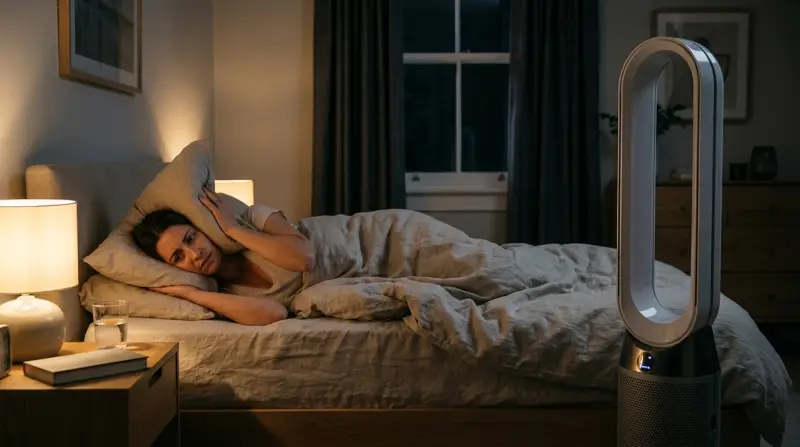
- Light sleepers: Even a quiet hum can disturb sleep if you’re sensitive to sound.
- Audio recording studios: A soft whirr may be picked up by microphones.
- Libraries and study rooms: Very quiet environments make all sounds more obvious.
If you’re in one of these groups, test the fan at different speeds before deciding. Some retailers allow returns if the fan is too noisy for your needs.
Dyson’s Efforts To Reduce Fan Noise
Dyson invests heavily in research to make their fans quieter. The company uses acoustic chambers and advanced microphones to measure and reduce unwanted sounds. For example, the Dyson AM06 was specifically redesigned to be 75% quieter than the older AM01.
Newer models often include:
- Brushless DC motors: These are more efficient and create less mechanical noise.
- Improved airflow paths: Smoother internal curves reduce turbulence (and noise).
- Sound-dampening materials: Some fans include pads or insulation to absorb vibrations.
For more on the engineering behind Dyson fans, see the Dyson Air Multiplier article on Wikipedia.
What To Consider Before Buying A Dyson Fan
If noise level is important to you, keep these points in mind before choosing a Dyson fan:
- Room size: Larger rooms can handle more noise without it feeling intrusive. Small bedrooms may require a quieter model.
- Fan model: Desk fans (like the AM06) are quieter than tower fans (like the AM07) at the same speed.
- Fan speed: You may not need to run the fan at the highest setting. Lower speeds are much quieter.
- Personal sensitivity: Some people are more bothered by high-pitched sounds than low hums. Try to listen to the fan in person before buying, if possible.
- Extra features: Models with air purifiers or heaters may be a bit noisier because of added functions.
A common mistake is to focus only on decibel numbers. The “quality” of the noise matters—a soft whoosh might be easier to ignore than a clicking or rattling sound, even if it’s technically louder.
Is Dyson Fan Noise Worth It?
For many, the benefits of a Dyson fan outweigh the mild noise:
- Safety: No exposed blades, safe for children and pets.
- Easy to clean: No grills to remove.
- Air purification: Some models filter allergens, making the noise a fair trade.
- Aesthetics: Sleek, modern design that fits in most settings.
Still, if you need absolute silence, even Dyson may not meet your needs. For most homes and offices, the noise is minor and often fades into the background.
Frequently Asked Questions
How Loud Are Dyson Fans Compared To Normal Fans?
Most Dyson fans are about 50–61 dB at maximum speed, which is quieter than most blade fans (usually 60–70 dB). The sound is smoother, so it’s less annoying for many people.
Can You Sleep With A Dyson Fan Running?
Yes, many people use Dyson fans in bedrooms. On low settings, they can be very quiet (below 40 dB). If you’re a very light sleeper, you might notice a soft hum or whir, so it’s best to test the fan before buying.
Why Does My Dyson Fan Make A Rattling Sound?
A rattling sound can be caused by dust, loose parts, or the fan sitting on an uneven surface. Try cleaning the fan and placing it on a stable table. If the noise continues, check for loose screws or contact Dyson support.
Do Dyson Fans Get Noisier Over Time?
Yes, sometimes. Dust and dirt can build up inside, making the motor work harder and sound louder. Regular cleaning helps keep noise low. If noise increases a lot, it may be time for a checkup or service.
Are There Truly Silent Fans On The Market?
No electric fan is completely silent. Some are quieter than others, but all moving air creates some sound. Dyson fans are among the quietest, especially compared to traditional blade fans, but they are not silent.
Dyson fan noise is a real consideration, but for most users, the benefits of safety, design, and smooth airflow make them a top choice. If silence is your priority, test a fan in-store or look for one with a “night mode” before making your decision.
With the right model and setup, you can enjoy cool, clean air without unwanted distractions.