
A noisy printer can turn a simple print job into a headache. Many people worry when their printer starts making strange sounds, fearing expensive repairs or permanent damage. However, not every noise means disaster. Some sounds are normal, while others signal a problem that needs attention. Understanding the reasons behind printer noises can save you time, money, and stress. In this guide, you’ll learn why printers make noise, how to diagnose the issue, and what you can do to fix it.
Common Printer Noises And What They Mean
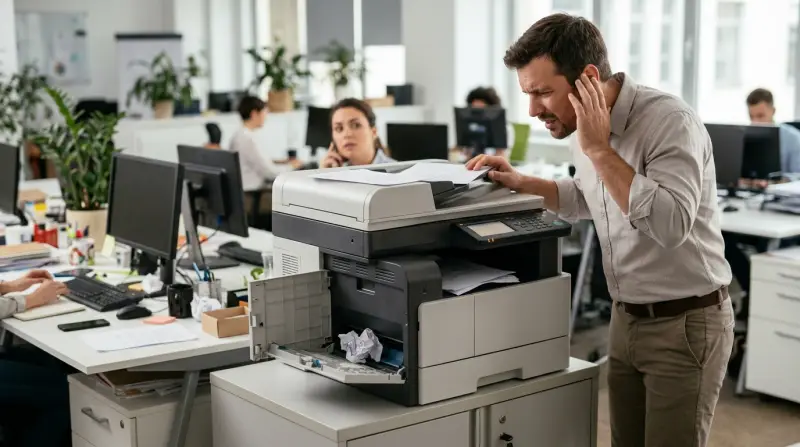
Printers use moving parts—motors, rollers, fans, and gears. Each part can create different types of noise. Here are the most frequent sounds and what they usually mean:
- Clicking or Ticking: Often, a clicking noise comes from the gears. It might mean a misaligned gear or a small object stuck inside.
- Grinding: A grinding sound can be serious. It may show that a roller is out of place or a part is worn out.
- Beeping: Many printers beep to signal an error, such as low ink or paper jams.
- Whirring or Humming: Some quiet whirring is normal when the printer starts up. Loud or uneven whirring, though, could mean a problem with the motor or fan.
- Squeaking: Squeaks often come from dry rollers or moving parts needing lubrication.
- Rattling: A rattling sound might mean something is loose inside the printer.
Noticing when the noise happens is important. Does it occur during startup, printing, or only when feeding paper? This timing gives clues about the cause.
Causes Of Printer Noise
Several issues can make a printer noisy. Here are the main causes:
Paper-related Problems
Paper is a common source of noise. If you use the wrong type, size, or weight, the printer might struggle to feed it, creating extra sound.
- Paper jams: The printer may click or grind if paper is stuck.
- Multiple sheets feeding: Thin or damp paper can cause more than one sheet to feed at once, leading to a rattling noise.
- Wrong paper tray adjustment: If the tray is set for a different size, the rollers can make a squeak or pop.
Mechanical Issues
Printers have many moving parts that can wear out or break.
- Worn rollers: Rollers help feed paper smoothly. Worn or dirty rollers may squeak or grind.
- Loose parts: Screws, gears, or panels that come loose can rattle.
- Broken gears: Damaged gears often cause repetitive clicking or grinding.
Cartridge And Toner Issues
Inkjet and laser printers handle cartridges differently, but both can make noise if there’s a problem.
- Misaligned cartridge: If an ink or toner cartridge is not seated correctly, it may cause clicking or scraping.
- Low toner: Some printers make extra noise as they try to use the last bit of toner.
Foreign Objects Inside
Small items like paper clips, pieces of torn paper, or staples can fall inside a printer. These block moving parts, causing unusual noises.
Environment
Printers on unstable surfaces can vibrate and make extra noise. Also, dust and humidity can affect rollers and gears.
Diagnosing A Noisy Printer
Solving printer noise starts with good observation. Here’s how you can approach the problem:
Step 1: Identify The Sound
Listen closely. Is the noise sharp or soft? Does it repeat, or is it one-time? Note the timing: startup, printing, or when idle.
Step 2: Check The Paper Path
Open the printer and look for:
- Jammed paper
- Torn pieces stuck inside
- Items in the tray that should not be there
Step 3: Inspect Cartridges
Remove and re-insert ink or toner cartridges. Check for any loose or broken parts.
Step 4: Examine Rollers And Gears
Look for:
- Dirt or ink on rollers (clean gently with a lint-free cloth)
- Worn rubber (it should be soft, not cracked)
- Loose or missing gears
Step 5: Test On A Stable Surface
Move the printer to a flat, stable spot. Print a test page to see if the noise changes.
How To Fix Common Printer Noises
Many printer noises can be fixed at home. Here’s how to address the most common problems:
Clearing Paper Jams
- Turn off the printer.
- Open all doors and trays.
- Gently remove jammed paper—pull slowly to avoid tearing.
- Check for small bits left inside.
- Restart the printer and try again.
Cleaning Rollers
- Use a lint-free cloth slightly dampened with water.
- Rotate the roller as you clean.
- Avoid using alcohol, which can dry out rubber.
Lubricating Moving Parts
Some printers have exposed metal rods or gears. A drop of light machine oil can stop squeaks. Never use too much, and avoid getting oil on belts or paper paths.
Securing Loose Parts
Check screws and clips inside the printer. Tighten gently if you find any that are loose.
Removing Foreign Objects
Shine a flashlight inside the printer. Remove any clips, paper bits, or debris you see with tweezers.
Re-seating Cartridges
- Remove the cartridge.
- Check for damage or leaks.
- Re-insert until you hear a click.
When To Call A Professional
Some printer noises mean bigger problems. Call a technician if:
- The grinding sound is loud and does not stop.
- You see broken gears or leaking fluids.
- The printer shows error codes you cannot fix.
- You have an expensive or business-critical printer.
Attempting complex repairs without training can cause more damage.
Inkjet Vs. Laser Printers: Noise Differences
Inkjet and laser printers use different technology, so their noises can sound different.
| Printer Type | Common Noises | Usual Causes |
|---|---|---|
| Inkjet | Whirring, clicking, light grinding | Carriage movement, paper feed, ink priming |
| Laser | Loud whirring, deep grinding, beeping | Drum rotation, toner feed, fuser operation |
Laser printers often sound louder when warming up because of the fuser (a heated roller that bonds toner to paper).

Home Vs. Office Printers: Noise Comparison
The build quality and size of a printer affect its noise level. Here’s a quick comparison:
| Printer Type | Average Noise Level (dB) | Notes |
|---|---|---|
| Home Inkjet | 40-50 | Usually quieter, smaller motors |
| Office Laser | 50-60 | Louder, larger moving parts |
| High-Speed Copier | 60-70 | Multiple motors, fans, and rollers |
If your home printer suddenly sounds as loud as an office copier, something is likely wrong.
Preventing Printer Noise
You can keep your printer quiet and working well by following a few simple steps:
- Use quality paper: Cheap or damp paper jams easily and causes noise.
- Clean rollers regularly: Dust and ink build-up make rollers squeak.
- Keep the printer covered: This prevents dust from settling inside.
- Place on a stable surface: Avoid wobbly tables.
- Check for firmware updates: Some printer issues are fixed by software updates from the manufacturer.
Credit: www.compandsave.com
Cost Of Fixing Noisy Printers
How much you spend depends on the problem and printer type. Here’s a breakdown:
| Problem | DIY Fix | Professional Repair |
|---|---|---|
| Paper jam | Free | $30–$60 |
| Roller cleaning/lubrication | Free–$10 | $40–$80 |
| Gear replacement | $10–$30 (parts only) | $80–$150 |
| Major motor or fuser issue | Not recommended | $150–$300 |
As a rule, do not spend more on repairs than the cost of a new printer, especially for low-cost models.
Non-obvious Tips For A Quieter Printer
Many guides miss these simple but effective ideas:
- Check your power supply: Unstable voltage can cause motors to sound louder. Use a surge protector.
- Print in quiet mode: Many printers have a “quiet” or “silent” mode in their settings. This slows printing a bit but reduces noise.
- Let the printer warm up: Don’t rush to print as soon as you turn it on. Allowing a few seconds helps parts settle and reduces startup noise.
- Avoid overloading trays: Too much paper in the tray can cause feeding problems and strange sounds.
When Replacement Is Better Than Repair
Sometimes, fixing a noisy printer is not the best choice. Consider replacing your printer if:
- It’s over five years old and parts are hard to find.
- Repair costs exceed 50% of a new model’s price.
- You need higher print quality or speed anyway.
Modern printers are quieter and more efficient. For many, an upgrade is the smart move.
How To Choose A Quiet Printer
If you decide to buy a new printer, look for:
- Noise level rating: Check the specs for decibel (dB) levels. Under 50 dB is quiet.
- Modern inkjet models: These are often quieter than older or laser models.
- Solid build: Heavier printers with fewer loose parts rattle less.
- Positive user reviews: Search for “quiet printer” and see what real owners say.
For more details about printer noise standards, see this Wikipedia overview.
Credit: www.compandsave.com
Frequently Asked Questions
Why Is My Printer Making A Grinding Noise?
A grinding noise usually means a roller is out of place, a gear is broken, or an object is stuck inside. Stop printing and check for jams or broken parts before using the printer again.
Is It Normal For A Printer To Make Noise When Starting?
Some startup noise is normal, such as whirring or clicking as the printer checks itself. However, loud or new noises may mean something needs cleaning or fixing.
Can I Use Wd-40 To Stop Squeaks Inside My Printer?
No, do not use WD-40. It can damage rubber and attract dust. Use only a drop of light machine oil, and only on metal parts, not on rollers or belts.
Does Printing In “quiet Mode” Reduce Print Quality?
Quiet mode usually slows down the printing process and may lower the speed, but it should not reduce print quality. Check your printer’s settings for more information.
What Should I Do If My Printer Is Still Noisy After Cleaning?
If your printer is still loud after cleaning rollers and removing jams, there may be a mechanical problem or worn part inside. In this case, contact a professional or consider replacing the printer.
A noisy printer is more than just an annoyance; it’s often a warning sign. By understanding what causes the sound and taking the right steps, you can solve most problems yourself. Regular care, the right supplies, and smart troubleshooting will help your printer work quietly for years to come.
If in doubt, don’t hesitate to get expert help—better safe than sorry when it comes to your valuable equipment.