
Every home relies on smoke detectors for safety. When they beep or show errors, it’s easy to feel worried or confused. Resetting a smoke detector can solve many problems like false alarms, low battery warnings, or system errors. But the right reset method depends on the type and model of your smoke detector.
This guide will help you understand when and how to reset smoke detectors, avoid mistakes, and stay safe. If you follow these steps, you’ll fix common issues and make your home safer.
Why Smoke Detectors Need Resetting
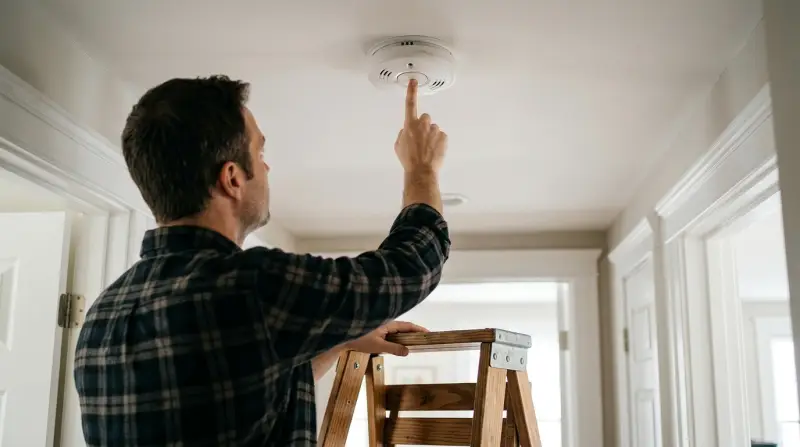
Smoke detectors sometimes beep or flash even when there’s no fire. This can happen for several reasons:
- Low battery
- Dust or steam
- Power outage
- Electrical surge
- System error
Resetting helps clear these errors and returns the detector to normal. A simple reset can solve most issues, but sometimes the device needs cleaning or replacement. Many people don’t realize a reset can clear annoying chirps without calling an electrician.
If your smoke detector still beeps after a reset, that’s a sign of a deeper problem.
Types Of Smoke Detectors And Their Reset Methods
Not all smoke detectors are the same. There are three main types:
- Battery-powered smoke detectors
- Hardwired smoke detectors
- Smart smoke detectors
Each type has a different reset process. If you use the wrong method, you may damage the device or miss an important warning.
| Type | Reset Method | Common Issues |
|---|---|---|
| Battery-powered | Remove battery, press reset button | Low battery, false alarm |
| Hardwired | Turn off power, press reset button | Power surge, system error |
| Smart | App reset or manual button | Wi-Fi error, software glitch |
It’s important to check your smoke detector’s label or manual before starting. Most brands use similar steps, but some models have special instructions.
Steps To Reset Battery-powered Smoke Detectors
Battery-powered detectors are common in apartments and older homes. Resetting them is simple:
- Remove the detector from its mount. Twist or pull gently.
- Take out the battery. Wait 1–2 minutes to let the device fully power down.
- Press and hold the reset/test button. Hold for 15–20 seconds. This drains any leftover power.
- Reinsert the battery. Use a fresh battery if possible.
- Mount the detector back. Make sure it clicks into place.
- Press the test button. Listen for a loud beep—this shows it’s working.
Never skip the test step. Many people forget to check, and their detector stays off without warning.
Steps To Reset Hardwired Smoke Detectors
Hardwired detectors are linked to your home’s electrical system. They often have backup batteries. To reset:
- Turn off power at your circuit breaker. Find the smoke detector’s circuit and switch it off.
- Remove the detector from its base. If there’s a battery, take it out.
- Press and hold the reset/test button for 15–20 seconds.
- Replace the battery if needed.
- Mount the detector again.
- Turn the circuit breaker back on.
- Press the test button. You should hear a beep.
If you’re unsure about electrical safety, ask someone to help. Never touch wires with wet hands or tools.
Steps To Reset Smart Smoke Detectors
Smart smoke detectors connect to your phone or Wi-Fi. Resetting often uses the app:
- Open the app linked to your smart detector.
- Find the reset option. This may be under “Device Settings” or “Troubleshooting.”
- Follow on-screen instructions. Some apps ask you to press the physical reset button too.
- Wait for the detector to reconnect. This can take up to 2 minutes.
- Run a test alert from the app or device.
Some smart detectors need a factory reset for bigger issues. Factory reset erases all settings and Wi-Fi data. Only do this if regular reset fails.
When To Reset Instead Of Replace
Resetting solves many problems, but not all. Here’s how to know when to reset or replace:
- Reset if: The detector beeps without smoke, shows low battery, or after a power outage.
- Replace if: The device is older than 10 years, won’t stop beeping after reset, or shows damage.
Many people keep old detectors, thinking reset is enough. But sensors lose accuracy over time. Always check the manufacture date on the back.
| Situation | Reset? | Replace? |
|---|---|---|
| After power outage | Yes | No |
| Continuous beeping | Try reset | If reset fails |
| Old device (10+ years) | No | Yes |
| Physical damage | No | Yes |
Common Mistakes When Resetting Smoke Detectors
Many beginners make mistakes that can cause the detector to fail or beep again. Here are some to avoid:
- Using old batteries: Always replace with new, high-quality batteries.
- Skipping the test button: Without testing, you don’t know if reset worked.
- Ignoring the manual: Each brand has small differences. Read the instructions if unsure.
- Not cleaning the device: Dust or insects inside can cause false alarms.
- Resetting too often: If you reset every week, the detector may be faulty.
A less obvious mistake is forgetting backup batteries in hardwired models. These batteries power the detector during outages.
Cleaning And Maintenance After Reset
Resetting fixes errors, but cleaning prevents future problems. Smoke detectors need basic maintenance:
- Dust the detector once a month with a soft cloth or vacuum.
- Check for insects—small bugs can trigger alarms.
- Replace batteries every year, even if they still work.
- Inspect for cracks or moisture—these mean the device should be replaced.
Many smoke detectors have a blinking light. Green means normal, red or yellow means attention is needed. If the light stays on after reset, check the manual.
What To Do If Reset Doesn’t Work
Sometimes, smoke detectors keep beeping or flashing after a reset. Here’s what you should do:
- Check the battery contacts. Bent or corroded contacts stop power flow.
- Try a different battery. Some detectors are picky about brands.
- Clean the sensor. Dust can block the sensor and cause errors.
- Check for electrical issues. Hardwired detectors need steady power.
- Contact the manufacturer. Some issues need expert help.
If your detector doesn’t work after these steps, replace it. Safety comes first, and faulty detectors can miss real fires.
Smoke Detector Brands And Their Reset Features
Many brands make smoke detectors, and some have special reset features. Here’s a comparison of popular brands:
| Brand | Reset Button | Smart App | Average Lifespan |
|---|---|---|---|
| First Alert | Yes | No | 10 years |
| Kidde | Yes | No | 7–10 years |
| Nest Protect | Yes | Yes | 10 years |
| BRK | Yes | No | 10 years |
Smart detectors like Nest Protect have app-based resets, while others use physical buttons. Always check your model before resetting.

Safety Tips When Resetting Smoke Detectors
Resetting is safe if you follow basic steps:
- Turn off power for hardwired models.
- Avoid touching wires or metal parts.
- Use a ladder safely—don’t stand on chairs.
- Wear gloves if cleaning.
- Keep children away during reset.
If you’re unsure, ask a friend or professional. Never disable a smoke detector without a backup plan.
How Often Should You Reset Smoke Detectors?
You don’t need to reset smoke detectors often. Reset only when:
- Alarm goes off without smoke
- Detector beeps for low battery
- After power outage
- When testing the device
Regular resets aren’t needed for normal operation. Most detectors beep once a month for self-tests. If yours beeps more often, there could be a problem.

Resetting Smoke Detectors In Apartments And Offices
Smoke detectors in apartments and offices often connect to a central system. If you reset one, others may beep or signal errors. For these locations:
- Ask building management before resetting.
- Check if the detector is linked to a fire alarm panel.
- Follow posted instructions—some systems need professional help.
Large buildings sometimes use special detectors with remote reset switches. If you’re not sure, call maintenance.
Technology Trends In Smoke Detector Reset
Modern smoke detectors use new technology for easier resets:
- Wi-Fi enabled resets let you clear errors from your phone.
- Self-diagnosis features tell you when a reset is needed.
- Voice alerts guide you through the process.
These features reduce mistakes and improve safety. According to the National Fire Protection Association (NFPA), over 60% of home fire deaths happen in homes without working smoke detectors. Keeping your device working and resetting when needed saves lives.
For more detailed statistics and fire safety tips, visit the NFPA Smoke Alarm Safety page.

Frequently Asked Questions
How Do I Know My Smoke Detector Needs Resetting?
If your smoke detector beeps repeatedly, flashes a warning light, or shows an error in the app, it likely needs resetting. Always check for smoke first. If there’s no fire, try a reset.
Can I Reset A Smoke Detector Without Removing It From The Ceiling?
Most detectors need to be removed to reset, especially for battery and hardwired models. Smart detectors may allow resets through the app, but a physical button press is often needed.
Why Does My Smoke Detector Keep Beeping After Reset?
Continuous beeping usually means low battery, dirty sensor, or a malfunction. Try cleaning and replacing the battery. If it still beeps, the detector may need replacement.
Is It Safe To Reset Hardwired Smoke Detectors Myself?
Yes, if you turn off power at the circuit breaker and follow basic safety steps. If you don’t feel confident, ask for help. Never touch exposed wires.
How Often Should I Replace My Smoke Detector?
Smoke detectors last 7–10 years. Check the manufacture date on the back. Replace the device if it’s older, even if it still works.
Resetting your smoke detector is a simple skill that can make your home safer and quieter. With the right method, you’ll fix errors, stop false alarms, and keep your family protected. Always follow safety tips, check the device age, and test after resetting.
For more advanced help, reach out to your device manufacturer or visit fire safety resources. Proper maintenance and timely resets are the best ways to ensure your smoke detector does its job.
1 thought on “How to Reset Smoke Detector: Easy Steps for Safety”