
When your La Crosse remote sensor stops working, it can be very frustrating—especially if you rely on it for accurate temperature or humidity data. Many people face this issue, whether they use the sensor in their home, greenhouse, or even outdoors for weather tracking.
The good news is that most problems with La Crosse remote sensors are easy to diagnose and fix. In this article, you’ll find practical solutions, helpful tips, and expert insights to help you restore your sensor’s performance.
You’ll also learn how to prevent future issues, what to do if you need a replacement, and how La Crosse sensors compare with similar brands. By the end, you’ll have a complete understanding, whether you’re a beginner or someone who has used these devices for years.
How La Crosse Remote Sensors Work
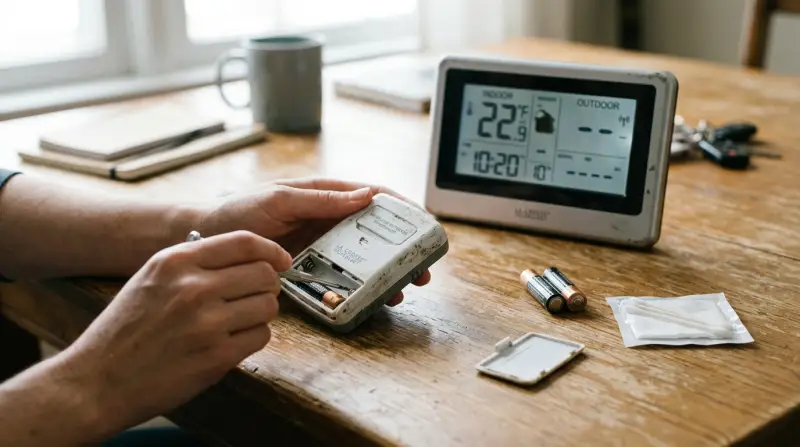
La Crosse remote sensors are designed to measure outdoor conditions and send that data wirelessly to a display unit inside your home. These sensors are often part of a weather station kit. They commonly track temperature, humidity, and sometimes other environmental data.
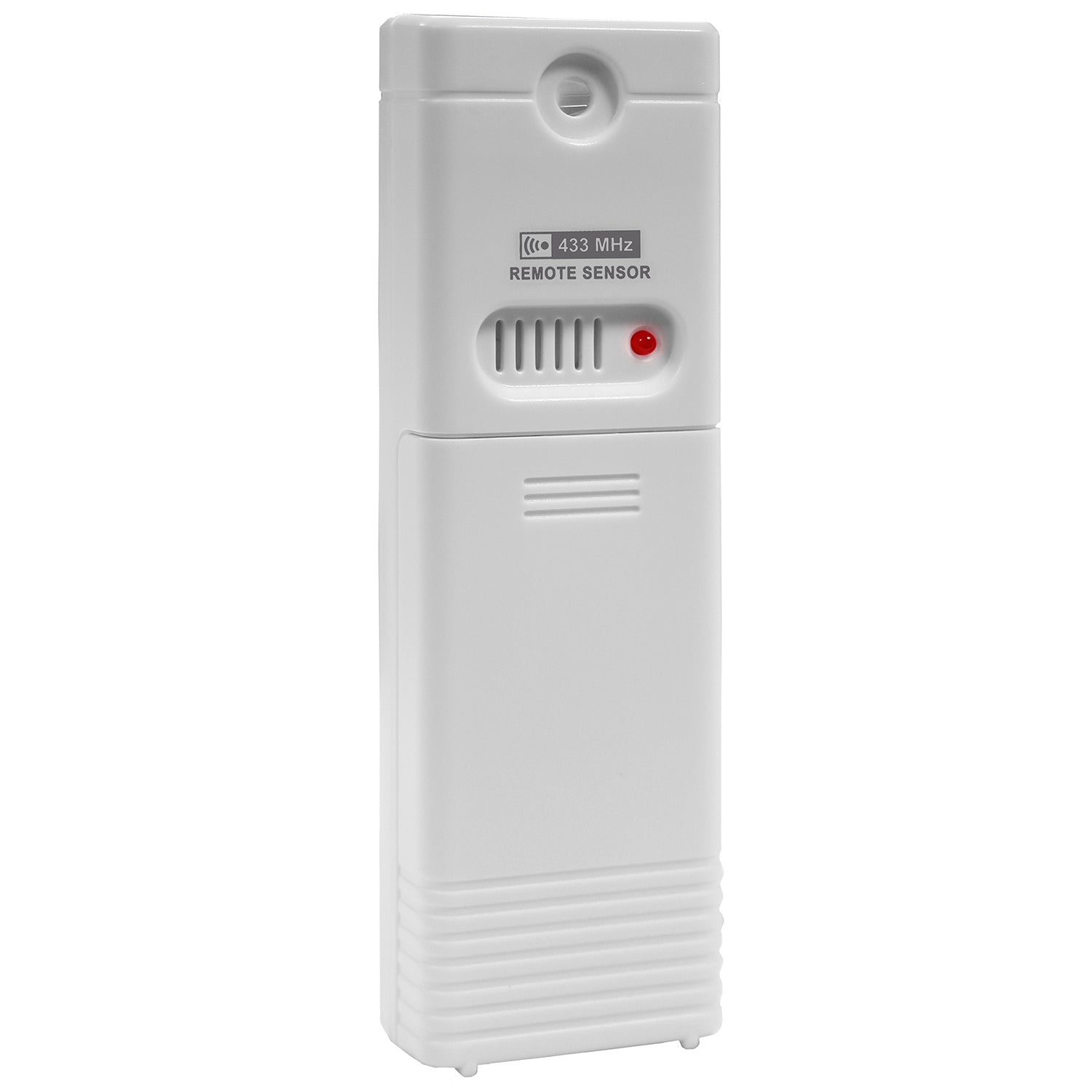
Each sensor uses batteries and communicates with the base station using a radio signal, usually in the 433 MHz or 915 MHz frequency bands. This allows you to place the sensor outside while keeping the display unit indoors for convenient readings.
Common Uses
- Monitoring outdoor temperature
- Measuring indoor humidity
- Checking conditions in a greenhouse
- Watching the environment for pets or plants
- Collecting weather data for hobbies
These sensors are also valuable for people who want to monitor conditions in places like garages, attics, or sheds. Some users place them in crawl spaces to check if moisture is building up, helping prevent mold.
Basic Operating Principle
When set up correctly, the sensor updates data every few minutes. The display unit inside will show the current readings, and sometimes store historical information or allow you to set alarms for specific conditions.
Some models even have features like adjustable update intervals, or the ability to sync with mobile apps, making it easier for users to track changes over time or receive alerts if the readings go outside safe limits.
Common Problems With La Crosse Remote Sensors
Most sensor issues fall into a few main categories. Understanding these helps you solve problems faster.
- No signal between sensor and display
- Inaccurate readings (for example, always showing the same temperature)
- Short battery life
- Intermittent connection (works only sometimes)
- Display not updating
It’s important to recognize that these issues can have different causes, and fixing one may not always solve another.
Non-obvious Problem: Environmental Interference
Many beginners overlook how walls, metal objects, and even household electronics can block or weaken the signal. For example, placing your sensor behind a metal screen or too close to a Wi-Fi router can cause the display unit to lose contact.
Even thick glass windows can affect signal strength, especially if they are coated for energy efficiency. If you notice readings dropping out at certain times, check if appliances like microwaves are running nearby.
Non-obvious Problem: Sensor Placement
Another common mistake is placing the sensor in direct sunlight or in a spot with poor air circulation. This can lead to false readings that are not the fault of the sensor, but rather the location.
For instance, if a sensor is placed near an exterior wall that heats up during the day, it might report temperatures much higher than the actual air temperature. Likewise, mounting near bushes or under eaves can block airflow, impacting humidity readings.
Step-by-step Troubleshooting Guide
If your La Crosse remote sensor stops working, follow these steps in order. This will help you find the problem quickly and avoid replacing parts that are still good.
1. Check And Replace The Batteries
Low battery power is the most frequent cause of sensor failure. Even if the display shows a battery icon, the voltage can drop below what the sensor needs for reliable operation.
- Use fresh, high-quality alkaline batteries. Some users prefer lithium AA batteries for extreme cold.
- Do not mix old and new batteries.
- Clean the battery contacts with a dry cloth before installing.
If you notice corrosion on the contacts, gently scrape it off. Corrosion can prevent proper contact, even with new batteries. In humid climates, check the battery compartment more often.
Table: Battery Life Expectations (typical Conditions)
| Battery Type | Expected Life (Mild Climate) | Expected Life (Cold Weather) |
|---|---|---|
| Standard Alkaline | 12-18 months | 3-6 months |
| Lithium AA | 24+ months | 12+ months |
If your sensor is installed outdoors and exposed to freezing temperatures, lithium batteries are strongly recommended. They last longer and maintain stable voltage.
2. Reset The Sensor And Display
After changing batteries, always reset both the sensor and the display unit.
- Remove batteries from both devices.
- Wait at least one minute.
- Insert batteries into the sensor first, then the display.
- Allow several minutes for them to reconnect.
Most people skip the waiting period, but it’s important—this lets the internal memory clear and avoids false readings.
Waiting also prevents residual charge from interfering with the reset process. If you rush the reset, you might see old or frozen readings. If the sensor does not reconnect after 5 minutes, repeat the reset process.
3. Check The Signal Range
La Crosse sensors usually have a maximum range of 200-330 feet (60-100 meters) in open air. Walls, windows, metal siding, and other obstacles can reduce this distance.
- Move the sensor closer to the display to test.
- Try different locations, avoiding metal and electronics.
- Check if the signal is restored.
If your house has thick walls or lots of metal in the construction, expect the range to drop by 50% or more. If moving the sensor closer fixes the issue, consider using a window mount or finding a spot with fewer obstacles.
4. Inspect For Physical Damage
Look for cracks, water inside the battery compartment, or corrosion on the contacts. Even small amounts of moisture can stop the sensor from working.
- Clean corrosion with a cotton swab and a little vinegar.
- Dry the sensor thoroughly before reinstalling batteries.
If the sensor has been exposed to rain, remove the batteries immediately and allow the unit to dry for several hours. Moisture can cause short circuits or rust.
5. Match The Channel Or Frequency
Some systems support multiple sensors (channels 1, 2, 3). Make sure the channel selected on the sensor matches the one on the display.
- Use the pairing button if your model has one.
- Check the instruction manual for your exact model, as pairing steps can vary.
If you have more than one sensor, make sure each is set to a unique channel. Otherwise, signals may overlap and cause confusion in the display.
6. Update Or Replace The Display Unit
Sometimes, the issue is not the sensor but the indoor unit.
- Test the sensor with a different compatible display, if possible.
- Make sure the display has fresh batteries or is plugged in.
If your display unit has a history of glitches or fails to connect to new sensors, it may be the weak link. Upgrading the display can restore reliable operation.
7. Check For Firmware Updates
Some high-end La Crosse models allow firmware updates for the base station. Visit the official La Crosse website to see if your model supports this.
Updating firmware can fix bugs, improve signal reliability, or add new features. Always follow the instructions carefully, and back up any stored data if possible.
8. Test In A New Location
Try moving both the sensor and the display to a different room or even outdoors. If they work there, the problem may be local interference inside your home.
If readings improve, look for sources of interference like routers, large metal objects, or strong electrical fields. Sometimes, simply moving the display to another shelf can solve the issue.
9. Replace The Sensor
If all else fails, the sensor may be defective or have reached the end of its life. Sensors exposed to extreme weather for several years often fail.
- Purchase a replacement that matches your base station.
- Pair the new sensor following the official instructions.
Before buying, double-check compatibility. Some older La Crosse stations only accept specific sensor models.
Advanced Troubleshooting: When Basic Steps Don’t Help
Sometimes, common fixes don’t solve the problem. Here’s what to do next.
Signal Interference
Many household items can cause radio interference:
- Wi-Fi routers
- Cordless phones
- Bluetooth devices
- Microwave ovens
Try turning off other electronics nearby, or move the sensor and display away from these devices. If the problem goes away, interference was the cause.
In apartments or dense neighborhoods, signals from neighbors’ devices can also interfere. If you notice problems at certain times of day, it might be due to nearby equipment.
Environmental Hazards
Extreme weather, such as freezing temperatures or high humidity, can damage sensors over time. Always mount your sensor where it’s protected from rain, snow, and direct sun but still has good airflow.
Using a weatherproof enclosure can extend sensor life, but make sure it does not block airflow. Avoid covering vents or sensor holes.
Sensor Synchronization Timing
Some La Crosse sensors only transmit data at set intervals, such as every minute. If you expect instant results after resetting, wait a few minutes to see if the reading updates.
If your display has a manual sync button, use it after reset. For models without this feature, patience is key.
Internal Component Failure
Capacitors, microchips, or the wireless transmitter can fail, especially if the sensor is older than 5 years. In this case, replacement is usually the only option.
If you have electronics experience, you might inspect the circuit board for obvious damage. However, for most users, buying a new sensor is simpler and safer.
Preventing Future Problems
You can avoid many sensor failures by taking these steps:
- Replace batteries every 12 months, even if they aren’t dead yet.
- Mount sensors out of direct sunlight and away from sprinklers or heavy rain.
- Periodically clean the battery contacts and check for corrosion.
- Store the sensor indoors during extreme weather, if possible.
Keep a backup set of batteries on hand, and check readings after storms or extreme heat. If you travel or leave your home for long periods, remove batteries to prevent corrosion.
Sensor Placement: Getting Accurate Readings
Where you put your sensor is almost as important as the sensor itself. Good placement means reliable data and fewer problems.
Best Practices For Placement
- Mount at eye level (about 5–6 feet above the ground).
- Place in a shaded area—avoid direct sun.
- Ensure open airflow around the sensor (avoid placing in corners or near walls).
- Keep away from metal surfaces, air conditioners, or vents.
If mounting outdoors, avoid spots where rain can splash directly onto the unit. In greenhouses, place sensors away from heaters or fans, which can skew readings.
Example: Poor Vs Good Placement
| Placement | Expected Result |
|---|---|
| Direct Sunlight | High, inaccurate temperature |
| Shaded Porch | Accurate temperature and humidity |
| Near Dryer Vent | Sudden temperature spikes |
| On Metal Railing | Poor signal strength |
Pay attention to seasonal changes. In summer, a spot that is shaded in winter may get direct sun. Adjust placement as needed for consistent results.
Comparing La Crosse Sensors With Other Brands
If you’re considering switching brands or buying a replacement, it helps to compare features. Below is a quick look at how La Crosse sensors stack up against two popular alternatives.
| Feature | La Crosse | AcuRite | Ambient Weather |
|---|---|---|---|
| Typical Range | 200-330 ft | 165-330 ft | 300 ft |
| Battery Type | AA/Lithium | AA | AA |
| Number of Channels | Up to 3 | Up to 3 | Up to 8 |
| Smart Home Integration | Limited | Limited | Good |
| Sensor Replacement Cost | $$ | $ | $$$ |
Noteworthy Insight
While La Crosse and AcuRite are both affordable, La Crosse sensors are known for good battery life and strong signal. Ambient Weather is better for smart home users but costs more.
La Crosse sensors are also easier to set up for basic users, while Ambient Weather may require more technical steps for integration. AcuRite is a good choice for simple monitoring, but may lack advanced features.
When To Replace Your Sensor
Sometimes, it’s more practical to buy a new sensor rather than keep troubleshooting. You should consider replacement if:
- The sensor is more than 5 years old
- There is visible damage or heavy corrosion
- The sensor fails with multiple base units
- No signal after fresh batteries and reset
- The cost of repair is close to a new sensor
If you notice the readings drifting over time or the sensor stops responding after storms, replacement is likely needed.
How To Buy The Right Replacement
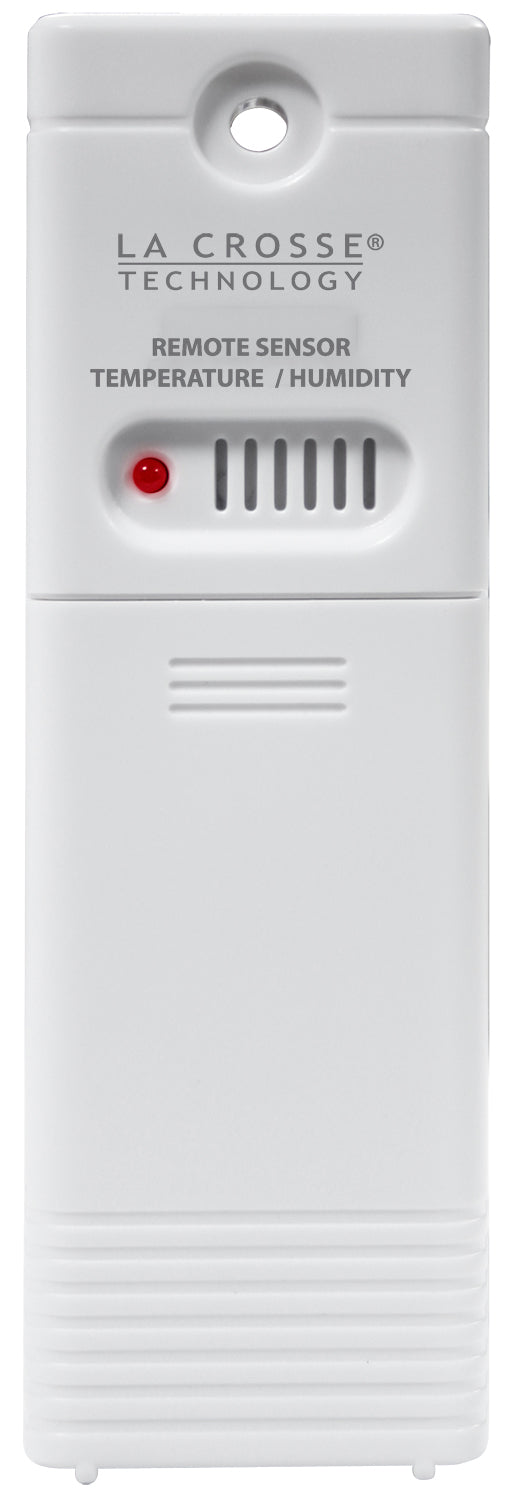
- Check the model number (usually printed on the back)
- Buy from a reputable seller or directly from La Crosse’s website
- Make sure the frequency and channel match your base station
Look for official packaging or seller ratings to avoid counterfeit products. If unsure, contact La Crosse support for guidance.
Real-world User Experiences
Users often share feedback and solutions online. Here are a few examples:
- “My sensor stopped reporting after a storm. I found water inside the case—after drying it and sealing the gap, it worked again.”
- “Moving the sensor away from my metal window frame fixed the signal.”
- “Using lithium batteries solved my winter problems. Alkaline batteries would die after a few weeks below freezing.”
- “I had to reset both the sensor and base station twice before they paired.”
You can find more experiences on forums and review sites, which often include solutions not in the manual.
Another helpful tip from users: if your sensor is in a humid area, place a silica gel packet inside the battery compartment to absorb moisture. Some users also report using clear nail polish to seal battery contacts against corrosion.
Technical Support And Warranty
La Crosse offers customer support and warranties on most products. Before contacting support:
- Collect your model number and purchase date
- List the steps you’ve already tried
- Note any error messages or codes
Support may ask you to send photos or perform specific tests. If your sensor is under warranty, they may replace it for free.
For more details, the official La Crosse website has a support section: La Crosse Support.
If your warranty has expired, ask about trade-in programs or discounts on replacement sensors.

Credit: www.youtube.com
Practical Tips For Long-term Sensor Performance
Here are some strategies to get the most out of your sensor and avoid common issues:
- Label your sensors if you use more than one, to avoid confusion.
- Check for firmware updates on the base station if you notice unusual problems.
- Keep a log of battery changes to spot patterns if sensors fail regularly.
- Use a weatherproof case if mounting in an exposed location.
- Inspect sensors after storms or severe weather.
If you travel often, consider disconnecting and storing sensors indoors to extend their lifespan. Also, regularly check readings against another thermometer to make sure your sensor stays accurate.
Diy Fixes And When To Seek Professional Help
If you’re comfortable with small repairs, you can sometimes fix minor issues yourself:
- Clean or replace corroded battery contacts.
- Reseal the sensor’s case with silicone to prevent water leaks.
- Reflow solder joints if you have electronics experience.
However, if you’re not confident or the unit is under warranty, it’s safer to contact support or buy a new sensor.
If you attempt repairs, always remove batteries before opening the case. Use gentle pressure to avoid damaging the circuit board.
Frequently Asked Questions
Why Does My La Crosse Sensor Display “—” Or Blank Readings?
A blank reading or “—” means the display is not receiving data from the sensor. This is usually caused by low batteries, signal interference, or the sensor being out of range. Try fresh batteries, reset both units, and move them closer together.
Can I Use Rechargeable Batteries In My La Crosse Sensor?
It’s not recommended. Rechargeable batteries often have lower voltage and perform poorly in cold weather. Use high-quality alkaline or lithium batteries for best results.
How Many Sensors Can I Connect To One La Crosse Display?
Most La Crosse displays accept up to three remote sensors. Each must be set to a different channel (1, 2, or 3). Check your display model’s manual for exact compatibility.
What Should I Do If My Sensor Only Works Sometimes?
Intermittent operation usually means weak signal or environmental interference. Try changing the sensor’s location, replacing batteries, or moving the display away from electronics. If the problem continues, the sensor may be failing.
Is There A Way To Update The Firmware On My La Crosse Weather Station?
Some newer La Crosse models support firmware updates via USB or Wi-Fi. Check your model’s instructions or visit the La Crosse Support page for details.
La Crosse remote sensors are reliable when properly maintained, but even the best devices can run into problems over time. By following the steps in this guide, you can fix most issues quickly and with little expense. Remember to check batteries, reset devices, and pay attention to sensor placement.
With a little care, your La Crosse system will continue providing accurate readings for many years. If all else fails, support is available, and replacement sensors are easy to find. This gives you the confidence to rely on your weather station—rain or shine.