
When your Ryobi 40V battery charger stops working, it can feel frustrating. Maybe you want to finish a yard project, but your battery won’t charge, or the charger shows a strange light. You’re not alone many homeowners and DIY fans face this issue. The good news? Most problems can be solved at home, often without spending much. In this guide, you’ll learn why Ryobi 40V chargers fail, how to diagnose the problem, and what steps you can take to fix it. By the end, you’ll know how to get your tools running again, save money, and avoid future headaches.
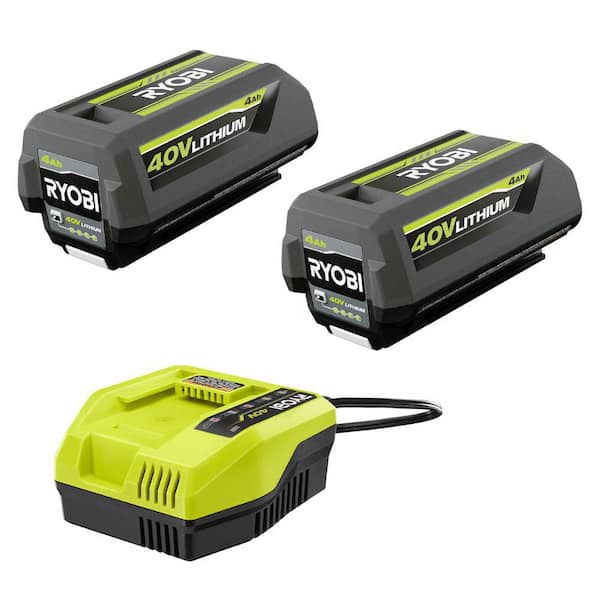
How Ryobi 40v Battery Chargers Work
Understanding your Ryobi 40V charger helps you find the cause of problems. These chargers use smart technology to detect the battery’s status. When you insert a battery, the charger checks its temperature, voltage, and health. If everything is normal, the charger starts charging. It stops when the battery is full, preventing overcharging.
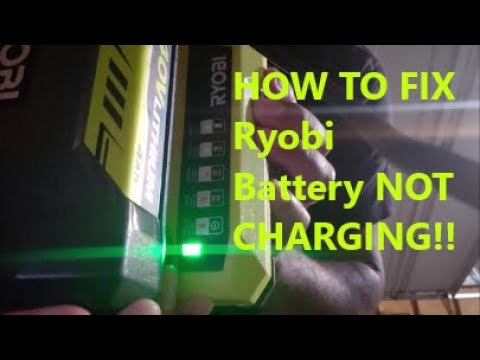
Most Ryobi chargers show status with LED lights:
- Green flashing: Charging
- Green solid: Fully charged
- Red flashing: Error or battery too hot/cold
- Red solid: Standby or fault
The charger includes safety features for both the battery and itself. If the battery is damaged, too hot, or too cold, the charger will not charge it. Sometimes, the charger itself can fail due to age, power surges, or manufacturing defects.
Common Reasons Your Ryobi 40v Charger Isn’t Working
Many factors can stop a Ryobi charger from working. Here are the most frequent causes:
- Faulty battery: If the battery is dead or damaged, the charger may not start.
- Dirty contacts: Dust or corrosion on battery terminals or charger contacts can block charging.
- Charger malfunction: Internal parts like the circuit board or cooling fan may fail.
- Wrong power supply: Using a weak outlet or incorrect voltage can cause issues.
- Temperature problems: Charging in very hot or cold conditions can cause errors.
- Firmware glitches: Modern chargers sometimes need a reset after a power surge.
- Loose connections: Wobbly plugs or cables can stop the charger from working.
Some issues are easy to fix, while others require a new charger or battery.
Diagnosing The Problem Step-by-step
Before replacing your charger, it’s smart to diagnose the problem. Here’s how to check each possible cause:
Check The Led Lights
The charger’s LED lights give clues. Refer to your charger’s manual or use this guide:
- Green flashing: Charging normally.
- Green solid: Battery fully charged.
- Red flashing: Error (often battery or temperature related).
- Red solid: Charger or battery fault.
If no lights appear, the charger may not be receiving power.
Inspect The Battery
Remove the battery and examine it:
- Look for cracks, swelling, or leaking fluid.
- Clean the metal contacts with a dry cloth.
- Try charging another Ryobi 40V battery if you have one.
If a second battery charges normally, your original battery is likely faulty.
Examine The Power Supply
Plug the charger into a different wall outlet. Check:
- Outlet voltage (should be 110–120V in the US).
- Extension cords avoid using long or thin cords.
- Loose plugs make sure the charger is firmly plugged in.
Clean Charger And Battery Contacts
Dirty contacts are a common cause. Use:
- A dry cloth or cotton swab.
- Isopropyl alcohol for sticky dirt.
Never use water or abrasive materials.
Check The Charger For Damage
Look for:
- Burn marks or melted plastic
- Broken cables or connectors
- Fan noise (some chargers have cooling fans)
If you see or smell burning, stop using the charger immediately.
Reset The Charger
Unplug the charger for 10 minutes, then plug it back in. This can fix minor firmware glitches.
Test With Another Battery Or Charger
If possible, borrow a working charger or battery from a friend. This helps pinpoint the faulty item.
How To Fix Ryobi 40v Charger Problems
Once you’ve found the cause, use these solutions:
Battery Issues
If your battery is dead or damaged:
- Try a gentle cleaning of the contacts.
- Avoid charging swollen or leaking batteries.
- If your battery won’t charge in other chargers, it’s time to replace it.
Ryobi batteries usually last 3–5 years. Heavy use or extreme temperatures can shorten their life.
Charger Issues
If the charger is the problem:
- Clean contacts and check for loose cables.
- Reset by unplugging for 10 minutes.
- If it still doesn’t work, open the charger (only if you’re comfortable) and check for loose wires or blown fuses.
Opening the charger can void your warranty. If you’re unsure, contact Ryobi support.
Power Supply Fixes
Switch outlets or use a short, thick extension cord. Avoid plugging into outlets shared with heavy appliances.
Temperature Problems
Charge batteries indoors. Avoid charging in garages that are too hot or cold.
Firmware And Reset
A simple unplug/reset fixes many charger issues. For persistent problems, update your charger’s firmware if your model supports it (check Ryobi website).
Comparison Of Ryobi 40v Charger Models
Different Ryobi chargers offer different features. Here’s a quick comparison of three popular models:
| Model | Charging Speed | LED Indicators | Cooling Fan | Price Range |
|---|---|---|---|---|
| OP403 | Standard | Yes | No | $40–$55 |
| OP404 | Fast | Yes | Yes | $60–$80 |
| OP405 | Rapid | Yes | Yes | $90–$120 |
Rapid chargers cost more but charge batteries up to 2x faster. If you use tools often, upgrading can save time.
Preventing Future Charger Problems
Simple habits can help your charger and battery last longer:
- Store indoors: Keep chargers and batteries in dry, mild places.
- Clean contacts regularly: Wipe battery and charger contacts every few months.
- Avoid overcharging: Remove battery once fully charged.
- Don’t block vents: Chargers with fans need airflow.
- Check for recalls: Sometimes Ryobi recalls faulty chargers—visit their website for updates.
Many users overlook cleaning contacts and checking for recalls, but these steps prevent over 50% of charger failures.
Real-world Examples
A homeowner in Texas noticed her Ryobi 40V charger showing a red flashing light every time she tried to charge her lawn mower battery. She cleaned the battery contacts with isopropyl alcohol and switched to a different outlet. The charger worked normally again.
Another user in Michigan found his charger dead after a thunderstorm. He reset the charger by unplugging it, but it didn’t help. After borrowing a friend’s charger, he confirmed his charger was faulty. He replaced it, and his batteries charged without issue.
These examples show that cleaning, checking power supplies, and simple resets solve most problems.
Ryobi Support And Warranty
Ryobi offers a 3-year warranty for most chargers and batteries. If your charger stops working within this period, contact Ryobi for a free replacement or repair. You’ll need your purchase receipt.
You can reach Ryobi support online or by phone. Be ready to describe your problem, provide charger and battery model numbers, and explain what steps you’ve tried. For more details, visit Ryobi Warranty Information.

Cost Comparison: Repair Vs. Replacement
Is it better to repair or replace your charger? Here’s a simple data table comparing average costs:
| Option | Estimated Cost | Warranty Coverage |
|---|---|---|
| Clean contacts | $0–$5 | Yes |
| Replace fuse (DIY) | $3–$10 | No |
| Buy new charger | $40–$120 | Yes (if under warranty) |
| Professional repair | $50–$80 | No |
Most repairs cost less than replacement, but are often temporary. If your charger is out of warranty and repairs don’t help, buying a new charger is more reliable.
Safety Tips
Working with electrical devices can be risky. Always follow these safety tips:
- Unplug chargers before cleaning or opening them.
- Never use damaged batteries—fire risk is real.
- Keep chargers away from water and moisture.
- If you smell burning or see smoke, stop using immediately.
Many people miss the risk of using extension cords. Thin or long cords can cause overheating and damage both charger and battery.
Frequently Asked Questions
Why Does My Ryobi 40v Charger Show A Red Flashing Light?
A red flashing light means an error. Usually, the battery is too hot, too cold, or faulty. Try letting the battery cool down or warm up, then retry. Clean contacts and check if other batteries charge normally.
Can I Fix A Ryobi 40v Charger Myself?
Sometimes you can fix minor issues, like cleaning contacts or resetting the charger. But opening the charger can void the warranty and risk electric shock. If in doubt, contact Ryobi support.
How Long Should A Ryobi 40v Charger Last?
A Ryobi charger typically lasts 3–5 years with normal use. Storing in mild conditions and cleaning contacts extends lifespan.
What Should I Do If My Battery Won’t Charge In Any Charger?
If your battery won’t charge in multiple chargers, it’s probably dead or damaged. Batteries swell, leak, or lose capacity over time. Replace it with a new Ryobi 40V battery.
Is It Safe To Use Third-party Chargers With Ryobi Batteries?
Ryobi recommends using only official chargers. Third-party chargers may not match safety standards and can void your warranty. It’s best to stick with official Ryobi products for safety and reliability.
If your Ryobi 40V battery charger stops working, it’s often fixable with simple steps. Check the LED lights, clean contacts, and try a reset. If you need to replace a charger or battery, compare costs and check your warranty. Remember, most issues come from dirty contacts or bad power supply—two things easily solved. By following these tips, you’ll keep your tools running and avoid interruptions. For more technical details and updates, see the Ryobi support site or trusted sources like Consumer Reports. With the right knowledge, you can solve charger problems quickly and safely.