
A paper shredder can be a simple, reliable office tool—until it refuses to turn off. If you’ve ever unplugged your shredder just to stop it, you know how frustrating and even dangerous this can be. A shredder that won’t turn off is more than an inconvenience; it can overheat, waste electricity, and pose a safety risk. This article will help you understand why this happens, what you can do about it, and when to call in professional help.
Why Shredders Stay On: Common Reasons
Most shredders are designed with built-in sensors to detect paper and start or stop automatically. When your shredder keeps running, it’s often because something is tricking the machine into thinking it should stay on.
1. Sensor Issues
The sensors inside shredders can become dirty or misaligned. Dust, paper fibers, or even a small piece of plastic can block the sensor, making the shredder think there is always paper to shred. Some shredders use a mechanical sensor (a lever that moves when paper goes in), while others use an electronic sensor (an optical or infrared detector).
2. Jammed Paper Or Debris
A small piece of paper stuck near the blades or sensor can keep the machine running. Even a staple or a bit of sticky tape can cause this.
3. Faulty Switch
The main power switch or the auto/off/reverse switch may wear out or get stuck. If the switch is damaged, the shredder might not recognize the “off” position.
4. Electrical Or Circuit Board Problems
Shredders have simple circuit boards to control their functions. Damage from a power surge, overheating, or water can cause the circuit to fail, leaving the shredder stuck in the “on” mode.
5. User Error
Sometimes, the problem is as simple as not understanding the shredder’s settings. Accidentally leaving the switch on “auto” or “reverse” can make it appear stuck.
Step-by-step Troubleshooting Guide
Before you panic or call for repairs, try these practical steps. In many cases, you can fix a shredder that won’t turn off with basic tools and a little patience.
Step 1: Unplug And Let It Cool Down
Always start by unplugging the shredder. This prevents accidents and allows the machine to reset if it has overheated.
Step 2: Check For Visible Debris
Look inside the feed slot with a flashlight. Remove any visible paper, staples, or other objects. Use tweezers or needle-nose pliers, but never use your fingers.
Step 3: Clean The Sensor
If your shredder uses an optical sensor (a small window inside the feed slot), gently clean it with a soft cloth or cotton swab. Avoid liquid cleaners—dust is usually the problem.
Step 4: Test The Switch
Plug the shredder back in and try switching between the “auto,” “off,” and “reverse” settings. If the switch feels loose or doesn’t “click” into place, it could be faulty.
Step 5: Listen For Unusual Sounds
A grinding or clicking noise may suggest something is jammed inside. A humming sound with no shredding means the motor is running, but not engaging the blades.
Step 6: Try A Power Reset
Some shredders have a reset button or require you to unplug them for a few minutes to reset the electronics.

Credit: juicedrite.com
Comparing Sensor Types In Shredders
Understanding the type of sensor your shredder uses can help you identify problems faster.
| Sensor Type | How It Works | Common Problems |
|---|---|---|
| Mechanical (Lever) | Paper pushes a lever to activate the motor | Lever stuck by debris or misaligned |
| Optical/Electronic | Sensor detects paper presence with light | Sensor dirty, blocked, or light misaligned |
Preventing Shredder Malfunctions
Most shredder won’t turn off issues can be prevented with good maintenance habits.
- Empty the bin often: Overfilling can push paper back into the blades or sensors.
- Use shredder oil: Lubricate blades every 30 minutes of use or as the manual suggests.
- Avoid shredding prohibited materials: CDs, plastic, or thick stacks can damage sensors.
- Keep the feed slot clean: Wipe dust and paper bits away regularly.
How Often Should You Maintain Your Shredder?
Here’s a quick maintenance frequency comparison for light, medium, and heavy office use:
| Usage Level | Oil Blades | Clean Sensors | Empty Bin |
|---|---|---|---|
| Light (Home) | Every 3-4 weeks | Monthly | When half full |
| Medium (Small Office) | Every 2 weeks | Biweekly | Weekly |
| Heavy (Large Office) | Weekly | Weekly | Daily |
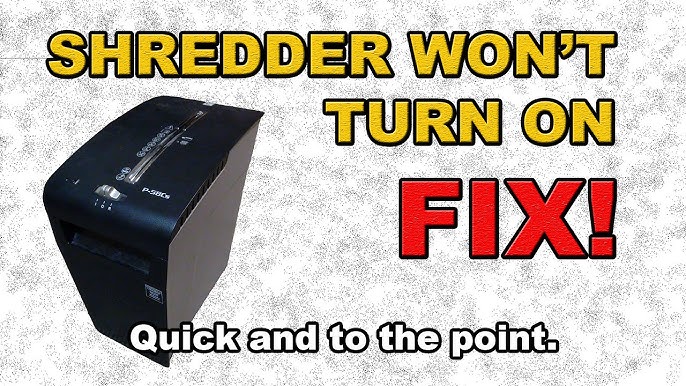
Credit: www.youtube.com
When To Repair Vs. Replace
Not every shredder is worth fixing. Here’s how to decide:
Repair
- Newer machines under warranty
- Clear sensor or switch issues
- Motor and blades still in good condition
Replace
- Old shredders (5+ years) with frequent problems
- Burnt smell, smoke, or visible electrical damage
- Expensive circuit board repairs needed
Cost Comparison Example
| Problem | Average Repair Cost | Replacement Cost | Recommendation |
|---|---|---|---|
| Sensor Cleaning/Adjustment | $20-$50 | – | Repair |
| Switch Replacement | $40-$80 | $60-$200 | Repair if shredder is new |
| Motor or Circuit Board | $100-$200 | $60-$300 | Replace |
Safety Tips For Shredders That Won’t Turn Off
A stuck-on shredder is a safety risk, especially in homes with children or pets. Here are some key precautions:
- Unplug immediately if the shredder will not stop.
- Never put hands inside the feed slot, even if you think the blades have stopped.
- Keep shredder out of reach of children and pets until repaired.
- Do not cover the shredder or block air vents, as this can cause overheating.
- Avoid using extension cords; plug directly into a wall outlet.
What Beginners Often Miss
Many users overlook two important facts:
- Shredder sensors are very sensitive. Even a tiny scrap of paper or dust can keep the machine running.
- Not all shredders are built for heavy use. If you regularly shred thick stacks, consider upgrading to a commercial model. Overworking a home shredder can lead to repeated sensor and switch failures.
Signs You Need Professional Help
You can solve many shredder problems yourself, but some require an expert. Watch for these warning signs:
- The shredder won’t stop even after cleaning all visible sensors and removing debris.
- The machine smokes, smells burnt, or gets hot quickly after plugging in.
- The power switch feels loose or broken.
- No response at all when switching settings, even after unplugging and resetting.
- Warranty still active: Opening the case may void your warranty—check first!
In these cases, contact the manufacturer or a local repair shop. For reputable brands, you may find authorized service centers through their official website or user manual.
How To Choose A Reliable Shredder
If you decide to replace your old shredder, keep these factors in mind:
- Duty cycle: How many minutes per day can it run without overheating?
- Sheet capacity: How many sheets can it shred at once?
- Sensor type: Optical sensors are more common in modern models, but mechanical sensors are easier to clean and repair.
- Warranty: Look for at least a 1-year warranty on parts and labor.
A good resource for comparing shredder models and reviews is the Consumer Reports Shredder Guide.
Real-world Example: Fixing A Stuck-on Shredder
Imagine a small office with a shredder that won’t turn off, even when switched to “off. ” After unplugging, the office manager finds a tiny piece of paper stuck near the sensor. Removing it with tweezers and wiping the sensor with a dry cloth solves the problem—no need for repairs or replacement.
This simple fix saves time and money, and the shredder works perfectly again.
What To Avoid
- Don’t use water or spray cleaners on electronic sensors.
- Don’t force the power switch if it feels stuck; you may break internal parts.
- Don’t ignore unusual smells or heat; this could mean a motor or wiring problem.
Extra Troubleshooting Tips
- Try plugging your shredder into a different outlet to rule out electrical issues.
- Consult your user manual for specific instructions and diagrams.
- Search for replacement parts only from reputable sellers—counterfeit parts can be unsafe.
Frequently Asked Questions
Why Does My Shredder Keep Running After The Paper Is Gone?
This is usually caused by sensor blockage—dust, paper pieces, or a misaligned lever can “trick” the machine into thinking there’s still paper. Clean the feed slot and sensors carefully.
Is It Dangerous If My Shredder Won’t Turn Off?
Yes, it can be. A shredder that won’t turn off can overheat, start a fire, or cause injury. Always unplug it right away and keep it away from children and pets until fixed.
Can I Fix A Shredder That Won’t Turn Off By Myself?
Many problems, like dirty sensors or stuck paper, can be fixed at home. If the issue is with electronics or the motor, or if the warranty is active, contact a professional.
How Do I Know If My Shredder Uses A Mechanical Or Optical Sensor?
Check your manual or look inside the feed slot. Mechanical sensors are usually small levers or tabs. Optical sensors look like small glass or plastic windows.
Does Oiling The Shredder Help With Auto-shutoff Problems?
No, shredder oil only lubricates the blades and gears. It does not clean sensors or fix electrical issues. For sensors, use a dry cloth or gentle brush.
A shredder that won’t turn off is not just an annoyance—it’s a warning sign. With careful troubleshooting, good maintenance, and prompt action, you can keep your office safe and your shredder running smoothly. If in doubt, seek professional help or consider an upgrade for long-term reliability.