
A washing machine stuck on the wash cycle can turn your laundry day upside down. Many people face this problem with their Kenmore washer. You load the clothes, press start, and expect clean laundry—but the washer just keeps spinning or filling, never moving to rinse or spin. This issue can waste water, energy, and your time. It’s stressful, especially if you rely on your washer for daily chores. Understanding the reasons behind this and learning how to fix it can save you money and prevent bigger troubles.
This article explains why a Kenmore washer might get stuck on the wash cycle. You’ll discover practical steps to diagnose and solve the issue, common mistakes, and insights that many beginners miss. Whether you’re handy or just want to know when to call a professional, this guide helps you make the right decisions for your home.
Why Kenmore Washers Get Stuck On The Wash Cycle
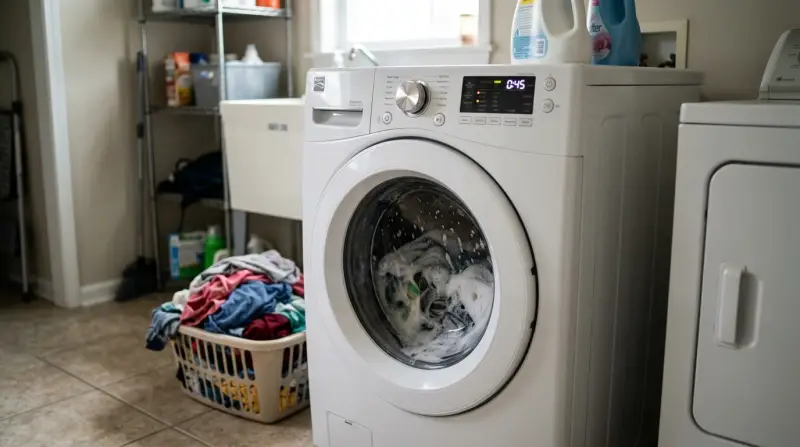
A washer stuck on the wash cycle is not just annoying. It can mean a deeper problem with the machine’s controls, water supply, or mechanical parts. Let’s look at the main causes:
1. Faulty Timer Or Control Board
The timer or electronic control board tells the washer when to move from wash to rinse. If these parts fail, the machine can stay on one cycle forever. Older Kenmore models use mechanical timers, while newer ones use electronic boards.
2. Water Inlet Valve Issues
The water inlet valve controls water flow into the washer. If it’s clogged or broken, the washer might not fill or drain properly, causing it to stay in the wash cycle.
3. Drainage Problems
If the washer can’t drain, it won’t move to the next step. Blocked or kinked hoses, or a faulty drain pump, are common reasons.
4. Door Or Lid Switch Failure
Most washers will not advance if the door or lid is open or the sensor is broken. Safety sensors are important, but they can fail or get stuck.
5. Pressure Switch Malfunction
This switch detects water levels. If it’s faulty, the washer may not know when to stop washing and start rinsing.
6. Stuck Or Broken Cycle Selector
If the cycle selector knob is damaged or stuck, it can prevent the washer from switching cycles.
7. Software Glitch (for Digital Models)
Sometimes, electronic washers freeze due to a software bug. A simple reset may fix this.
Real-life Example
A family in Texas reported their Kenmore washer stuck on the wash cycle for over an hour. After checking, they found a sock blocking the drain hose. Removing the sock fixed the problem. This shows how simple obstructions can cause major issues.
Quick Troubleshooting Steps
If your Kenmore washer is stuck, you don’t need to panic. You can try several quick solutions before calling for help. Here’s how:
1. Unplug And Reset
Turn off the washer and unplug it for at least 5 minutes. Plug it back in and restart. This can clear small software glitches.
2. Check The Door/lid
Make sure the door or lid is fully closed. Press firmly to engage the sensor.
3. Inspect The Drain Hose
Look for bends or blockages. Straighten the hose and remove any debris.
4. Clean The Water Inlet Valve
Turn off water supply. Remove and clean the valve screens. Reattach and test.
5. Listen For Unusual Sounds
If you hear buzzing or clicking, the timer or control board may be faulty.
6. Try A Different Cycle
Select another cycle and see if the washer advances normally.
7. Check Water Pressure
Low water pressure can prevent proper washing and rinsing.
Common Mistakes
Many beginners forget to check both ends of the drain hose. Also, some people skip cleaning the water inlet valve screens, which often cause blockages.

Credit: dokasch.com
When To Call A Professional
Some repairs are simple, but others need a trained technician. If you notice burning smells, sparks, or repeated failures after resetting, call for help. Here are signs you need a professional:
- Electronic Control Board Failure
Repairing or replacing these boards can be complex.
- Broken Pressure Switch
Testing and replacing this part needs special tools.
- Faulty Motor or Pump
If the washer is noisy or not spinning, the motor or pump could be damaged.
- Repeated Stuck Cycles
If the problem returns after you fix it, there may be an underlying issue.
Average Repair Costs
Here is a comparison of common repair costs for Kenmore washers:
| Repair Type | DIY Cost | Professional Cost |
|---|---|---|
| Drain Hose Replacement | $15 – $30 | $90 – $150 |
| Water Inlet Valve | $25 – $50 | $120 – $200 |
| Control Board | N/A | $250 – $400 |
| Motor/Pump | N/A | $200 – $350 |
DIY repairs can save money, but only try them if you feel confident. Avoid fixing electric parts unless you have experience.
Preventing Washer Problems
Regular maintenance can keep your Kenmore washer running smoothly. Most issues happen because of neglect or small mistakes. Here are some tips:
1. Clean Filters And Hoses Monthly
Remove lint and debris from hoses and filters.
2. Use Proper Detergent
Too much detergent can cause buildup and blockages.
3. Check Water Supply
Inspect hoses for leaks or kinks.
4. Avoid Overloading
Too many clothes can strain the motor and sensors.
5. Run Empty Cycle With Vinegar
Once a month, run an empty cycle with vinegar to prevent mold and soap residue.
6. Inspect Door/lid Sensors
Check for dirt or damage. Clean with a damp cloth.
Maintenance Schedule Table
Here’s a simple schedule to follow:
| Task | Frequency | Time Needed |
|---|---|---|
| Clean hoses/filters | Monthly | 15 minutes |
| Check water supply | Quarterly | 10 minutes |
| Run vinegar cycle | Monthly | 1 hour |
| Inspect sensors | Monthly | 5 minutes |
How To Replace Common Parts Yourself
If you want to fix your Kenmore washer, start with simple parts. Here are steps for two common repairs:
Replace Drain Hose
- Unplug the washer.
- Move the machine away from the wall.
- Locate the drain hose at the back.
- Remove the old hose by loosening the clamp.
- Attach the new hose and secure with the clamp.
- Move the washer back and plug it in.
Clean Water Inlet Valve
- Turn off water supply.
- Unscrew hoses from the valve.
- Remove screens and rinse under water.
- Reattach screens and hoses.
- Turn on water and test the washer.
Non-obvious Insight
Many people forget to use Teflon tape when reattaching hoses. This prevents leaks and improves water flow. Also, after cleaning valves, always check for drips before running a full cycle.
Comparing Kenmore Models
Not all Kenmore washers behave the same way. Some models are more prone to getting stuck due to design differences. Here’s a comparison:
| Model | Control Type | Common Stuck Cycle Causes |
|---|---|---|
| Kenmore 110 | Mechanical Timer | Timer wear, door sensor failure |
| Kenmore Elite | Electronic Board | Software bugs, valve clogs |
| Kenmore HE | Digital Display | Drain pump issues, pressure switch |
Model-specific Advice
If you have a Kenmore Elite with a digital board, try a hard reset first. For older Kenmore 110 machines, check the timer knob, as it often wears out after years of use.
Credit: www.ifixit.com
What Beginners Often Miss
1. Ignoring Error Codes
Some Kenmore models display error codes. Look up these codes online or in your manual. They can point directly to the problem.
2. Not Checking Water Supply Valves
Many assume the washer is broken, but sometimes the water supply valve is partially closed.
3. Overlooking Door/lid Alignment
If the door is slightly off, the sensor won’t activate. Adjust the door or lid and try again.
Professional Diagnosis Tools
Technicians use special tools to diagnose stuck cycles:
- Multimeter for electrical testing
- Pressure gauge for water level checks
- Diagnostic software for digital models
If you have access to these tools, you can check for electrical continuity, proper water pressure, and software errors.

Credit: www.youtube.com
When To Replace Your Washer
Sometimes, repairs cost more than buying a new washer. If your Kenmore is over 10 years old and needs major parts, consider replacement. New washers are more efficient and can save money in the long run.
Statistics
The average lifespan of a Kenmore washer is about 11–14 years. After this, mechanical failures become more common. According to the US Department of Energy, new washers use 25% less energy and water than older models.
Frequently Asked Questions
Why Does My Kenmore Washer Stay On The Wash Cycle?
This usually happens because of a faulty timer, control board, or drainage issue. Check these parts first.
How Can I Reset My Kenmore Washer?
Unplug the washer for 5 minutes, then plug it back in. For digital models, press and hold the Start/Pause button for 10 seconds.
Is It Safe To Repair A Washer Myself?
Simple repairs like hose replacement or cleaning are safe. Avoid electrical or motor repairs unless you have experience.
What Error Codes Should I Look For?
Codes like F21 (drain problem) or F11 (control board issue) are common. Refer to your manual or the Kenmore official site for more details.
How Often Should I Maintain My Washer?
Monthly cleaning and quarterly checks can prevent most problems. This keeps your washer running smoothly and extends its life.
A Kenmore washer stuck on the wash cycle doesn’t have to ruin your day. By understanding the causes and following practical steps, you can fix or prevent most issues. Regular maintenance and smart troubleshooting save money and keep your laundry routine stress-free.
If repairs seem too complex, don’t hesitate to call a professional. With the right knowledge, you’ll have clean clothes—and peace of mind—every time.