
Hisense dehumidifiers are popular in homes and offices because they help control humidity and improve air quality. Many users choose them for their affordable price, energy efficiency, and modern features. However, like any appliance, these dehumidifiers are not perfect. Owners often face issues that can cause frustration, wasted energy, or even damage to the unit itself. Understanding the most common Hisense dehumidifier problems, their causes, and practical solutions can save you time and money. If you’re considering buying one or already own a unit, this guide will help you recognize and fix issues before they become major headaches.
Common Hisense Dehumidifier Problems
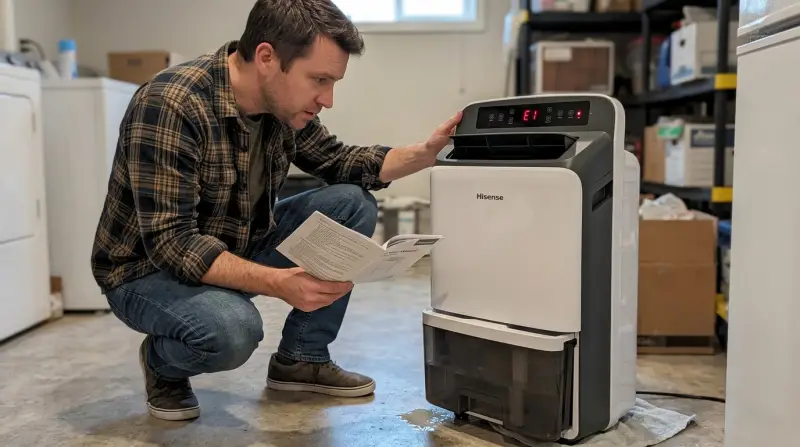
Hisense dehumidifiers come in different sizes and models, but most problems are similar across the range. Some issues can be solved easily at home, while others may need professional repair.
1. The Unit Is Not Collecting Water
One of the most reported complaints is when the dehumidifier runs, but the water tank stays empty. This can be confusing, especially during humid weather.
Possible Causes:
- Low room humidity: If the humidity is below 40%, the dehumidifier may not collect water.
- Incorrect settings: The unit might be set to a humidity level that is already achieved.
- Clogged filter or coils: Dust and debris can block airflow, making the unit less effective.
- Faulty compressor or refrigerant leak: The unit cannot remove moisture without proper cooling.
What to Do:
- Check the current humidity with a separate meter.
- Lower the target humidity setting to 35–40% and see if water collects.
- Clean or replace the filter every few weeks.
- Inspect the coils for ice or dirt and clean carefully.
- If you hear the compressor, but no water is collected, the refrigerant may have leaked. This requires a technician.
2. Dehumidifier Runs But Room Stays Damp
Sometimes the dehumidifier runs continuously, but the air still feels moist. This can mean it is not working efficiently.
Possible Causes:
- Unit size is too small: A small unit cannot handle a large or very humid room.
- Doors or windows open: Moist air keeps entering the room.
- Continuous drain hose is kinked or blocked: Water cannot leave the unit, causing poor performance.
- Fan or sensor issues: The fan may not be moving air properly, or the humidity sensor is inaccurate.
What to Do:
- Make sure the unit matches your room size. Use a 50-pint dehumidifier for large basements.
- Keep windows and doors closed during operation.
- Check the drain hose for bends, clogs, or leaks.
- Restart the unit and test in a smaller room. If it works there, you may need a larger model.
3. Loud Noise Or Vibration
Users often complain about strange noises, rattling, or vibrations, especially after a few months of use.
Possible Causes:
- Loose parts: Screws or panels may have loosened during operation.
- Fan blade obstruction: Debris or dust can hit the fan.
- Compressor noise: Older units or faulty compressors can make knocking or humming sounds.
- Uneven surface: The unit is not level, causing vibration.
What to Do:
- Place the dehumidifier on a flat, stable surface.
- Unplug the unit and gently tighten any loose screws.
- Clean the fan and motor area to remove debris.
- If the noise is from the compressor, it may be a sign of wear, and you should contact Hisense support.
4. Dehumidifier Not Turning On
A dead unit is frustrating. If your Hisense dehumidifier does not power up, the problem can be simple or serious.
Possible Causes:
- Power outlet issue: The outlet may be dead or the plug is loose.
- Blown fuse or tripped breaker: Overloads can cut power to the device.
- Internal electronic failure: The control board or display panel may be faulty.
- Full water tank: Most units will not start if the tank is not seated properly or is full.
What to Do:
- Test the outlet with another device.
- Reset any tripped breakers or replace blown fuses.
- Make sure the water tank is empty and in the correct position.
- If all else fails, seek professional repair.
5. Error Codes And Light Indicators
Hisense dehumidifiers often display error codes on their screens. Each code points to a specific issue.
Common Codes:
- E1: Humidity sensor error
- E2: Temperature sensor error
- EC: Refrigerant leak or compressor issue
- P2: Water tank full or not in place
What to Do:
- Power off and restart the unit.
- Check and reseat all sensors and the water tank.
- For EC codes, contact a service center because refrigerant issues are not DIY fixes.
Hisense Vs. Other Dehumidifier Brands
How do Hisense dehumidifiers compare with similar brands in reliability and common problems? Here’s a quick look:
| Brand | Typical Issues | Warranty Length | Average Lifespan |
|---|---|---|---|
| Hisense | Sensor errors, water not collecting, noisy operation | 1 year | 3-5 years |
| Frigidaire | Coil freezing, control board failure | 1-2 years | 4-6 years |
| Honeywell | Drain issues, sensor failure | 5 years (limited) | 5-7 years |
Insight: Hisense models are budget-friendly but may need more frequent minor repairs compared to premium brands.
Troubleshooting And Diy Fixes
You can solve many Hisense dehumidifier problems at home without calling for service. However, don’t open sealed components, as this can void your warranty.
Basic Steps For Most Problems
- Unplug the unit before inspecting or cleaning.
- Clean filters and air inlets every two weeks.
- Check the room environment. High dust, pets, or open windows reduce performance.
- Reset the unit. Many problems clear after unplugging for 10 minutes.
- Inspect the water tank for cracks or poor placement.
- Test with a different outlet to rule out electrical issues.
Always keep the manual. It has model-specific error codes and cleaning instructions.
When To Call For Professional Help
Some issues are too complex or risky for DIY:
- Refrigerant leaks: Only certified technicians should handle refrigerant.
- Control board failures: These are expensive to replace and require expertise.
- Persistent compressor noise: Indicates a serious mechanical problem.
If your unit is under warranty, contact Hisense support before trying advanced repairs.
Preventing Problems Before They Start
Regular maintenance is key to avoiding most Hisense dehumidifier problems. Many owners forget these simple habits:
- Clean the filter every two weeks.
- Empty and rinse the water tank often to prevent mold.
- Check for blockages in the drain hose monthly if you use continuous drain mode.
- Keep the unit upright during transport to protect the compressor.
- Store in a dry place when not in use.
Non-obvious tip: Place the dehumidifier in the center of the room for best airflow. Corners and closets can block air and reduce efficiency.

Warranty And Support Insights
Hisense usually offers a 1-year warranty on dehumidifiers. You must keep your receipt and register the product online for full coverage. Some buyers miss this and lose their warranty rights.
If you need to make a claim:
- Contact Hisense customer support with your model and serial number.
- Describe the problem clearly and mention any error codes.
- Follow the troubleshooting steps from the manual first; support will ask.
- Keep all emails and case numbers for faster service.
Most common issues are covered in the first year, but physical damage or DIY repairs can void the warranty.

Real User Experiences
To understand which problems are most common, it’s helpful to look at customer reviews and service reports. Here’s what actual users report most often:
| Problem | Reported Frequency (%) | Typical Solution |
|---|---|---|
| Not collecting water | 35% | Clean filters, adjust settings |
| Error codes | 22% | Reset unit, reseat sensors |
| Noisy operation | 16% | Level unit, tighten screws |
| Won’t turn on | 12% | Check power, replace fuse |
| Water tank leaks | 8% | Replace tank, contact support |
| Other | 7% | Varies |
Many users don’t realize that placing the unit too close to a wall can cause overheating and sensor errors.
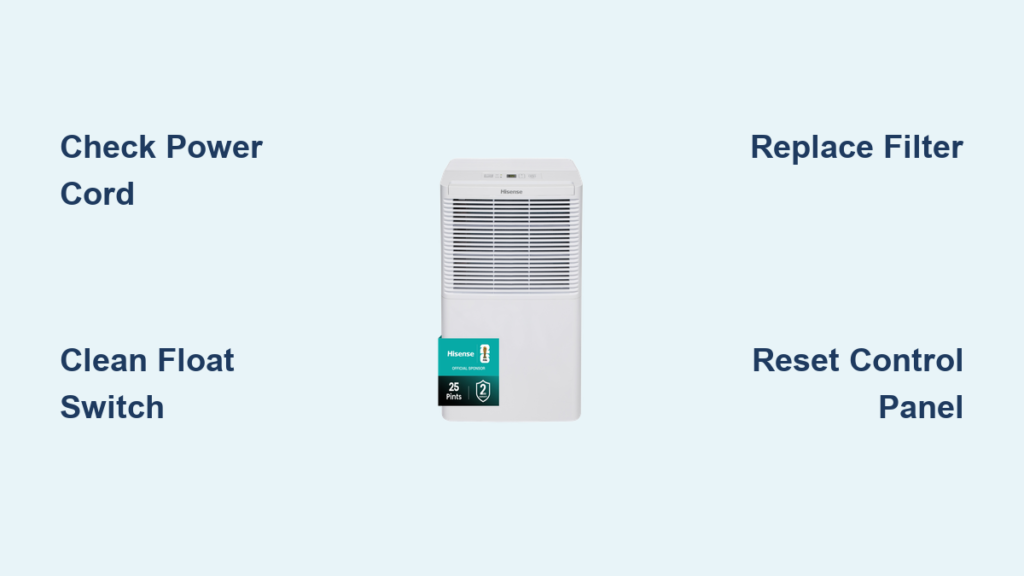
When To Replace Your Hisense Dehumidifier
No appliance lasts forever. Most Hisense dehumidifiers work well for 3–5 years with proper care. But if you experience these signs, it may be time for a new unit:
- Repeated compressor failure
- Repair costs exceed half the price of a new unit
- Rust or mold inside the machine
- Frequent error codes after multiple repairs
Replacing an old, inefficient unit can also save on electricity bills and improve air quality.
Frequently Asked Questions
Why Is My Hisense Dehumidifier Blowing Hot Air?
Most dehumidifiers release warm air as they remove moisture. This is normal. However, excessive heat may signal dirty coils, poor airflow, or a failing compressor. Clean the filter and check for blocked air vents. If the problem continues, consult a technician.
How Often Should I Clean The Filter?
You should clean the filter every two weeks during heavy use. A clogged filter reduces efficiency and can cause the unit to stop collecting water. Rinse with warm water and let it dry completely before reinstalling.
What Does The Ec Error Code Mean?
The EC code usually means a refrigerant leak or compressor problem. This is not a user-fixable issue. Unplug the unit and call a certified repair service, as handling refrigerant requires special training.
Can I Use My Dehumidifier In Winter?
Hisense dehumidifiers work best between 41°F and 95°F (5°C and 35°C). In temperatures below 41°F, the coils may freeze, causing the unit to stop working or display error codes. For cold basements, consider a model with an auto-defrost feature.
Where Can I Find A Reliable Humidity Meter?
A separate digital hygrometer gives more accurate readings than the built-in sensor. You can buy reliable models online or in hardware stores. For more advice, check guides on Consumer Reports.
Hisense dehumidifiers are a good choice for many homes, but like any appliance, they can develop problems. With regular maintenance, smart troubleshooting, and a clear understanding of common issues, you can keep your unit running efficiently. If problems do arise, you’ll be better prepared to fix them or know when it’s time for a replacement.