
Many homeowners rely on their GE refrigerators every day. When the control panel suddenly stops working, it can cause stress and confusion. The control panel is the “brain” of the fridge. It lets you set temperatures, turn on ice makers, and control other important functions. If it’s not working, your refrigerator may not cool properly or could stop making ice. Sometimes, the panel goes blank or only some buttons respond. This article explains why this happens, how to troubleshoot, and what you can do to fix the problem. If you’re not sure where to start, don’t worry. You’ll find step-by-step guidance, practical tips, and helpful comparisons for common issues. By the end, you’ll know how to handle a GE refrigerator control panel not working and avoid mistakes many beginners make.
Common Signs Of Ge Refrigerator Control Panel Failure
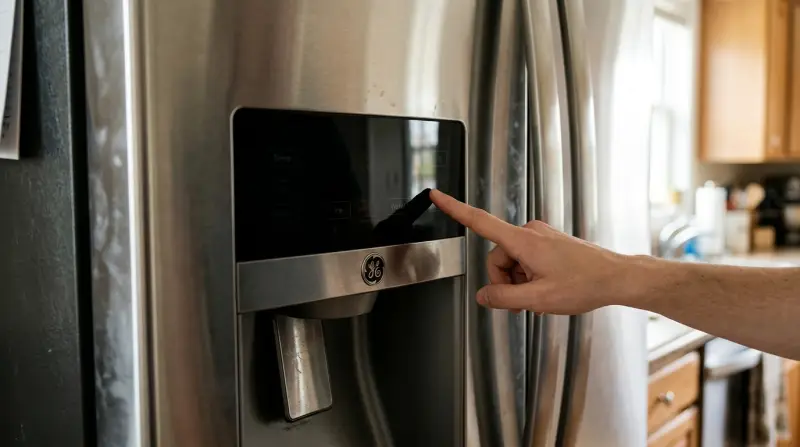
A control panel can fail in several ways. Recognizing the symptoms will help you understand what to do next. Here are the most common signs:
- Blank display: The panel shows nothing at all.
- Unresponsive buttons: Pressing buttons does not cause any change.
- Partial function: Some buttons work, others don’t.
- Flashing lights: The panel shows unusual blinking or error codes.
- Wrong temperature readings: The display shows incorrect temperatures.
If you notice one or more of these signs, it’s likely the panel or its connections have a problem.
Key Causes Of Ge Refrigerator Control Panel Problems
Understanding why your GE refrigerator control panel is not working helps you fix it faster. Here are the main causes:
1. Power Issues
If your fridge loses power or has a weak connection, the control panel may stop working. Check if the fridge is plugged in and receiving electricity. Sometimes, a blown fuse or tripped breaker is the culprit.
2. Faulty Control Board
The control board is the electronic part behind the panel. It can fail due to age, electrical surges, or moisture. If the board is damaged, the panel may go blank or act strangely.
3. Loose Or Damaged Wiring
Wires connect the control panel to the control board and other parts. Over time, they can become loose, disconnected, or damaged. This interrupts signals and causes the panel to stop responding.
4. User Error
Sometimes, the problem is simple. Accidentally pressing the wrong buttons, or activating a child lock, can make the panel seem broken. Always check the user manual for special functions.
5. Software Glitches
Modern GE refrigerators use software to run the panel. Software errors may cause temporary failures. Often, a simple reset solves the issue.
6. Moisture Or Physical Damage
Spilled water, humidity, or impact can harm the control panel. Moisture inside the panel can cause short circuits or corrosion.
Troubleshooting Steps For Ge Refrigerator Control Panel Not Working
Before calling a technician, try these steps. Many problems can be fixed at home.
Step 1: Check Power Supply
- Make sure the refrigerator is firmly plugged in.
- Check the outlet with another device to confirm power.
- Look at your home’s fuse box or circuit breaker.
If the fridge isn’t getting power, fix this first.
Step 2: Reset The Refrigerator
- Unplug the fridge for 5–10 minutes.
- Plug it back in.
- Wait a few minutes for the panel to restart.
A reset often clears software glitches. This is a simple and safe first step.
Step 3: Inspect The Control Panel
- Look for signs of moisture, cracks, or physical damage.
- Dry any wet areas gently with a soft cloth.
If the panel looks damaged, replacement may be needed.
Step 4: Test The Buttons
- Try each button to see which ones respond.
- If only some buttons work, the issue may be with the panel itself, not the board.
Step 5: Examine Wiring And Connections
- If you feel comfortable, remove the panel cover (after unplugging the fridge).
- Check for loose or damaged wires.
- Reconnect any that are loose.
Only do this if you have some experience with appliances.
Step 6: Check For Error Codes
Some GE refrigerators display error codes when there’s a problem. Look for blinking lights or codes and check your user manual for meanings.
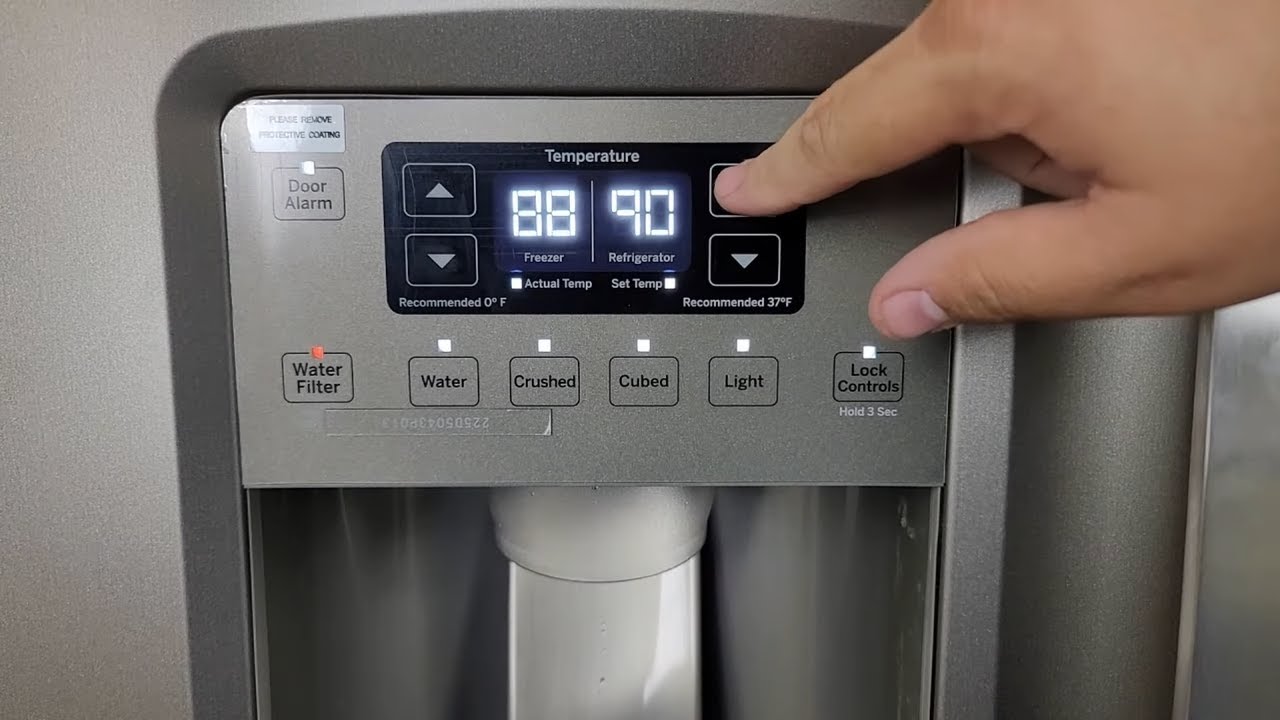
Step 7: Use The Child Lock Feature
Many GE fridges have a child lock. If activated, the panel won’t respond. Try holding the lock button for 3–5 seconds to unlock.
Comparing Common Solutions
Not all fixes work for every control panel problem. Here’s a quick comparison of popular solutions:
| Solution | Success Rate | Time Needed | Cost |
|---|---|---|---|
| Resetting Refrigerator | High | 5–10 min | $0 |
| Checking Power Supply | Medium | 5 min | $0 |
| Inspecting Wiring | Medium | 20–30 min | $0–$50 |
| Replacing Panel/Board | High | 1–2 hrs | $100–$400 |
| Professional Repair | Very High | 1–3 hrs | $150–$500 |
Most homeowners find resetting and checking power solves the issue. If not, inspecting wiring or calling a technician may be needed.

Credit: www.reddit.com
When To Replace The Control Panel Or Board
Sometimes, the panel or control board cannot be fixed. Here’s how to decide:
- The panel is physically damaged (cracked or wet inside).
- Wiring is burnt or melted.
- Resetting does not restore functions.
- Error codes show “board failure” or “panel failure.”
- Buttons remain unresponsive after all steps.
If you decide to replace, you can order parts from GE or appliance stores. Replacing the panel or board is usually best left to professionals unless you have experience.
Ge Refrigerator Models Most Affected
Some GE models are more likely to have control panel issues. Older models and those with touch screens face more failures. Here’s a look at the most affected types:
| Model | Panel Type | Common Problem |
|---|---|---|
| GE Profile Series | Touchscreen | Software glitch |
| GE Café Series | Button panel | Unresponsive buttons |
| GE Side-by-Side | LED display | Blank display |
| Older GE Top-Freezer | Button panel | Loose wiring |
If you own one of these, keep an eye on panel health and follow regular maintenance tips.
Hidden Insights: What Most Beginners Miss
Many people overlook these two key points:
- Panel reset buttons: Some GE fridges have a hidden reset button behind the panel or inside the door. Check your manual for its location. Using this can solve many issues quickly.
- Voltage fluctuations: If your home has unstable power, the fridge panel may fail often. Installing a surge protector can prevent repeated failures.
Ignoring these steps can lead to repeated problems. Always check for a reset button and consider voltage protection if you live in an area with power issues.
Preventing Control Panel Failure
To keep your GE refrigerator control panel working smoothly, follow these simple tips:
- Clean the panel gently with a dry cloth; avoid water and harsh chemicals.
- Keep the fridge in a dry area to prevent moisture damage.
- Do not overload the fridge with heavy items near the panel.
- Check wiring and connectors during regular maintenance.
- Use a surge protector to guard against power spikes.
Spending a few minutes each month on care can extend the life of your control panel.
Credit: www.youtube.com
Professional Repair Vs Diy
Deciding between fixing the panel yourself or calling a technician depends on your skill and the problem’s severity. Here’s a quick comparison:
| Factor | DIY | Professional Repair |
|---|---|---|
| Cost | Lower | Higher |
| Risk | Medium | Low |
| Time | Variable | Predictable |
| Warranty | May void | Usually covered |
| Skill needed | Moderate | Minimal |
If your fridge is under warranty, always call a GE-certified technician. DIY repairs may void your warranty.
Real-world Example
A homeowner named Lisa noticed her GE Side-by-Side refrigerator panel was blank. She first checked the power supply, then reset the fridge by unplugging it. When the panel did not revive, she found a loose wire behind the panel cover. After reconnecting it, the display returned to normal. Lisa avoided a costly repair by following simple troubleshooting steps.
Another user, Mike, had a GE Profile fridge with a touchscreen panel. After a power surge, the panel stopped responding. Mike tried a reset, but the panel stayed blank. He called a technician, who replaced the control board. The repair cost $320 but restored the fridge to full function.
Frequently Asked Questions
Why Does My Ge Refrigerator Control Panel Go Blank Sometimes?
A blank panel is usually caused by power loss, a software glitch, or a failed control board. Try resetting the fridge and checking your power supply first.
How Can I Reset My Ge Refrigerator Control Panel?
Unplug the refrigerator for 5–10 minutes, then plug it back in. This simple reset often fixes software problems and restores panel function.
What Does It Mean If Only Some Buttons Work?
If only certain buttons respond, the issue may be with the panel itself or its wiring. Check for loose connections or consider replacing the panel.
Is It Safe To Fix My Ge Refrigerator Control Panel Myself?
Basic troubleshooting is safe. However, for wiring repairs or board replacements, it’s best to call a professional. DIY mistakes can damage the fridge further or void the warranty.
Where Can I Find Official Parts For My Ge Refrigerator?
Order genuine parts from GE’s official website or trusted appliance stores. For detailed instructions and parts, visit GE Appliances.
If your GE refrigerator control panel is not working, don’t panic. With the right steps, most issues can be solved at home. Simple resets and careful checks fix many problems. When you need help, choose a qualified technician. Protect your fridge with regular care, and you’ll enjoy years of reliable performance.