
If you push the power button on your Shark vacuum and nothing happens, it can be frustrating—especially when you need a quick cleanup. Shark vacuums are known for their reliability, but like any electronic device, they can sometimes stop working. Before you rush to buy a new one or schedule a repair, it’s important to know that many issues are simple to fix at home. This guide will walk you through every step to get your Shark vacuum turning on again, even if you have no technical background. You’ll learn how to diagnose the most common problems, find hidden issues beginners often miss, and understand when it’s time to call for professional help. Let’s get your Shark vacuum running again without wasting time or money.
Why Your Shark Vacuum Won’t Turn On
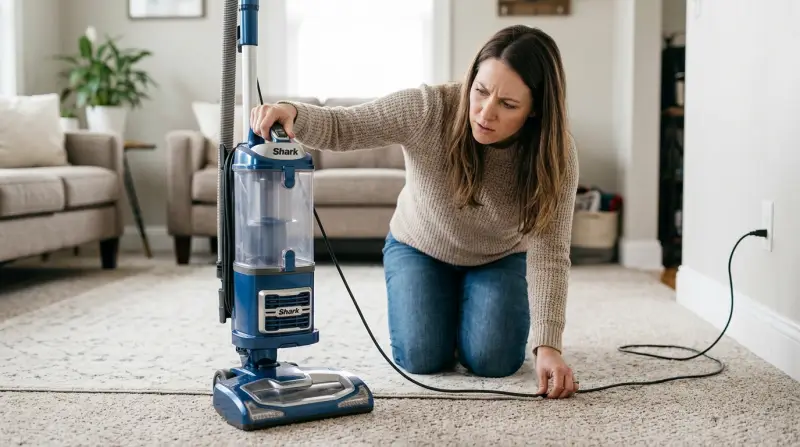
When a Shark vacuum refuses to power up, it’s usually because of a few key reasons. Understanding these can save you hours of confusion.
- Power supply issues – Problems with the outlet, plug, or cord are more common than people think.
- Internal blockages – Clogs or full dust bins can trigger safety features that keep the vacuum off.
- Overheating protection – If the vacuum gets too hot, it may shut down until it cools.
- Faulty switches or wiring – Wear and tear can damage components like the power switch.
- Motor or battery failure – Especially in older or heavily used vacuums.
Before jumping to conclusions, it’s smart to check each possibility step by step. Most users skip the basics, but these are where the easiest fixes are found.
Basic Checks: Start Here
Many Shark vacuum issues are solved by simple troubleshooting. Don’t skip these—sometimes the answer is surprisingly obvious.
Is The Power Outlet Working?
Plug another device, like a lamp or phone charger, into the same outlet. If it doesn’t work, the issue is with the outlet, not the vacuum. Try a different socket before continuing.
Is The Power Cord Damaged?
Look for cuts, frays, or twists in the cord. Even small damage can stop power from reaching the vacuum. If you spot anything unusual, don’t use the vacuum until it’s repaired.
Is The Plug Inserted Properly?
Sometimes the plug is loose or not fully in the socket. Push it in firmly. For extension cords, try plugging the vacuum directly into the wall to rule out a faulty extension.
Is The Power Switch Working?
Flip the vacuum’s power switch a few times. If it feels loose, sticks, or doesn’t click, the switch itself might be faulty.
For Cordless Models: Is The Battery Charged?
If you own a cordless Shark vacuum, check if the battery is properly seated and charged. Use the original charger, as third-party chargers may not deliver enough power.
Quick-check Table
Here’s how the basic checks stack up for corded and cordless Shark vacuums:
| Check | Corded Model | Cordless Model |
|---|---|---|
| Power Outlet | Essential | Optional (for charging) |
| Power Cord | Essential | Not applicable |
| Battery Charge | Not applicable | Essential |
| Power Switch | Essential | Essential |
Common Causes And How To Fix Them
Let’s dig into the specific reasons why your Shark vacuum won’t turn on, and how to address each one.
1. Power Cord Or Plug Damage
Cord damage is often overlooked. It can cause total power loss or make the vacuum stop and start randomly.
- How to spot: Look for visible wear, exposed wires, or bent prongs.
- Solution: If the cord is damaged, do not use electrical tape as a permanent fix. Replace the power cord or have a professional repair it. Using a damaged cord is a fire risk.
2. Blown Fuse Or Tripped Circuit Breaker
A blown fuse or tripped breaker in your home can cut power to the outlet.
- How to check: Test another device in the same outlet. Check your home’s breaker panel for any tripped switches.
- Solution: Reset the breaker or replace the fuse. If this happens often, the vacuum may be drawing too much current due to an internal issue.
3. Overheating Shut-off
Most Shark vacuums have an overheating protection feature. If airflow is blocked or the vacuum is used for a long time, it will shut off to prevent damage.
- Symptoms: The vacuum stops during use and won’t restart until cooled.
- Solution: Unplug the vacuum, let it cool for at least 30 minutes. Clean all filters, remove blockages, and empty the dust bin before trying again.
4. Blocked Filters Or Airflow Path
Clogged filters or air pathways make the motor work harder, which can prevent the vacuum from turning on.
- How to check: Remove and inspect all filters. Look for dust, hair, or debris.
- Solution: Wash or replace filters as the manual recommends. Check hoses, brush rolls, and inlets for clogs. Clear any blockages gently.
5. Full Dust Bin Or Blocked Sensors
A full dust bin or dirty sensors can send incorrect signals, making the vacuum refuse to start.
- Solution: Empty the bin. Wipe sensors with a dry cloth. Never use water on electronic parts.
6. Faulty Power Switch
A broken switch means the vacuum can’t receive the “on” signal.
- How to test: If other parts are fine but the vacuum is dead, the switch may be the issue.
- Solution: Switches are replaceable, but this is best done by a technician unless you’re comfortable with electronics.
7. Battery Issues (cordless Models)
Cordless Shark vacuums need a healthy, charged battery to run.
- Symptoms: No response when you press the power button, even after charging.
- Solution: Try a different charger or wall outlet. If the battery is old (2–3 years), it might need replacing. Use only Shark-approved batteries.
8. Internal Wiring Or Motor Failure
If everything else checks out, the problem could be inside the vacuum: wiring, circuit board, or motor.
- How to diagnose: There’s no noise, light, or sign of power. You’ve tried all other fixes.
- Solution: Internal repairs require technical skill. If your vacuum is under warranty, contact Shark support. Out of warranty, get a quote before deciding if repair or replacement is best.
Step-by-step Troubleshooting Guide
Follow these steps in order. Each step builds on the previous one, so don’t skip ahead.
- Check the power source – Test the outlet with another device.
- Inspect the power cord and plug – Look for visible damage.
- Try a different outlet – Rule out faulty sockets or extension cords.
- Test the power switch – Listen and feel for a solid click.
- Empty the dust bin – Even if it’s not full, debris can block sensors.
- Clean or replace filters – Dirty filters can cause overheating.
- Check for blockages – Inspect hoses, brush rolls, and suction paths.
- Let the vacuum cool – If it stopped during use, wait 30 minutes.
- For cordless models: Check battery seating and charge.
- Try again – Plug in and turn on.
If the vacuum still won’t turn on, the issue is likely internal.
Practical Troubleshooting Example
Suppose your Shark vacuum stopped suddenly and won’t turn on.
- You test the wall outlet with a lamp. The lamp works—so the outlet is fine.
- You check the power cord and see a small cut near the base.
- You replace the cord (or have a professional do it).
- The vacuum turns on again.
Most users would have assumed the vacuum was dead and wasted money on a new one.
Specific Model Considerations
Shark offers a range of vacuum types. The solution sometimes depends on your model.
Upright Shark Vacuums
- Usually corded.
- More likely to have cord or filter issues.
Stick And Handheld Models
- Often cordless.
- Battery issues are common.
Robot Vacuums
- May fail to turn on because of sensor errors or charging station problems.
- Cleaning sensors and charging contacts usually helps.
Model Comparison Table
Here’s a breakdown of what usually goes wrong by model:
| Model Type | Common Power Issues | Best First Step |
|---|---|---|
| Upright (Corded) | Power cord, switch, filter blockages | Check cord and outlet |
| Stick (Cordless) | Battery, charger, dust bin | Charge battery, empty bin |
| Robot | Sensors, charging contacts, battery | Clean sensors, check charging base |
Knowing your model’s weak spots can save troubleshooting time.
Advanced Troubleshooting And When To Call For Help
If you’ve tried all basic fixes and your Shark vacuum still won’t turn on, the problem may be complex or internal. Here’s what advanced troubleshooting involves.
Internal Fuse Check
Some Shark models have an internal thermal fuse that can blow if the vacuum overheats. Replacing this fuse is a job for technicians, as it involves opening the vacuum and soldering.
Switch And Motor Testing
Using a multimeter, a repair person can test for power reaching the motor and switch. If either fails, parts may need replacement.
Circuit Board Issues
A faulty circuit board can prevent the vacuum from starting. This is not a DIY fix. Replacement boards are sometimes available, but the cost may be close to buying a new vacuum.
Professional Repair Vs. Replacement
- If your vacuum is less than 2 years old, repairs under warranty are often free or low-cost.
- For older vacuums, compare repair quotes with the price of a new model.
Table: Repair Cost Estimates
Here’s what you can expect for typical Shark vacuum repairs in the US:
| Repair Type | Typical Cost Range | Repair Time |
|---|---|---|
| Power cord replacement | $30–$60 | 30–60 minutes |
| Switch replacement | $40–$80 | 30–90 minutes |
| Motor replacement | $100–$180 | 1–2 hours |
| Circuit board repair | $120–$200 | 2–4 hours |
If costs approach half the price of a new Shark vacuum, replacement is usually better value.
Credit: support.sharkninja.com
Preventing Future Power Problems
Taking care of your Shark vacuum reduces the chance it will stop turning on.
Regular Maintenance
- Clean filters every month or as the manual recommends.
- Empty the dust bin after every use.
- Check for blockages in the hose and brush roll weekly.
- Inspect the power cord often for early signs of damage.
Smart Usage Tips
- Don’t run the vacuum for more than 30–40 minutes without a break.
- Keep the vacuum in a cool, dry place. Avoid damp areas, which can rust electrical parts.
- For cordless models, store batteries at about 50% charge if not used for long periods.
Common Mistakes To Avoid
- Using the vacuum with wet debris or large objects can cause blockages and motor strain.
- Ignoring minor cord damage can lead to dangerous shorts.
- Not cleaning filters causes overheating, which can damage the motor.
When To Contact Shark Customer Support
If you’ve tried all troubleshooting steps and your Shark vacuum still won’t turn on, or if you notice burning smells, sparks, or smoke, stop using it immediately. Contact Shark customer support for:
- Warranty claims (have your purchase information ready)
- Advice on finding authorized service centers
- Ordering replacement parts
Shark’s support website is: Shark Clean Support.

Credit: www.ifixit.com
Real-world Examples
Case 1: Cord Damage Hidden In The Reel
A user noticed their upright Shark vacuum wouldn’t power on but saw nothing wrong with the visible cord. After opening the cord reel, they found the wire had snapped inside due to repeated bending. Replacing the cord reel fixed the problem.
Case 2: Overlooked Filter Blockage
A cordless Shark started shutting off and eventually wouldn’t turn on. The owner had never cleaned the HEPA filter in two years. After replacing the filter, the vacuum worked like new.
Case 3: Battery Charger Mix-up
A Shark stick vacuum owner tried charging with a third-party charger. The battery never charged fully, and the vacuum wouldn’t turn on. Switching to the original Shark charger solved the issue.
Insight: Many power problems are linked to overlooked routine maintenance or using the wrong accessories.
How To Safely Open And Inspect Your Shark Vacuum
Opening your vacuum is only recommended if it’s out of warranty and you’re comfortable with basic tools.
Safety Precautions
- Unplug the vacuum (or remove the battery) before opening.
- Use the correct screwdriver size to avoid stripping screws.
- Keep track of all screws and small parts.
What To Check Inside
- Look for loose wires, burnt smells, or blackened components.
- Never touch the motor or circuit board unless you know what you’re doing.
- If you see obvious damage, it’s safer to get professional help.
Non-obvious tip: Many users damage the vacuum by forcing parts open—always check for hidden screws under stickers or rubber caps.
Replacement Parts: What You Can Fix Yourself
Some Shark vacuum components are designed for user replacement. These include:
- Filters – Available online or from Shark.
- Dust bin – Simple to replace.
- Brush roll – Usually clips in and out.
- Battery (cordless only) – Buy the correct model for your vacuum.
Power cords, switches, and internal wiring should be replaced by professionals unless you have experience with electronics.
How Long Do Shark Vacuums Usually Last?
With good care, a Shark vacuum typically lasts 5–7 years. Cordless batteries may need replacement after 2–3 years. If your vacuum is older, a failure to turn on could signal it’s time for an upgrade rather than repair.

Credit: www.youtube.com
What To Do If Your Vacuum Still Won’t Turn On
If you’ve reached this point and your Shark vacuum still won’t start:
- Double-check all steps—many users miss a loose plug or hidden blockage.
- Ask a friend or family member to try the steps; a second set of eyes helps.
- Contact Shark support for further guidance.
Key insight: The majority of “dead” Shark vacuums are revived by fixing simple power or maintenance issues.
Frequently Asked Questions
Why Does My Shark Vacuum Turn Off By Itself And Not Turn On Again?
This usually means the vacuum has overheated. Most Shark vacuums have a thermal protection system that shuts off the motor to prevent damage. Let the vacuum cool for at least 30 minutes, clean all filters, and remove blockages before trying again.
Can A Blown Fuse Cause My Shark Vacuum Not To Turn On?
Yes. A blown home fuse or circuit breaker can cut power to the outlet. Some Shark models also have internal thermal fuses. If you suspect an internal fuse, contact a technician, as it requires opening the vacuum safely.
How Do I Know If My Shark Vacuum Battery Needs Replacing?
If your cordless Shark doesn’t respond even after charging with the original charger, the battery may be dead. Most Shark batteries last 2–3 years. Try a known-good battery if possible, or replace it with an official Shark part.
Is It Safe To Repair The Power Cord Myself?
Replacing a power cord requires basic electrical skills. If you’re not confident, it’s safer to have a professional do it. Incorrect repairs can create fire or shock hazards.
Where Can I Find Official Shark Vacuum Parts?
You can order parts directly from Shark’s website or from authorized retailers. Always use official parts for safety and compatibility. For more details, visit Shark Clean.
Getting your Shark vacuum working again is often a simple process, and most fixes require no special tools or skills. By following these steps, you save money, avoid frustration, and keep your home clean. If your vacuum still refuses to start after careful troubleshooting, it may be time for professional help or an upgrade. Remember, regular maintenance is the best way to prevent future problems and extend the life of your vacuum.