
If you own a modern RV, motorhome, or caravan, chances are you rely on a Bmpro control panel for daily operations. These smart panels help you control lighting, monitor batteries, manage tanks, and keep track of appliances—all from one place. So, when your Bmpro control panel stops working, it can turn a relaxing trip into a stressful headache. Understanding the causes, troubleshooting steps, and solutions is essential for every RV owner.
Let’s explore why your Bmpro control panel might not be working, how to fix it, and what you can do to prevent problems in the future. Whether you’re a full-time traveler or an occasional camper, this guide will give you clear answers and practical tips.
What Is A Bmpro Control Panel?
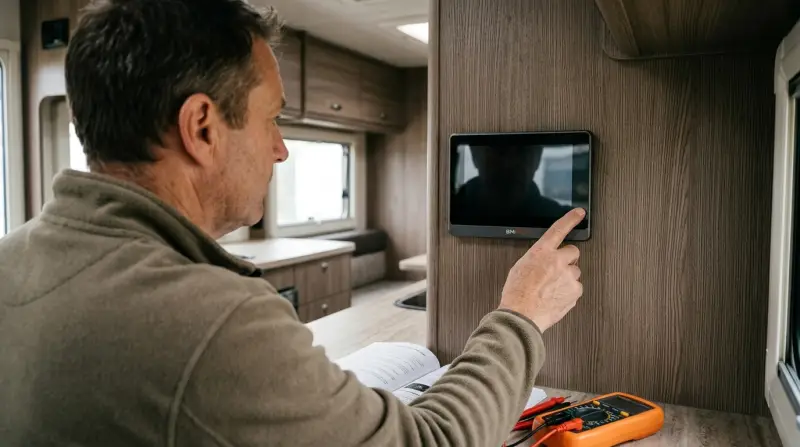
A Bmpro control panel is an electronic interface installed in many recreational vehicles. It allows you to:
- Turn lights and appliances on or off
- Monitor battery status, fresh and waste water tank levels, and temperatures
- Control air conditioning, heating, and slide-outs (on some models)
- Receive alerts about system issues
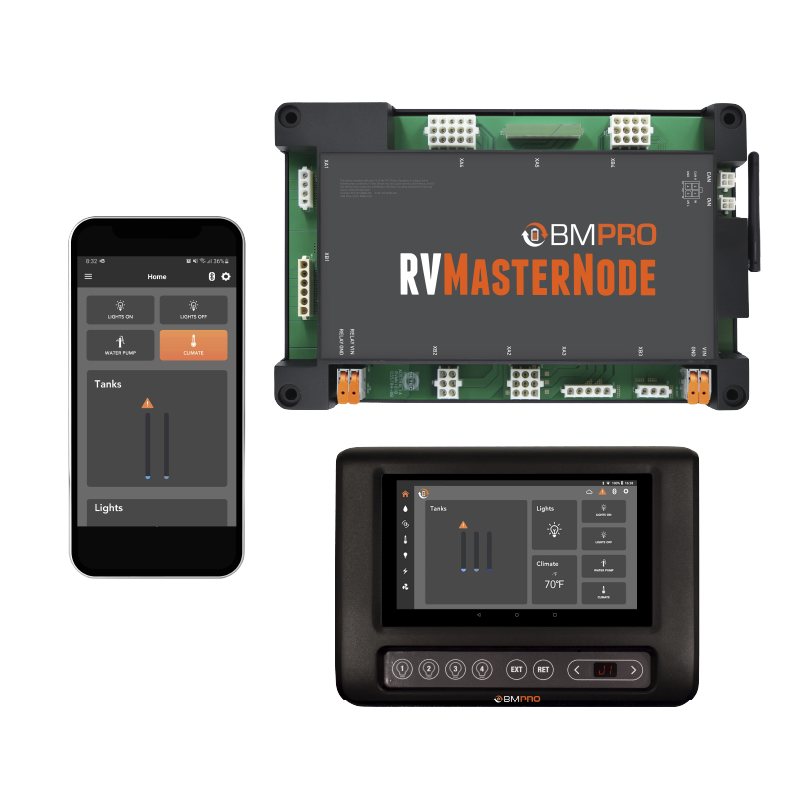
Bmpro panels come in several models, such as the BMPRO JHub, BMPRO Odyssey, and BMPRO Mini. Some use touchscreens, while others have physical buttons. Most connect to a central controller, sometimes with Bluetooth or Wi-Fi for smartphone access.
These panels are designed for convenience. For example, if you want to check your battery level or turn on the water pump at night, you don’t need to go outside or open several cupboards. Just use the panel or even your phone if your model supports it.
On some models, you can also set timers or schedules for lights and appliances, making RV life even smoother.
Another benefit is safety. The panel can alert you if the battery is low, a tank is nearly full, or if there’s an electrical fault. This helps avoid damage to your RV or unexpected problems while traveling. For families, some panels include security features like lockouts for children, so kids cannot accidentally turn on important systems.
Common Symptoms Of Bmpro Control Panel Failure
When your control panel fails, you might notice one or more of these symptoms:
- The screen is blank or unresponsive
- Buttons do not work
- Lights, water pumps, or appliances do not respond to commands
- Error messages appear
- The panel beeps, flashes, or restarts often
- Data (like battery or tank levels) is missing or incorrect
These problems can range from minor glitches to complete system failures. Identifying the exact symptom is your first step toward a solution.
Sometimes, the issue is not obvious. For example, the panel might seem to work, but the information it shows is wrong. Maybe the battery shows as “full” when it is actually low, or the water tank reads empty even after filling it.
At other times, you might hear a continuous beeping or see flashing lights. These signs are the panel’s way of telling you there’s a problem.
It’s also possible for only one part of the system to fail. For instance, the lighting controls may work but the water pump button does nothing. Or you might find that only the touchscreen is frozen, while physical buttons still respond.
By paying close attention to which features are affected, you can narrow down the cause and find a fix more quickly.

Main Causes Of Bmpro Control Panel Problems
Understanding why your panel is not working helps you fix it quickly. Here are the most common causes:
1. Power Issues
The control panel relies on 12V DC power from your RV’s electrical system. If there’s no power, the panel will be dead or flicker.
- Blown fuses
- Loose or corroded wires
- Weak or disconnected batteries
Power issues are the most frequent reason for problems. Even a small drop in voltage can cause the panel to act strangely. For example, if the battery voltage drops below 11. 5V, the screen may flicker, reset, or go completely blank.
Sometimes the problem is not the main battery, but a bad connection at the fuse box or a corroded terminal. Moisture and vibration can make these problems worse over time.
2. Software Glitches
Like any smart device, Bmpro panels run on software. Glitches can cause freezing, errors, or missing data.
- Failed updates
- Corrupted settings
- Incomplete boot-up
Software bugs are more common after a recent update or if the panel lost power during use. Sometimes, simply turning the panel off and on can clear temporary bugs. But if the software is corrupted, you may need to reinstall it or do a factory reset.
If your panel is connected to an app, check if the app is also showing errors—sometimes the issue is with the app and not the panel.
3. Hardware Failures
Parts inside the panel can fail over time.
- Faulty touchscreens
- Broken buttons
- Failed circuit boards
Physical damage is often caused by water leaks, impact, or age. For example, a cracked touchscreen may stop responding, or a button may stop working after getting stuck. In older panels, circuit boards can fail due to heat or dust buildup.
If you see signs of burning or melting, disconnect power immediately to avoid fire risk.
4. Communication Errors
The panel sends and receives data from a central controller or other modules.
- Disconnected data cables
- Wireless interference (for Bluetooth or Wi-Fi)
- Damaged connectors
Modern RVs use data cables or wireless signals to connect devices. If a cable comes loose or a connector gets dirty, the panel may lose contact with the main controller. Wireless connections can be interrupted by metal objects, thick walls, or other electronics.
Even moving the panel a few inches or removing nearby clutter can fix signal problems.
5. User Settings Or Locks
Some models have child lock or “safe mode” features. Accidentally turning these on can block access to controls.
These features are meant for safety, but they can be confusing. For example, if you activate child lock and forget about it, the panel may ignore your commands until you turn the lock off. Some users mistake this for a hardware or power problem.
6. Environmental Factors
Heat, moisture, and vibration inside an RV can damage electronics.
- Condensation or water leaks
- Extreme temperatures
- Dust buildup
RV interiors can get very hot in summer or cold in winter. Rapid temperature changes cause condensation, which may drip inside the panel. Dust from roads or campgrounds can work into buttons or vents, causing sticky controls or overheating. Panels near windows or vents are at higher risk, so location matters.
Quick Troubleshooting: First Steps
Before calling an expert, try these steps. Many problems are simple to fix.
1. Check The Power Supply
Make sure your main battery is charged and the RV is getting 12V power. Test other 12V appliances to see if they work. If not, the problem is likely with your battery, not the panel.
2. Inspect Fuses And Breakers
Find the fuse box (often near the battery or electrical panel). Replace any blown fuses for the control panel or main system. Sometimes, fuses look fine but have hairline cracks—use a multimeter to confirm.
3. Restart The Control Panel
Turn the panel off, wait 10 seconds, then turn it back on. Some models have a reset button. If the panel doesn’t have a power switch, disconnect it at the fuse or breaker instead.
4. Check For Loose Wires
Gently wiggle the wires behind the panel and at the battery. If anything is loose or looks corroded, tighten or clean it. Look for green or white powder (corrosion) on terminals.
5. Look For Error Codes
Some panels display error codes. Write them down—they help technicians diagnose the problem. If your screen is blank, listen for beeps or flashing lights, which may signal a code.
6. Try A Hard Reset
Disconnect the main battery for 1–2 minutes, then reconnect. This can reset the panel and clear glitches. Wait until all lights go out before reconnecting.
If you do all these steps and the panel comes back to life, the problem was likely minor. However, if the panel works for a few minutes then shuts off again, you may have a deeper issue, such as a failing battery or a hidden short circuit.
Non-obvious tip: When reconnecting the battery, watch for sparks or clicks. Repeated sparking could mean there’s a problem with your wiring or a stuck relay in the system.
Deeper Troubleshooting: When Simple Fixes Don’t Work
If the basic steps didn’t solve the issue, dig a bit deeper.
Power And Wiring Checks
Use a multimeter to check voltage at the panel’s power input. You should see 12–14 volts DC. If not, check wiring from the battery to the panel.
- If you find less than 12V, your battery might be weak, or the wiring has resistance (from corrosion or damage).
- If you see no voltage, trace the wires back to the fuse box or battery and look for breaks.
Sometimes, wiring issues are hidden. Wires can get pinched or cut behind panels, especially after repairs or upgrades. If you see a section of wire that feels unusually warm, this could mean too much current is flowing through it—possibly due to a short circuit.
Practical insight: If your RV has recently been serviced or upgraded (solar panels added, new appliances, etc.), check if any wiring was disturbed. It’s common for technicians to accidentally loosen a connector or wire during other work.
Software And Firmware Issues
Some Bmpro panels can be updated with a USB stick or via an app.
- Check the manufacturer’s website for firmware updates.
- Follow their instructions exactly—interrupting an update can “brick” the panel.
If the software is corrupted, sometimes a factory reset (see manual) will restore operation. Note: You may lose custom settings.
Updating software can be risky if you lose power halfway through. Always connect your RV to mains or ensure the battery is fully charged before starting. Write down your custom settings so you can re-enter them after a reset.
Non-obvious tip: If you have trouble updating via USB, try a different USB stick. Some panels are picky about USB brands or formats (use FAT32 format if possible).
Physical Damage
Inspect the panel for cracks, moisture, or burned areas.
- If the screen is cracked or leaking, replacement is usually required.
- If the buttons stick or don’t click, gently clean around them with isopropyl alcohol and a cotton swab.
Sometimes, damage is hidden inside the unit. If you smell burning or see smoke, turn off the main battery immediately—this could be a sign of a dangerous electrical fault.
Panels mounted near doors or windows are more likely to suffer water damage from rain or condensation. Look for signs of rust or swelling near screws or edges.
Communication Module Checks
Many panels connect to a separate controller box (like a BatteryPlus35 or “Node”). Check both ends of the data cable.
- Unplug and re-plug connectors firmly.
- Look for bent pins or corrosion.
- If wireless, try moving the panel closer to the main controller.
If your model uses Bluetooth or Wi-Fi, interference from other devices (like mobile hotspots, Wi-Fi routers, or even microwaves) can disrupt signals. Temporarily turn off other wireless devices to see if the problem goes away.
Some users have fixed stubborn connection issues by turning off all power (including disconnecting shore power and the main battery), waiting a few minutes, then restarting everything. This forces all modules to reboot and reconnect.
Environmental And Installation Issues
- Wipe away dust or condensation.
- Check for water leaks behind the panel.
- If possible, relocate the panel to a cooler, drier spot.
If your RV is parked in direct sunlight, the panel may overheat and shut down. Try shading the area or running a fan to cool things down. Avoid spraying cleaning products directly onto the panel—moisture can seep inside and short the circuit.
Common Error Codes And What They Mean
Each Bmpro model has its own codes, but here are some common ones:
- E1: Communication error—panel can’t talk to the controller
- E2: Low battery voltage detected
- E3: Sensor error (tank, temperature, etc.)
- E4: Overload or short circuit
Always check your panel’s manual for exact meanings.
Some panels display codes on the screen, while others use a series of beeps or flashing lights. For example, three beeps followed by a pause may mean “low battery. ” If you’re not sure, search online RV forums—other users often share their experiences with specific error codes.
Non-obvious insight: Codes can sometimes be “sticky”—they remain even after you fix the problem. After making repairs, reset the panel or disconnect power for a few minutes to clear old codes.
When To Call A Professional
Some repairs are best left to a certified RV technician:
- If you suspect a failed circuit board or touchscreen
- If you find burned wires or a melted panel
- If repeated resets don’t solve the problem
- If you’re unsure about electrical safety
A technician can test the panel, controller, and wiring with specialized tools. They can also order and install replacement parts if needed.
It’s important not to push your luck with electrical repairs. If you don’t feel comfortable working with RV wiring, always call a pro. Mistakes can cause more damage or even start a fire.
Some RV dealers have direct lines to Bmpro technical support and can get parts or advice faster than individual customers. If your RV is new or under warranty, always contact your dealer before trying complicated repairs.
Comparing Bmpro Models: Features And Reliability
Choosing the right Bmpro panel can reduce future headaches. Here’s a side-by-side look at some popular models:
| Model | Screen Type | Main Features | Reliability Rating (1–5) |
|---|---|---|---|
| JHub | Touchscreen | Lighting, tanks, battery, app control | 4.3 |
| Odyssey | Touchscreen | Advanced monitoring, climate control, app | 4.1 |
| Mini | Buttons | Basic lighting, water pump, tank, battery | 4.6 |
Insight: Simpler models with physical buttons tend to be more reliable, especially in rough travel conditions. Touchscreens offer more features but can be more sensitive to power or wiring issues.
Touchscreens are popular because of their modern look and ability to show more information. However, they are more likely to suffer from problems if your RV shakes a lot on bad roads, or if you camp in very hot or cold areas.
Physical buttons, while basic, usually last longer and are easier to repair.
When choosing a Bmpro panel, consider your travel style. If you camp in remote areas or do a lot of off-road driving, a simpler, button-based model may be a better long-term choice. If you love technology and want advanced control (like setting up scenes or using your phone as a remote), a touchscreen model may suit you better—but be ready for occasional glitches.
Real-world Examples: Bmpro Panel Issues
Let’s look at common scenarios RV owners face:
Example 1: Blank Screen After Winter Storage
You open your RV after months in storage. The Bmpro panel is dead. Lights and appliances don’t work.
Diagnosis:
Usually, the main battery is flat or disconnected. Long storage drains the battery, and the panel can’t power up.
Solution:
Charge or replace the battery. Check battery cables for corrosion.
Extra detail:
It’s a good habit to disconnect the battery or use a “trickle” charger during long storage periods. This prevents deep discharge, which can ruin both your battery and your control panel.
Example 2: Touchscreen Freezes On Startup
After a firmware update, the panel freezes on the logo screen.
Diagnosis:
Software glitch or incomplete update.
Solution:
Perform a hard reset (disconnect battery). If not fixed, try a USB firmware reinstall as per Bmpro’s instructions.
Extra detail:
If the panel won’t respond to a reset, check if the USB stick you used is compatible (format as FAT32, not exFAT or NTFS). Try a different USB port if your panel has more than one.
Example 3: Inaccurate Tank Readings
Your water tank always reads “Full” or “Empty,” even after refilling.
Diagnosis:
Sensor wiring is loose, corroded, or broken.
Solution:
Inspect the sensor wiring at the tank and controller. Clean or tighten connections.
Extra detail:
Sometimes, cleaning the tank sensors with a soft brush (after draining the tank) can restore accurate readings. Avoid harsh chemicals, as they can damage the sensors.
Example 4: Random Beeping And Flashing
The panel starts beeping and flashing error codes during travel.
Diagnosis:
Loose wiring or vibration has disrupted communication.
Solution:
Secure all wires and connectors. Use zip ties or foam padding to prevent movement.
Extra detail:
If you drive on rough roads often, check the panel mounting screws and cable clamps every few months. Vibration can loosen these over time, leading to intermittent faults.
Preventing Future Problems
Most Bmpro panel failures can be prevented with simple maintenance:
- Check Battery Voltage Regularly: Keep your main battery charged (above 12. 2V). Low voltage stresses the electronics.
- Inspect Wiring Twice A Year: Look for corrosion, loose connectors, or worn insulation—especially after wet or dusty trips.
- Update Firmware Carefully: Only update when necessary. Follow instructions, use a stable power supply, and never interrupt the process.
- Keep The Panel Clean And Dry: Wipe the surface gently. Avoid spraying cleaners directly. Install in a spot safe from water and direct sun.
- Secure All Cables: Use cable clips or ties to prevent movement and vibration damage.
- Label Your Fuses: Mark the control panel’s fuse in the box for quick access during breakdowns.
- Test All Functions Before Trips: Turn on every system before you leave. Catch issues early.
Non-obvious tip: When parking for long periods, disconnect the main battery or use a maintenance charger. This stops slow drains from damaging your panel.
Extra insight:
Consider keeping a small “emergency kit” with spare fuses, a basic multimeter, and a copy of your panel’s manual. This makes troubleshooting on the road much easier.
Also, if you frequently camp in humid or rainy areas, use small silica gel packs behind the panel to absorb moisture. This can help prevent condensation damage, which is a common issue in coastal or mountain regions.
Comparing Bmpro Troubleshooting With Other Brands
How does Bmpro stack up against similar RV control systems like CZone or Firefly?
| Brand | Common Issues | Ease of DIY Repair | Typical Downtime |
|---|---|---|---|
| Bmpro | Power loss, software glitches | Moderate | 1–2 hours |
| CZone | Network errors, module failures | Difficult | 1–2 days |
| Firefly | Touchscreen issues, sensor faults | Easy | 1 hour |
Insight: Bmpro is DIY-friendly compared to CZone, but requires more care with software updates. Always keep your manual and update files handy.
Bmpro panels are designed for the average RV owner to handle basic fixes, like replacing fuses or resetting software. CZone systems, common on luxury RVs and yachts, are more complex and often need a professional for repairs. Firefly panels are known for easy touchscreen swaps and clear error messages but may offer fewer advanced features than Bmpro or CZone.
Non-obvious insight:
Some RV brands customize their Bmpro panels, adding or removing features. If you can’t find a solution in the manual, check your RV manufacturer’s website or owner forums for model-specific advice.
Cost To Repair Or Replace A Bmpro Panel
Repair costs vary by problem:
- Fuse or wire repair: $10–$50 (DIY)
- Battery replacement: $100–$300
- Firmware reset: Free (if you do it yourself)
- Panel replacement: $250–$800 plus labor
- Professional diagnosis and repair: $150–$350
If your panel is under warranty, contact the manufacturer or dealer first. Do not open the panel—this can void your warranty.
Prices for parts can be higher if you need express shipping or if your RV is an uncommon model. Labor charges may also rise if the technician has to travel to your campsite.
Extra insight:
If your panel is older, ask about refurbished or updated replacements. Sometimes, a new model will work with your existing wiring with only minor changes.

Credit: www.youtube.com
Where To Find Manuals And Support
Always keep a copy of your user manual. You can download the latest version from the official Bmpro website. Their support team can help with:
- Error code explanations
- Firmware updates
- Wiring diagrams
For community advice, check RV forums or social media groups. Many users share their experiences, fixes, and tips.
Non-obvious insight: Some dealers have hidden software updates or recall bulletins. Ask your dealer if updates are available for your panel, especially if you have an older model.
If you’re traveling internationally, check if your panel’s firmware needs a region-specific update. Some features (like tank calibration or app connectivity) can vary by country and software version.
For more technical details, you can also refer to BMPRO Support.
Frequently Asked Questions
Why Does My Bmpro Panel Keep Shutting Off?
This usually means low battery voltage or a loose power connection. Check your main battery, fuses, and wiring. If the problem continues, there could be a problem with the internal circuitry.
Extra explanation:
If your panel only shuts off when you use certain appliances, it may be drawing too much current. Try turning off high-power devices and see if the panel stays on.
How Do I Reset My Bmpro Control Panel?
Most Bmpro panels can be reset by disconnecting the main battery for 1–2 minutes, then reconnecting. Some models have a small reset button—check your manual for the exact location and steps.
Extra explanation:
After resetting, wait for the panel to fully reboot before pressing any buttons. Interrupting the startup can cause glitches.
Can I Update The Bmpro Panel Software Myself?
Yes, many panels allow user updates via USB or the Bmpro app. Download the correct firmware from the official site, follow instructions closely, and never interrupt the process. If you’re unsure, ask a technician.
Extra explanation:
Before updating, write down all your settings. Updates often reset everything to factory defaults.
Why Are My Tank Readings Always Wrong?
Inaccurate readings are usually caused by sensor problems: loose wires, corrosion, or faulty sensors. Clean and tighten connections, and if the problem continues, the sensor may need to be replaced.
Extra explanation:
If you use additives in your tanks, some chemicals can coat sensors and make them less accurate. Use only products approved for RV tanks.
Is It Safe To Open The Bmpro Panel For Repairs?
Opening the panel will void your warranty and can damage sensitive electronics. Only open it if you are confident and the warranty has expired. For most users, it’s safer to let a professional handle repairs.
Extra explanation:
If you do open the panel, always disconnect all power (including shore power and solar) first to avoid shocks or short circuits.
A working Bmpro control panel makes RV life easy and comfortable. When problems happen, a careful approach can save you time, money, and stress. Start with simple checks, follow each step, and don’t hesitate to get professional help for complex issues. With good maintenance, your panel will serve you well for years—keeping your adventures smooth and your RV systems under control.