
Coffee machines make mornings easier. But what happens when your coffee machine stops grinding beans? You push the button. You hear nothing. No fresh coffee smell. For many, this is a daily frustration. You want a perfect cup, but your machine refuses to grind.
Understanding why this happens is the first step to solving it. Let’s explore the causes, solutions, and tips to keep your coffee machine grinding beans smoothly.
Why Coffee Machines Stop Grinding Beans
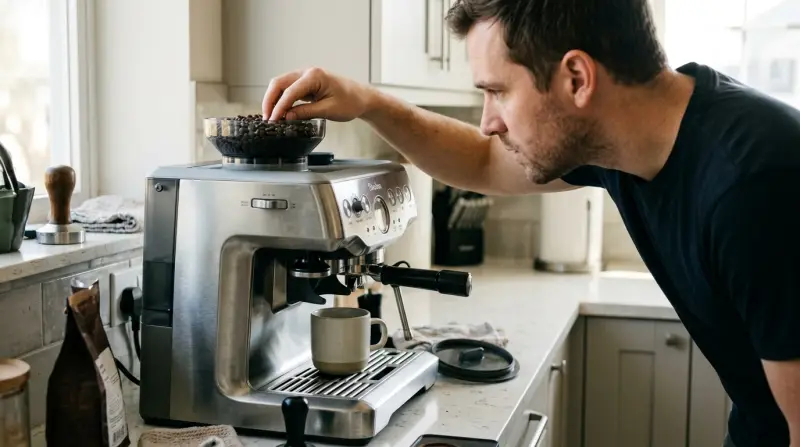
Coffee machines with built-in grinders are popular for their convenience. But they can face problems. Here are the main reasons why a coffee machine might not grind beans:
- Clogged grinder – Coffee beans leave oil and dust. Over time, this builds up and blocks the grinder.
- Dull burrs or blades – Burrs or blades wear out after grinding hundreds of pounds of beans.
- Electrical issues – Faulty wiring or a bad motor can prevent grinding.
- Incorrect settings – Accidentally changing grind size or mode can stop grinding.
- Foreign objects – Small stones or hard objects mixed with beans can jam the grinder.
- Moisture – Humidity or water can cause beans to stick or clog.
- Bean quality – Oily or very dark roasted beans often clog grinders.
These problems can affect machines from brands like Breville, DeLonghi, and Saeco. But the solutions are often similar.
Signs Your Coffee Machine Grinder Has A Problem
Most coffee machines show clear signs when the grinder isn’t working:
- No sound when pressing the grind button
- Beans remain untouched in the hopper
- Machine displays error codes or blinking lights
- Grinding sound but no coffee grounds appear
- Strange noises: Clicking, whirring, or grinding
If you notice these signs, it’s time to inspect your machine.
Step-by-step Troubleshooting
Let’s walk through steps to fix a coffee machine that won’t grind beans.
1. Check Power And Settings
First, make sure the machine is plugged in and powered on. Confirm the grind setting is correct. Sometimes, the machine is set to “pre-ground coffee” mode by mistake.
2. Inspect The Bean Hopper
Remove the hopper and check for beans stuck together. Dark, oily beans can form clumps. Break them apart and refill with dry beans.
3. Clean The Grinder
Coffee grinders need regular cleaning. Here’s how:
- Unplug the machine for safety.
- Remove the hopper and any beans.
- Take out burrs or blades if possible.
- Use a brush to remove coffee dust and oil.
- Wipe surfaces with a dry cloth.
- Avoid water unless the manual says it’s safe.
Many experts recommend cleaning the grinder every two weeks. If you use oily beans, clean more often.
4. Look For Foreign Objects
Sometimes, stones or hard particles come with coffee beans. These can jam the grinder. Check the burrs or blades for anything unusual.
5. Examine Burrs Or Blades
Burrs and blades become dull over time. If you notice large coffee particles or uneven grounds, replace these parts. Most machines need new burrs after grinding 500–1,000 pounds of beans.
6. Test The Motor
If the grinder doesn’t turn, the motor may be faulty. Listen for humming or clicking sounds. If you hear nothing, the motor could be broken. This often needs professional repair.
7. Address Moisture Issues
Humidity can cause beans to stick. Keep beans in a dry place. If you see clumps, dry the hopper and grinder before refilling.
Comparing Common Coffee Machine Problems
Here’s a comparison of typical coffee machine issues:
| Problem | Signs | Solution |
|---|---|---|
| Grinder not working | No sound, whole beans left | Check power, clean grinder, inspect motor |
| Clogged grinder | Grinding noise, no coffee grounds | Clean burrs/blades, remove clumps |
| Dull burrs | Uneven grounds, weak coffee | Replace burrs/blades |
| Electrical fault | Error codes, blinking lights | Professional repair |
How Often Should You Clean And Maintain Your Grinder?
Regular cleaning keeps the grinder working well. Here’s a guide:
| Usage Level | Cleaning Frequency | Maintenance Tips |
|---|---|---|
| Daily use (home) | Every 2 weeks | Brush burrs, wipe hopper |
| Heavy use (office) | Weekly | Deep clean, check burrs |
| Rare use | Monthly | Inspect for dust and clogs |
Clean the machine right after grinding oily beans. Oils cause clogs faster than dry beans.
Practical Tips To Prevent Grinder Problems
You can avoid many grinder issues by following these tips:
- Use medium roast beans instead of oily dark roasts.
- Store beans in a cool, dry place.
- Clean the grinder regularly—more often if you use oily beans.
- Check for foreign objects before pouring beans into the hopper.
- Don’t overfill the hopper; leave room for beans to move.
- Follow the manufacturer’s instructions for cleaning and maintenance.
- Replace burrs or blades as recommended.
Non-obvious insight: Many people forget to check the grinder’s chute, where ground coffee exits. This area often gets clogged, stopping the flow of grounds even if the grinder works.

When Should You Replace Parts Or Call For Repair?
Coffee machine grinders are built to last, but not forever. Knowing when to replace parts or call for repair saves time and money.
Burrs And Blades
- Replace burrs every 1–2 years for home machines.
- For offices or cafes, replace every 6–12 months.
Motor Issues
If the grinder motor is silent or weak, professional repair is needed. Motors are complex and dangerous to fix at home.
Electrical Problems
Error codes, blinking lights, or complete shutdowns often mean electrical faults. Contact the manufacturer or a certified technician.
Comparing Different Coffee Machine Grinder Types
Coffee machines use different grinder types. Here’s how they compare:
| Grinder Type | Strengths | Weaknesses |
|---|---|---|
| Burr grinder | Consistent grind size, longer life | Needs regular cleaning, higher cost |
| Blade grinder | Cheap, easy to replace | Uneven grind, wears out faster |
| Manual grinder | No electricity needed, simple design | Slow, not built into machines |
Non-obvious insight: Burr grinders are much less likely to jam than blade grinders, but they still need cleaning. Many users believe burr grinders are “maintenance-free.” This is a mistake.

Credit: www.youtube.com
Real-life Example: Fixing A Breville Coffee Machine
Let’s look at a common scenario:
A user owns a Breville Barista Express. One morning, it stops grinding. Beans stay in the hopper. The machine shows an error.
Steps taken:
- Checked power and settings—everything normal.
- Removed the hopper—found oily beans stuck together.
- Cleaned the burrs and chute—lots of old coffee dust.
- Tried grinding again—machine worked.
Lesson: Cleaning and checking bean quality solved the problem. Most issues don’t need expensive repairs.
How To Avoid Common Mistakes
Many coffee lovers make mistakes that cause grinder problems:
- Using only dark roasted beans. These clog grinders faster.
- Forgetting to clean the grinder regularly.
- Ignoring error codes or strange noises.
- Overfilling the hopper.
- Using beans stored in humid places.
To avoid these, use medium roast beans, clean often, and listen to your machine.

Expert Advice: When To Upgrade Your Coffee Machine
If your machine needs repair often, consider upgrading. Newer models have better grinders, easier cleaning, and improved reliability.
- Machines over five years old may have worn motors and burrs.
- Upgrading can save money long-term.
- Look for machines with ceramic burrs and easy-access cleaning.
For more detailed coffee machine maintenance tips, you can visit Consumer Reports.
Frequently Asked Questions
Why Does My Coffee Machine Grinder Make Noise But Not Grind Beans?
This usually means the grinder is clogged. Coffee dust or oil blocks the burrs or blades. Clean the grinder and check for stuck beans.
Can I Fix A Grinder Motor Myself?
It’s not safe to fix a grinder motor at home. Motors have complex wiring. Contact a certified technician or the manufacturer.
What Beans Are Best For Built-in Grinders?
Use medium roast beans with low oil. Avoid very dark or oily beans. These clog grinders quickly.
How Often Should I Replace Burrs Or Blades?
For home machines, every 1–2 years is enough. For heavy use, replace every 6–12 months.
Are Manual Grinders Better Than Built-in Grinders?
Manual grinders are simple and don’t need electricity. Built-in grinders are faster and easier for daily use. Choose based on your needs.
Coffee machines make life easier, but only if they grind beans properly. Understanding the causes, cleaning regularly, and using good beans keeps your machine working well. Most grinder problems are easy to fix at home. If you need repairs, don’t hesitate to call a professional.
With these tips, you’ll enjoy fresh coffee every day—without grinding problems.
1 thought on “Coffee Machine Not Grinding Beans? Top Fixes and Expert Tips”