
Modern cars rely on technology to keep drivers safe and comfortable, and Ford is no exception. One feature that has become almost standard in recent years is the rear view camera. This small camera, usually mounted at the back of the vehicle, provides a live video feed on the dashboard screen, helping drivers reverse more safely. However, Ford owners have reported various problems with their rear view cameras. These issues can range from simple annoyances to safety hazards. Understanding these problems, their causes, and solutions can help you fix them faster and avoid costly mistakes.
Common Ford Rear View Camera Problems
Ford vehicles, especially models from 2011 onward, often experience certain issues with their rear view cameras. Here are the most frequent problems drivers report:
- Blank or Black Screen: The dashboard display stays blank or shows a black screen when shifting to reverse.
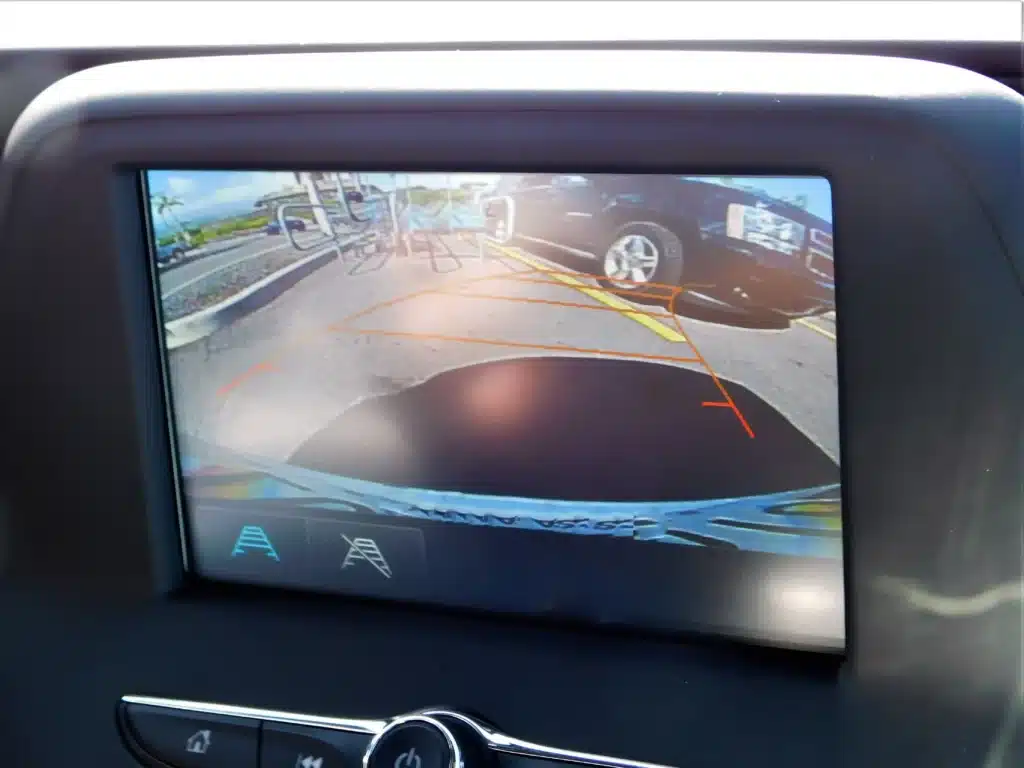
- Distorted or Flickering Image: The camera feed appears shaky, blurry, or with strange colors.
- Blue Screen with Error Message: Instead of a camera image, a blue screen with a warning appears.
- Image Upside Down or Reversed: The display shows the wrong orientation, causing confusion.
- Delayed Activation: The camera feed takes too long to appear after shifting to reverse.
- Intermittent Function: Sometimes the camera works, other times it does not.
- Guidelines Not Showing: The colored guidelines that help judge distance are missing.
Some problems are specific to certain models or years. For example, the 2020 Ford Explorer and 2019 Ford F-150 have both had recalls for rear view camera faults.
What Causes Ford Rear View Camera Problems?
Understanding the root cause is key to solving the issue. Ford rear view camera problems can result from a few main factors:
Faulty Camera Hardware
Physical damage or manufacturing defects can cause the camera to fail. Water entering the camera housing, cracked lenses, or internal wiring problems are common. If you notice water droplets inside the lens or visible cracks, the camera itself may need replacing.
Wiring And Connector Issues
The camera connects to the dashboard screen through a network of wires and connectors. Exposure to water, dirt, or salt can corrode these parts. Loose or broken connections often cause intermittent operation or total failure. For trucks and SUVs, off-road driving and tailgate use can stress these wires.
Software Glitches
Ford vehicles run complex software to control dashboard systems. Sometimes, bugs in the software can prevent the camera image from displaying correctly. This might require a system reset or an update at the dealership.
Faulty Display Unit
The problem may not be with the camera, but rather the screen or control unit. If other features on the display also fail, the issue might be inside the dashboard.
Factory Recalls
Some Ford models have known defects that the company has recalled. In 2021, Ford recalled over 620,000 vehicles for camera malfunctions, including models like the F-Series, Explorer, and Mustang. If your vehicle is affected, Ford will repair it for free.
Signs Your Ford Rear View Camera Needs Attention
It is easy to ignore small glitches, but some signs mean you should act quickly:
- The image is always unclear or missing.
- You see error messages like “Camera Unavailable.”
- The guidelines are missing, or the image is upside down.
- The camera works only in certain weather or after hitting a bump.
Ignoring these signs can be risky. A faulty camera can make reversing dangerous, especially in tight spaces or busy parking lots.
Diy Troubleshooting For Ford Rear View Camera Problems
You do not always need a mechanic for camera problems. Here are steps you can try yourself:
- Check For Obvious Damage: Inspect the camera lens for dirt, cracks, or water. Clean the lens with a soft cloth. If you see damage, the camera likely needs replacing.
- Reset The System: Turn the car off, wait a few minutes, and restart. Sometimes, this simple step clears minor glitches.
- Inspect Wiring And Connectors: If you are comfortable, open the tailgate or trunk and look for loose wires near the camera. Make sure all connectors are tight and free of corrosion.
- Check The Fuse: A blown fuse can stop the camera from working. Refer to your Ford owner’s manual to locate and check the correct fuse.
- Update The Software: Some newer Fords allow you to update the infotainment system. Visit the Ford website for instructions or ask your dealer.
- Test With Another Screen: If possible, connect the camera to another compatible display. If the image appears, the issue is with your main screen.
When To See A Professional
Some problems need expert help. Visit a Ford dealer or qualified mechanic if:
- DIY steps do not solve the issue.
- The camera is under recall.
- The display unit or wiring needs complex repairs.
- You are not comfortable working with electrical parts.

Ford Models Most Affected By Rear View Camera Issues
Certain Ford vehicles have had more camera problems than others. The following models appear most often in complaints and recalls:
| Model | Years Most Affected | Common Camera Problem |
|---|---|---|
| F-150 | 2019-2021 | Blank screen, blue error |
| Explorer | 2020-2021 | Distorted or no image |
| Escape | 2020 | Flickering, upside down |
| Mustang | 2020 | Intermittent failure |
| Super Duty (F-250/F-350) | 2020-2021 | No camera image |
If you drive one of these vehicles, check for recalls and common fixes before replacing parts.
How Much Does It Cost To Fix Ford Rear View Camera Problems?
Repair costs vary based on the problem:
| Repair Type | Estimated Cost (USD) | Notes |
|---|---|---|
| Camera Replacement | $150–$400 | Parts + labor |
| Wiring Repair | $50–$200 | Depends on damage |
| Display Unit Replacement | $500–$1,200 | If whole screen is faulty |
| Software Update | Usually Free | Under warranty or recall |
If your vehicle is under warranty or affected by a recall, repairs may be free. Always check with your Ford dealer first.
Preventing Rear View Camera Problems
Some issues are out of your control, but you can reduce the risk of rear view camera failures by following these tips:
- Clean the camera lens regularly, especially after rain or snow.
- Avoid high-pressure washing near the camera, as it can force water inside.
- Inspect wiring after off-road driving or tailgate use.
- Park in covered areas to protect the camera from extreme weather.
- Update your vehicle’s software when new versions are available.
A small bit of maintenance can prevent bigger problems later.
Real Owner Experiences: What Ford Drivers Say
Many Ford owners share their experiences with rear view camera issues online. Some common themes include:
- Cameras failing after heavy rain or car washes.
- Delays in camera activation, especially in cold weather.
- Dealers sometimes replacing the camera multiple times before fixing the issue.
- Frustration when the camera fails just after the warranty period ends.
One interesting insight is that some owners noticed camera problems improved after a full system reset or software update. Others found that faulty wiring near the tailgate was the real cause, not the camera itself.
Ford Rear View Camera Recalls: What You Need To Know
Ford has announced several recalls for rear view camera problems in the last five years. The largest, in 2021, covered over 620,000 vehicles in North America due to cameras that could show a blank or distorted image. Affected vehicles included the 2020 F-Series trucks, Mustang, Transit, Explorer, and more.
To check if your vehicle is part of a recall:
- Find your VIN (Vehicle Identification Number) on your registration or near the windshield.
- Visit the official Ford recall website or the National Highway Traffic Safety Administration (NHTSA) site.
- Enter your VIN and follow the instructions.
If your car is recalled, repairs are free at authorized dealers. For more information, you can visit the NHTSA Recall Lookup.
Are Aftermarket Rear View Cameras A Good Solution?
Some Ford owners consider aftermarket cameras when the original system fails. These can be a good option if your vehicle is out of warranty or if the factory camera is too expensive to replace. However, there are a few things to consider:
- Compatibility: Not all aftermarket cameras work with Ford’s factory display units.
- Quality: Cheaper cameras may not last as long or provide a clear image.
- Installation: Professional installation is recommended to avoid wiring mistakes.
If you choose this route, research brands with good reviews and make sure the camera is designed for your Ford model.

Key Tips For Dealing With Ford Rear View Camera Problems
- Check for recalls before spending money on repairs.
- Clean and inspect the camera and wiring before replacing parts.
- Update software if your vehicle allows it.
- Act quickly if you notice camera issues to avoid accidents.
- Consult a professional if simple fixes do not work.
Many camera problems are simple to fix if caught early, but ignoring them can lead to bigger costs and safety risks.
Frequently Asked Questions
Why Does My Ford Rear View Camera Show A Blue Or Black Screen?
A blue or black screen usually means the camera is not sending a signal to the display. This can be due to a faulty camera, loose wiring, or a software glitch. Sometimes, a simple reset or cleaning the connectors can help, but if the problem continues, a professional check is needed.
Can I Replace My Ford Rear View Camera Myself?
It is possible if you are comfortable with car electronics. Most Ford cameras are attached with screws and simple connectors. However, you must be careful with wiring and ensure the replacement is compatible with your model. If in doubt, ask a professional for help.
How Do I Know If My Ford Is Under Recall For Camera Problems?
Use your vehicle’s VIN to check the official Ford recall site or the NHTSA website. If your car is included, the repair is usually free at an authorized dealer.
Is A Rear View Camera Covered Under Ford’s Warranty?
If your vehicle is still under the original bumper-to-bumper warranty, the camera is usually covered. After the warranty ends, you must pay for repairs unless there is an active recall.
Why Does My Camera Work Only Sometimes?
Intermittent camera issues are often due to loose or corroded wiring, especially near the tailgate. Moisture or movement can break the connection. Cleaning and securing the connectors may solve the problem, but sometimes the camera or wiring needs replacing.
Dealing with Ford rear view camera problems can be frustrating, but understanding the causes and solutions makes it easier to fix. Regular maintenance and quick action when issues arise will keep your camera working and your driving safer.