
If you own a Kitchenaid dishwasher, you probably expect every wash cycle to be smooth and problem-free. But sometimes, the display shows a strange code, and the dishwasher stops working. This can be frustrating and confusing, especially if you don’t know what the code means. The good news is that most Kitchenaid dishwasher error codes are not as mysterious as they seem. With the right information, you can often fix the problem yourself or at least know when it’s time to call for help.
In this guide, you’ll learn what the most common Kitchenaid dishwasher error codes mean, how to troubleshoot them, and what you can do to keep your dishwasher running well. You’ll find step-by-step tips, practical examples, and clear explanations—even if you’re not a technical expert.
Let’s dive in and take the confusion out of error codes, so you can get back to clean dishes and peace of mind.
What Are Kitchenaid Dishwasher Error Codes?
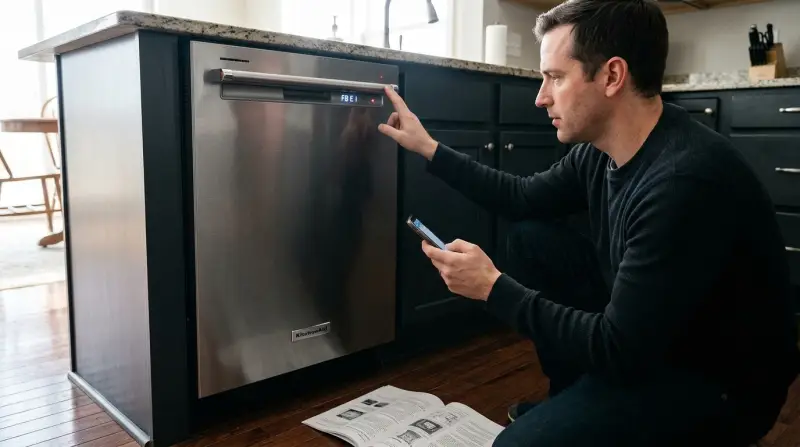
Kitchenaid dishwashers use error codes to tell you when something is wrong. These codes appear as numbers, letters, or blinking lights on the control panel. They are like messages from your dishwasher, pointing to a specific problem. Understanding these codes can help you fix minor issues quickly or know when you need professional help.
How Do Error Codes Work?
When your dishwasher detects a problem, it runs a quick check and displays a code. This code tells you what’s wrong, such as a blocked drain, a water leak, or a problem with the heating element. Some codes are simple, like “F2E2,” while others use blinking lights or a mix of symbols.
Each code points to a unique problem.
Why Are Error Codes Important?
Error codes save time and money. Instead of guessing what’s wrong, you get a direct clue. This can help you:
- Fix simple problems yourself
- Avoid bigger repairs by acting early
- Explain the issue clearly to a repair technician
Many people ignore error codes or clear them without fixing the root problem. This can lead to worse damage over time, so it’s always best to address the code as soon as you see it.
How To Read Kitchenaid Dishwasher Error Codes
Every Kitchenaid dishwasher model is a bit different, but most modern models display error codes in a similar way. Here’s how you can figure out what your dishwasher is telling you.
Where To Find The Error Code
- Digital Display Models: Error codes appear as a combination of letters and numbers (like “F6E4”) on the control panel.
- Non-Digital Models: Look for blinking lights. The pattern or number of blinks can show the code.
- Owner’s Manual: Your model’s manual lists the specific codes it uses. If you lost the manual, you can usually download it from the Kitchenaid website.
Common Formats
- F#E# Codes: “F” stands for “Fault” and “E” for “Error.” For example, “F8E4” means Fault 8, Error 4.
- Blinking Lights: For some models, a certain light blinks a set number of times. Count the blinks to find the code.
- Sound Beeps: Rare, but some models use beeps to signal errors.
How To Reset The Display
Sometimes, the code stays even after you fix the problem. Try turning off power to the dishwasher for 1 minute, then turn it back on. If the code returns, the issue is still there.
The Most Common Kitchenaid Dishwasher Error Codes
Let’s look at the most frequent error codes you might see on a Kitchenaid dishwasher. For each one, you’ll find what it means, why it happens, and what you can do about it.
F2e2: User Interface Lost Communication
- Meaning: The main control board can’t communicate with the user interface.
- Why It Happens: Loose wiring, moisture, or a failed control panel.
- Fixes: Unplug the dishwasher or turn off the circuit breaker for 5 minutes. Check for loose wires behind the control panel. If the error comes back, the user interface or control board may need to be replaced.
F6e1: Low Or No Water
- Meaning: The dishwasher isn’t filling with water or not enough water is entering.
- Why It Happens: Blocked water supply, kinked hose, or a faulty water inlet valve.
- Fixes: Make sure the water supply is on. Check the inlet hose for kinks or clogs. Clean the filter on the water valve. If water still won’t enter, the valve may need replacement.
F6e4: Float Switch Open
- Meaning: The float switch (which stops the dishwasher from overfilling) is stuck or senses too much water.
- Why It Happens: Water leak, debris under the float, or a bad float switch.
- Fixes: Open the dishwasher, lift and lower the float to make sure it moves freely. Remove any debris. Check for leaks under the dishwasher. If you find water under the unit, dry it out and see if the code clears.
F8e4: Water In Drip Tray
- Meaning: The sensor in the bottom tray found water, which means there’s a leak.
- Why It Happens: Leaky hose, loose connection, or over-sudsing.
- Fixes: Unplug the dishwasher. Remove the bottom cover and check for water. Dry the area, fix leaks, and restart. If the error returns, a seal or hose may need replacement.
F9e1: Long Drain Time
- Meaning: The dishwasher is taking too long to drain.
- Why It Happens: Blocked drain hose, clogged filter, or faulty drain pump.
- Fixes: Check and clean the drain hose and filter. Make sure the garbage disposal knockout plug is removed if you just installed a new disposal. If the problem continues, the drain pump may need to be checked.
F10e2: Vent Wax Motor Problem
- Meaning: The vent wax motor (controls the steam vent) is faulty or jammed.
- Why It Happens: Motor failure, wiring issue, or blocked vent.
- Fixes: Inspect the vent for blockages. If clear, the wax motor may need replacement.
F7e1: Heating Element Not Working
- Meaning: The dishwasher can’t heat water.
- Why It Happens: Broken heating element, relay, or wiring.
- Fixes: Test the heating element for continuity with a multimeter. Replace if faulty. Check wiring and connections.
F5e1: Door Not Closed
- Meaning: The dishwasher senses the door is open during a cycle.
- Why It Happens: Door latch not fully engaged, or a broken latch switch.
- Fixes: Open and close the door firmly. Check the latch for damage. Replace if needed.
F8e2: Drain Pump Electrical Error
- Meaning: The drain pump has an electrical problem.
- Why It Happens: Loose connection, wiring issue, or failed drain pump.
- Fixes: Turn off power, check wiring to the drain pump. Replace the pump if it’s not working.
Less Common But Important Error Codes
Some error codes appear less often but can point to serious problems. Here are a few to watch for:
- F4E3: Motor not running—check for wiring problems or a failed motor.
- F7E2: Heating circuit stuck on—could be a relay or control board problem.
- F8E1: Slow drain—similar to F9E1 but can also mean a partially blocked hose.
- F6E3: Suds detected—too much detergent or non-dishwasher soap used.
- F6E2: Water inlet fault—problem with water filling, often the valve or sensor.
If you see these codes, try basic troubleshooting first. If the code stays, a service call may be needed.
Troubleshooting Kitchenaid Dishwasher Error Codes
You don’t always need a technician for every error code. Many problems can be solved with a few simple checks. Here’s how to tackle error codes step by step.
Step 1: Power Cycle The Dishwasher
- Turn off the dishwasher by pressing the OFF button or unplugging it.
- Wait 1-2 minutes.
- Plug it back in or turn the breaker back on.
- If the code is gone, it was a temporary glitch.
Step 2: Check Water Supply
- Make sure the water valve under the sink is fully open.
- Inspect the inlet hose for kinks or blockages.
- Clean the inlet valve screen if it’s clogged.
Step 3: Inspect The Door
- Open and close the door firmly.
- Check the latch for dirt or damage.
- If the door doesn’t close properly, the dishwasher won’t start.
Step 4: Clean Filters And Drains
- Remove the bottom rack.
- Take out the filter and rinse it under warm water.
- Check the drain area for food or debris.
- Clean the drain hose if you see a slow drain code.
Step 5: Look For Leaks
- Remove the bottom kick panel.
- Check for water in the drip tray or under the unit.
- Dry the area and run a short cycle to check for leaks.
Step 6: Reset The Control Board
Some models have a reset sequence. Try pressing the “Heated Dry” button, then “Normal,” then “Heated Dry,” then “Normal” again (within 5 seconds). This can clear many common errors.
Step 7: Check Wiring And Connections
If you’re comfortable, unplug the unit and check for loose wires behind the control panel or under the machine. Only do this if you feel safe.
Step 8: When To Call A Technician
If the error code stays after these steps, or if you see signs of electrical problems (burnt smells, sparks, etc. ), call a professional. Some parts, like control boards and motors, need expert care.
Kitchenaid Dishwasher Error Code Table
Here’s a quick reference guide for the most common error codes, their meanings, and basic fixes.
| Error Code | What It Means | Quick Fix |
|---|---|---|
| F2E2 | User interface lost communication | Power cycle, check wires, replace UI/control board if needed |
| F6E1 | Low or no water | Check water supply, hose, valve |
| F6E4 | Float switch open | Check float, remove debris, inspect for leaks |
| F8E4 | Water in drip tray | Dry tray, fix leaks, check hoses |
| F9E1 | Long drain time | Clean drain hose and filter, check pump |
| F7E1 | Heating element not working | Test and replace heater if needed |
| F5E1 | Door not closed | Check door latch, close firmly |
How To Prevent Error Codes
While you can’t avoid every problem, you can reduce the chance of seeing error codes by caring for your dishwasher the right way. Here are some proven tips:
- Regularly Clean Filters And Spray Arms: Food bits and grease build up over time. Clean the filters monthly, and remove the spray arms to rinse out any clogs.
- Use The Right Detergent: Always use dishwasher-specific detergent. Avoid using regular dish soap, as this causes suds and error codes like F6E3.
- Load The Dishwasher Properly: Don’t block the spray arms or overload the racks. This ensures water reaches all dishes and prevents drain issues.
- Inspect Hoses And Connections: Every few months, check that hoses are tight and not leaking. Fix small leaks before they become big problems.
- Run Hot Water Before Starting: Let the kitchen tap run hot for a few seconds before starting the dishwasher. This helps clean better and reduces strain on the heating element.
- Address Small Problems Quickly: If you hear odd noises or see water where it shouldn’t be, check the dishwasher right away. Early action can prevent bigger issues.
Comparing Kitchenaid Error Codes With Other Brands
If you’ve owned different dishwashers, you might wonder if Kitchenaid codes are unique. Here’s how Kitchenaid compares to other major brands:
| Brand | Error Code Format | Ease of Troubleshooting | Common Issues |
|---|---|---|---|
| Kitchenaid | F#E# (e.g., F6E1) | Moderate | Water, drain, leaks, UI errors |
| Bosch | E# (e.g., E15) | Clear (codes in manual) | Water in base, heating faults |
| Samsung | LC, 4C, 5C, etc. | Simple codes | Water leak, water supply, drain |
| GE | Numbers/blinking lights | Varies by model | Door, leak, sensor |
Key insight: Kitchenaid’s codes are more detailed than some brands (with fault and error numbers), but they can be harder to decode without the manual. Always keep your model’s code list handy.
Advanced Troubleshooting Tips
Sometimes, a code keeps coming back even after you’ve tried all the basic steps. Here are some deeper troubleshooting strategies that can save you time and frustration:
- Use Diagnostic Mode: Many Kitchenaid dishwashers have a “diagnostic mode. ” You can enter it by pressing a button sequence (check your manual). In this mode, the dishwasher runs self-tests and may show more detailed codes or blink patterns. This can help you pinpoint tricky problems.
- Test Components With A Multimeter: If you’re comfortable using tools, a multimeter can check if parts like the heating element, door switch, or pump are working. Look for “continuity” to see if electricity can flow through the part.
- Inspect For Moisture In The Control Panel: Water can get into the control panel during steam-heavy cycles or from leaks. Carefully dry the panel with a towel and hair dryer (on a cool setting) if you suspect moisture.
- Check For Broken Wires: Sometimes wires break inside the insulation, especially near hinges or moving parts. Gently wiggle wires and look for damage.
- Update Firmware (for Smart Models) : Newer smart dishwashers can sometimes be updated via Wi-Fi. If you see odd error codes and your model is connected, check for updates through the Kitchenaid app or website.
When To Replace, Repair, Or Upgrade
Not every error means you need a new dishwasher. Here’s how to decide:
| Situation | Best Option | Why |
|---|---|---|
| Minor error (like clogged filter) | DIY repair | Cheap and easy to fix |
| Repeated code (like F6E1 or F9E1) | Check hoses/pump, consider technician | May be deeper problem |
| Major failure (like dead control board) | Professional repair or replacement | Costly part, may need expert installation |
| Dishwasher older than 10 years | Upgrade | New models are more efficient and reliable |
Non-obvious tip: Always check the warranty before paying for repairs. Some dishwashers have extended coverage for certain parts, even after the main warranty ends.
Real-world Examples
Example 1: F9e1 Error Stopped My Dinner Party
Maria loaded her Kitchenaid with dishes after a big family dinner. Suddenly, she saw the F9E1 code. She checked the manual, found it meant “long drain,” and looked under the sink. The drain hose was kinked behind the garbage can.
She straightened it, ran a rinse cycle, and the code cleared. A simple fix, but it saved her from a costly service call.
Example 2: F8e4 And A Puddle On The Floor
John saw F8E4 and noticed water under his dishwasher. He unplugged it, removed the bottom cover, and found a loose hose clamp. After tightening it and drying the tray, the code cleared. This quick action prevented water damage to his kitchen floor.
Example 3: F7e1 Needed A Pro
Lisa’s dishwasher showed F7E1 (heating element fault) and her dishes stayed cold and greasy. She tested the element with a multimeter, found no continuity, and ordered a new part. She called a technician for installation, since the wiring looked complex.
Her dishwasher was back to normal in a day.
Common Mistakes To Avoid
Even handy people make errors when dealing with dishwasher codes. Here’s what to watch out for:
- Ignoring error codes. Clearing the code without fixing the issue can make things worse.
- Using too much soap. This causes suds errors and leaks.
- Skipping regular cleaning. Dirty filters and drains cause most error codes.
- Forgetting to check the manual. Each model can have unique codes—don’t guess.
- Trying risky DIY fixes. Don’t open the control board or work with wiring unless you’re sure it’s safe.

Where To Find Reliable Kitchenaid Error Code Resources
For up-to-date error code lists, your owner’s manual is best. The Kitchenaid official support page has guides, diagrams, and troubleshooting tips. For deep technical details, sites like ApplianceJunk Forums have real-life examples from technicians and owners.
Frequently Asked Questions
What Does The F6e1 Error Code Mean On My Kitchenaid Dishwasher?
F6E1 means your dishwasher is not getting enough water. This can be caused by a closed water valve, a blocked or kinked inlet hose, or a faulty inlet valve. Check these parts first. If the problem continues, the water inlet valve may need to be replaced.
How Do I Reset A Kitchenaid Dishwasher Error Code?
Turn off the power to the dishwasher for 1-2 minutes, either by unplugging it or switching off the breaker. Turn it back on. For some models, you can also press a button sequence (like “Heated Dry,” “Normal,” “Heated Dry,” “Normal”) within five seconds to reset.
If the code returns, the underlying issue is still there.
Why Does My Kitchenaid Dishwasher Show Blinking Lights Instead Of A Code?
Some models use blinking lights instead of digital codes. Count the number of blinks and check your manual to find the matching error. Each pattern points to a different issue, such as a door problem or a drain fault.
Can I Fix Kitchenaid Dishwasher Error Codes Myself?
You can fix many error codes, like those caused by clogs, leaks, or loose hoses, with basic tools. However, for electrical problems, control board faults, or heating element issues, it’s safer to call a technician.
Is It Safe To Run My Dishwasher With An Error Code Showing?
No, it’s not safe. Running the dishwasher with an error code can cause more damage, leaks, or even electrical hazards. Always fix the problem or call for help before running another cycle.
Keeping your Kitchenaid dishwasher running smoothly doesn’t have to be a mystery. By understanding error codes, you can solve many problems yourself, save money, and avoid kitchen headaches. With regular care and quick action when problems arise, your dishwasher will give you many years of trouble-free service.