
When your LG dryer won’t start, it can quickly disrupt your routine. Piles of wet clothes, lost time, and unexpected stress are common. This situation is frustrating, but you’re not alone—many LG dryer users experience this problem at some point. The good news is: most issues can be solved at home with a clear approach and some basic troubleshooting.
This article will guide you step by step through the reasons why an LG dryer might not start. You’ll learn how to safely check the most common causes, what to do for each, and when it’s time to call a professional.
Along the way, you’ll discover tips that even experienced users often overlook. By the end, you’ll be ready to take action and get your dryer working again.
Understanding How Lg Dryers Start
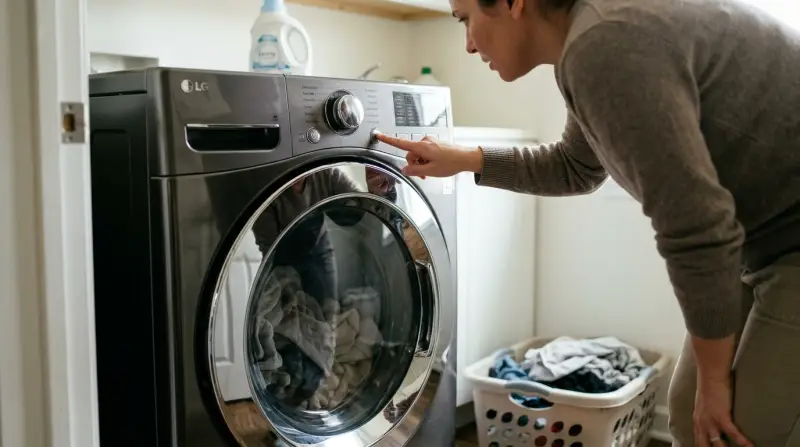
Before tackling the problem, it helps to know how an LG dryer starts. When you press the Power button, the dryer checks several things before it actually begins spinning:
- Power supply: The dryer checks if it’s getting enough electricity.
- Door switch: The door must be closed and the latch engaged.
- Control panel: The main board receives your command.
- Start switch: The button sends a signal to start the motor.
- Safety features: Sensors check for overheating or other issues.
If any part fails, the dryer won’t start. This safety system protects both you and the machine.
Quick Checks Before Troubleshooting
Sometimes the problem is simple. Try these quick checks first:
- Make sure the dryer is plugged in fully.
- Check if the circuit breaker has tripped.
- Look for error codes on the display.
- Confirm the door is closed tightly.
- Remove any laundry that might block the door or vent.
These steps solve many cases without tools or advanced knowledge.
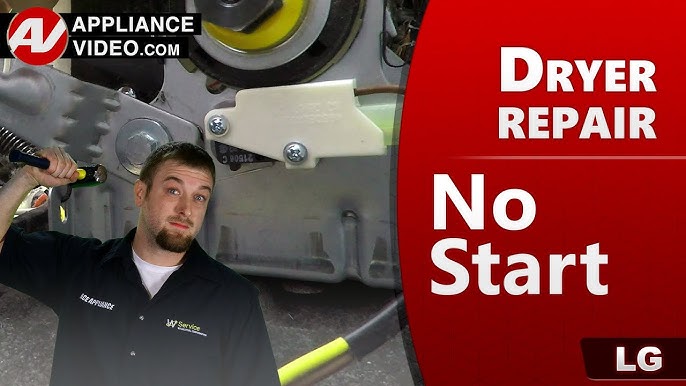
Common Reasons An Lg Dryer Won’t Start
LG dryers are well-designed, but several issues can prevent them from starting. Here’s a closer look at the most frequent causes.
Power Supply Problems
Your LG dryer needs a strong and steady power source. If there’s a problem with electricity, the dryer won’t start.
Signs Of Power Issues
- No lights or sounds from the control panel
- Dryer display is blank
- The outlet doesn’t work for other devices
How To Check
- Test the outlet with another device (like a lamp).
- Reset the circuit breaker for the dryer.
- Unplug and plug back in the dryer.
- Inspect the power cord for damage.
What To Do
If the outlet is dead, you may need an electrician. If the cord is damaged, replace it with the same type. Avoid using extension cords—they can cause voltage drops.
Door Switch Malfunction
The door switch is a safety feature. If it fails, the dryer won’t start, even if the door looks closed.
Signs Of Door Switch Failure
- Dryer doesn’t respond when you press start
- You hear a click when closing, but nothing happens
- The drum light doesn’t turn off when the door closes
How To Check
- Open and close the door firmly.
- Listen for a solid “click” sound from the latch.
- Push and hold the door switch with your finger (if visible).
What To Do
If the switch is broken, it must be replaced. This is a common repair and parts are widely available.
Start Switch Issues
The start switch sends the signal to run the motor. If it’s faulty, the dryer won’t react at all.
Signs Of Start Switch Problems
- No noise or action when you press Start
- The display works, but the dryer stays silent
How To Check
- Press the Start button firmly.
- Try using a different cycle.
- If comfortable, test the switch with a multimeter (advanced users).
What To Do
A defective start switch needs replacement. This is usually a straightforward part swap.
Blown Thermal Fuse
The thermal fuse protects the dryer from overheating. If it blows, the dryer won’t start until the fuse is replaced.
Signs Of A Blown Thermal Fuse
- Dryer has power, but won’t start
- The drum doesn’t move
- No error code, but the machine stays off
How To Check
- Unplug the dryer.
- Find the thermal fuse (usually at the exhaust vent inside the back panel).
- Use a multimeter to test for continuity.
What To Do
If the fuse has no continuity, replace it with the same rating. Also, clean vents and filters to prevent another blowout.
Control Board Or Timer Failure
The control board (in electronic models) or timer (in older models) manages all dryer operations. If it fails, nothing works.
Signs Of A Faulty Control Board/timer
- The display flashes errors or stays blank
- Some buttons work, others don’t
- The dryer sometimes starts, sometimes not
How To Check
- Unplug and plug back in to reset the system.
- Try a different cycle or button.
- Look for burnt or damaged areas on the control board.
What To Do
Control board replacement is advanced. If you see physical damage or the issue persists, call a professional.
Motor Problems
The drive motor turns the drum. If the motor fails, the dryer won’t start or might make a humming noise.
Signs Of Motor Issues
- Humming or buzzing sound but no drum movement
- Burning smell
- Drum spins by hand, but not with power
How To Check
- Listen for unusual sounds.
- Attempt to rotate the drum by hand (should move with light resistance).
What To Do
Motor replacement is complex and best left to experts. If you suspect the motor, don’t force the dryer to start.
Broken Belt Switch
Some LG dryers have a belt switch that stops the dryer if the drum belt breaks.
Signs Of A Broken Belt Switch
- Dryer has power, but won’t start
- Drum spins freely by hand
- No error code
How To Check
- Remove the top or front panel (if safe).
- Inspect the drive belt for breaks.
- Look for a switch near the motor.
What To Do
Replace both the belt and the switch if either is faulty.
Faulty Door Latch
A weak or broken door latch can prevent the door from closing securely, stopping the dryer from starting.
Signs Of Door Latch Problems
- Door feels loose or won’t stay closed
- Dryer won’t start, even when pushed hard
How To Check
- Inspect the latch for cracks or wear.
- Try gently pushing the door during start.
What To Do
Replace the door latch if it’s not holding the door tightly.
Child Lock Or Control Lock Activated
Many LG dryers have a child lock or control lock feature. If active, the dryer won’t start.
Signs Of Child Lock Activation
- “CL” or lock icon on the display
- Buttons don’t respond
How To Check
- Look for lock symbols on the control panel.
- Read the user manual for deactivation steps.
What To Do
Usually, holding two buttons together for a few seconds turns off the lock. Check your model’s instructions.
Error Codes
LG dryers show error codes if there’s a specific issue. Some stop the dryer from starting until fixed.
Common Error Codes Blocking Start
- DE: Door Error
- TE: Thermistor Error
- PF: Power Failure
- LE: Motor Lock
How To Check
- Read the display after attempting to start.
- Check the user manual or LG’s official website for code meanings.
What To Do
Solve the cause of the error. If unsure, note the code and contact LG support.
How To Troubleshoot Your Lg Dryer That Won’t Start
Now that you know the common causes, here’s a step-by-step troubleshooting plan.
Step 1: Ensure Safety First
- Unplug the dryer before opening panels or touching wires.
- Wear gloves to avoid sharp edges.
- Never bypass safety switches as a “temporary fix.”
Step 2: Check Power And Circuit
- Test the wall outlet.
- Reset the breaker.
- Inspect the power cord.
Step 3: Inspect The Door And Latch
- Open and close the door several times.
- Look for visible damage.
Step 4: Control Lock And Settings
- Check if child lock is active.
- Try a different drying cycle.
Step 5: Listen For Sounds
- Press Start and listen for clicks or hums.
- Silence points to electrical or switch issues; a hum may be a motor problem.
Step 6: Look For Error Codes
- Note any codes on the display.
- Refer to the manual or LG website.
Step 7: Test Components (advanced)
For those comfortable with basic repairs, test these parts:
- Door switch (multimeter)
- Thermal fuse
- Start switch
If you discover a failed part, replace it with the correct LG component.

When To Call A Professional
Sometimes, a repair is best handled by a licensed technician:
- You find damaged wiring or burnt components.
- The dryer is still under warranty.
- Replacing the control board or motor is needed.
- You’re uncomfortable with electrical repairs.
Attempting complex fixes without experience can cause more damage or void your warranty.
Preventing Future Start Problems
Once your LG dryer is working again, a few simple steps can prevent repeat issues.
- Clean the lint filter before every load.
- Check the vent hose for blockages monthly.
- Avoid overloading the dryer.
- Inspect the power cord and plug regularly.
- Schedule annual maintenance if your dryer is heavily used.
These habits extend the life of your dryer and reduce the risk of breakdowns.
Real-world Example: Diagnosing An Lg Dryer
Let’s look at a real-world scenario. Maria noticed her LG dryer would not start, though the control panel lit up. She checked the power and door. Everything seemed fine, but she heard a faint buzzing sound when pressing start.
By searching online, Maria learned this often means a motor problem. She unplugged the dryer and opened the back panel (with help). She found lint blocking the motor vent and cleaned it out. The dryer started again—avoiding a costly repair.
Key lesson: Sometimes, a simple cause (like lint buildup) can create symptoms that seem serious. Visual inspection and cleaning can fix many problems.
Comparing Lg Dryer Start Problems To Other Brands
How do LG dryers compare to other brands like Samsung and Whirlpool when it comes to start issues? Here’s a simple comparison:
| Brand | Most Common Start Issue | Ease of DIY Fix | Parts Cost (Average) |
|---|---|---|---|
| LG | Door switch, thermal fuse | Moderate | $15–$70 |
| Samsung | Control board, belt switch | Difficult | $40–$150 |
| Whirlpool | Start switch, timer | Easy | $10–$60 |
Insight: LG dryers are generally user-friendly for basic repairs. Parts are widely available, and many fixes are within reach for DIYers.
Cost Of Repair: Diy Vs. Professional
How much will you pay to fix an LG dryer that won’t start? Here’s a breakdown:
| Repair Type | DIY Cost | Professional Cost | Time Needed |
|---|---|---|---|
| Thermal fuse replacement | $15–$30 | $100–$180 | 30–60 mins |
| Door switch | $20–$45 | $90–$160 | 30 mins |
| Control board | $90–$200 | $200–$400 | 1–2 hours |
| Motor replacement | $60–$120 | $180–$350 | 2–3 hours |
If your repair cost is over half the price of a new dryer, consider replacement—especially if your unit is older than 10 years.
Avoiding Common Mistakes During Diy Repair
Many first-time DIYers make avoidable mistakes. Here are two insights most people miss:
- Not labeling wires or screws: Take photos as you disassemble. This makes reassembly much easier.
- Skipping vent cleaning: A blocked vent can cause repeat failures, even after you replace a part.
Always double-check your work before turning the dryer back on.

Finding The Right Replacement Parts
Using the correct OEM (original equipment manufacturer) parts is important for safety and performance. Here’s what to keep in mind:
- Search for your exact model number (found on the door frame or behind the panel).
- Avoid “universal” parts that don’t list LG compatibility.
- Order from trusted sources—major appliance stores or LG’s own website.
How To Reset An Lg Dryer
Sometimes, a simple reset can solve minor glitches. Here’s how to reset most LG dryers:
- Unplug the dryer from the outlet.
- Wait 1–2 minutes.
- Plug it back in.
- Press Power to turn on.
For models with a reset button, consult your manual.
Understanding Lg Dryer Error Codes
Knowing what the error codes mean can help you solve problems faster. Here’s a brief guide:
| Error Code | Meaning | What to Do |
|---|---|---|
| dE | Door not closed | Close door firmly |
| tE | Thermistor issue | Check thermistor, wiring |
| PF | Power failure | Reset power |
| LE | Motor locked | Check drum, motor |
| CL | Child lock active | Deactivate child lock |
For a full list, check the official LG support page.
When Replacement Is The Best Option
If your dryer is very old, or repairs are too expensive, it might be time for a new one. Modern LG dryers offer better energy efficiency and more features. Signs it’s time to replace:
- Multiple parts fail in a short time
- The drum or cabinet is rusted
- Repair costs are over 50% of a new dryer
Recycling your old dryer is recommended to reduce environmental impact.
Frequently Asked Questions
Why Won’t My Lg Dryer Start But Has Power?
If your LG dryer has power (lights or display work) but won’t start, common causes are a faulty door switch, broken start switch, or a blown thermal fuse. Error codes or safety locks can also block operation. Check these areas first.
How Do I Reset My Lg Dryer?
Unplug the dryer from the outlet for 1–2 minutes, then plug it back in. Press the Power button to restart. Some models have a reset button—check your manual for details.
Can A Clogged Vent Stop My Lg Dryer From Starting?
A completely blocked vent usually causes the thermal fuse to blow as a safety measure. If the fuse is blown, the dryer won’t start. Always keep your vent clean to avoid overheating and fuse failure.
Where Is The Thermal Fuse On My Lg Dryer?
The thermal fuse is usually located on the blower housing or near the exhaust vent (inside the back panel). You’ll need to unplug the dryer and remove the panel to access it safely.
Is It Safe To Repair My Lg Dryer Myself?
Basic checks (power, door, settings) are safe for most users. For internal repairs like replacing the thermal fuse or door switch, unplug the dryer and follow all safety instructions. Leave complex repairs (motor, control board) to professionals.
When your LG dryer won’t start, it’s easy to feel overwhelmed. But by breaking down the problem, checking each part step by step, and using the right tools and information, you can often fix the issue yourself. Remember to always prioritize safety and don’t hesitate to call an expert if you’re unsure. With care and regular maintenance, your dryer can last for many years, keeping your laundry routine on track.