
If you walk into a room, flip the ceiling fan switch, and the fan spins but the light stays off, it’s easy to get frustrated. This is a common problem in many homes and offices. Sometimes the fix is simple; other times, you need to dig a bit deeper to find the cause. Understanding what’s wrong with your ceiling fan light can save time, money, and stress.
Below, you’ll learn why the light on your ceiling fan isn’t working, how to diagnose the issue, and what steps you can take to fix it. This guide is written for beginners, so you don’t need to be an electrician to follow along.
Let’s get started and help you bring light back to your room.
Common Reasons Why Ceiling Fan Light Doesn’t Work
Many factors can cause a ceiling fan light to fail. Some are simple and quick to fix, while others need careful attention. Knowing the most common causes helps you troubleshoot faster.
Burnt-out Light Bulb
The most obvious reason is a dead bulb. Even high-quality bulbs fail sometimes. Before doing anything else, try replacing the bulb.
Loose Bulb
If the bulb isn’t screwed in tightly, it won’t make proper contact. Try twisting the bulb gently to ensure it’s snug in the socket.
Faulty Light Switch
Sometimes, the wall switch or pull chain doesn’t send power to the light. If your fan has a pull chain, tug it a few times. For wall switches, check if they feel loose or stuck.
Bad Socket Or Wiring
Inside the light fixture, the socket or wires may be damaged. This is a bit more complicated and may need tools to inspect.
Blown Fuse Or Tripped Breaker
Your electrical panel may have a tripped breaker or blown fuse. If other lights or outlets in the room aren’t working, check your panel.
Remote Control Problems
Many modern ceiling fans use remotes. If the remote is faulty or the batteries are dead, it won’t turn the light on. Replace batteries and check for signal issues.
Faulty Light Kit
Some ceiling fans have a separate light kit. If this part fails, the light won’t work even if the fan spins.
Broken Pull Chain
Pull chains can snap or jam. If you feel resistance or the chain is broken, you’ll need to replace it.
Example: Real-life Scenario
Sarah noticed her ceiling fan light stopped working, but the fan still spun. She changed the bulb but nothing happened. After checking the wall switch, she found the breaker had tripped. Resetting it solved the problem.
Diagnosing The Problem
Finding the root cause is key. Follow these steps to diagnose why your ceiling fan light isn’t working.
Step 1: Check The Bulb
- Remove the bulb and inspect for black marks or broken filaments.
- Try a new bulb, preferably one you know works from another fixture.
- Make sure the bulb is the correct size and wattage for your fan.
Step 2: Test The Switch And Chains
- Flip the wall switch several times.
- Pull the chain gently; sometimes it gets stuck.
- Listen for a clicking sound which means the switch is engaging.
Step 3: Inspect The Electrical Panel
- Look for tripped breakers or blown fuses.
- Reset the breaker if needed.
- If breakers trip again, there may be a deeper electrical problem.
Step 4: Examine The Remote
- Change the remote batteries.
- Ensure you are pointing it directly at the fan.
- Try turning on the light with both the remote and wall switch.
Step 5: Inspect Socket And Wiring
- Turn off power at the breaker.
- Remove the bulb and look inside the socket for corrosion or damage.
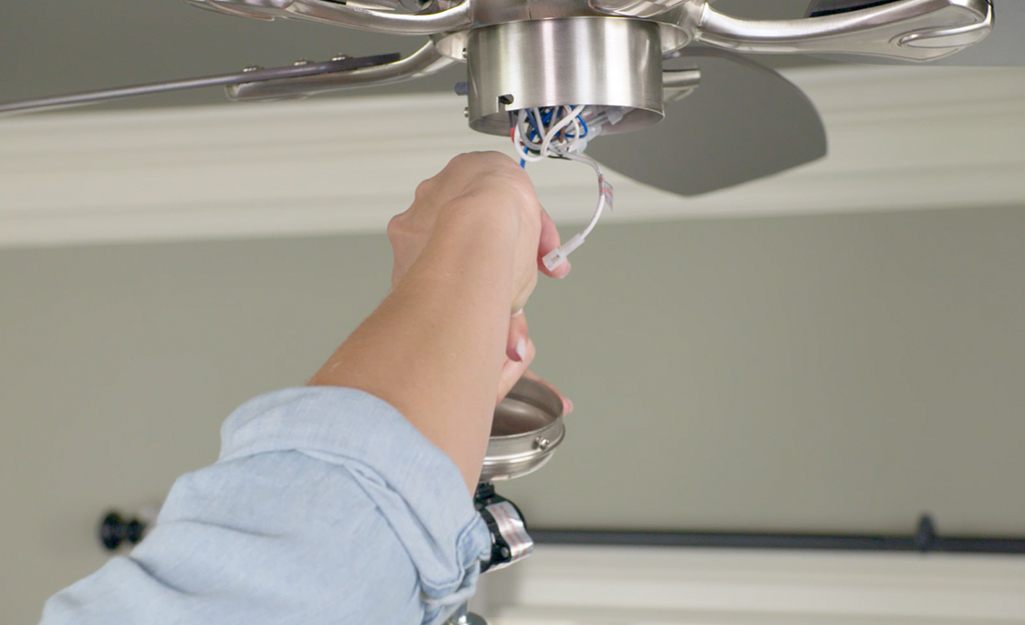
- If comfortable, remove the light kit and inspect wires for loose connections.
Step 6: Test The Light Kit
- Some kits have a reset button or fuse.
- Check for visible damage or broken parts.
Step 7: Look For Hidden Issues
- Sometimes, the problem is in the ceiling box or wiring above the fan.
- If you are not confident, call a qualified electrician.
Fixing The Ceiling Fan Light
Once you know the cause, fixing it is often straightforward. Here’s how to handle the most common problems.
Replacing A Burnt-out Bulb
- Buy a bulb with the correct wattage and base size.
- Turn off the power.
- Remove the old bulb and screw in the new one.
- Restore power and test.
Tightening A Loose Bulb
- With power off, gently tighten the bulb.
- Avoid overtightening, which can damage the socket.
Repairing A Faulty Switch Or Pull Chain
- For wall switches: Replace if it feels loose or doesn’t click.
- For pull chains: Buy a replacement kit. Follow instructions to install.
- Test after replacing.
Fixing Socket Or Wiring Issues
- Turn off the breaker.
- Remove the light kit and inspect wires.
- If wires are loose, reattach them securely.
- Replace damaged sockets if needed.
Resetting Breakers Or Fuses
- Locate your electrical panel.
- Flip the tripped breaker to “off” then back to “on.”
- Replace blown fuses with the correct type.
Resolving Remote Control Problems
- Change batteries.
- Re-sync the remote with the fan if needed (check manual).
- If the remote itself is broken, buy a replacement.
Repairing Or Replacing Light Kits
- Remove the light kit from the fan.
- Buy a new kit that matches your fan model.
- Install according to instructions.
- Test before closing everything up.
When To Call A Professional
Some problems are best handled by experts, especially when dealing with electrical wiring. If you notice burning smells, sparks, or you’re unsure about wiring, call a licensed electrician. Safety is always more important than saving a few dollars.
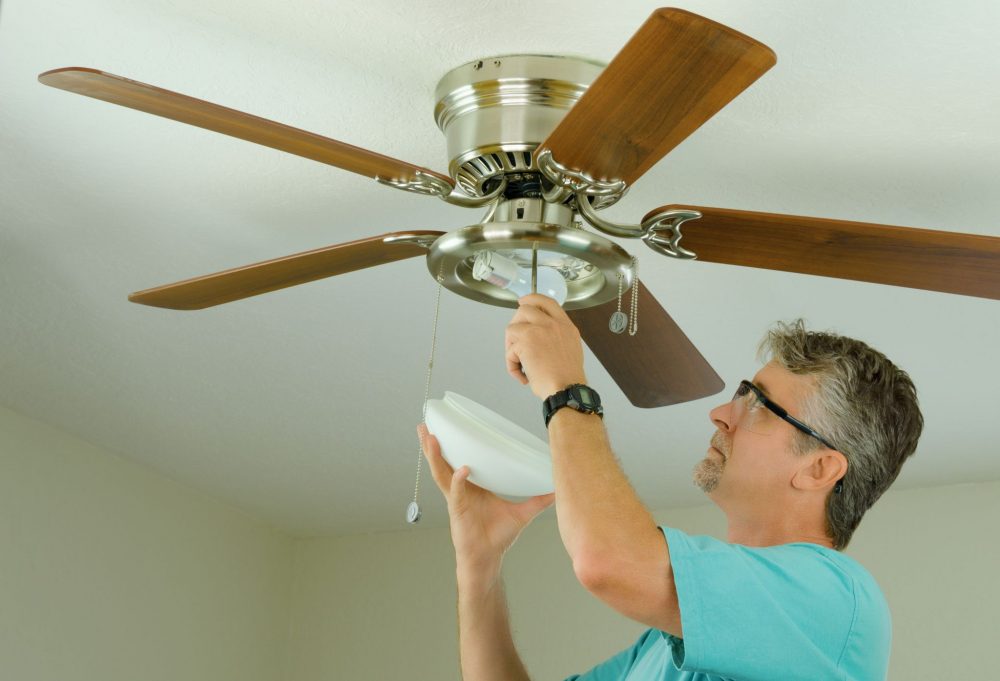
Ceiling Fan Light Troubleshooting Data
Here is a comparison of common causes and fixes for ceiling fan lights not working.
| Problem | Easy Fix | Needs Expert | Estimated Cost |
|---|---|---|---|
| Burnt-out bulb | Replace bulb | No | $2-$10 |
| Loose bulb | Tighten bulb | No | $0 |
| Faulty switch | Replace switch | Sometimes | $5-$30 |
| Broken pull chain | Replace chain | No | $5-$15 |
| Bad socket | Replace socket | Maybe | $10-$25 |
| Wiring issues | Check connections | Yes | $50-$150 |
| Remote issue | Change batteries | No | $2-$20 |
| Light kit failure | Replace kit | Maybe | $25-$75 |
| Breaker/fuse | Reset/replace | Sometimes | $0-$10 |
Ceiling Fan Light Types And Compatibility
Not all ceiling fan lights are the same. Different types use different bulbs and kits. Using the wrong type can cause your light not to work.
| Light Type | Bulb Type | Common Wattage | Compatibility |
|---|---|---|---|
| Incandescent | E26/E27 | 40W–60W | Most older fans |
| LED | E26/E27, GU10 | 5W–15W | Most modern fans |
| CFL | E26/E27 | 10W–20W | Some fans |
| Halogen | GU10 | 20W–50W | Few fans |
Non-obvious insight: Not all bulbs are dimmable. If your ceiling fan has a dimmer, using a non-dimmable bulb can cause flickering or failure.

Preventing Future Problems
Keeping your ceiling fan and light in good shape helps avoid future failures. Here are some tips:
- Clean dust from the light kit regularly.
- Use bulbs that match the recommended wattage.
- Don’t overload the circuit with too many devices.
- Check pull chains and switches for wear.
- Replace old remotes before they fail.
- If you move into a new house, check compatibility before changing bulbs.
Maintenance Data
| Task | Frequency | Benefit |
|---|---|---|
| Clean light kit | Every 6 months | Reduces overheating |
| Check wiring | Yearly | Prevents electrical faults |
| Replace batteries | Yearly | Ensures remote works |
| Inspect switches | Yearly | Detects early failure |
| Use correct bulbs | As needed | Prevents socket damage |
Safety Tips For Troubleshooting
Working with electrical fixtures can be risky. Follow these safety rules:
- Always turn off power at the breaker before touching wires.
- Use insulated tools.
- Test sockets and wires with a voltage tester.
- If you smell burning or see smoke, stop and call a professional.
- Keep children and pets away when working.
Non-obvious insight: Sometimes, fan lights fail because the fixture overheats. Dust buildup can cause this, so regular cleaning is important.
Frequently Asked Questions
Why Does My Ceiling Fan Spin But The Light Doesn’t Work?
Usually, this means the bulb is burnt out or loose, or the light kit is faulty. Other causes include a tripped breaker or bad wiring.
Can I Use Any Bulb In My Ceiling Fan?
No. Always check the recommended bulb type and wattage. Using the wrong bulb can damage the socket or cause the light to fail.
Is It Safe To Fix The Light Myself?
For simple fixes (changing bulbs, tightening chains), yes. For wiring or socket issues, turn off power and use insulated tools. If unsure, hire a professional.
What Does It Mean If My Ceiling Fan Remote Works For The Fan But Not The Light?
The remote may have a separate button for the light or need new batteries. If replacing batteries doesn’t help, the light kit or remote may be faulty.
How Often Should I Check My Ceiling Fan Light For Problems?
Check every 6–12 months. Regular maintenance can prevent most issues and keep your fan and light working safely.
If your ceiling fan light isn’t working, don’t panic. Most problems are simple and can be fixed by changing the bulb or tightening connections. If the issue is more complex, take your time to diagnose and repair safely. For wiring or electrical faults, always prioritize safety and call a professional if needed. With the steps above, you can restore light to your room and keep your ceiling fan working smoothly. For deeper details on ceiling fan maintenance, visit Family Handyman.