
If you own a Maytag dishwasher, seeing the F8 E4 code flash on the control panel can be confusing and frustrating. This error stops your dishwasher from working, leaving dishes dirty and plans disrupted. Many people wonder what this code means, how serious it is, and what they can do to fix it. If you’re not a native English speaker, the technical terms can make troubleshooting even harder.
This article is your easy-to-follow guide about the Maytag dishwasher F8 E4 code. We’ll explain what the code means, why it appears, and how to fix the problem. You’ll get clear explanations, step-by-step advice, and practical tips to help you solve the issue yourself. We’ll cover eight important items related to this error, each in detail. By the end, you’ll feel confident about handling the F8 E4 code, saving time and possibly avoiding expensive repair bills.
What Does The F8 E4 Code Mean?
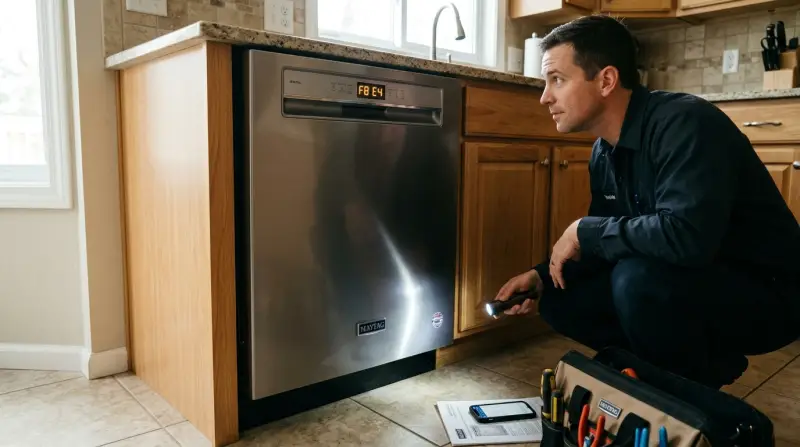
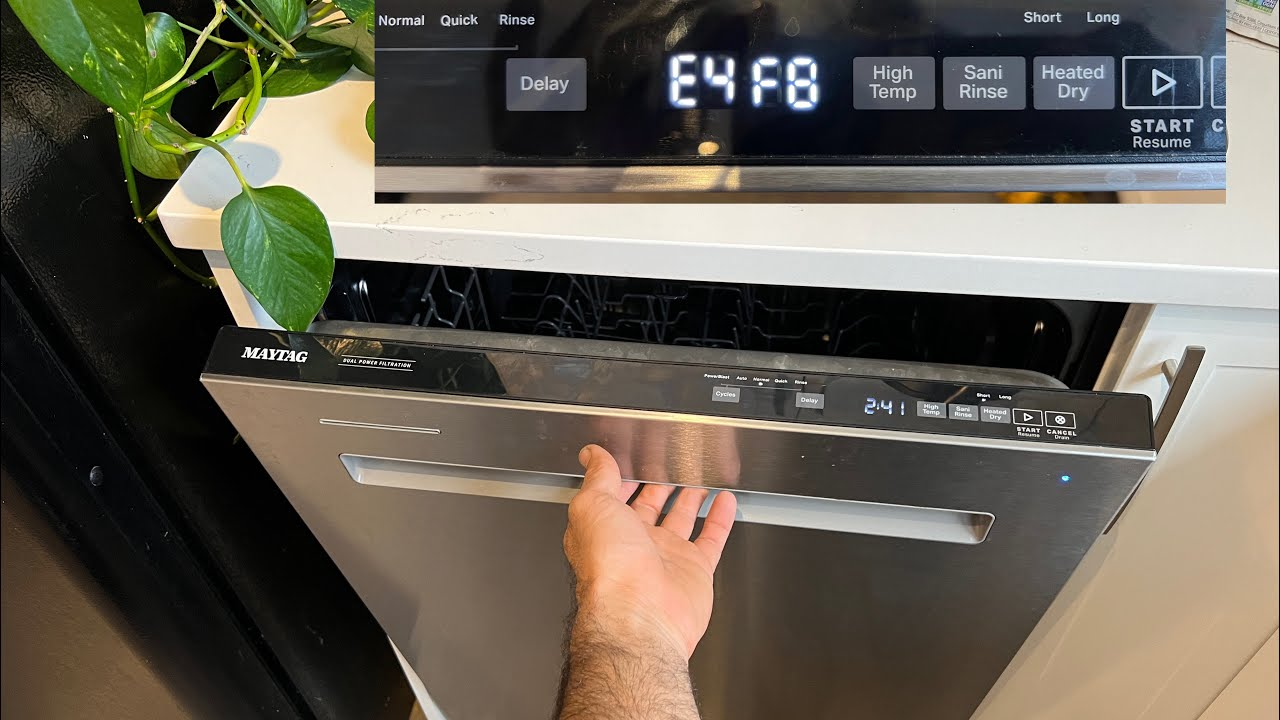
The F8 E4 error is a specific signal from your Maytag dishwasher. It tells you there is a drain pump problem. Usually, it means the machine senses water where it shouldn’t be, or the drain pump can’t clear water correctly.
Most Maytag dishwashers use error codes to help owners and technicians find problems quickly. The F8 E4 code is not random. It’s triggered by sensors inside the dishwasher that check for unusual water levels or movement.
If you see F8 E4, the machine will stop running. It’s a safety feature designed to prevent leaks or bigger problems. The code is common in newer Maytag models, especially those with electronic controls.
8 Key Items About The F8 E4 Code
You must understand eight important points to fully solve the F8 E4 error. Each item addresses a part of the issue, from cause to solution.
1. Water Leaks And Moisture Detection
Maytag dishwashers have sensors to detect water leaks. If water drips into the base of the machine, the sensor activates and shows the F8 E4 code. Even small leaks from hoses or door seals can trigger this error.
Most users miss this: Sometimes, leaks are not visible. The machine can sense water inside the base, but you won’t see a puddle outside. Always check under the dishwasher and around the door for signs of moisture.
Key tip: Use a flashlight and paper towel to check for hidden moisture. Dry everything completely before restarting the dishwasher.
2. Drain Pump Failure
The drain pump removes dirty water after each wash cycle. If it’s blocked, damaged, or not working, the F8 E4 code appears. Pump failure is a main reason for this error.
Here’s a quick comparison of common drain pump problems:
| Problem | Effect | Fix Difficulty |
|---|---|---|
| Blocked pump | Water stays inside | Easy |
| Electrical failure | No drainage | Hard |
| Broken impeller | Weak drainage | Medium |
Non-obvious insight: Even a small piece of broken glass or food can jam the pump. Always check for obstructions before replacing the pump.
3. Clogged Or Bent Drain Hose
The drain hose moves water from the dishwasher to your sink drain or garbage disposal. If it’s clogged, kinked, or crushed, water can’t escape. This triggers the F8 E4 code.
To check the hose:
- Remove the kick plate under the dishwasher.
- Find the hose connection.
- Inspect for blockages or bends.
A surprising fact: Many dishwashers are installed with too much hose length. This can cause loops or bends that stop water flow.
Key tip: Straighten the hose and cut excess length if needed. Also, flush the hose with water to clear any clogs.
4. Faulty Float Switch
The float switch is a small device that checks water level in the dishwasher. If the float is stuck or the switch is broken, the machine may think there’s too much water, showing the F8 E4 code.
Here’s how the float switch works:
| Float Position | Water Level | Machine Action |
|---|---|---|
| Down | Normal | Run cycle |
| Up | Too high | Stop, error code |
| Stuck | Unknown | Error code |
Non-obvious insight: Sometimes, soap buildup or hard water deposits make the float stick. Cleaning the float can fix the issue without replacing parts.
5. Control Board Issues
The control board is the brain of your dishwasher. It reads signals from sensors and controls all functions. If the board has errors, it may wrongly show the F8 E4 code.
Signs of control board problems:
- Codes appear randomly
- Dishwasher acts strange (cycles stop, buttons don’t work)
- Other errors appear along with F8 E4
Rare but possible: Power surges or moisture can damage the board.
Key tip: Before replacing the control board, unplug the dishwasher for 5–10 minutes. Sometimes, a simple reset clears software glitches.
6. Incorrect Installation
If your dishwasher was not installed correctly, the F8 E4 code may appear even if parts are healthy. Common installation mistakes include:
- Drain hose is too high or too low
- Wrong connection to garbage disposal
- No air gap (required in some places)
Incorrect installation can cause water to back up or leak. Always check the manual and local plumbing codes.
Here’s a quick comparison of installation mistakes:
| Mistake | Result | How to Fix |
|---|---|---|
| Drain hose too low | Backflow | Raise hose |
| No air gap | Drain issues | Add air gap |
| Loose connections | Leaks | Tighten fittings |
Non-obvious insight: In some areas, building codes require an air gap device. If you move homes or remodel, check local rules.
7. Sensor Calibration Errors
Modern dishwashers use electronic sensors to check water levels and pump operation. If sensors are miscalibrated, they can send wrong signals, causing the F8 E4 code.
Sensor calibration may become incorrect after:
- Power outages
- Moving the dishwasher
- Long periods of non-use
To recalibrate sensors, some models allow a special reset procedure. Check your user manual or the Maytag support site.
Key tip: Always perform sensor resets with the dishwasher empty and dry. This ensures accurate calibration.
8. Software Or Firmware Glitches
Some Maytag dishwashers have software or firmware that controls cycles and error codes. Glitches can make the machine misread signals, showing F8 E4 even if there’s no problem.
Manufacturers sometimes release updates for these machines. You may need a technician to install the update or reset the firmware.
Non-obvious insight: If your dishwasher is less than two years old, check for firmware updates before replacing parts. You can find update info at the official Maytag website.

Credit: smartapplianceservices.com
Practical Steps To Fix The F8 E4 Code
Once you know the eight possible causes, you can fix the error step by step. Here’s a clear process to follow:
- Unplug the dishwasher for safety.
- Check for leaks in and around the base.
- Inspect the drain pump for blockages.
- Look at the drain hose for kinks or clogs.
- Test the float switch for movement and cleanliness.
- Review installation and correct hose placement.
- Reset the control board by unplugging and waiting.
- Check for software updates or sensor resets.
If the code returns after these steps, the problem may be deeper. It’s smart to call a qualified technician.
Important note: Don’t ignore the F8 E4 code. Running the dishwasher with this error can cause water damage or electrical risks.
When Should You Call A Professional?
While many F8 E4 problems are simple to fix, some need expert help. Call a technician if:
- There is visible damage to the pump or control board.
- You smell burning or see electrical sparks.
- The error returns after all troubleshooting steps.
- You don’t feel confident opening the dishwasher.
Professional repair costs for F8 E4 problems range from $100–$350, depending on the parts and labor needed.
Credit: smartapplianceservices.com
How To Prevent F8 E4 Code In The Future
Keeping your dishwasher healthy can reduce the chance of this error. Here are practical prevention tips:
- Clean the filter and drain pump monthly.
- Inspect hoses and connections twice a year.
- Avoid overloading the dishwasher.
- Use quality detergent to prevent buildup.
- Check for leaks after each cycle.
- Follow installation instructions carefully.
Many users skip regular maintenance, but it’s the easiest way to prevent error codes.

Frequently Asked Questions
What Is The Most Common Cause Of The F8 E4 Code?
Usually, drain pump blockage is the main cause. Small bits of food or debris stop the pump from moving water out, triggering the error.
Can I Reset The F8 E4 Code Without Fixing Anything?
You can try unplugging the dishwasher for 5–10 minutes. Sometimes, this resets the control board. But if the cause is physical (like a leak or clog), the error will return until it’s fixed.
Is The F8 E4 Code Dangerous?
The code itself is not dangerous, but ignoring it can lead to water leaks and electrical hazards. Always fix the issue before running the machine again.
How Do I Know If The Drain Pump Needs Replacement?
If the pump makes loud noises, doesn’t run, or the error stays after cleaning, it likely needs replacement. A technician can test the pump with a multimeter.
Where Can I Find Official Support And Manuals?
You can visit the official Maytag website for manuals, troubleshooting guides, and firmware updates. This is the best place for accurate information.
Solving the F8 E4 code on your Maytag dishwasher can seem difficult, but with the right information, most owners can fix the problem themselves. Understanding all eight key items gives you a complete picture. Regular maintenance and careful installation prevent many errors.
If you follow the steps above, you’ll keep your dishwasher running smoothly and avoid future surprises.