
When your paper shredder stops working, it can create stress and confusion. Whether you use it at home or in the office, a broken paper shredder can put sensitive information at risk and disrupt daily routines. But before you throw it away or call for expensive repairs, many issues can be fixed with simple steps. This article guides you through common reasons for a non-working shredder, troubleshooting steps, and practical tips to keep your machine running smoothly. Even if you are not a technical person, you will find clear instructions here.
Why Paper Shredders Stop Working
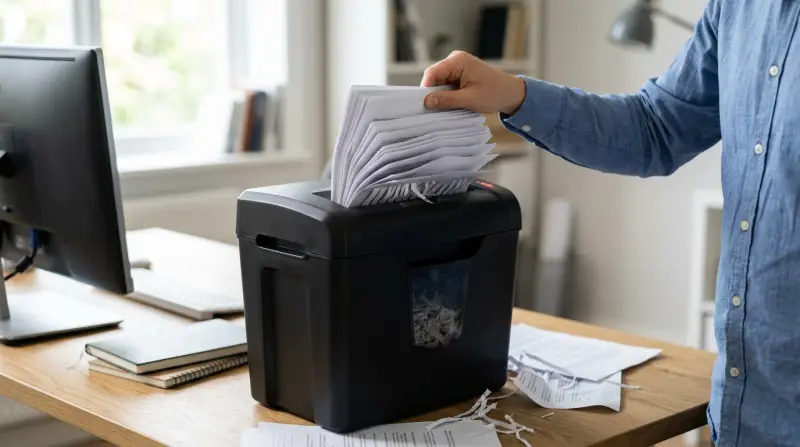
Paper shredders are designed for simple tasks, but they can face problems over time. Understanding why your paper shredder is not working helps you solve the issue faster.
- Overheating: Many shredders need time to cool down after heavy use. If the motor gets too hot, it will stop working to prevent damage. This is a safety feature, not a sign of a broken machine.
- Paper Jam: One of the most common problems is a paper jam. This happens when too much paper or something other than paper (like staples or credit cards) blocks the blades.
- Overfilled Bin: If the waste bin is full, some shredders will not run. Sensors detect when the bin is too full to prevent overflow.
- Dull Or Dirty Blades: Blades can become dull or sticky from regular use, especially if you shred paper with glue, labels, or plastic.
- Power Issues: Loose cables, dead outlets, or damaged power switches can stop a shredder from turning on.
- Safety Interlock Not Engaged: Many models have a safety feature that stops the shredder if the bin or head is not correctly placed.
- Broken Internal Parts: Gears, switches, or sensors inside the shredder can wear out, especially in older machines.
Knowing these common causes will help you troubleshoot more efficiently.
First Steps: Quick Troubleshooting
Before opening up your shredder or calling for help, try these quick checks:
- Unplug And Cool Down: If your shredder suddenly stopped, unplug it and let it rest for 20–30 minutes. Overheating is a top reason for sudden stops.
- Check Power Source: Test the outlet with another device. Make sure the power cord is secure and undamaged.
- Empty The Bin: Remove and empty the waste bin, then replace it correctly. Even a slightly misaligned bin can stop the machine.
- Reverse Mode: If paper is stuck, set the shredder to “reverse” for a few seconds. This can clear minor jams.
- Inspect For Obvious Jams: Look into the paper slot for visible paper pieces, staples, or other debris.
- Review The Manual: Some shredders have unique safety or operation features. A quick look at the manual can save time.
If these steps do not fix the problem, move on to more detailed troubleshooting.

Diagnosing Specific Problems
Power Failures
If your shredder will not turn on at all:
- Test the wall outlet with a lamp or phone charger.
- Check the shredder’s power switch and make sure it is set to “auto” or “on.”
- Inspect the power cord for cuts, bends, or burn marks.
- Try a different power outlet.
If none of these work, the internal fuse or switch may be damaged. This often needs professional repair.
Paper Jams
A jammed shredder often makes a humming sound or stops completely. Try these steps:
- Switch to reverse and run for 5–10 seconds.
- If the jam remains, unplug the shredder.
- Use tweezers or pliers to pull out visible paper pieces.
- Never use your fingers to avoid injury.
- If you cannot clear the jam, check if your model allows you to remove the top for better access.
Some advanced shredders have a “jam release” button. If so, press it according to the manual.
Overheat Shutdown
Many shredders have a thermal cutoff. After heavy use, the machine may stop and need 20–60 minutes to cool. Do not force the shredder to run, as this can damage the motor. Place the shredder in a cool, dry area while it rests.
Dull Or Dirty Blades
If your shredder works but struggles or makes loud noises, the blades may need cleaning or oiling. Use shredder oil or specially designed lubricant sheets. Run the oil through according to the manufacturer’s instructions. Never use cooking oil or WD-40, as these can damage the machine.
Safety Interlock Problems
If the shredder does nothing after you replace the bin, the safety switch might not be engaged. Check that the bin and shredder head are placed correctly. Listen for a click or look for lights that indicate the shredder is ready.
Comparing Common Paper Shredder Issues
To better understand the differences, look at this simple comparison:
| Problem | Symptoms | Quick Solution |
|---|---|---|
| Overheating | Stops after heavy use, warm to touch | Unplug, cool for 20–60 min |
| Paper Jam | Won’t shred, humming sound | Reverse mode, manual removal |
| Full Bin | Stops suddenly, indicator light on | Empty and realign bin |
| Power Issue | No lights, no sound | Check outlet, cord, switch |
| Dull Blades | Slow, loud, uneven shredding | Oil and clean blades |
How To Prevent Shredder Problems
Prevention is easier (and cheaper) than repair. Here are the best habits:
- Follow Sheet Limits: Every shredder has a maximum number of sheets per pass. Stick to this limit—even once-overloading can cause jams or motor strain.
- Avoid Non-paper Items: Only feed paper, unless your model allows for staples or credit cards. Never insert plastic, thick cardboard, or fabric.
- Regular Cleaning: Empty the bin before it gets packed. Clean the blades with oil every 1–2 months if you shred often.
- Let The Machine Rest: If you shred a lot, pause every few minutes. Most home shredders are not designed for continuous use.
- Keep Away From Moisture: Moisture can rust blades and damage electrical parts.
- Check For Maintenance Alerts: Some shredders have lights or indicators for maintenance. Do not ignore these.
Example: Shredder Sheet Capacity
To see how much you can shred at once, compare these sample models:
| Model | Sheet Capacity | Run Time | Shred Type |
|---|---|---|---|
| Basic Home Shredder | 6 sheets | 2 min | Strip-cut |
| Office Shredder | 14 sheets | 10 min | Cross-cut |
| Heavy Duty Shredder | 20 sheets | 30 min | Micro-cut |
When To Repair Or Replace Your Paper Shredder
Sometimes, a shredder is beyond a simple fix. Here is how to decide:
- Age of the Machine: If the shredder is more than five years old and has frequent issues, repairs may cost more than a new one.
- Type of Damage: Broken gears, burnt motors, or damaged sensors usually require professional service.
- Frequency of Use: If you use your shredder heavily, a low-cost home model may not be enough. Upgrading to a commercial-grade model saves time and money.
- Cost of Replacement vs. Repair: Check prices for both. Repairs above 50% of the shredder’s value often are not worth it.
Example: Repair Vs. Replace
| Issue | Repair Cost (Approx.) | New Shredder Cost | Recommendation |
|---|---|---|---|
| Paper jam removal | $0 (DIY) | – | Repair |
| Blade sharpening | $20–$40 | $60–$200 | Repair if under warranty |
| Motor replacement | $70–$120 | $60–$200 | Replace |
| Sensor replacement | $50–$90 | $60–$200 | Replace unless high-end model |
Non-obvious Insights For Shredder Owners
Many beginners miss these important tips:
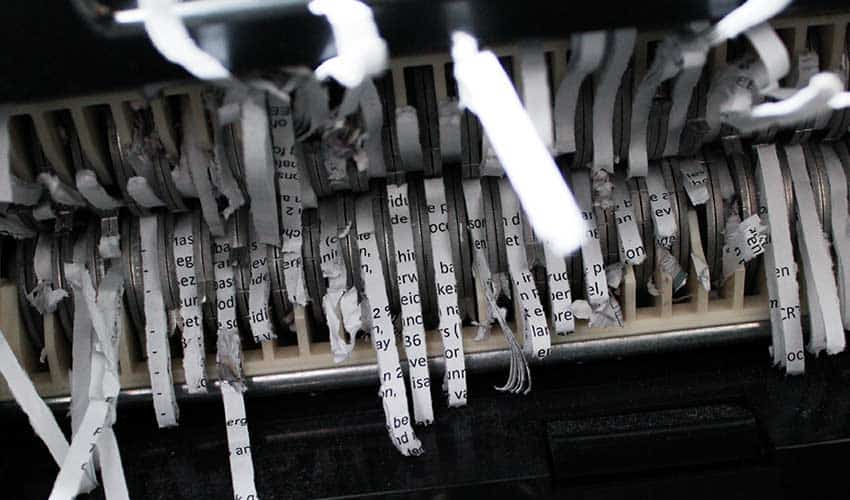
- Sensor Cleaning: Tiny dust or oil buildup on the safety sensor can cause the shredder to think the bin is not in place. Use a dry cotton swab to gently wipe the area near the sensor.
- Hidden Reset Switch: Some shredders have a small reset switch near the motor or under the housing. Check your manual—resetting can solve mystery problems with no error lights.
What Not To Do
Avoid these mistakes to prevent bigger problems:
- Do not spray water or cleaning solutions inside the shredder.
- Never use sharp objects to clear jams; they can damage blades or sensors.
- Do not ignore burning smells or smoke—immediately unplug and seek repair.
- Avoid using cooking oil or other household lubricants.
When To Call A Professional
If you hear grinding, see sparks, or nothing works after all troubleshooting steps, it is safer to contact a repair technician or the manufacturer. Trying to open the shredder yourself can void warranties or cause injury.

Useful Resources
For more details on paper shredder maintenance, see the Wikipedia Paper Shredder page.
Frequently Asked Questions
Why Does My Shredder Only Run In Reverse?
This often means the forward sensor is dirty or broken. Try cleaning the sensors with a dry cloth. If it still does not work, the forward switch may be damaged.
Can I Use Regular Oil For My Shredder?
No. Use only shredder oil or lubricant sheets. Cooking oil or WD-40 can attract dust and damage the shredder.
How Can I Avoid Paper Jams?
Feed only the recommended number of sheets, keep paper flat, and avoid shredding thick or damp items. Regular oiling also helps.
Is It Safe To Shred Credit Cards?
Only if your shredder’s manual says it can handle them. Otherwise, you risk damaging the blades or motor.
My Shredder Smells Like Burning Plastic. What Should I Do?
Immediately unplug the shredder. A burning smell means the motor or wires may be overheating. Let it cool and call a professional if the smell continues.
A working paper shredder protects your privacy and keeps your workspace tidy. Most problems can be solved with simple steps, regular maintenance, and careful use. By following this guide, you can keep your shredder running for years and avoid unnecessary frustration.