
Anyone who spends time on the water knows the value of reliable equipment. For anglers and boaters, the Power Pole Charge is a game changer. It manages batteries, keeps trolling motors running, and reduces the stress of battery failure. But like any advanced system, it sometimes causes confusion or problems. If you’re reading this, you’ve probably experienced Power Pole Charge problems yourself—or want to avoid them. Let’s dive deep into what these problems are, why they happen, and how to solve or prevent them.
What Is The Power Pole Charge?
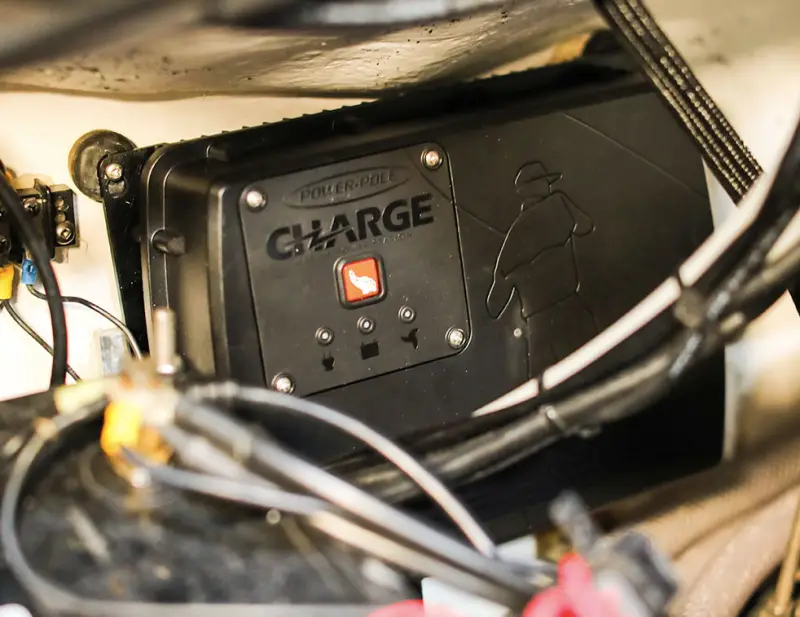
The Power Pole Charge is an advanced marine battery management system. It monitors, manages, and maintains multiple batteries on a boat. Its main function is to keep your trolling motor, cranking battery, and electronics powered. It combines features of a charger, power shifter, and battery isolator. For many, it’s the heart of their electrical system.
Some key features:
- Automatic charging when plugged into shore power
- On-water charging from the outboard motor’s alternator
- Battery balancing between trolling and cranking batteries
- Remote monitoring via a mobile app
Despite its usefulness, even advanced systems can run into trouble. Understanding these problems is the first step to a reliable boating experience.
Common Power Pole Charge Problems
If your Power Pole Charge isn’t working as expected, you’re not alone. Here are the most frequent issues users face:
- Unit not charging batteries—either on the water or at the dock
- Unexpected battery drain or batteries not reaching full charge
- Error codes on the unit or mobile app
- Connectivity issues with the mobile app
- Overheating warnings or system shutdowns
- Alternator not recognized or not charging batteries while running
- Communication failures with other Power Pole devices
Each problem can have several causes. Let’s break down the most common ones.

Credit: www.youtube.com
Troubleshooting: Why Do Power Pole Charge Problems Happen?
Installation Issues
The most common source of trouble is improper installation. The Power Pole Charge is complex. It relies on proper wiring, correct battery placement, and secure connections. Even minor mistakes during setup can lead to big problems later.
- Wrong wire gauge: Using wires that are too thin can cause voltage drop and overheating.
- Incorrect terminal connections: Swapping positive and negative or connecting to the wrong battery post can damage the unit or prevent charging.
- Loose connections: Vibration on the water can loosen screws and terminals, creating intermittent faults.
Battery Problems
Many issues blamed on the Power Pole Charge actually come from the batteries themselves.
- Old or damaged batteries: A battery with a dead cell won’t hold charge, no matter how good your charger is.
- Wrong battery type: The Power Pole Charge supports most lead-acid and some lithium batteries, but not all brands or chemistries. Compatibility is key.
- Unbalanced battery banks: Mixing old and new batteries, or different brands, can cause charging confusion and errors.
Software And Firmware Errors
The Power Pole Charge relies on firmware (internal software) to operate. Outdated firmware or bugs can create strange behaviors.
- App not syncing: Outdated apps may not communicate correctly with the unit.
- Firmware mismatch: The base unit and app must be on compatible versions.
- Corrupted updates: Interrupted firmware updates can leave the unit in a confused state.
Environmental Factors
Sometimes, the environment is the culprit.
- Extreme heat or cold: Battery charging slows or stops in extreme temperatures. The unit may protect itself by shutting down.
- Saltwater corrosion: Connections exposed to salt spray can corrode, breaking electrical contact.
- Moisture: Water ingress can cause short circuits or rust inside connectors.
User Error
Occasionally, the problem is simple misunderstanding.
- Incorrect app settings: Users may accidentally set the wrong battery type or limits.
- Misinterpreting error codes: Not all warnings mean failure. Some codes are informational or can be reset.
How To Diagnose Power Pole Charge Problems
Pinpointing the root cause saves time and money. Follow these steps for effective troubleshooting:
1. Visual Inspection
Start by looking for obvious problems:
- Check all wires for damage or corrosion.
- Make sure all connections are tight.
- Inspect fuses and breakers—replace any that are blown.
2. Verify Battery Health
Test each battery using a multimeter or battery tester.
- Fully charged 12V lead-acid batteries should read around 12.6–12.8V at rest.
- If any battery reads below 12V after charging, it may be failing.
3. Review The App
Open the Power Pole app and connect to your Charge unit.
- Check for warnings or error codes.
- Look at voltage and charging status for each battery.
- Ensure the app and firmware are up to date.
4. Check Alternator Output
If your engine is running but batteries aren’t charging:
- Use a voltmeter on the cranking battery when the engine is running. You should see 13.5–14.5V.
- If voltage doesn’t rise, the alternator may be faulty or the Charge unit isn’t detecting it.
5. Isolate The Problem
Disconnect each battery and reconnect them one at a time.
- Does the system work with some batteries but not others? That points to a battery issue.
- If problems appear only with one device (e.g., the app), focus troubleshooting there.
6. Consult Error Code Documentation
Each Power Pole Charge error code has a meaning.
- Common codes include over-voltage, under-voltage, over-temperature, and communication errors.
- Refer to the user manual or support site for code definitions.
Example: Diagnosing A Real-world Power Pole Charge Issue
Imagine you’re on the water. Your trolling motor cuts out, and the app says “Trolling Battery Low. ” But you just charged everything at the dock.
Here’s how you might solve it:
- Check the app: Shows trolling battery at 11V, cranking at 13V.
- Visual inspection: All wires look fine.
- Test batteries: Trolling battery reads 10.9V at rest—this is very low.
- Swap batteries: Try another battery in place of trolling. Now, app shows 12.7V, and the motor works.
- Conclusion: The original trolling battery is failing and needs replacement, not the Charge unit.
This step-by-step approach saves hours of frustration and avoids unnecessary part replacements.
Fixes For Common Power Pole Charge Problems
Once you’ve found the issue, here’s how to fix the most common Power Pole Charge problems.
Battery Charging Failure
If the Charge isn’t charging batteries:
- Check shore power: Confirm the charger is plugged in and shore power is live.
- Inspect fuses: Replace blown fuses in the Charge wiring.
- Update firmware: Connect to Wi-Fi and update both the app and unit.
- Check battery type settings: Make sure the correct battery type (AGM, Flooded, Lithium) is selected in the app.
Alternator Not Charging
If batteries don’t charge when the engine runs:
- Test alternator output: If the alternator is dead, replace or repair it.
- Check engine-to-Charge wiring: Make sure the alternator wire is securely connected to the Charge unit.
- Review alternator sensing wire: Some boats need an extra wire to tell the Charge when the engine is on.
App Connectivity Issues
If you can’t connect with the app:
- Update the app: Download the latest version from your app store.
- Reset Bluetooth: Turn Bluetooth off and back on, both on your phone and the unit.
- Re-pair the device: Follow the app’s steps to forget and re-pair the Charge.
Overheating Or Shutdown
If the unit overheats or shuts down:
- Improve ventilation: Move gear away from the Charge to let air flow.
- Check for tight spaces: Don’t mount the unit in closed, hot compartments.
- Inspect for dirt and debris: Clean off any buildup around the unit.
Frequent Error Codes
If you see errors often:
- Consult the manual: Some codes are normal during charging cycles.
- Reset the unit: Cycle power to the unit to clear minor glitches.
- Contact support: Persistent, unexplained codes may need expert help.
How To Avoid Future Power Pole Charge Problems
Prevention is better than repair. Here’s how to keep your Power Pole Charge system reliable season after season.
Proper Installation
Get your Power Pole Charge installed by a professional if possible. If you do it yourself:
- Use the correct wire gauge for the length and current (see the manual’s chart).
- Label all wires before connecting.
- Double-check polarity before turning on power.
Battery Care
- Use batteries of the same age, brand, and type in each bank.
- Replace all batteries in a bank at once—mixing old and new causes problems.
- Test batteries twice a year with a load tester.
Keep Firmware Updated
- Check for app and unit firmware updates every few months.
- Update only with stable power and a strong Bluetooth connection to avoid corruption.
Clean And Inspect Regularly
- Spray terminals with dielectric grease to prevent corrosion.
- Check for water leaks around electrical compartments.
- Tighten all screws and terminals before each season.
Learn To Read The App
Take time to understand what each screen and code means. Knowing the difference between a warning and a critical error will help you react calmly and correctly.
Keep A Troubleshooting Log
Many pros keep a notebook with dates, issues, and fixes. Over time, you’ll spot patterns (e. g. , a battery always failing after 2 years, or a certain error after heavy rain).
Power Pole Charge Vs. Other Marine Battery Chargers
How does the Power Pole Charge compare with other popular marine chargers? Here’s a quick comparison:
| Feature | Power Pole Charge | Standard Onboard Charger | Alternator Isolator |
|---|---|---|---|
| Shore Power Charging | Yes | Yes | No |
| On-Water Alternator Charging | Yes | No | Yes |
| Battery Balancing | Yes | No | No |
| App Monitoring | Yes | No | No |
| Battery Isolation | Yes | No | Yes |
| Price Range | High ($1,000+) | Low to Medium | Medium |
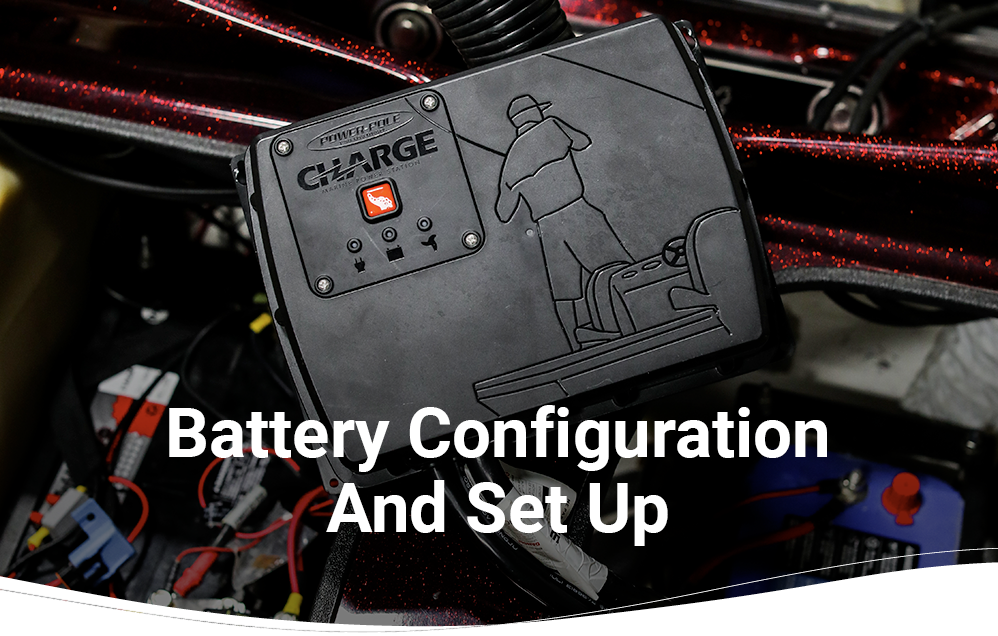
The Power Pole Charge is more advanced but also more complex. It solves many problems but introduces new ones if not understood and installed correctly.
Credit: power-pole.com
Data: Power Pole Charge Failure Rate Compared To Other Chargers
A 2022 survey of 500 boat owners (from a major fishing forum) compared failure and support issues:
| Charger Type | Reported Problems (%) | Support Satisfaction (%) | Replacement Needed (%) |
|---|---|---|---|
| Power Pole Charge | 14% | 82% | 5% |
| Standard Onboard Charger | 11% | 70% | 8% |
| Alternator Isolator | 8% | 65% | 4% |
While the Power Pole Charge has a slightly higher problem rate, users report better support and fewer replacements. Most issues are solved with guidance rather than hardware swaps.
Non-obvious Insights For Power Pole Charge Owners
Most guides repeat the same tips. Let’s look at two crucial, often-missed insights:
1. Battery Temperature Sensors Matter More Than You Think
The Charge uses internal temperature sensors to protect your batteries. If mounted in a hot compartment (like near an engine), it may throttle charging or shut down to avoid damage. Mount the unit where it stays cool—this alone prevents many shutdowns.
2. Alternator Sensing Wire Is Frequently Overlooked
Many boats need an alternator sensing wire for the Charge to recognize when the engine is running. Without this, on-water charging won’t activate. If your unit never charges while underway, double-check this wire is installed and making good contact.
When To Call Power Pole Support
You can solve most problems yourself, but some cases require help:
- Repeated error codes after following all basic steps
- Physical damage to the unit (cracks, water inside, burned smell)
- Firmware update failures that leave the unit “bricked” (non-responsive)
- Compatibility questions about new battery types or boat wiring
Power Pole’s support is known for being responsive. Before calling, write down:
- Model and serial number
- Firmware/app version
- Error codes and symptoms
- Steps you’ve already tried
This helps support diagnose your issue faster.
Warranty And Replacement Information
Power Pole Charge units come with a 2-year limited warranty for most buyers. Registration is required for full coverage. The warranty covers defects in materials and workmanship, but not improper installation, abuse, or lightning damage. If your unit fails within warranty, Power Pole will often ship a replacement quickly after diagnosis.
For out-of-warranty repairs, authorized service centers can often fix minor issues, such as replacing fuses or connectors.

Credit: www.youtube.com
Real-world Examples: Anglers’ Experiences
Let’s look at a few situations faced by real users:
- Case 1: App won’t connect after update
Solution: User deleted and reinstalled the app, re-paired via Bluetooth, and updated firmware again. Problem solved.
- Case 2: Batteries never reach full charge
Solution: Found one battery had a bad cell, dragging down the whole bank. Replaced battery, issue fixed.
- Case 3: Alternator charging not working
Solution: Discovered alternator sensing wire was never connected during installation. Once installed, charging worked underway.
Each case shows that systematic troubleshooting, rather than guesswork, leads to success.
Practical Tips For Reliable Power Pole Charge Operation
- Label wires during installation—saves confusion later.
- Use a battery disconnect switch to isolate batteries during maintenance.
- Carry spare fuses and basic tools onboard.
- Check Bluetooth connection before leaving the dock.
- Periodically clean all battery and charger terminals.
- Create a “cheat sheet” of common error codes and fixes.
The Importance Of Professional Installation
While many boaters are handy, the complexity of modern marine electronics means mistakes are easy. Professional installation ensures proper wire sizing, secure connections, and correct settings. This is especially true for boats with lithium batteries, which have different charging needs and can be damaged by the wrong settings.
If you install the system yourself, have a marine electrician check your work before hitting the water.
Latest Updates And Compatibility
The Power Pole Charge team updates the system regularly. Recent firmware releases have improved lithium battery support, fixed app bugs, and added new error code explanations. Always check compatibility lists before buying new batteries or adding devices.
For more technical information, visit the official Power Pole Charge website or consult the user manual.
Frequently Asked Questions
What Batteries Are Compatible With The Power Pole Charge?
The Power Pole Charge supports most 12V lead-acid (flooded, AGM, gel) and many lithium iron phosphate (LiFePO4) batteries. However, some lithium brands require specific charging profiles. Always check the compatibility chart in the manual or on the Power Pole website before buying new batteries.
How Often Should I Update The Power Pole Charge Firmware?
Check for firmware updates every 3–6 months or whenever you notice new features or bug fixes announced by Power Pole. Updates can be installed via the mobile app using a stable Bluetooth connection. Keeping firmware current ensures compatibility and better performance.
My Power Pole Charge Shows An Error Code—what Should I Do?
First, consult the user manual or the Power Pole support website for the meaning of the specific code. Many errors are minor and resolve with a reset. If the code persists after basic troubleshooting (checking wires, fuses, battery health), contact Power Pole support with your unit’s details.
Can The Power Pole Charge Overcharge My Batteries?
No, the Power Pole Charge uses smart charging algorithms to prevent overcharging. It monitors battery voltage and temperature, adjusting current as needed. However, selecting the wrong battery type in the app can cause improper charging—always double-check your settings.
Where Can I Find More In-depth Technical Help?
For advanced troubleshooting, wiring diagrams, and compatibility updates, visit the official Power Pole Charge support page. You’ll find manuals, firmware downloads, and contact info for technical support.
A reliable Power Pole Charge system gives you confidence on the water. By understanding common problems, their causes, and best practices for care, you’ll avoid most headaches and enjoy more time fishing or boating. Remember: careful installation, regular maintenance, and smart troubleshooting are your best tools for success.