
Millions use Robinhood for investing, but many new users face a common roadblock: the identity verification process fails or gets stuck. This can be frustrating, especially if you want to start trading quickly. Why does this happen, and what can you do about it? This article explains the main reasons behind Robinhood identity verification not working, how to fix it, and what steps to take if nothing seems to help.
Why Robinhood Needs Identity Verification
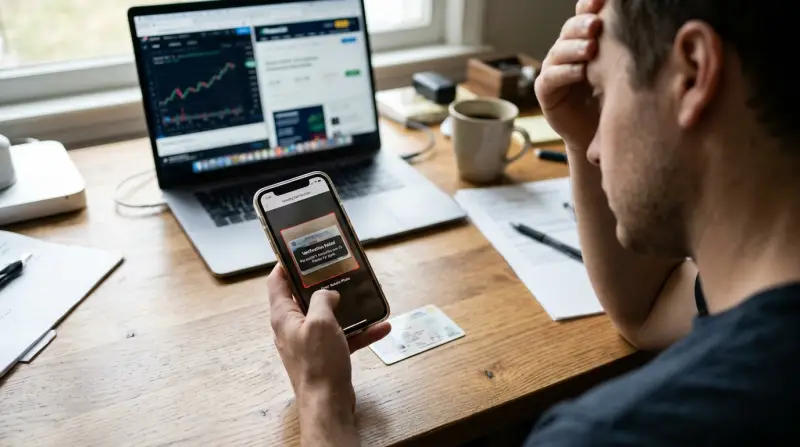
Robinhood, like all US-based financial platforms, must follow strict security laws. These rules protect both the company and its users. By law, Robinhood must confirm your identity to prevent fraud, money laundering, and illegal activities. This process is called “Know Your Customer” (KYC).
During verification, Robinhood checks:
- Your full legal name
- Address
- Social Security Number (SSN)
- Date of birth
- Photo ID (such as a driver’s license or passport)
If any of these details are unclear or don’t match, your application could be delayed or denied.
Common Reasons Robinhood Identity Verification Fails
Many users are surprised when their accounts don’t get verified. Here are the most frequent reasons:
- Data Mismatch: Your name, address, or SSN doesn’t match government records.
- Blurry or Unreadable Photos: Uploaded ID images are unclear, cut off, or too dark.
- Expired ID: Your photo ID is out of date.
- Name Changes: You recently changed your name, but supporting documents are missing.
- Unusual Address Format: Using P.O. Boxes or addresses that don’t match postal records.
- Recent Moves: Your address is new and not updated in official databases.
- Typos: Simple mistakes like a wrong digit in your SSN or address.
Here’s a quick comparison of common identity verification problems and their effects:
| Issue | How It Affects Verification | How to Fix |
|---|---|---|
| Blurry ID Photo | System can’t read details | Upload a clear, well-lit photo |
| Wrong Address | Fails address match | Use current address on all forms |
| Typo in SSN | Immediate rejection | Double-check and re-enter info |

How Robinhood’s Identity Verification Works
Robinhood uses automated systems to check your information against public and government records. Here’s the basic flow:
- You enter your details and upload your ID.
- Robinhood’s system matches your data with databases (like Social Security and postal records).
- If everything matches, your account is approved—sometimes in minutes.
- If something doesn’t match, you may be asked for more documents or the process stops.
Non-obvious insight: Even a small difference, like using “Ave.” instead of “Avenue,” can cause a mismatch. Always use the same format as on your official documents.
Step-by-step Fixes For Robinhood Identity Verification Problems
If your verification is not working, follow these steps:
Double-check Your Details
Go back and carefully review every field. Make sure:
- Your name matches your legal ID exactly (including middle name if used)
- Your address matches your ID and recent utility bills
- Your SSN is correct (no typos)
Upload Clear, High-quality Photos
A common problem is a bad photo. Tips for a successful upload:
- Use a phone with a good camera
- Take the photo in good lighting (avoid shadows or glare)
- Place the ID on a flat surface
- Make sure all corners and data are visible
Use Up-to-date Documents
Check the expiration date on your driver’s license or passport. If it’s expired, use a different valid ID.
Match Your Address Everywhere
If you moved recently, update your address with the US Postal Service and on your ID. Robinhood’s systems check for address mismatches with official records.
Provide Extra Documents If Asked
Robinhood may request more proof, such as:
- Utility bills showing your name and address
- Bank statements
- A photo of you holding your ID
Submit these as clearly and quickly as possible.
Here’s a summary of common document requirements:
| Document Type | Accepted? | Tips for Upload |
|---|---|---|
| Driver’s License | Yes | Must be current, not expired |
| Passport | Yes | All details visible, no glare |
| Utility Bill | Yes (for proof of address) | Name and address must match your application |
What To Do If You’re Still Stuck
Sometimes, Even After Fixing Mistakes, Verification Fails. What Next?
Contact Robinhood Support
Use the in-app support chat or email. Be ready to provide:
- Screenshots of error messages
- Photos of your documents
- Details about recent moves or name changes
Support may take a few days to respond, especially during busy times.
Wait For System Updates
Robinhood sometimes has technical issues with their verification system. If many users are affected, you might just need to wait a day or two.
Try A Different Device Or Internet Connection
Some users have solved the problem by switching from a phone to a computer, or using a different Wi-Fi network. This helps if the app is not uploading your documents correctly.
Check For Account Locks Or Bans
If you tried too many times with wrong data, your account may be locked. In this case, only Robinhood support can help.
Special Cases: Non-u.s. Citizens, Students, And Name Changes
Robinhood is only open to U.S. citizens and legal residents. Non-citizens must provide extra documents, like a Green Card or work permit. Students who use campus addresses may also face problems if their address isn’t on official records.
If you’ve changed your name (for example, after marriage), include a legal name change document, such as a marriage certificate.
Practical tip: Always send supporting documents in a single email or upload, instead of piecemeal. This speeds up review.
How Long Does Identity Verification Take?
Most users are approved within a few minutes to an hour. However, if there are issues, it may take:
- 1–2 business days for manual review
- Up to 1 week if extra documents are needed
If it’s longer, contact support.
Here’s a quick look at typical wait times:
| Situation | Expected Wait Time |
|---|---|
| All info matches | Minutes to 1 hour |
| Minor mismatch | 1–2 business days |
| Manual review needed | Up to 1 week |
How To Avoid Identity Verification Problems On Robinhood
Avoiding problems is easier than fixing them. Here’s how:
- Use official documents with matching names and addresses.
- Prepare documents in advance (driver’s license, utility bill).
- Check for typos before submitting.
- Don’t rush the process; review each field.
- Update your address with the Post Office and your bank before signing up.
Non-obvious insight: Even using a nickname (like “Mike” instead of “Michael”) can cause a failed verification.
When You Should Not Use Robinhood
If you do not have a U. S. address, legal status, or Social Security Number, you cannot open a Robinhood account. Do not try to use fake documents or someone else’s details—this can result in a permanent ban.
If you need to trade internationally, consider platforms that support non-U.S. residents. For more information about KYC rules, see this Wikipedia article on Know Your Customer.
What If Your Account Is Locked Or Frozen?
If you repeatedly fail verification, Robinhood may lock your account for security. This is for protection, but it can be frustrating.
Steps to unlock:
- Contact support and explain the situation.
- Provide the requested documents quickly.
- Do not open a new account—this can make things worse.
Robinhood must follow federal law, so sometimes they cannot unlock an account without the right documents.
Can You Start Trading Without Identity Verification?
No. U. S. law requires Robinhood to verify your identity before you can deposit money or buy stocks. This protects all users and prevents illegal activity.
If you want to use Robinhood, patience is key. Do not rush the process or try to skip steps.
Frequently Asked Questions
Why Does Robinhood Need My Social Security Number?
Robinhood must collect your SSN to report your investments to the IRS and follow anti-money-laundering laws. This is required by law for all U.S. brokers.
How Can I Speed Up The Verification Process?
Make sure your documents are clear, all information matches, and respond to any Robinhood emails quickly. Don’t submit blurry or partial images.
What If My Id Is Expired?
You must use a current, valid ID. If your driver’s license is expired, use a valid passport or apply for a new license before reapplying.
Can I Use A P.o. Box As My Address?
No, Robinhood requires a physical residential address. P.O. boxes are not accepted for identity verification.
Who Can I Contact If Nothing Works?
If all else fails, contact Robinhood customer support directly through their app or website. Be ready to provide all requested documents and answer any follow-up questions.
Getting stuck at identity verification can be stressful, but most issues can be fixed by double-checking your information and following up with Robinhood support. Take your time, keep your documents ready, and don’t hesitate to ask for help. By understanding the process, you’ll be trading with confidence soon.