
A Sanyo TV that won’t turn on can be frustrating, especially when you’re ready to relax or catch up on your favorite shows. You press the power button, but nothing happens—no light, no sound, no picture. Many people experience this issue, but few know the real reasons behind it or how to fix it.
This article will help you understand what causes a Sanyo TV not to turn on, how to troubleshoot it step by step, and what you can do if the problem continues. You’ll also find practical advice, expert tips, and answers to common questions.
By the end, you’ll feel confident about handling this issue, whether you’re a beginner or someone with technical experience.
Understanding Why Your Sanyo Tv Won’t Turn On
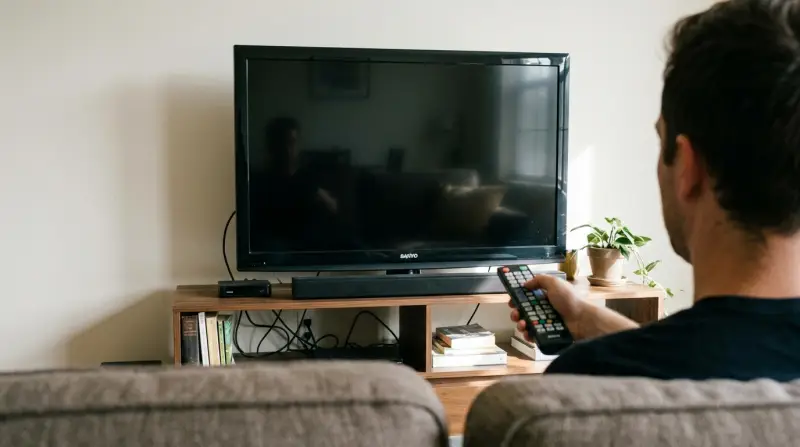
The problem can come from many sources. Sometimes, it’s a simple issue like a loose cable. Other times, it’s a deeper problem with the TV’s hardware. It’s important to know the main causes before you start fixing things.
Common Causes
- Power Supply Problems: Most often, the TV doesn’t get power. This could be a faulty wall outlet, a damaged power cord, or a blown fuse inside the TV.
- Remote Control Issues: The batteries in your remote may be dead, or the remote may not be working.
- Internal Component Failure: Sometimes, parts inside the TV such as the main board, power board, or capacitors fail.
- Software Glitches: A rare cause, but sometimes the TV’s firmware or software can freeze and stop the TV from turning on.
- Physical Damage: Water spills, drops, or knocks can damage the TV’s internal parts.
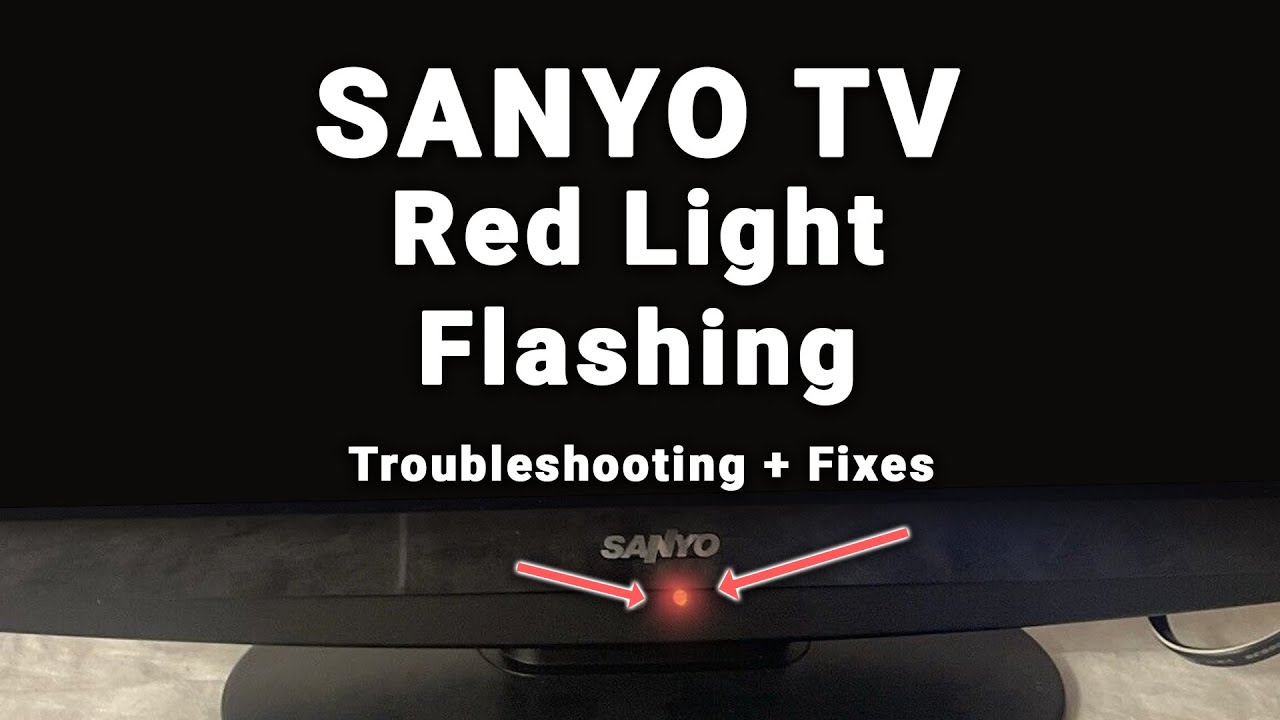
- Standby Mode Confusion: The TV may be stuck in standby mode, showing a red light but not turning on.
Signs To Watch For
- No Power Light: If the power light is off, the TV is not getting power.
- Red Light, No Picture: A red standby light means the TV is waiting for a command. If the TV doesn’t turn on, the issue may be with the remote or power button.
- Flickering or Flashing Lights: This can signal a hardware problem.
- Clicking Sounds: Sometimes, TVs make clicking noises but don’t turn on—usually a sign of power board failure.
Step-by-step Troubleshooting For Sanyo Tvs
If your Sanyo TV won’t turn on, follow these steps. Each is simple, even for non-technical users. Try them in order—many issues can be fixed without professional help.
1. Check The Power Source
First, make sure the TV is getting power.
- Unplug the TV and plug it into a different wall outlet.
- Use a working appliance (like a lamp) to test the outlet.
- Inspect the power cord for cuts or frayed wires.
2. Inspect The Remote Control
A faulty remote can cause the TV to stay off.
- Replace the batteries with new ones.
- Use the TV’s physical power button (usually on the side or bottom) to see if it turns on.
- Clean the remote sensor on the TV with a dry cloth.
3. Look For Standby Lights
A red standby light means the TV is getting power but not turning on.
- Press the power button on the TV for 10 seconds.
- If the light flashes but the TV doesn’t start, try unplugging the TV for 1 minute, then plug it back in.
4. Unplug And Reset
Sometimes, TVs need a reset to clear minor errors.
- Unplug the TV from power.
- Wait at least 2 minutes.
- Plug it back in and try turning it on.
5. Check For Physical Damage
Look for signs of damage.
- Inspect the TV’s back and sides for cracks or water marks.
- If you see damage, professional repair may be needed.
6. Test With A Different Power Cable
If your Sanyo TV uses a removable power cable, try using another one.
- Use a compatible cable from another device.
- If the TV turns on, your original cable may be faulty.
7. Listen For Sounds
Sometimes, the screen stays black but you can hear audio.
- Turn up the volume and listen for sound.
- If you hear audio but see no picture, the screen or display board may be faulty.
8. Try A Hard Reset (factory Reset)
If the TV turns on but freezes or won’t respond:
- Find the reset button (usually in the settings menu).
- Follow the on-screen instructions to reset to factory settings.
9. Check For Software Updates
If your TV turns on but acts strange:
- Go to the Settings menu.
- Look for Software Update or Firmware Update.
- Update if available.
10. Seek Professional Repair
If none of the steps work, it’s time to contact a repair service or Sanyo support.
Comparing Sanyo Tv Power Issues To Other Brands
It helps to know if Sanyo TVs have unique problems compared to other brands. Here’s a comparison of power issues in popular TV brands:
| Brand | Common Power Issues | Repair Cost (Average) | Warranty Coverage |
|---|---|---|---|
| Sanyo | Power board, remote sensor | $80-$180 | 1 year |
| Samsung | Capacitors, main board | $100-$250 | 1-2 years |
| LG | Power supply, display board | $120-$220 | 1 year |
| Sony | Firmware, power board | $110-$300 | 1 year |
Sanyo TVs are not more likely to have power issues, but repair costs are often lower than premium brands. Warranty coverage for Sanyo is usually one year.
How To Avoid Sanyo Tv Power Problems
Many power issues can be prevented. Here are practical tips to keep your TV working well:
- Use a Surge Protector: This protects your TV from sudden voltage spikes. Many TV failures happen after storms.
- Keep Cables Secure: Loose or bent cables can cause intermittent power loss.
- Clean Dust Regularly: Dust inside the TV can cause overheating and damage components.
- Avoid Moisture: Never place your TV near sources of water or in humid rooms.
- Update Software: Keeping firmware updated can prevent software glitches.
Data Table: Average Lifespan And Failure Rates
Here’s data comparing Sanyo TV lifespan and failure rates with other brands:
| Brand | Average Lifespan (Years) | Failure Rate (3 Years) |
|---|---|---|
| Sanyo | 6-8 | 7% |
| Samsung | 7-9 | 5% |
| LG | 7-8 | 6% |
| Sony | 8-10 | 4% |
Sanyo TVs last a good number of years, but they have a slightly higher failure rate compared to Sony and Samsung.
Credit: www.ifixit.com
When To Repair Or Replace Your Sanyo Tv
If your TV doesn’t turn on after basic troubleshooting, you need to decide if repair is worth it.
Signs Repair Is Better
- The TV is less than 3 years old.
- Repair cost is less than 30% of the price of a new TV.
- The issue is with simple parts like the power cable or remote.
Signs Replacement Is Smarter
- The TV is older than 5 years.
- Repair cost is more than 50% of a new TV.
- Multiple parts are failing (screen, sound, power).
Example: Repair Vs Replacement
Let’s compare two situations:
| Situation | Repair Cost | New TV Cost | Recommended Action |
|---|---|---|---|
| Power board failure, TV is 2 years old | $120 | $400 | Repair |
| Multiple failures, TV is 7 years old | $250 | $420 | Replace |
These examples show that age and repair cost are key to making the right choice.
Non-obvious Insights Most Beginners Miss
Many people focus only on the power cord, but forget to check the remote sensor and standby mode. Sometimes, the TV appears dead, but is simply stuck waiting for a signal. Also, many skip the hard reset, thinking it’s only for software issues—but it can fix power problems caused by minor glitches.
Another insight: dust buildup inside the TV can cause overheating, leading to power failures. Cleaning vents and keeping the TV in a dust-free area can prevent many issues.

Credit: www.ifixit.com
What To Do If Your Sanyo Tv Still Won’t Turn On
If you’ve tried all steps and your TV remains off:
- Contact Sanyo customer support or a professional technician.
- Check your warranty—if still valid, repairs may be free.
- Look for authorized repair centers in your area.
- If you need official guidance, visit the Sanyo official support page.
Frequently Asked Questions
What Does The Red Standby Light Mean On My Sanyo Tv?
The red standby light means the TV is getting power but is not turned on. If it stays red when you press the power button, try using the TV’s physical power button or unplugging and plugging it back in.
Can I Use A Universal Remote If My Sanyo Remote Isn’t Working?
Yes, universal remotes are compatible with most Sanyo TVs. Make sure to program it with the correct code for your model. If the TV doesn’t respond, check the sensor and batteries.
How Do I Know If The Power Board Is Faulty?
A faulty power board often causes clicking sounds, flashing lights, or a completely dead TV. If basic troubleshooting fails, and the TV shows these signs, a technician should check the power board.
Is It Safe To Open The Tv And Check Inside?
Opening a TV can be dangerous due to high voltage inside, even when unplugged. Only experienced users should open a TV. For most people, it’s best to seek professional help.
How Long Does A Typical Sanyo Tv Last?
A typical Sanyo TV lasts about 6-8 years with normal use. Lifespan depends on care, usage, and environmental factors. Using surge protectors and cleaning dust can extend life.
A Sanyo TV not turning on doesn’t have to ruin your day. With the steps and insights above, you can quickly find the cause and fix it—or know when to call for help. Smart troubleshooting and regular care will keep your TV running longer.
If you’re unsure, don’t risk damage—professional support is always available.