
Many Subaru owners enjoy a reliable ride, great all-wheel-drive, and practical features. But when the audio system suddenly stops working, it can turn a pleasant drive into a silent, frustrating experience. Whether you rely on the radio for traffic updates, streaming music, or hands-free calls, losing sound is a problem worth fixing fast. This guide will help you understand why your Subaru audio is not working, how to diagnose the issue, and what steps you can take to restore your sound system.
Common Reasons Subaru Audio Stops Working
Modern Subaru vehicles use complex electronics. When the audio system fails, it could be due to several reasons. Here are the most common:
- Blown fuse: Fuses protect the car’s electronics. If one blows, your audio system loses power.
- Faulty head unit: The head unit is the control center for your audio. If it fails, the whole system can go silent.
- Wiring issues: Loose, corroded, or broken wires can interrupt the sound signal.
- Speaker problems: Blown or disconnected speakers mean no sound, even if the radio seems to work.
- Software glitches: Newer Subarus with infotainment screens may develop bugs after updates or resets.
- Bluetooth or connection errors: If using Bluetooth or USB, pairing issues or faulty cables can block audio.
Sometimes, the problem is simple. Other times, it needs professional help. Let’s look at how to diagnose and fix these issues.
Diagnosing The Problem
Before paying for repairs, it’s smart to do some basic checks. Here’s how to start:
Check The Obvious First
- Is the volume up?
- Is the mute function on?
- Are you on the correct audio source (radio, Bluetooth, USB)?
- Are headphones or other devices plugged in?
It sounds simple, but many people miss these steps.
Inspect The Fuses
Your Subaru has a fuse box, usually under the dashboard or in the engine bay. The owner’s manual can show you the exact location.
- Turn off the car.
- Open the fuse box.
- Find the audio/radio fuse (use the diagram on the cover or manual).
- Pull out the fuse and check if the metal strip inside is broken.
A blown fuse is easy and cheap to replace.
Test Different Audio Sources
If the radio works but Bluetooth doesn’t (or vice versa), the problem might be with your connection, not the whole system. Try:
- Switching from FM/AM radio to Bluetooth or USB
- Connecting a different phone or device
- Using a new cable
Restart The Infotainment System
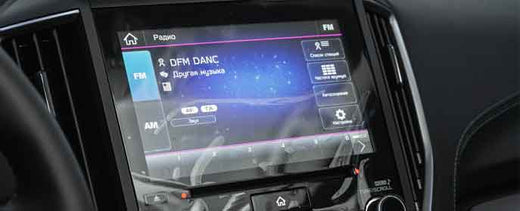
If your Subaru has a touchscreen display, try restarting it. Hold down the power button for 10 seconds, or follow the manual’s steps. Sometimes, this resets software glitches.
Listen For Speaker Problems
Turn the balance and fade settings to different speakers. If some speakers work and others don’t, you may have a blown speaker or bad wiring.
Step-by-step Fixes For Subaru Audio Issues
Once you’ve done basic checks, you can try some common fixes. Here’s how to tackle each problem:
1. Replace A Blown Fuse
- Buy a new fuse of the same amp rating (usually written on the fuse).
- Insert it in the same slot.
- Turn on the car and test the audio.
Tip: If the fuse blows again soon, there could be a deeper electrical issue. Don’t keep replacing it without expert help.
2. Check Connections And Wiring
- Gently wiggle the wires behind the head unit (if you can reach them).
- Look for loose plugs, corrosion, or damaged cables.
- If you see a problem, fix or replace the wire.
Note: If you’re not comfortable with car electronics, ask a mechanic or car audio shop.
3. Reset The Head Unit
Many Subaru models let you reset the system:
- Hold the power button for 10–15 seconds.
- Some have a small reset hole—use a paperclip to press it.
- After the reset, re-pair your Bluetooth devices.
4. Update The Infotainment Software
Check the Subaru website for software updates. You may need a USB stick to install new firmware. Updated software can fix bugs that cause audio issues.
5. Reconnect Or Replace Speakers
If only some speakers are silent:
- Remove the door panel (carefully) to access the speaker.
- Check for loose wires.
- Swap the speaker with a working one to see if the speaker is the problem.
If it is, replace it with the same size and rating.
6. Fix Bluetooth Or Usb Issues
- Delete your phone from the car’s Bluetooth memory, then pair again.
- Try a new USB cable or device.
- Make sure your phone’s software is updated.
7. Seek Professional Help
If you’ve tried these steps and still have no sound, it may be time for a professional diagnosis. There could be a problem with the head unit, amplifier, or deeper wiring issues.
Comparing Subaru Audio Problems By Model Year
Different Subaru models and years have their own common audio problems. Here’s a comparison:
| Model Year | Common Audio Issue | Typical Fix |
|---|---|---|
| 2012–2016 | Blown fuses, speaker failure | Replace fuse/speaker |
| 2017–2020 | Infotainment glitches, Bluetooth dropouts | Software update, reset head unit |
| 2021–Present | Software bugs after updates | Factory reset, dealer service |
Knowing your model’s weak points helps you troubleshoot faster.

Credit: www.reddit.com
When To Replace Vs. Repair
Sometimes, a simple fix restores your Subaru’s audio. Other times, parts need replacing. Here’s how to decide:
- Repair if: The issue is a blown fuse, bad connection, or software glitch.
- Replace if: The head unit, amplifier, or most speakers fail.
Replacement can be costly, especially for newer infotainment units. Always check for warranty coverage, especially in the first 3 years or 36,000 miles.
Cost Estimates For Subaru Audio Repairs
Repair costs can vary by problem and location. Here’s a guide:
| Repair Type | Estimated Cost |
|---|---|
| Fuse replacement | $10–$30 |
| Speaker replacement | $80–$250 per speaker |
| Head unit repair/replacement | $400–$1,500 |
| Wiring repair | $50–$300 |
| Software update (at dealer) | $0–$100 |
DIY fixes are cheaper, but only try them if you feel confident.

Credit: www.youtube.com
Two Key Insights Most Beginners Miss
Many people jump to conclusions about what’s wrong, but they often overlook these important points:
- Battery voltage matters: Low battery voltage can cause the audio system to shut off or behave strangely. If your Subaru has a weak battery, replace or recharge it before assuming the audio system is broken.
- Aftermarket accessories: Devices like dash cams or remote starters can interfere with your car’s electronics, including the audio. Disconnect these extra gadgets when diagnosing audio problems.
Audio System Upgrades: Worth It?
If your Subaru audio keeps failing or you want better sound, you might consider an upgrade. Here are some options:
- Aftermarket head units: Offer more features, but need adapters to keep steering wheel controls.
- Better speakers: Improve sound quality and reliability.
- Amplifiers: Give stronger, cleaner sound.
However, installing aftermarket parts can affect your warranty or cause new issues if done incorrectly. Always use quality parts and, if unsure, hire a professional installer.
Preventing Future Audio Issues
A little care goes a long way. Here’s how to avoid future problems:
- Keep your software updated—check Subaru’s site regularly.
- Avoid spilling drinks or food on the dash or near speakers.
- Disconnect the battery before working on electronics.
- Don’t overload the system with too many devices at once.
- Use only high-quality cables and connectors.
Taking these steps can help your Subaru audio system last longer and work more reliably.
Subaru Audio System Features: A Quick Comparison
Subaru offers different audio options depending on the trim. Here’s how some popular systems compare:
| Audio System | Features | Known Issues |
|---|---|---|
| Base System | 4–6 speakers, no amp | Blown speakers, weak sound |
| Harman Kardon | 8–12 speakers, subwoofer, amp | Occasional amp failure, software bugs |
| Starlink Infotainment | Touchscreen, Bluetooth, Apple CarPlay/Android Auto | Touchscreen freezing, connectivity drops |
Knowing your system can help you describe the problem when getting help or buying parts.
Where To Find More Help
If you need more details or want to see official guides, the Subaru owner’s manual is a good starting point. Subaru forums also have many real-world tips. For complex repairs, your local Subaru dealer or a certified car audio shop can help. You can also check out Cars101 for model-specific guidance.
Frequently Asked Questions
What Should I Do First If My Subaru Audio Stops Working?
First, check the volume and mute settings, then try switching between different audio sources (radio, Bluetooth, USB). If nothing works, inspect the audio fuse and connections. These simple steps solve many problems quickly.
Can I Fix A Subaru Audio System Myself?
Yes, many issues like blown fuses, software resets, or loose connections can be fixed at home. However, if you suspect a head unit failure or complex wiring problem, it’s safer to seek professional help.
Credit: us.haynes.com
Is My Subaru Audio System Covered Under Warranty?
If your car is less than 3 years old or under 36,000 miles, most audio system parts are covered under Subaru’s basic warranty. Aftermarket modifications can void this coverage, so always check before upgrading.
Why Does My Subaru’s Audio Cut Out Randomly?
Random audio loss can be caused by low battery voltage, software bugs, or interference from other devices (like dash cams). Updating software and checking the battery often fixes this.
How Much Does It Cost To Replace A Subaru Head Unit?
Replacing a Subaru head unit can cost between $400 and $1,500, depending on your model and whether you choose an original or aftermarket part. Labor costs at a dealership are usually higher than at independent shops.
Getting your Subaru audio working again often just takes a few careful checks and simple fixes. If you’re patient and methodical, you can restore your sound and enjoy every drive with your favorite music and podcasts. And if you ever run into a problem you can’t solve, professional help is always available to keep your Subaru experience as enjoyable as it should be.