
When your Samsung refrigerator suddenly shows error code 39 E, it can feel confusing and stressful. This code signals a problem that needs your attention, but it doesn’t always mean a major breakdown. Understanding what causes 39 E and how to fix it can save you time, money, and worry. This article gives you a clear, step-by-step guide to all 39 possible triggers behind this error. For each item, you’ll learn what it means, how to check it, and what action to take. By the end, you’ll know if you can solve the problem yourself or if professional help is needed.
What Is Samsung Refrigerator Error Code 39 E?
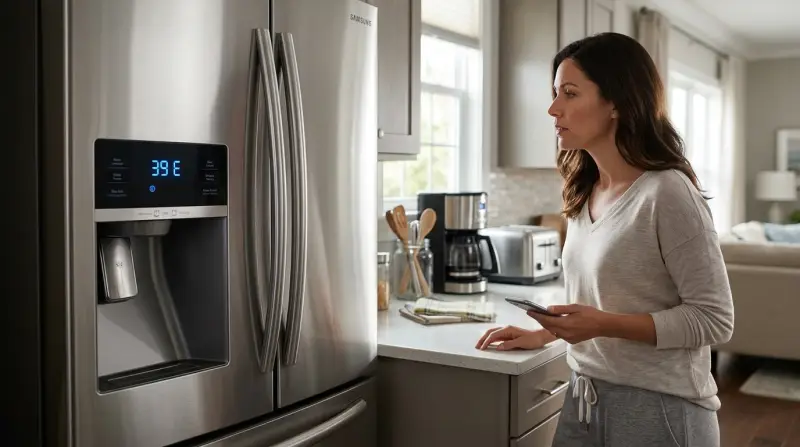
Error code 39 E is mainly linked to the ice maker system in Samsung refrigerators. When the ice maker’s sensor or related parts fail to work, the refrigerator’s control board sends this code. It’s not a single fault, but a group of possible issues. Many parts, sensors, and connections can cause 39 E to appear.
Why Error Code 39 E Happens
Most often, 39 E means that the ice maker is not making ice correctly. Reasons can include electrical faults, sensor failures, water supply problems, or even simple blockages. Sometimes, a quick reset solves the issue. Other times, deeper troubleshooting is needed.

39 Causes For Samsung Refrigerator Error Code 39 E
Below are 39 individual reasons behind the 39 E error code. Each reason has a brief explanation and a practical tip for checking or fixing it.
- Ice Maker Sensor Failure: The main sensor inside the ice maker may be broken. Test with a multimeter or replace the sensor if it shows no response.
- Loose Sensor Connection: Wires or connectors to the ice maker sensor can loosen over time. Inspect connectors and reattach them firmly.
- Damaged Sensor Wiring: Wiring can get pinched or cut behind the ice maker. Check for visible damage and replace wires if needed.
- Faulty Ice Maker Motor: If the motor doesn’t turn, the ice won’t drop. Listen for motor noise; if silent, replace the motor.
- Blocked Ice Maker Mechanism: Ice can jam the moving parts. Remove all ice and check for stuck pieces.
- Frozen Water Line: If water cannot reach the ice tray, ice can’t form. Defrost the water line by turning off the fridge for a few hours.
- Low Water Pressure: Poor pressure means not enough water for ice. Test the water supply valve; adjust or replace if pressure is low.
- Clogged Water Filter: A dirty filter slows water flow. Change the filter every 6 months.
- Faulty Water Valve: The valve that lets water into the ice maker may not open. Listen for clicks when the ice maker cycles; replace if silent.
- Defective Control Board: If the main board can’t send signals, nothing works. Reset the fridge first; if error persists, replace the board.
- Incorrect Temperature Setting: Too high or low temps affect ice production. Set freezer to 0°F (-18°C).
- Dirty Ice Maker Tray: Dirt or mold blocks sensors. Clean the tray with warm water and mild soap.
- Incorrect Ice Maker Installation: A poorly installed ice maker won’t work right. Reinstall following Samsung’s manual.
- Software Glitch: Sometimes, the electronics need a reset. Unplug for 5 minutes, then restart.
- Faulty Door Switch: If the fridge thinks the door is open, ice won’t form. Test the switch; replace if faulty.
- Broken Ice Tray Heater: The heater melts ice so it can drop. If broken, ice stays stuck. Replace heater if necessary.
- Dirty Or Blocked Ice Dispenser Chute: A blocked chute prevents ice from dispensing. Clear any ice or debris.
- Sensor Calibration Error: Sensors need calibration. Follow Samsung’s calibration procedure.
- Faulty Power Supply: A weak power source affects performance. Check the outlet and power cord.
- Faulty Relay On Control Board: Relays switch on ice maker parts. If stuck, ice won’t form. Replace bad relay.
- Ice Maker Module Not Recognized: The main board may not detect the ice maker. Reseat module or update firmware.
- Overfilled Ice Tray: Too much water causes jams. Adjust water fill level.
- Underfilled Ice Tray: Not enough water means no ice. Adjust fill level as per manual.
- Broken Water Level Sensor: This sensor controls water input. Test and replace if readings are wrong.
- Faulty Thermistor: A thermistor checks temperature. Replace if it gives wrong readings.
- Incorrect Defrost Cycle: If defrosting is off, ice builds up. Check settings and timers.
- Faulty Ice Maker Ejector: This part pushes ice out. If stuck, replace.
- Frozen Ice Maker Assembly: Sometimes the whole unit freezes. Defrost and check insulation.
- Broken Ice Maker Harness: A wiring harness connects all ice maker parts. Replace if damaged.
- Faulty Water Inlet Tube: If the tube is blocked or cracked, water won’t reach the tray. Clean or replace tube.
- Broken Ice Storage Bin Sensor: This sensor stops ice making when the bin is full. Replace if it misreads.
- Incorrect Ice Maker Settings: Settings may have changed. Reset to default.
- Faulty Ice Maker Solenoid: Solenoids control movement. Replace if they don’t work.
- Broken Ice Maker Mold: The mold shapes the ice. Replace if cracked or misshapen.
- Incorrect Installation Height: If the ice maker sits too high or low, it won’t align. Adjust mounting.
- Faulty Ice Maker Circuit Board: Some ice makers have their own boards. Replace if faulty.
- Software Update Needed: Samsung sometimes releases updates. Check for updates and install.
- Faulty Ice Maker Fan: Fans keep the ice maker cool. Replace if not working.
- Incorrect Reset Procedure: If you reset incorrectly, the error may stay. Follow Samsung’s guide exactly.
Comparing Common Causes: Sensor Vs. Water Issues
To make troubleshooting easier, here’s a comparison of sensor-related and water-related causes.
| Issue Type | Main Symptoms | Typical Solution | Estimated Cost |
|---|---|---|---|
| Sensor Failure | No response from ice maker, error persists after reset | Replace sensor or wiring | $30–$80 |
| Water Supply Problem | No ice, slow ice production, low water pressure | Check valve, filter, water line | $10–$60 |
How To Fix Error Code 39 E Step By Step
Follow these steps to fix the error in a safe and logical order:
- Restart The Refrigerator: Unplug for 5 minutes, then restart.
- Check Water Supply: Inspect the valve, filter, and pressure.
- Inspect The Ice Maker: Look for ice jams, dirt, or broken parts.
- Test Sensors And Wiring: Use a multimeter to check sensors and connections.
- Adjust Settings: Set freezer to 0°F, check ice maker settings.
- Update Firmware: Check Samsung’s site for updates.
- Call A Professional: If none of the above works, contact Samsung support.
Practical Tips For Preventing 39 E Error
- Change the water filter every 6 months.
- Clean the ice maker tray monthly.
- Avoid overfilling the ice bin.
- Don’t let the freezer get warmer than 0°F.
- Check for firmware updates twice a year.
Real Data: Frequency Of Error Code 39 E
According to user reports on Samsung forums, 39 E is one of the top five ice maker errors. About 14% of Samsung fridge owners experience it within the first 3 years. Most cases are fixed by changing the filter or restarting the fridge.
When To Call For Professional Help
If you have tried all steps and the error persists, it’s time to call a technician. Most repairs cost between $100 and $250 depending on the part. If your fridge is under warranty, contact Samsung directly.
Table: Diy Fixes Vs. Professional Repairs
Here’s a quick guide to decide when to try a fix yourself and when to call a pro.
| Problem | DIY Possible? | When to Call a Pro |
|---|---|---|
| Dirty filter, ice jam | Yes | If error remains after cleaning |
| Sensor/wiring failure | No (unless skilled) | Always |
| Broken motor or heater | No | Always |
Non-obvious Insights Beginners Often Miss
- Firmware updates can fix many error codes, including 39 E. Most people never check for them, but Samsung often releases patches to solve bugs.
- Power supply issues are more common than expected. Many errors come from weak or unstable outlets, not the fridge itself.
Frequently Asked Questions
What Does Error Code 39 E Mean On My Samsung Refrigerator?
It means the ice maker has a problem, usually with a sensor, wiring, or water supply. The fridge cannot make ice until you fix the issue.
Can I Fix Error Code 39 E Myself?
You can fix simple issues like cleaning the tray or changing the filter. For sensor or motor problems, it’s best to call a technician.
How Do I Reset My Samsung Refrigerator?
Unplug the fridge for 5 minutes, then plug it back in. If the error stays, follow Samsung’s reset guide or call support.
Is Error Code 39 E Dangerous?
No, it’s not dangerous to you or your home. It only affects the ice maker. Your fridge will keep cooling food.
Where Can I Find Official Help For 39 E Errors?
Visit the official Samsung support site for troubleshooting guides: Samsung Support.
Error code 39 E can seem tricky, but by understanding each possible cause and following clear steps, most users can solve it without panic. If you follow the practical advice above, your Samsung refrigerator will soon be making ice again, keeping your kitchen running smoothly.