
If your garage door keypad stops working or you forget your PIN, it can be frustrating. You might wonder if you need a new keypad, or if you should call a professional. The good news is, most LiftMaster keypads can be reset easily at home.
With a few simple steps, you can get your keypad working again and keep your garage secure. In this guide, you’ll learn exactly how to reset a LiftMaster keypad, common problems to look for, and some helpful tips that even experienced homeowners sometimes miss.
Understanding Your Liftmaster Keypad
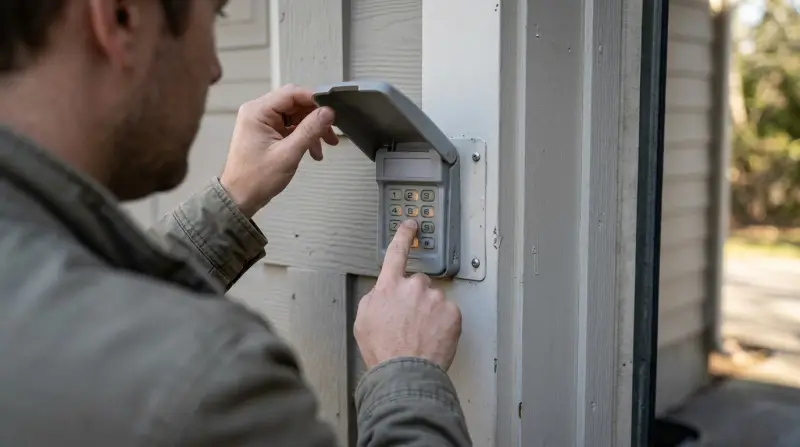
Before you start, it helps to know what kind of LiftMaster keypad you have. Most models work the same way, but small differences can affect the reset process.
Common Liftmaster Keypad Models
- 877LM/878MAX: Popular wireless models that mount outside.
- 377LM/977LM: Older keyless entry pads.
- 387LM/877MAX: Universal models that work with many openers.
If you’re not sure which model you have, check the label on the back of the keypad or inside the battery compartment. Knowing your model helps you follow the right steps.
How The Keypad Works
LiftMaster keypads use a wireless signal to talk to your garage door opener. You enter a personal PIN, and the opener responds if the code is correct. If the keypad is not working, it usually means:
- The PIN is wrong or forgotten.
- The keypad lost its connection to the opener.
- The battery is low.
Resetting the keypad can fix most of these issues.
When Should You Reset Your Liftmaster Keypad?
You don’t need to reset your keypad for every problem. Here are situations where a reset is the right solution:
- Forgotten PIN: You can’t remember your code, or someone else changed it.
- Keypad Not Responding: Keypad lights up, but the door doesn’t move.
- Security Concern: Someone else may know your code, and you want to change it.
- Moving Into a New Home: Always reset the keypad to your own code.
If your keypad won’t light up at all, try replacing the battery first. Sometimes, all you need is a new 9V battery to bring it back to life.
Step-by-step: How To Reset A Liftmaster Keypad
Resetting your keypad means clearing the old code and programming a new one. Here’s how to do it, whether your keypad is a newer or older model.
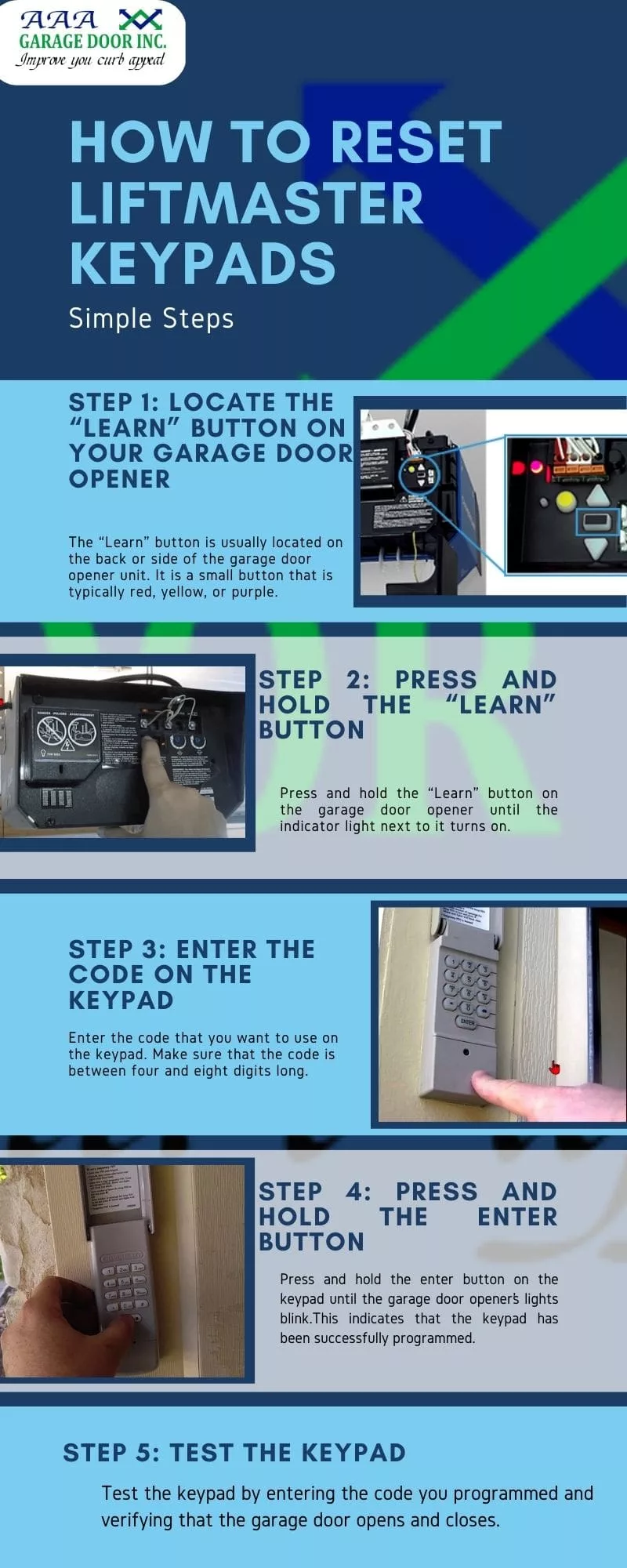
1. Clear The Old Code
Most LiftMaster openers have a “Learn” button. This is usually on the back or side of the opener unit inside your garage.
- Find the Learn Button: You may need a step ladder. The button is often square and colored (yellow, purple, red, or orange).
- Press and Hold: Hold the Learn button for about 6 seconds. The LED light will turn off, which means all remote controls and keypads are erased.
> Tip: Clearing the codes will disconnect all remotes. You’ll need to reprogram them after resetting the keypad.
2. Program A New Code
- Press the Learn Button Again: This time, press and release (don’t hold).
- Enter a New PIN on the Keypad: Within 30 seconds, go outside and enter your desired 4-digit PIN. Press the Enter button.
- Test the Keypad: Wait about 10 seconds, then enter your code again and press Enter. The door should move.
If your opener blinks or beeps, the code is accepted. If not, repeat the steps carefully.
3. For Older Keypads (before 2005)
Some older models need a slightly different method:
- Enter the New PIN on the keypad.
- Press and Hold the Enter Button.
- While Holding Enter, Press and Release the Learn Button on the opener.
- Release the Enter Button.
This links the new code to your opener.
4. Reconnect Remote Controls
After a reset, your garage door remotes won’t work until you reprogram them. Use the Learn button and follow the same process as for the keypad.
Programming Tips And Common Mistakes
You can save time and avoid frustration by knowing what often goes wrong. Here are some practical tips:
- Be Quick: After pressing the Learn button, you have about 30 seconds to enter your PIN. If you wait too long, you’ll have to start over.
- Use a Fresh Battery: A weak battery can cause random failures, even if the keypad lights up.
- Check for Interference: Metal siding, LED lights, or wireless routers nearby can disrupt the keypad signal.
- Write Down Your New Code: Store it somewhere safe but not obvious, like your phone’s notes app.
Non-obvious Insights
- Keypad Cover Position Matters: Some models need the cover closed during programming. If it’s open, the signal may not send.
- “Learn” Button Color: The color of your opener’s Learn button tells you what type of remote and keypad will work. For example, yellow means Security+ 2.0, which works only with newer keypads. Mixing keypad generations can cause confusion.
Troubleshooting: When Resetting Doesn’t Work
What if you follow all the steps, but your keypad still won’t work? Here are some reasons why, and what to do next.
Keypad Not Lighting Up
- Check the Battery: Replace it with a new 9V battery.
- Clean the Contacts: Corrosion in the battery compartment can block power.
Keypad Lights Up But Door Doesn’t Move
- Try Reprogramming: Repeat the reset steps carefully.
- Check Distance: If the keypad is too far from the opener, the signal may not reach.
- Inspect Wiring: For wired keypads, check for loose or damaged wires.
Still Not Working?
Sometimes, the problem is with the garage door opener itself. If remotes don’t work either, the opener may need service. You can find more troubleshooting help at the official LiftMaster support site.
Comparing Liftmaster Keypad Models
Choosing the right keypad for your opener can prevent future headaches. Here’s a quick comparison of key models:
| Model | Compatibility | Programming Method | Battery Type |
|---|---|---|---|
| 877LM | Security+ 2.0 | Learn Button | 9V |
| 877MAX | All LiftMaster (1993+) | Learn Button | 9V |
| 387LM | Universal | Special Sequence | 9V |
| 377LM | Security+ | Learn Button | 9V |
Security Tips After Resetting Your Keypad
Keeping your garage secure is important, especially after changing your code.
- Choose a Hard-to-Guess PIN: Avoid simple codes like “1234” or your street number.
- Change the Code Regularly: Every 6-12 months is a good habit.
- Don’t Share Your Code: Only give it to people you trust.
- Check for Tampering: If you see scratches or loose screws, someone may have tried to break in.
How To Reset A Liftmaster Keypad Without The Old Code
Many people worry: “What if I don’t know the current PIN?” The good news is, you don’t need the old code to reset most LiftMaster keypads. The reset process (using the Learn button) erases all old codes, so you can start fresh.
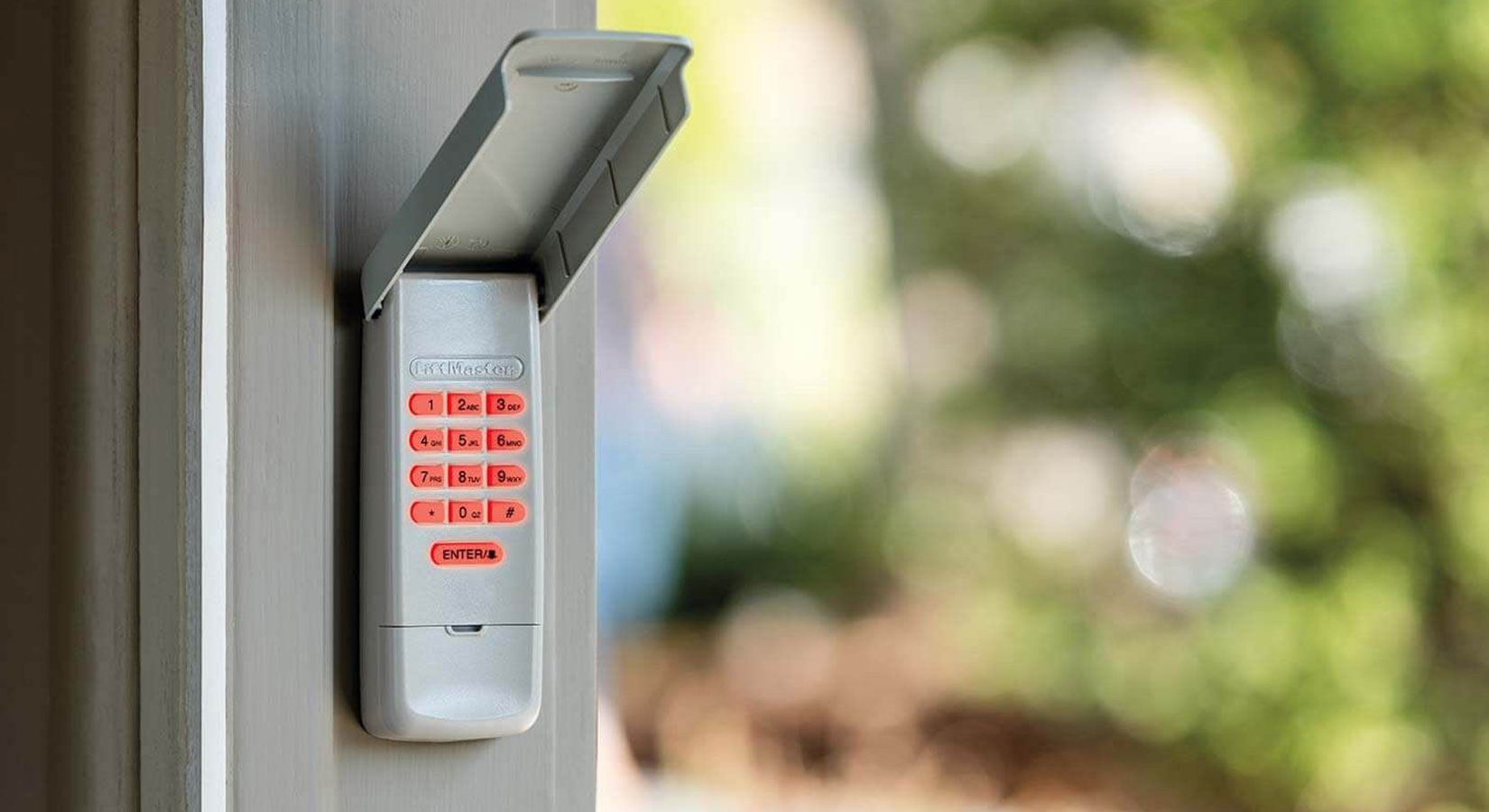
If your keypad is very old or has a stuck button, you may need to replace it. Universal keypads like the 877MAX are compatible with almost all openers made after 1993.
Credit: allsecurityequipment.com
Resetting Multiple Keypads
Some homes have more than one keypad (for different doors). You can reset each keypad separately, but remember:
- Each keypad must be programmed to the opener.
- Use different PINs if possible, for better security.
Here’s a quick look at how many keypads and remotes typical LiftMaster openers support:
| Opener Model | Max Keypads | Max Remotes |
|---|---|---|
| Security+ 2.0 | 2 | 8 |
| Security+ | 2 | 4 |
| Universal | 2 | 4 |
If you reach the limit, clearing all codes (as described earlier) lets you start over.
How To Tell If Your Reset Worked
After resetting and reprogramming, check:
- The keypad lights up when you enter your PIN.
- The door opens and closes smoothly.
- Remotes and wall buttons still work.
If everything works, your reset was successful. If not, repeat the steps or consult your opener’s manual.

When To Replace Your Keypad
Resetting solves most problems, but sometimes a keypad just wears out.
Signs you need a new keypad:
- Buttons stick or don’t respond, even after cleaning.
- The keypad gets wet inside and stops working.
- The cover is cracked, letting in water or dirt.
Most keypads last 7-10 years, but heavy use or harsh weather can shorten their life. New keypads are easy to install and often come with better features, like backlighting and one-touch close.
Extra Tips For Reliable Keypad Operation
- Keep It Clean: Use a damp cloth to wipe away dust and grime. Avoid harsh chemicals.
- Protect from Weather: Install the keypad under an eave or use a cover to keep rain out.
- Test Regularly: Check the keypad every few months, especially before vacations.
- Update Your Manual: Write your new code in the manual, but don’t label it “garage code.”
Frequently Asked Questions
How Do I Reset My Liftmaster Keypad If I Forgot The Pin?
You do not need the old PIN. Just press and hold the Learn button on your opener until the LED turns off. Then, program a new code using the steps above. All previous codes will be erased.
Why Won’t My Liftmaster Keypad Work After Resetting?
Common reasons include a dead battery, waiting too long to enter the code, or interference from nearby electronics. Try replacing the battery, moving closer to the opener, or resetting again.
Can I Use The Same Pin For Multiple Liftmaster Keypads?
Yes, you can program the same PIN into multiple keypads, but for better security, it’s smart to use different codes for each keypad if you have more than one.
How Often Should I Change My Liftmaster Keypad Code?
Change your code at least once a year or whenever you suspect someone else may know it. This helps keep your garage more secure.
Do I Need To Reprogram My Remotes After Resetting My Keypad?
If you clear all codes using the Learn button, you’ll need to reprogram all remotes as well. If you only change the keypad code, your remotes will still work.
Resetting your LiftMaster keypad is a simple process, but it can make a big difference for your garage security and convenience. By following these steps, checking compatibility, and using a secure code, you can keep your home safe and avoid common problems. If you ever run into issues, don’t hesitate to visit the official support site or call a professional for help. With a little care, your keypad will serve you well for years.