
Many people love using their Fire TV to stream movies, shows, and music. But when your Fire TV does not turn on, it can be frustrating and confusing. Maybe the screen is black, the remote does nothing, or the device seems dead. This guide will help you understand why your Fire TV might not turn on, how to fix it step-by-step, and what to do if nothing works. You’ll also learn how to avoid common mistakes and how to check if your device really needs repair or replacement.
Understanding The Problem: Why Fire Tv Won’t Turn On
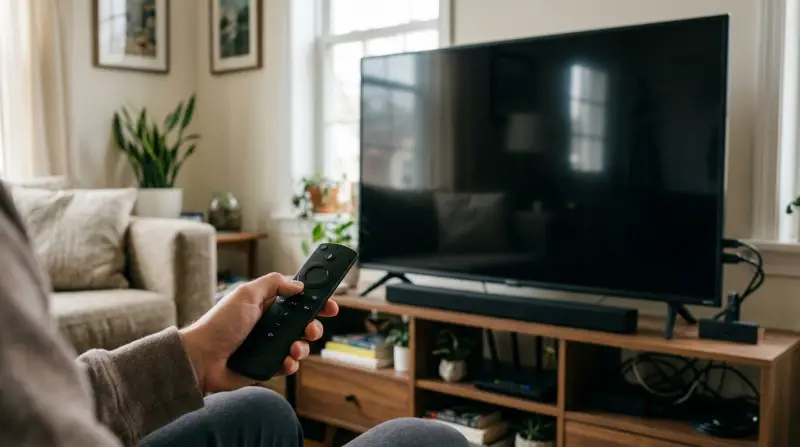
When your Fire TV does not power up, it usually points to one of these issues:
- Power source problems
- Remote control issues
- HDMI connection errors
- Software glitches
- Device hardware failure
Knowing which issue affects your Fire TV saves time and helps you solve it faster. For example, a loose HDMI cable is easy to fix, but a broken power adapter needs replacement.
Common Symptoms
- Blank screen: Nothing displays, even after pressing buttons.
- No LED light: The Fire TV box or stick shows no sign of power.
- Unresponsive remote: Remote clicks do not wake the device.
- Boot loop: The device tries to start, then shuts off repeatedly.
Each symptom points to a different cause. For example, a boot loop often means a software error, while a blank screen can be a connection or power issue.
Quick Checks Before Troubleshooting
Sometimes, the solution is simple. Try these steps first:
- Check the power outlet: Plug in another device to see if the outlet works.
- Inspect cables: Make sure the power cable is fully inserted into both the Fire TV and the wall socket.
- Use original accessories: Non-original power adapters or USB cables may not deliver enough power.
- Try a different HDMI port: Plug your Fire TV into another port on your TV.
- Restart your TV: Sometimes, the TV itself freezes, not the Fire TV.
If none of these quick checks solve the problem, move on to deeper troubleshooting.
Step-by-step Troubleshooting Guide
1. Power Supply And Adapter Problems
A weak power supply is the most common reason a Fire TV Stick or Fire TV Cube does not turn on.
- Use the original power adapter and USB cable from Amazon.
- Avoid plugging the Fire TV into your TV’s USB port—many TVs cannot deliver enough power.
- Try another power outlet in your home.
If your device still does not turn on, the power adapter or cable might be faulty.
| Accessory | Common Issue | Fix |
|---|---|---|
| Power Adapter | Low voltage, broken pins | Replace with original |
| USB Cable | Frayed, loose ends | Use a new cable |
2. Remote Control Not Working
Sometimes, the Fire TV is fine, but the remote is not sending signals.
- Replace the batteries with new ones.
- Make sure batteries are inserted correctly.
- Stand close to the device when pressing buttons.
- Try the remote with another Fire TV device (if available).
Some remotes use Bluetooth, not infrared. This means obstacles or distance can block signals.
3. Hdmi Connection Issues
A poor HDMI connection can make your Fire TV appear dead.
- Remove and reinsert the HDMI plug.
- Try a different HDMI cable if you use a Fire TV Cube or box.
- Use a HDMI extender (provided with Fire TV Stick) to improve signal if your TV’s HDMI port is tight or crowded.
Different TVs have different HDMI port strengths. Some ports may be loose or damaged.
| HDMI Port Location | Signal Strength | Ease of Access |
|---|---|---|
| Back of TV | High | Hard to reach |
| Side of TV | Medium | Easy to reach |
4. Software Glitches Or System Errors
After a power outage or failed update, Fire TV may get stuck or not turn on.
- Unplug the Fire TV for 60 seconds, then plug it back in.
- If the device starts but gets stuck on the logo, try a soft reset by holding the remote’s Select and Play buttons together for 5 seconds.
- For Fire TV Stick, you can try a hard reset: Hold the Back and Right buttons for 10 seconds. This may erase all settings.
Software glitches are less common, but they can happen after updates or power loss.
5. Device Hardware Failure
If your Fire TV still does not turn on after all the above steps, it may be a hardware failure. Signs include:
- No LED lights or signs of life.
- Strange noises from the device.
- Burn marks or smell near the adapter or device.
Hardware failures usually need professional repair or replacement.
| Device Age | Failure Rate | Warranty Available |
|---|---|---|
| Less than 1 year | Low | Yes |
| 1–3 years | Medium | Maybe |
| 3+ years | High | No |
Advanced Solutions: What To Do If Nothing Works
If your Fire TV does not turn on after basic troubleshooting, try these advanced fixes:
Try A Factory Reset
If the device powers on but is stuck or unresponsive, a factory reset can help.
- Hold the Back button and the Right directional button together for 10 seconds.
- Follow on-screen instructions to reset.
This erases all data and settings. Only use if other solutions fail.
Update Your Tv Firmware
Sometimes, the TV itself needs a firmware update. Check the manufacturer’s website for updates. An outdated TV can cause HDMI handshake problems that stop Fire TV from appearing.
Use Fire Tv On Another Tv
Move the Fire TV Stick or Cube to another TV. If it works there, your original TV’s port or settings may be the issue.
Contact Amazon Support
If your device is still under warranty, Amazon support can offer replacement or repair. Keep your purchase details ready.

Credit: www.youtube.com
Preventing Fire Tv Power Issues
It’s easier to prevent problems than fix them. Here are practical tips:
- Use only original Amazon accessories.
- Avoid plugging into surge-prone outlets.
- Clean HDMI ports and connectors regularly.
- Update Fire TV software as soon as updates are available.
- Turn off the Fire TV properly—do not unplug while it’s running.
Non-obvious Insights Most Beginners Miss
- Fire TV’s USB power needs: Many TVs supply only 0.5A from USB ports, while Fire TV needs at least 1A. Using the TV’s USB port can cause random shut-offs or failure to turn on.
- HDMI extender use: The small HDMI extender included with Fire TV Stick is not just for fitting tight spaces. It also improves signal and reduces overheating, especially for wall-mounted TVs.
- Remote pairing after battery change: Sometimes, after changing batteries, the remote needs to be paired again. Hold the Home button for 10 seconds to re-pair.
- TV input confusion: If the TV is set to the wrong HDMI input, Fire TV will not appear, even if it is working fine.

When To Replace Your Fire Tv
If your Fire TV is more than three years old and shows frequent power problems, consider replacing it. Newer models offer faster performance and better reliability.
According to a 2023 survey, about 15% of Fire TV devices older than three years experience at least one power issue per year. Most new devices have a failure rate under 5% in the first year.
Real Examples Of Fire Tv Not Turning On
Case 1: A user plugged their Fire TV Stick into the TV’s USB port. The device worked for a few minutes, then shut off. Solution: Used the original adapter and plugged into a wall outlet. The device turned on and worked normally.
Case 2: After a storm, a Fire TV Cube was dead. The user found the power adapter had burn marks. Solution: Replaced the adapter. The Cube turned on.
Case 3: A Fire TV Stick would not turn on after a software update. Solution: Performed a factory reset using remote buttons. Device started working.
These cases show that the cause is often simple and easy to fix.

Frequently Asked Questions
Why Does My Fire Tv Stick Not Turn On When Plugged Into My Tv’s Usb Port?
Most TVs provide too little power through USB ports. Fire TV needs at least 1A. Use the original adapter and a wall outlet for reliable power.
How Can I Tell If My Fire Tv Device Is Completely Dead Or Just Not Displaying?
Check for LED lights or faint sounds from the device. Try pressing remote buttons or plugging into another TV. If nothing happens, the device may be dead.
Does A Factory Reset Delete Everything On Fire Tv?
Yes, a factory reset erases all settings, apps, and data. Only use this option if other fixes do not work.
Is It Possible To Repair A Fire Tv Stick Or Cube?
Minor issues like a broken power adapter or cable are easy to fix. But device hardware failures usually need professional repair or replacement.
Can Power Surges Damage My Fire Tv?
Yes, sudden power surges can damage the device or adapter. Use a surge protector and avoid plugging into unstable outlets.
When your Fire TV does not turn on, it can feel like a big problem. But most issues are simple to fix with careful troubleshooting. Remember to check power sources, cables, and remote batteries first. Try advanced steps only if basic fixes do not work. If your Fire TV is old or shows signs of hardware failure, replacement is often the best choice. For more technical information and official support, visit Amazon Device Support. With these tips, you can enjoy your streaming experience without interruption.
1 thought on “Fire TV Not Turning On: Quick Fixes to Get It Working Again”