
Many people choose Dyson vacuum cleaners because they are powerful, cordless, and easy to use. But sometimes, even the best vacuums stop working as they should. One common problem is when your Dyson vacuum is not holding a charge. This can be frustrating, especially if you need to clean quickly and the vacuum keeps stopping or won’t turn on at all.
Understanding why your Dyson loses power is important. You might think you need to buy a new vacuum, but often the issue is simple and can be fixed at home. In this guide, you’ll learn why this happens, how to test and solve the problem, and when it’s time to get help.
This information comes from real user experiences and expert advice, so you can trust the solutions to work for most models.
Why Dyson Vacuums Lose Charge
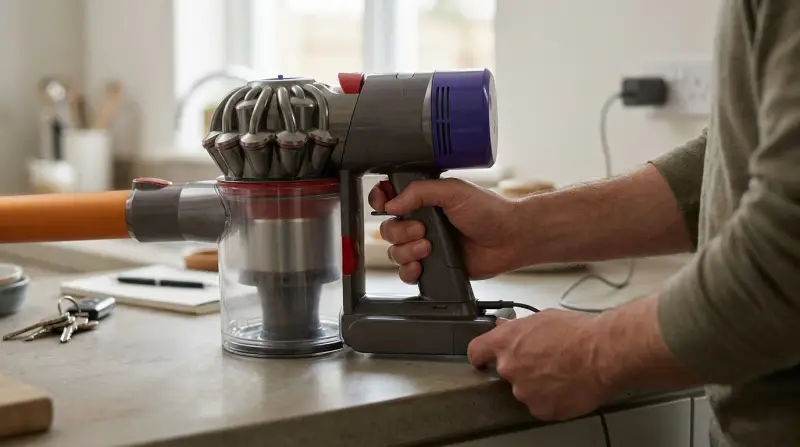
If your Dyson vacuum is not holding a charge, it’s usually because of one or more common issues. Here are the main reasons:
Old Or Faulty Battery
Most Dyson cordless vacuums use lithium-ion batteries. These batteries lose power over time. After about 2-5 years, depending on use, the battery might not charge fully or hold power for long.
Charger Or Charging Dock Problems
Sometimes, the charger or the wall dock is the problem. If the cable is damaged or the connectors are dirty, the vacuum may not charge properly.
Blockages And Dirty Filters
Blockages in the vacuum or dirty filters make the motor work harder. This uses more power and drains the battery faster.
Faulty Circuit Board Or Electronics
Less common, but possible. If the vacuum’s internal electronics fail, it may not recognize when it is fully charged or may shut down quickly.
Extreme Temperatures
Charging or storing your Dyson in very hot or cold places can damage the battery and shorten its life.
Software Or Firmware Issues
Some newer Dyson models have software that may need resetting if charging issues appear.
Symptoms Of Charging Problems
Not all power issues mean the battery is bad. Here’s how to recognize a charging issue:
- Vacuum dies after a few minutes, even after charging all night.
- The blue or green charging light never turns off or flashes red/amber.
- The vacuum does not turn on at all unless plugged in.
- The vacuum starts, then stops after a few seconds.
How To Diagnose The Problem
Before you buy a new battery, it’s smart to check what’s really wrong. Here’s a step-by-step way to find the issue:
Check The Power Outlet And Charger
Plug another device into the same outlet to make sure it works. Then, look at your Dyson charger. Is the light on? Are there signs of damage or loose wires? Try a different charger if you have one.
Examine The Battery
Take the battery out (if your model allows) and look for swelling or leaks. These are signs the battery is failing. Notice how long the vacuum runs after a full charge.
Inspect For Blockages
Remove and clean the vacuum’s filters. Check the wand, brush bar, and all air pathways for blockages. Even small clogs can make the vacuum shut down to protect itself.
Watch The Indicator Lights
Dyson vacuums use indicator lights to show problems. A flashing red light usually means a battery error. Amber or orange can mean the battery is too hot or cold. Check your manual for what the lights mean for your model.
Test The Run Time
Time how long the vacuum works on a full charge. Compare it to the expected run time for your model.
| Dyson Model | Expected Run Time (minutes) |
|---|---|
| Dyson V7 | Up to 30 |
| Dyson V8 | Up to 40 |
| Dyson V10 | Up to 60 |
| Dyson V11 | Up to 60 |
If your vacuum only runs a few minutes, it’s a sign of battery or blockage issues.

How To Fix A Dyson Vacuum Not Holding A Charge
Once you know what’s wrong, you can try to fix the problem yourself. Here are the most effective solutions:
Clean The Filters And Remove Blockages
Take out the filter and wash it with cold water. Let it dry for at least 24 hours. Remove any hair, dust, or debris from all parts of the vacuum. Even a small blockage can make the vacuum shut off.
Reset The Vacuum
Some Dyson models have a reset button. If not, you can reset by holding the power button for 10 seconds with the vacuum unplugged. This can fix minor software glitches that affect charging.
Try A Different Charger
Use a known working Dyson charger to see if the vacuum charges properly. Chargers do fail sometimes, especially after years of use.
Replace The Battery
If your battery is more than two years old, or if the vacuum only works for a few minutes, the battery is likely worn out. Replacing the battery usually solves the problem.
How To Replace A Dyson Battery
- Make sure the vacuum is off and unplugged.
- Remove the old battery using a screwdriver (usually Phillips head).
- Insert the new battery and screw it back in place.
- Charge fully before using.
Always buy an official Dyson battery or a trusted third-party brand. Cheap batteries may not be safe.
Store And Charge In The Right Place
Keep your Dyson out of very hot or cold areas. Room temperature is best for charging and storing lithium batteries. Avoid leaving the vacuum in direct sunlight or in a cold garage.
Contact Dyson Support
If you’ve tried all these steps and the vacuum still won’t hold a charge, contact Dyson support. There might be a warranty or recall on your model, or they may offer a repair service.
| Issue | DIY Fix | When to Contact Support |
|---|---|---|
| Battery won’t charge | Try new charger, check outlet, replace battery | Battery less than 2 years old, all fixes fail |
| Short run time | Clean filters, remove blockages, replace battery | Vacuum shuts off immediately |
| Lights flashing red | Reset vacuum, let battery cool, replace battery | Flashing continues after new battery |
How To Make Your Dyson Battery Last Longer
Most people don’t realize that simple habits can help your Dyson battery stay healthy for years. Here’s what really matters:
- Don’t leave the battery empty for long periods. Recharge after each use.
- Use the regular power mode most of the time. Max mode drains the battery very quickly.
- Keep the filters clean. Dirty filters stress the battery.
- Let the battery cool down before charging after heavy use.
- Unplug the charger if you won’t use the vacuum for weeks.
Many owners forget that batteries are sensitive to heat. Even leaving your Dyson in a hot car for a few hours can reduce battery life.

Comparing Official And Third-party Replacement Batteries
When your Dyson battery fails, you’ll see many options for replacement. Here’s a simple comparison to help you decide:
| Battery Type | Price Range | Warranty | Safety |
|---|---|---|---|
| Official Dyson | $60-$130 | 1-2 years | Highest, UL tested |
| Third-Party (High Quality) | $25-$60 | 6-12 months | Good, check reviews |
| Cheap Generic | $18-$30 | None or short | Risk of overheating |
If you choose a third-party battery, buy from a seller with many positive reviews. Avoid very cheap batteries—these may not have safety features and can damage your vacuum.
When To Buy A New Dyson Vacuum
Sometimes, a vacuum is just too old to fix. If your Dyson is more than 6-7 years old, or if you’ve replaced the battery and charger and still have trouble, a new model might be a better investment. Newer Dysons have better batteries, improved filters, and often longer warranties.
Consider your cleaning needs. If your home is bigger, or you have pets, upgrading to a newer model will give you stronger suction and a longer run time.

Non-obvious Issues And Insights
- Sometimes, a Dyson vacuum won’t charge because the battery contacts are dirty or corroded. Use a dry cloth or a cotton swab with a bit of rubbing alcohol to gently clean both the charger and vacuum contacts.
- Some Dyson models, like the V10 and V11, have a hidden fuse inside the battery pack. If the fuse blows, the vacuum won’t charge, even with a new battery. This is rare but worth knowing if all else fails.
Many owners overlook that frequent short charges (topping up for a few minutes) can shorten battery life. It’s better to let the battery run lower, then fully recharge, especially in the first few months.
Frequently Asked Questions
Why Does My Dyson Battery Run Out So Quickly?
The most common reason is an old battery. High power settings, dirty filters, and blockages can also drain the battery faster. Try cleaning the vacuum and using it on regular mode. If run time is still short, the battery may need replacing.
How Can I Tell If My Dyson Battery Needs Replacing?
If your Dyson only runs for a few minutes, even after a full charge, or if the battery indicator flashes red, it’s a sign the battery is worn out. Swelling, leaks, or the vacuum not charging at all also mean you need a new battery.
Is It Safe To Use A Third-party Battery In My Dyson?
Quality third-party batteries are safe and can save money. Look for UL or CE certification and buy from a reputable seller. Avoid very cheap, generic batteries, as they can overheat or damage your vacuum.
Can I Leave My Dyson Charging All The Time?
Yes, Dyson vacuums are designed to be left on the charger. The charger stops sending power when the battery is full. But if you won’t use the vacuum for weeks, unplug it to avoid slow battery drain.
Where Can I Find Official Dyson Batteries And Parts?
Buy directly from the Dyson website or trusted retailers. You can also find official parts and user guides on the Dyson Support page.
If your Dyson vacuum is not holding a charge, don’t panic. Most problems have simple solutions, and with a little care, you can keep your vacuum running strong for years. Remember: regular cleaning and the right charging habits make a big difference.