
If your Dyson vacuum suddenly loses suction, makes strange noises, or just won’t turn on, it can feel frustrating especially if you rely on it for a clean home. But before you rush to a repair shop or buy a new one, it’s worth trying some practical troubleshooting steps.
Many common Dyson vacuum problems can be fixed at home with a little time and the right guidance. In this guide, you’ll find clear steps to identify and solve frequent issues, practical tips that even beginners miss, and advice on when to call in the professionals.
Common Dyson Vacuum Problems
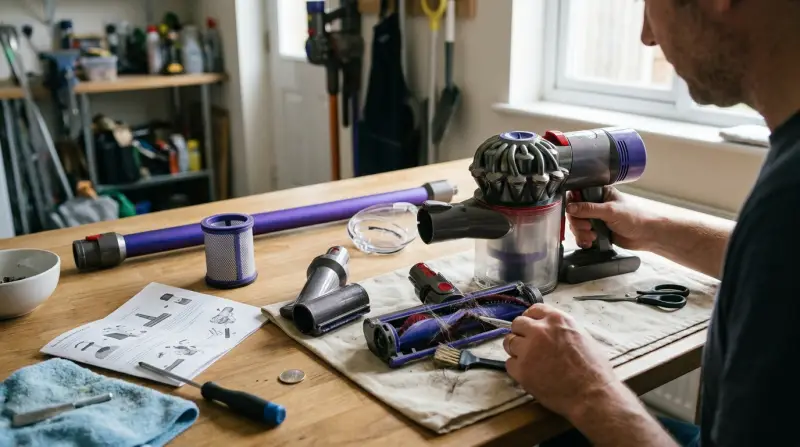
Dyson vacuums are known for their powerful suction and innovative design, but like any appliance, they sometimes run into trouble. Here are the most typical problems owners face:
- Loss of suction power
- Vacuum not turning on
- Unusual noises
- Brush bar not spinning
- Burning smell
- Vacuum cutting out or overheating
- Blockages
- Problems with the filter
- Battery issues (cordless models)
- Error lights or codes
Understanding what’s happening inside your Dyson can help you fix these problems—and avoid making them worse.
Loss Of Suction Power
A sudden or gradual drop in suction is probably the most common Dyson complaint. If your vacuum isn’t picking up as well as it used to, check these areas first.
Check For Blockages
Even a small obstruction can cause a big suction loss. Dyson’s system is designed with several points where dirt, hair, or debris can get stuck.
- Hose: Detach and look through both ends. Shine a flashlight to spot clogs.
- Wand and attachments: Long objects can get stuck inside.
- Brush bar area: Hair and string often wrap around the bar.
If you find a blockage, remove it carefully. Never use sharp objects that might damage plastic parts.
Empty The Bin Regularly
A full or nearly full bin reduces airflow. Dyson recommends emptying the bin when dirt reaches the MAX line. Don’t wait until it’s packed.
Wash Or Replace Filters
Dirty filters restrict airflow, reducing suction. Most Dyson models use HEPA filters or washable pre-motor filters. Wash them every 1–3 months (or as the manual suggests), and allow them to dry for at least 24 hours before reinserting. If the filter is damaged or won’t come clean, replace it.
Check For Air Leaks
Loose or damaged seals at connection points can reduce suction. Inspect the bin seal, hose connectors, and any rubber gaskets for cracks.
Table: Common Causes Of Suction Loss And Solutions
| Cause | How to Fix |
|---|---|
| Blockage in hose or wand | Remove and clear debris |
| Full dust bin | Empty bin immediately |
| Dirty filter | Wash or replace filter |
| Air leak | Check and replace seals |
Vacuum Will Not Turn On
If your Dyson won’t power up, it’s important to stay calm and check step by step.
Power Supply Issues
- Corded models: Make sure the plug is firmly in the outlet. Try a different outlet to rule out a tripped breaker.
- Cordless models: Check that the battery is charged. If the charger’s indicator light doesn’t come on, try a different outlet or charger.
Overheating Protection
Most Dysons have a built-in thermal fuse that cuts power if the vacuum overheats. This often happens after a blockage or filter problem. Let the vacuum cool down for at least an hour, clean the filters, and remove any blockages before trying again.
Faulty Power Switch Or Battery
A broken power switch or old battery can also be the cause. For cordless models, batteries usually last 2–4 years. If your vacuum only runs for a few seconds or won’t charge, it may be time for a new battery.
Unusual Noises
Dyson vacuums aren’t silent, but loud whines, rattles, or grinding sounds mean something’s wrong.
- Whistling or high-pitched noise: Often caused by an air leak or partial blockage. Check seals and all airflow paths.
- Rattling: Objects like coins, pebbles, or Lego pieces can get sucked up and stuck.
- Grinding or burning smell: Usually the brush bar is jammed or the motor is struggling.
If the noise continues after clearing blockages and cleaning filters, stop using the vacuum and consider professional service.
Brush Bar Not Spinning
The rotating brush bar is important for carpet cleaning. If it stops spinning:
Remove Hair And Debris
Long hair, string, or pet fur can wrap tightly around the bar. Remove the bar (most Dysons have a release button or coin slot) and cut away hair with scissors.
Check The Drive Belt
On some models, a rubber drive belt connects the motor and brush bar. If the belt is broken or stretched, the brush won’t spin. Belts are inexpensive and can be replaced at home with basic tools.
Brush Bar On/off Switch
Some Dysons allow you to turn off the brush bar for hard floors. Make sure it’s switched on if you’re using carpet mode.
Table: Brush Bar Problems By Dyson Model
| Model | Typical Brush Bar Issue | Quick Fix |
|---|---|---|
| DC25 (corded upright) | Belt wear, hair tangles | Replace belt, clean bar |
| V8 (cordless stick) | Obstructions, battery low | Remove debris, recharge |
| Ball Animal 2 | Switch off, jammed bar | Reset switch, remove jam |
Burning Smell Or Overheating
A burning smell is always a warning sign. Common causes include:
- Jammed brush bar
- Blocked airways
- Overheated motor
Unplug the vacuum immediately. Let it cool down, then check for jammed debris or hair. If the problem returns, the motor may be damaged and you should seek professional repair.
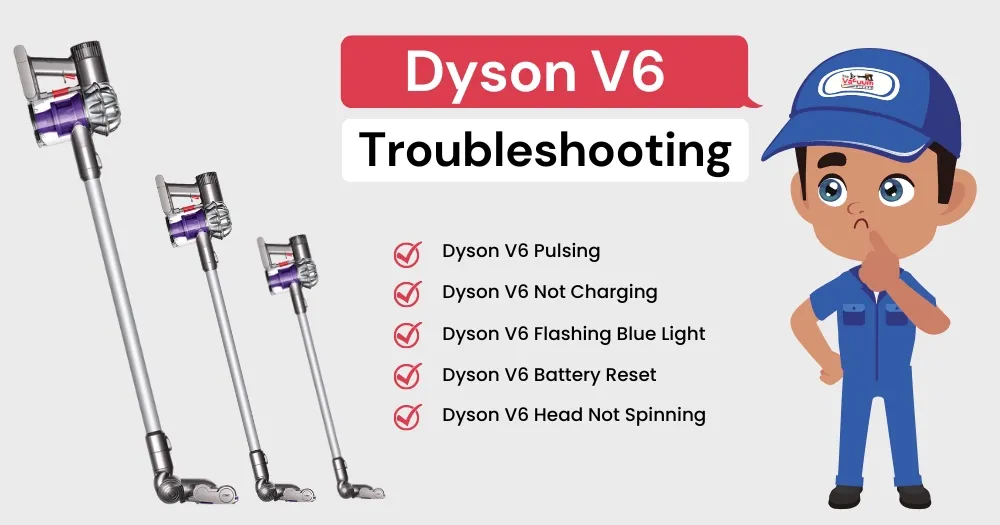
Battery And Charging Issues (cordless Models)
Cordless Dysons, like the V7, V8, V10, and V11 series, rely on lithium-ion batteries. Common issues:
Vacuum Stops After A Few Seconds
This is usually a sign of a battery that is worn out or a blockage that makes the vacuum work too hard. Try cleaning the filters and checking for blockages first. If the issue remains, the battery may need replacing.
Not Charging Properly
Check for dust or dirt inside the charging port. Use a dry cloth to clean contacts. If the charger or docking station is faulty, you may need a replacement.
Table: Dyson Cordless Battery Lifespan
| Model | Average Battery Life (minutes) | Full Charge Time |
|---|---|---|
| V7 | 30 | 3.5 hours |
| V8 | 40 | 5 hours |
| V10 | 60 | 3.5 hours |
| V11 | 60 | 4.5 hours |
Batteries can lose capacity over time. If your vacuum runs for much less time than above, a replacement battery is a good investment.
Troubleshooting Error Lights And Codes
Modern Dysons often have LED lights that flash in different colors or patterns when there’s a problem. Refer to your user manual for the exact meaning, but here are some common signals:
- Blue flashing: Battery is low or not charging correctly.
- Red flashing: A serious error, such as a motor problem or overheating.
- Amber light: Usually means the filter is missing, not fitted properly, or dirty.
Try resetting the machine by removing the battery (cordless models) or unplugging for 60 seconds (corded models). Reassemble and try again.

Advanced Tips And Insights
Many owners overlook these practical steps, which can prevent or solve problems:
- Check all seals and joints regularly. Even tiny air leaks reduce performance.
- Don’t wash HEPA filters too often. Over-washing can damage them. Follow Dyson’s guide for your model.
- Store cordless vacuums inside. Extreme heat or cold can damage batteries.
- Replace parts with genuine Dyson spares. Off-brand filters or batteries may not fit or work properly.
When To Call For Professional Help
If you’ve tried the steps above and your Dyson still isn’t working, it might be time for expert service. Common signs you need help:
- Motor won’t run, even after cooling.
- Burning smell continues after cleaning.
- Error lights won’t clear.
- Strange noises from inside the motor housing.
Dyson offers customer support and repair services. For warranty information and repair options, check the official Dyson Support page.

Preventive Maintenance
Preventing problems is easier than fixing them. These habits keep your Dyson running smoothly:
- Empty the bin after each use.
- Wash filters every 1–3 months (or as the manual says).
- Check the brush bar weekly for hair and thread.
- Inspect the hose and connections monthly.
- Charge cordless vacuums only with the original charger.
Spending a few minutes on maintenance can add years to your vacuum’s life.
Frequently Asked Questions
Why Does My Dyson Vacuum Keep Cutting Out?
This often happens because of a blockage, dirty filter, or overheating. Make sure all filters are clean and dry, and check for blockages in the hose, wand, and brush bar. If it still cuts out, the battery or motor may be failing.
How Do I Reset My Dyson Vacuum?
For cordless models, remove the battery for a minute, then reinsert. For corded models, unplug from the wall for at least 60 seconds. Some models have a reset button near the brush bar—check your user manual for details.
How Often Should I Replace The Dyson Filter?
Most Dyson filters last at least 1–2 years, but this depends on use. Wash filters every 1–3 months. If the filter is damaged, won’t come clean, or the vacuum’s performance drops, replace it sooner.
What Should I Do If My Dyson Vacuum Smells Bad?
Bad odors usually come from a dirty filter, full bin, or trapped debris. Empty the bin, wash the filter, and check for food, pet hair, or wet material inside the vacuum. Never vacuum up liquids with a regular Dyson.
Why Is My Dyson Brush Bar Not Spinning?
Hair, string, or debris can jam the bar. Turn off the vacuum, remove the bar, and clean it thoroughly. If the brush bar still won’t spin, check for a broken drive belt or a problem with the motor.
Keeping your Dyson vacuum in top shape is possible with regular maintenance and quick action when problems appear. With these troubleshooting tips, you can solve most issues yourself and enjoy a cleaner home with less hassle.
1 thought on “Dyson Vacuum Troubleshooting: Quick Fixes for Common Issues”