
Many Roku users run into the same problem: suddenly, the remote won’t work. You press buttons, but nothing happens. Sometimes, it’s a technical glitch, but most often, the cause is simple—dead batteries. Yet, it’s not always easy to tell when Roku remote batteries are really empty, or if something else is wrong. Knowing how to quickly check can save you time, prevent frustration, and keep your streaming smooth.
This guide explains how to recognize dying batteries in Roku remotes, what signs to watch for, and what to do next. You’ll also learn about different Roku remote types and get practical tips to avoid common mistakes. Even if you’re new to Roku, by the end, you’ll know exactly how to spot battery problems—and fix them fast.
Understanding Roku Remote Types
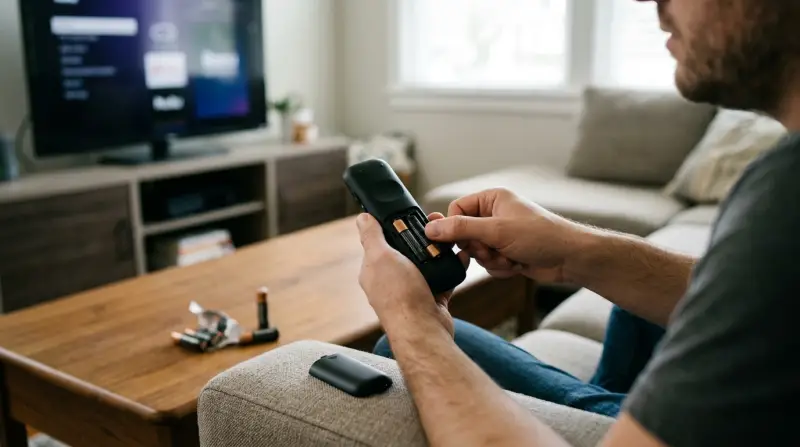
Before checking for battery issues, it helps to know which type of Roku remote you have. Roku sells two main kinds:
- Simple (Infrared) Remotes: These use infrared light and need a direct line of sight to the Roku player.
- Enhanced (Voice, Point-Anywhere) Remotes: These connect via Wi-Fi Direct or Bluetooth, and can control your Roku even if there are obstacles in the way.
Some Enhanced remotes also support voice search, headphone jacks for private listening, or even TV power and volume controls.
Here’s a quick comparison of the main differences:
| Feature | Simple Remote | Enhanced Remote |
|---|---|---|
| Connection | Infrared (IR) | Wi-Fi Direct/Bluetooth |
| Line of Sight Needed | Yes | No |
| Voice Commands | No | Yes (on some models) |
| Pairing Required | No | Yes |
| Power & Volume Control | No | Some models |
Knowing your remote type helps because some battery symptoms are different between models.
Common Signs Your Roku Remote Batteries Are Dead
Most Roku remote battery issues show up in a few clear ways. Watch for these signs:
1. No Response From The Remote
The most obvious sign—no matter which button you press, nothing happens. The Roku player doesn’t react, the light on the remote stays off, and there’s no movement on the screen.
2. Delayed Or Intermittent Response
Sometimes, the remote works but with a long delay, or only after several button presses. This is a classic sign that the batteries are running low but not completely dead yet.
3. Blinking Or No Status Light
Most Enhanced Roku remotes have a small LED light near the battery compartment or at the front:
- No light: Often means dead batteries.
- Rapid blinking: Can mean low battery, especially if it happens when you press a button.
For Simple remotes (infrared), there’s usually no status light, so you rely on other symptoms.
4. Pairing Issues
If your Roku Enhanced remote suddenly “unpairs” and won’t reconnect, weak batteries can be the reason. The remote may not have enough power to finish the pairing process.
5. Loss Of Special Features
Features like voice search or private listening (headphone jack) may stop working before the rest of the remote dies. This is because these features use more power than basic button presses.
6. Shorter Range
If you notice you have to be closer to your Roku device than usual, the batteries are likely weak.
7. On-screen Battery Warning
Some Roku devices show a warning on your TV when battery levels are critically low. This feature works only with Enhanced remotes.
8. Volume And Power Buttons Stop Working
If your Enhanced remote controls your TV volume or power, and those buttons fail but others still work, it’s often due to low battery.

Credit: mediapeanut.com
How To Check Roku Remote Battery Level
There are a few ways to check battery status, depending on your remote type.
Using The Roku Device Interface
For Enhanced remotes, you can often check battery level right from your TV screen.
- Press the Home button on the Roku remote.
- Go to Settings.
- Select Remotes & devices.
- Choose Remotes.
- Select your remote from the list.
You’ll see a battery icon showing the current charge level. If it’s showing low or critical, it’s time to replace the batteries.
Physical Inspection
- Remove the battery cover on the back of the remote.
- Take out the batteries and check for:
- Corrosion or white powder (a sign of battery leaks)
- Loose fitting (sometimes a battery may not be seated properly)
- Expiry date (old batteries may die even if unused)
Test With New Batteries
The fastest way to confirm: insert fresh, known-good batteries. If the remote starts working again, the old ones were dead.
Use A Battery Tester
A simple battery tester can show if your AA or AAA batteries are still good. This is useful if you use rechargeable batteries, which may lose charge faster.
Troubleshooting: Is It Really The Batteries?
Sometimes, the remote acts dead for reasons that have nothing to do with the batteries. Here are some checks to avoid replacing batteries unnecessarily.
Check For Obstructions
For Simple (IR) remotes, any object blocking the signal between the remote and the Roku device will stop it from working. Move any obstacles and try again.
Power Cycle The Roku Device
Unplug your Roku player for 10 seconds and plug it back in. Sometimes, the device needs a reset, not the remote.
Re-pair The Remote
If you have an Enhanced remote, try re-pairing:
- Open the battery compartment.
- Find the small pairing button.
- Press and hold for 3–5 seconds.
- Wait for the on-screen message.
If the remote won’t pair even after new batteries, the issue might be with the remote or the Roku player.
Try The Roku App
The Roku mobile app (available on iOS and Android) can control your Roku device over Wi-Fi. If the app works but the remote doesn’t, it’s almost always a battery problem.

Credit: www.techhive.com
Comparing Battery Life: Remote Types & Features
How long should Roku remote batteries last? That depends on your usage and remote type.
| Remote Type | Estimated Battery Life | Common Battery Size |
|---|---|---|
| Simple IR Remote | 6–12 months | AAA |
| Enhanced (Voice) Remote | 3–6 months | AA or AAA |
| Enhanced with Private Listening | 1–3 months | AA or AAA |
| Rechargeable Voice Remote Pro | Up to 2 months per charge | Rechargeable (USB) |
Private listening (plugging headphones into the remote) drains batteries much faster. Many users are surprised by how quickly the batteries die with this feature.
Non-obvious Insights Beginners Often Miss
1. Cheap Batteries Can Cause False Symptoms
Not all batteries are made equal. Cheap or expired batteries may have enough power for a clock but not for a Roku remote, leading to random failures. Always use quality, brand-name batteries.
2. Environmental Factors Matter
Extremely cold or hot rooms can drain batteries faster or make them act “dead” until they warm up or cool down. If your remote works again after sitting at room temperature, temperature was the likely issue.
3. Battery Contacts Get Dirty
If your remote works only when you press or shake it, the battery contacts may be dirty or corroded. Cleaning them gently with a cotton swab and a bit of rubbing alcohol can restore normal operation.
What To Do When Batteries Are Dead
When you’re sure your batteries are dead, here’s the best way to handle it:
- Remove the old batteries and recycle them properly. Never throw batteries in regular trash.
- Insert fresh batteries, matching the + and – symbols.
- If you use rechargeable batteries, make sure they are fully charged before inserting.
- Test the remote immediately. If it still does not work, repeat the troubleshooting steps above.
If you change batteries often, consider the Roku Voice Remote Pro. It has a built-in rechargeable battery and charges via USB, saving money and hassle over time.
Tips To Extend Roku Remote Battery Life
You can make your remote batteries last longer with a few simple steps:
- Avoid leaving headphones plugged in when not using private listening.
- Turn off voice features if you don’t use them.
- Store the remote in a cool, dry place.
- If not using the remote for weeks, remove the batteries to prevent leaks.
- Buy quality batteries from trusted brands.

When To Replace The Remote
If you’ve changed batteries and tried all troubleshooting steps, but the remote still won’t work, it may be time for a replacement. Sometimes, the internal electronics fail, especially after a drop or liquid spill.
Official Roku remotes are available from major retailers and the official Roku accessories store.
Frequently Asked Questions
How Do I Know If My Roku Remote Batteries Are Dead Or If The Remote Is Broken?
Try new, fresh batteries first. If the remote still doesn’t work, test it with another Roku device or use the Roku mobile app to rule out problems with the player. If only the remote fails, it may be broken.
Can I Use Rechargeable Batteries In My Roku Remote?
Yes, most Roku remotes work with standard NiMH rechargeable batteries. Just be aware that some rechargeable batteries have lower voltage, so they may not last as long per charge.
Why Does My Roku Remote Drain Batteries So Quickly?
Using features like voice search, private listening, or leaving headphones plugged in can drain batteries much faster. Enhanced remotes also use more power than simple IR remotes.
Is There A Way To Check Battery Life Without Opening The Remote?
For Enhanced remotes, you can check battery level in the Roku device settings menu. For Simple remotes, you need to check physically or replace the batteries to test.
What Should I Do With Old Roku Remote Batteries?
Recycle them at an electronics or battery recycling center. Many stores offer free battery recycling. Never throw batteries into household trash as they can leak chemicals.
Recognizing dead batteries in your Roku remote is simple once you know the signs. With these tips, you’ll spend less time troubleshooting and more time watching your favorite shows. If you ever get stuck, Roku’s support site and community forums are also great places to look for help.