
Most people see their microwave as a simple, safe kitchen tool. But imagine this: you’re relaxing in the living room, and suddenly, you hear the familiar hum of your microwave—even though nobody is near it. It’s not only strange, but it can also be a bit frightening. When a microwave turns on by itself, it’s more than a small annoyance. It can be a warning sign of a deeper problem that could risk your safety, waste energy, or even cause a fire. Understanding why this happens, how to fix it, and how to prevent it can help you keep your home safe and your mind at ease.
What Does “microwave Turns On By Itself” Mean?
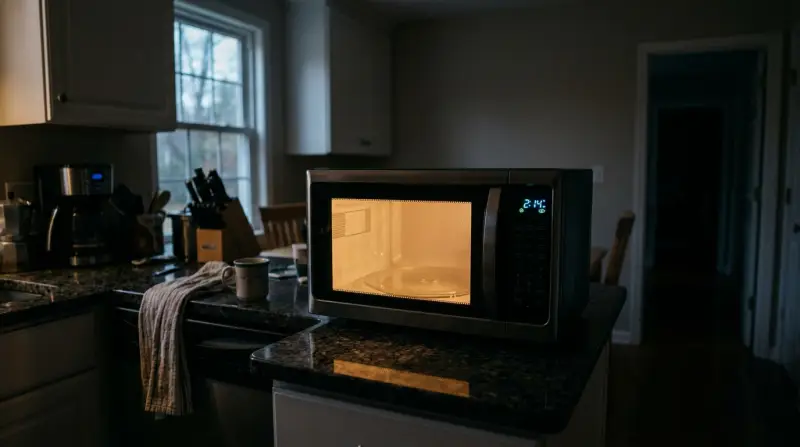
When people say a microwave turns on by itself, they mean the oven starts running without anyone pressing a button or opening the door. The light might come on, the turntable may spin, and the fan could start up. Sometimes, the timer even begins to count down. In some cases, the microwave heats food (or runs empty), while in others, only certain functions like the light or fan activate. This issue can happen once or repeat many times.
This is not a normal function. Microwaves are designed with several safety features to prevent accidental use. When these features fail, it means something is wrong inside the unit.
Why Is This Problem Dangerous?
It’s easy to ignore a microwave that randomly turns on, but doing so can be risky. Here’s why:
- Fire hazard: If the microwave runs empty, it can overheat and start a fire.
- Electrical shock: Faulty internal parts can lead to electrical shorts.
- Radiation leak: Damaged door seals or latches could let microwave radiation escape, although this is rare.
- Wasted energy: The microwave uses power even when you don’t want it to.
Understanding the risks makes it clear that this is not a problem to ignore.
Common Causes Of A Microwave Turning On By Itself
Several issues can cause this strange behavior. Some are simple, but most require expert attention. Here are the most frequent reasons:
1. Faulty Door Switches
Every microwave has door switches that tell the oven if the door is open or closed. If a switch sticks or breaks, the microwave may think the door is shut when it’s actually open, or vice versa. In rare cases, a faulty switch might send the wrong signal to the control board and turn the oven on.
2. Control Panel Problems
The control panel (where you press buttons or use the touchpad) can fail. If buttons are stuck or the circuit board inside is damaged, it might send a “start” signal even when nobody touches it. This is common in older microwaves or units exposed to moisture.
3. Malfunctioning Relay Or Main Control Board
The main control board is like the microwave’s brain. If it develops a short or a relay gets stuck, it can start the microwave without any user input. This is a serious issue and often requires replacing the whole board.
4. Electrical Surges
A sudden power surge (like from a lightning strike or faulty wiring) can confuse the microwave’s electronics. Sometimes, this makes the oven turn on by itself. Occasionally, the problem goes away after unplugging, but it can also cause lasting damage.
5. Software Glitches (inverter Microwaves)
Newer inverter microwaves use software to control cooking. Bugs or glitches in the software can cause unexpected starts, especially after a power cut or reset.
6. Moisture And Dirt Buildup
Steam, spills, and grease can seep into the control panel, sticking buttons or shorting out circuits. Over time, this can create “phantom” button presses.
7. Faulty Sensors
Some microwaves have humidity, temperature, or weight sensors to adjust cooking. If a sensor fails, it can send incorrect data and trigger the oven.
8. Interference From Other Devices
Very rarely, strong electromagnetic fields from nearby devices can interfere with the microwave’s controls. This is more likely in older models with less shielding.
9. User Error Or Confusion
Sometimes, what seems like a self-starting microwave is actually due to accidental button presses, delayed start features, or misunderstandings about the controls.
How To Diagnose The Cause
Finding out why your microwave is turning on by itself requires careful steps. Here’s what you can do:
Safety First
Before you try anything, always unplug the microwave. Never open the case or touch internal parts unless you are trained and know about high-voltage components.
Step-by-step Diagnosis
- Check for stuck buttons: Gently press and release each button on the control panel. If any feel sticky or do not “click,” moisture or dirt may be causing the problem.
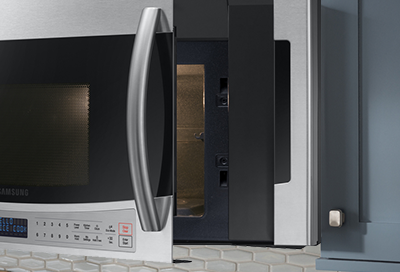
- Inspect the door: Open and close the door several times. Does the microwave start when you wiggle or press the door? A faulty door switch is likely.
- Look for error codes: Some microwaves display codes on the screen. Look up these codes in your manual or the manufacturer’s website.
- Unplug and reset: Unplug the microwave for at least 10 minutes. Plug it back in. If the problem disappears, a software glitch or surge may have been the cause.
- Test other outlets: Plug the microwave into a different outlet. If it still turns on by itself, the problem is inside the unit.
If you cannot find the cause, or if the microwave still behaves oddly after these steps, it’s best to call a professional.
When To Repair And When To Replace
Microwaves are not very expensive to replace, but repairs can sometimes save money and reduce waste. Here’s how to decide:
Repair Makes Sense If:
- The microwave is less than 3 years old.
- The problem is simple (like a sticky button or loose door latch).
- The cost of repair is less than half the price of a new unit.
Replace If:
- The microwave is over 5–7 years old.
- The control board or magnetron needs replacement (these are costly).
- There are burn marks, smoke smells, or signs of fire.
- The brand is discontinued, and parts are hard to find.
Here’s a quick comparison for repair vs. replacement:
| Factor | Repair | Replace |
|---|---|---|
| Age of Microwave | Under 3 years | Over 5–7 years |
| Cost | < 50% of new unit | > 50% of new unit |
| Problem Type | Minor (switch, latch) | Major (control board, magnetron) |
| Parts Availability | Easy to find | Obsolete/discontinued |
Diy Fixes: What You Can Safely Try
If you’re comfortable with small repairs, you can try these steps. If you’re not sure, always call a qualified technician.
Cleaning The Control Panel
- Unplug the microwave.
- Use a damp (not wet) cloth to wipe the panel. Don’t let water drip inside.
- If buttons are sticky, use a cotton swab with rubbing alcohol around the edges.
Checking The Door Latch And Switches
- Open the door and look for loose or broken parts.
- Gently press on the latch—if it feels wobbly or does not click, it may need replacement.
- If you hear crackling or see sparks when the door moves, stop using the microwave.
Resetting The Microwave
Many issues resolve with a simple reset:
- Unplug for 10–15 minutes.
- Plug back in.
- Set the clock and see if the problem returns.
Avoiding Common Diy Mistakes
- Never try to repair the main control board or magnetron yourself.
- Do not open the outer case (dangerous voltages can remain even when unplugged).
- Avoid using sprays or liquids inside the microwave.
When To Call A Professional
If these simple checks do not solve the problem, you need expert help. Call a technician if:
- The microwave runs with the door open.
- Sparks, burning smells, or smoke appear.
- The oven starts and stops randomly.
- You see error codes you cannot clear.
Professional repair shops have tools to test door switches, control boards, and relays safely.
Preventing The Problem In The Future
A microwave that turns on by itself is not always predictable, but you can reduce the risk with good habits.
Keep It Clean
- Wipe the control panel after each use.
- Clean spills inside the oven right away to avoid sticky buttons.
Protect From Moisture
- Avoid placing the microwave near sinks or stoves.
- Do not use the microwave with wet hands.
Use A Surge Protector
- Plug your microwave into a good quality surge protector.
- This can protect it from electrical spikes during storms.
Regular Inspections
- Every few months, check for loose buttons, broken latches, or weird noises.
- Replace the microwave if you notice repeated problems.
Don’t Ignore Small Issues
- If the microwave beeps or lights up on its own, don’t wait until it turns on by itself. Early repairs can prevent bigger problems.

Credit: www.youtube.com
How Dangerous Is Microwave Radiation Leakage?
A common fear is that a malfunctioning microwave could leak radiation if it turns on by itself. Modern microwaves are designed with multiple safety interlocks to prevent this. Even if the oven runs with the door open, it’s rare for radiation to escape in dangerous amounts unless the door is badly damaged. Still, if you suspect leakage (for example, if the microwave runs with the door open), stop using it immediately and call a technician.
Real-world Examples And Case Studies
Many people have experienced this issue. Here are a few real-world cases:
- Case 1: A family in Texas noticed their microwave would start running at random times during the night. After inspection, a faulty door switch was found. Replacing the switch solved the problem.
- Case 2: An office microwave began turning on as soon as it was plugged in, even with no buttons pressed. The repair technician found water damage inside the control panel from coffee spills.
- Case 3: A student’s microwave started heating by itself after a lightning storm. The control board had been damaged by a power surge. The microwave had to be replaced.
These examples show the range of causes and why it’s important to act quickly.
The Science: How Do Microwave Safety Features Work?
Understanding how a microwave stays safe can help you spot problems early. Here’s a look at key safety features:
Door Interlock Switches
Most microwaves have three door switches. All must be closed for the microwave to run. If any switch fails, the oven shouldn’t work—but if a switch is stuck, it might run when it shouldn’t.
Control Board Logic
The control board only allows cooking when it receives signals that the door is closed and a button is pressed. Short circuits or bugs can override this logic.
Thermal Cutoff
If the microwave overheats, a thermal cutoff should stop power to the main parts. This protects against fires.
Fuses
A fuse blows if there’s a dangerous electrical problem. But sometimes the fuse doesn’t trip if the issue is subtle.
Here’s a quick overview of safety features:
| Feature | Function | Failure Risk |
|---|---|---|
| Door Switches | Detect open/close | Microwave runs with door open or by itself |
| Control Board | Manages input signals | Sends wrong command, self-starts |
| Thermal Cutoff | Stops overheating | Fails to prevent fire if faulty |
| Fuse | Cuts power in emergency | May not trip for subtle faults |
How Common Is This Problem?
While not extremely common, self-starting microwaves are reported often enough to be a known issue. According to consumer safety databases, about 1 in 500 microwave complaints mention random or unintended operation. Most cases are due to mechanical or electrical faults, not actual design flaws.
Credit: www.samsung.com
Legal And Warranty Considerations
Many microwaves come with a 1–2 year warranty. If your microwave is still under warranty and it turns on by itself, contact the manufacturer. Do not try to repair it yourself, as this can void the warranty.
In the US, the Consumer Product Safety Commission (CPSC) tracks appliance recalls. If your model is part of a recall, you may be able to get a free repair or replacement.
For more details, visit the CPSC official website.
Signs You Should Stop Using Your Microwave Immediately
Sometimes, a microwave turning on by itself is just the start. Stop using your microwave right away if you notice:
- A burning smell or visible smoke
- Sparks or arcing inside the oven
- Loud popping or crackling sounds
- The microwave runs with the door open
- The outside of the unit gets very hot
Unplug the unit and call a professional.

Credit: www.youtube.com
Environmental Impact: Repair Vs. Replace
Throwing away a microwave creates electronic waste. Most microwaves contain plastics, metals, and small amounts of hazardous materials. If your microwave is still in good shape apart from a minor fault, repairing it is often more eco-friendly.
But if the unit is very old or has multiple problems, replacement may be safer and more efficient. When disposing of a microwave, use a certified e-waste recycling center.
How To Choose A New Microwave (if You Need One)
If you decide to replace your microwave, look for these features:
- Good safety ratings: Check for UL or ETL certification.
- Easy-to-clean control panel: Reduces risk of moisture problems.
- Warranty: At least 1 year.
- Surge protection: Some models have built-in surge protectors.
- Energy efficiency: Look for models with an “Eco Mode.”
Compare new models by these factors:
| Feature | Why It Matters | What to Look For |
|---|---|---|
| Safety Certification | Ensures tested protection | UL, ETL marks |
| Control Panel Design | Reduces moisture risks | Sealed, easy-clean panels |
| Warranty | Protects investment | 12 months or more |
| Built-in Surge Protection | Prevents electrical damage | Listed in specifications |
| Eco Mode | Saves power when idle | Energy Star, Eco features |
Two Non-obvious Insights Most People Miss
- Humidity Can Be a Hidden Enemy: Many people don’t realize that repeated steaming or boiling food in the microwave can let moisture seep behind the control panel. Over time, this invisible moisture can corrode circuits and cause “phantom” button presses—even months later.
- Power Fluctuations Affect Memory Chips: Most modern microwaves have small computer chips that remember settings and control cooking. Power surges or even very short blackouts can confuse these chips, causing strange behavior like random starts, resets, or beeps. Using a surge protector is one of the best, cheapest ways to avoid this.
Frequently Asked Questions
Why Does My Microwave Turn On When I Close The Door?
This usually means a door switch is stuck or broken. The microwave thinks the door is closed and a “start” signal has been given. It’s important to get this fixed, as it can be unsafe.
Can A Microwave That Turns On By Itself Start A Fire?
Yes, especially if it runs with nothing inside. The magnetron (heating element) can overheat, damaging parts or even igniting food debris. Always unplug the microwave if it acts this way and do not use it until repaired.
Is It Safe To Keep Using My Microwave If It Only Turns On By Itself Sometimes?
No. Even occasional self-starting can signal an underlying fault. Using the microwave could risk fire, electric shock, or radiation leakage. Unplug it and have a technician check it.
Can I Fix A Self-starting Microwave Myself?
You can try simple steps like cleaning the control panel, resetting the microwave, or checking the door latch. But never open the case or try to repair electrical parts unless you are trained. High voltages inside can be deadly.
How Can I Prevent My Next Microwave From Having This Problem?
Buy a model with good safety features, keep it clean, use a surge protector, and avoid exposing the control panel to moisture. Regularly inspect door latches and buttons for wear.
If your microwave ever turns on by itself, don’t ignore it. This is a clear signal that something is wrong sometimes dangerously so. By understanding the causes, acting quickly, and following safe habits, you can protect your home and family. If in doubt, always choose safety over convenience.
With the right knowledge, you’ll never have to worry about your microwave running wild again.