
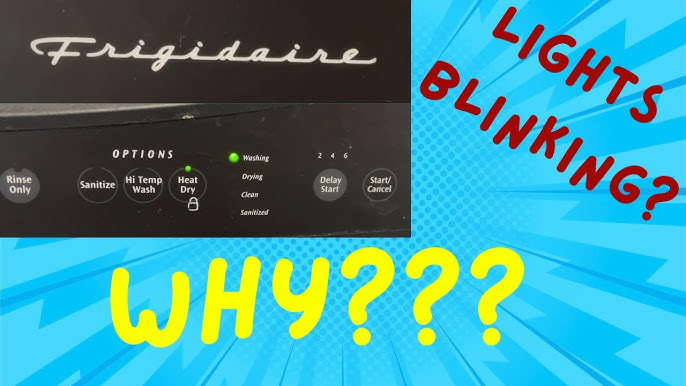
If you own a Frigidaire dishwasher, you expect it to make life easier. But when you see the lights flashing on the control panel, it can quickly become confusing and stressful. Many people worry that something major has gone wrong with their appliance. The good news is that flashing lights often point to specific issues, and with the right approach, you can often solve them yourself. This article will explain why your Frigidaire dishwasher lights are flashing, what each pattern means, and what steps you should take to fix the problem. Whether you’re new to troubleshooting or have some experience, you’ll find easy tips, real-world examples, and practical guidance here.
Why Do Frigidaire Dishwasher Lights Flash?
Flashing lights on a Frigidaire dishwasher are not just random. They are designed to tell you something. When the dishwasher detects a problem, it flashes certain lights in a pattern. This is a simple way for the machine to communicate errors or issues to you. For example, you might see the Start/Resume light blinking, or maybe several cycle lights flash together.
Common causes for flashing lights include:
- Door not fully closed or latch problem
- Water supply issues
- Drain blockage
- Electronic glitches or control board errors
- Problems with sensors (like the float switch or heating element)
Each of these situations triggers a different combination of lights. Understanding what the flashes mean is the first step to fixing your dishwasher.
Common Flashing Light Patterns And What They Mean
Frigidaire dishwashers use several different light patterns to show problems. Here are the most frequent ones and what they usually indicate:
Start/resume Light Blinking
If the Start/Resume button blinks, the dishwasher thinks the door is not closed or has been opened during a cycle. Check for:
- Loose door latch
- Obstruction preventing the door from closing
- Faulty door switch
All Cycle Lights Flashing
When every cycle light flashes together, it often signals a control board error or software glitch. A simple reset might solve it, but sometimes the control board may need repair or replacement.
Clean Light Flashing
A flashing Clean light usually means there was a problem completing the cycle—often related to water not draining or a heating issue. It can also mean the dishwasher detected an error and stopped for safety.
Delay Start Light Blinking
If the Delay Start light is blinking, the timer may be paused, or there is a minor programming issue. Try canceling the delay start and starting a new cycle.
Specific Error Code Patterns
Some models flash lights in a code, like three blinks, pause, and repeat. These codes can be found in your user manual. For example, three flashes may mean a drain issue.
Quick Reference: Flashing Light Patterns
Here’s a quick table comparing common flashing light patterns and likely causes.
| Flashing Pattern | Possible Cause | Suggested Action |
|---|---|---|
| Start/Resume | Door not closed | Check latch & close firmly |
| All lights | Control board error | Try reset; call tech if needed |
| Clean light | Drain or heating error | Check drain, element |
| Delay Start | Cycle paused | Cancel delay, restart |
| Code flashes (e.g., 3x) | Specific error (see manual) | Follow code meaning |
Steps To Diagnose And Fix Flashing Lights
Fixing your Frigidaire dishwasher often starts with a few basic steps. Here’s what you can do:
Reset The Dishwasher
Many flashing light problems are temporary glitches. A reset will often clear them.
How to reset:
- Press and hold the Cancel/Drain button for 3 seconds.
- Wait for the dishwasher to power down.
- Unplug the unit or turn off the circuit breaker for 5 minutes.
- Restore power and try running a cycle.
This simple reset fixes many minor electronic issues.
Check The Door And Latch
The dishwasher will not start or continue if the door isn’t closed properly. Inspect for:
- Obstructions (utensils, racks not pushed in)
- A broken or loose latch
- Misaligned door
If the latch is damaged, you may need to replace it. Many latches are easy to change with a screwdriver and a replacement part.
Inspect Water Supply
Dishwashers need steady water flow. If the lights flash and the cycle stops, check:
- Water supply valve (under the sink) is fully open
- Hoses are not kinked or blocked
- Water inlet filter is clean
Low or no water triggers error lights on most Frigidaire models.
Look For Drain Blockages
If water doesn’t drain, the dishwasher will show error lights. To check:
- Remove the bottom rack.
- Inspect the drain area for food or debris.
- Check the drain hose for clogs.
Also, see if your kitchen sink is draining well. A clogged sink can cause dishwasher drainage errors.
Examine The Float Switch
The float switch prevents overfilling. If it’s stuck, it can stop the dishwasher and cause flashing lights.
- Find the float (usually a small dome or cylinder on the floor of the dishwasher).
- Move it up and down—if it’s stuck, clean away debris.
- Listen for a click, which means the switch is working.
A faulty float switch may need replacement.
Test The Heating Element
If the heating element fails, the Clean light may blink.
- Run a cycle and open the door during the drying stage—if it’s not warm, the element may be bad.
- Check for visible damage or breaks.
Replacing a heating element is more advanced, but a technician can help if you’re unsure.
Inspect The Control Board
If all lights flash or nothing else works, the problem may be with the electronic control board. This is the “brain” of your dishwasher.
- Look for burnt marks or a burned smell.
- Reset the unit first—if the problem remains, call a professional.
Control board replacement costs can range from $150 to $350, depending on your model.
Advanced Troubleshooting: Error Codes And What They Mean
Some Frigidaire dishwashers use error codes instead of simple light patterns. For example, the model might display codes like i20, i30, or i50. Each code points to a specific area of concern.
Here’s a simple code reference:
| Error Code | Meaning | What to Check |
|---|---|---|
| i20 / i40 / iF0 | Drain problem | Drain hose, filter, sink |
| i30 | Leak detected | Bottom pan, hoses |
| i50 | Drain or wash motor problem | Motor, wiring |
| i60 | Heating problem | Element, thermostat |
| iC0 | Control board error | Reset, call tech |
Always check your user manual for the exact meaning for your model, as some codes may differ.
When To Call A Professional
While many flashing light issues can be solved at home, some problems require expert help. If you notice any of the following, it’s safer to contact a technician:
- Water leaks from the dishwasher
- Repeated error codes after basic troubleshooting
- Burnt smell or visible damage to wiring/control board
- Dishwasher won’t power on after resetting
Attempting complex repairs yourself can be risky and may void your warranty. A certified technician has the tools and experience to safely fix advanced problems.
Preventing Future Flashing Light Issues
A few simple habits can help you avoid problems with your Frigidaire dishwasher:
- Clean the filter every month. A clogged filter can lead to drain issues and error codes.
- Check and clear the drain hose at least twice a year.
- Use only recommended detergents. Some soaps cause excess suds, which can trigger error lights.
- Run hot water at the sink before starting a cycle. This helps the dishwasher clean more efficiently and prevents certain errors.
- Inspect door seals and latches regularly to make sure they are in good shape.
Regular care keeps your dishwasher running smoothly and reduces the chance of flashing light errors.
Real-world Example: Troubleshooting A Flashing Light
Let’s say you load your dishes, close the door, and press Start. The Start/Resume light just keeps blinking. Here’s what you might do:
- Check the door—maybe a pan handle is blocking it from closing.
- Firmly shut the door until you hear a click.
- If it still blinks, unplug the dishwasher for 5 minutes, plug it back in, and try again.
- Still blinking? Inspect the door latch. If it wiggles or looks broken, a replacement is needed.
Many users report that simply resetting the dishwasher solves most blinking light issues. But if you’ve checked all the basics and nothing works, it’s time to call for help.
Comparing Frigidaire Dishwashers: Flashing Light Issues By Model
Not all Frigidaire dishwashers are the same. Some older models rely on simple lights, while newer models use more advanced error codes.
Here’s a quick comparison:
| Model Type | Error Display | DIY Fixes Possible? | Common Flash Pattern |
|---|---|---|---|
| Basic (Older) | Blinking lights only | Most problems | Start/Resume light |
| Digital (Newer) | Flashing lights & codes | Some issues | Error codes (i20, i30, etc.) |
| High-End | LCD screen with codes | Fewer DIY; more tech support | Detailed messages |
Knowing your model helps you understand which problems you can fix yourself and when to get help.
Non-obvious Insights Most Owners Miss
Many owners overlook these useful tips:
- Power surges can cause random flashing light patterns. If you had a recent outage or storm, a full reset (breaker off for 10 minutes) may solve the issue.
- Hard water can lead to mineral buildup on sensors and the heating element. This creates false errors. Using a dishwasher cleaner every few months can prevent this.
- Some Frigidaire models have a child lock feature. If this is activated, lights may flash and buttons won’t work. Check your manual to see if this feature is present and how to disable it.

Where To Find More Help
If you’re still stuck, the official Frigidaire support site offers detailed guides and user manuals. You’ll also find helpful tips at Frigidaire Owner Center.
Frequently Asked Questions
Why Are My Frigidaire Dishwasher Lights Flashing And Not Starting?
This usually means the door isn’t closed properly, or there’s a problem with the latch. Try resetting the dishwasher and checking for obstructions in the door.
How Do I Reset My Frigidaire Dishwasher When Lights Are Blinking?
Press and hold the Cancel/Drain button for about 3 seconds. Wait until the lights go off, then unplug the dishwasher or turn off the breaker for 5 minutes before restoring power.
What Does The Clean Light Blinking Mean?
A blinking Clean light often signals a problem with draining or heating. Check for a clogged drain or a faulty heating element.
Can Hard Water Cause My Dishwasher Lights To Flash?
Yes, hard water can lead to mineral buildup on sensors and heating elements, causing false errors and flashing lights. Use a dishwasher cleaner regularly to prevent this.
When Should I Call A Technician For Flashing Lights?
If you see repeated error codes, water leaks, or your dishwasher won’t power on after a reset, it’s best to call a certified technician to avoid further damage.
A Frigidaire dishwasher with flashing lights can be frustrating, but most problems are easy to solve with a little know-how and patience. By understanding what the lights mean and following the right steps, you can get your dishwasher back to cleaning your dishes in no time.