
You can perform a full reboot by disconnecting the power for exactly one minute and then cycling the function knob through a specific sequence. How to Reset a Whirlpool Washer is a process that clears electronic memory errors and restores control board communication after a power surge or a cycle interruption. This method works for most modern top-load and front-load models, though you should always consult your specific manual if the control panel remains unresponsive after these steps.
Tools for resetting your washer
- Access to the power outlet: You must be able to reach the wall plug safely to disconnect the machine.
- A stable timer: A phone timer or a clock with a second hand ensures you wait the full sixty seconds.
- Flashlight: Useful for seeing the back of the machine if the outlet is hidden behind the chassis.
- Safety gloves: If you’re moving a heavy machine to reach the plug, wear work gloves to protect your hands from sharp metal edges.
- A helper: Moving a washer is a two-person job to prevent back strain or damage to your flooring.
If your model has a digital display, keep a pen and paper handy to write down any error codes that appear after the reset. If the unit is hard-wired into a junction box rather than a plug, don’t attempt to disconnect it yourself; contact a licensed electrician, as Whirlpool’s official support documentation notes that improper electrical handling carries significant safety risks.
Step-by-step
- Turn the cycle selector knob to the “Normal” position.
- Rotate the knob one full turn counter-clockwise to clear any current memory settings.
- Turn the knob clockwise through three clicks, one click counter-clockwise, and one click clockwise.
- Check that all the status lights on the control panel blink to confirm the machine is in diagnostic mode.
- Unplug the washer from the wall outlet or flip the circuit breaker dedicated to the laundry room to the “Off” position.
- Wait a few seconds while the machine is fully disconnected to allow the internal capacitors to discharge.
- Plug the power cord back into the outlet or flip the circuit breaker back to the “On” position.
- Wait thirty seconds for the control board to initialize and check for any remaining blinking status lights.
If the lights don’t blink during step four, the sequence was likely performed too quickly; restart the process and move the dial at a steady, deliberate pace.
Careful: Never attempt to open the control panel housing or touch the internal wiring, as a capacitor can hold a lethal charge even when the unit is unplugged. If the machine still fails to power on after a reset, you must contact a qualified service technician to inspect the control board or the thermal fuse.
Troubleshooting Cycle Interruptions
If your situation isn’t listed, stick to the standard sixty-second power-down rule to avoid damaging the control board.
Always start with the shortest time interval and only increase the duration if the machine remains unresponsive. Overshooting the wait time doesn’t improve the result and only wastes your time.
If your washer is stuck mid-cycle, check the drum before pulling the plug. If you see standing water, manually drain it via the filter access panel first. Failing to drain the unit can trigger a flood sensor error, which locks the door permanently.
Distinguish between a power surge and a simple glitch by checking your breaker box. If the breaker is fine, stick to the sixty-second rule.
How to tell you did it right
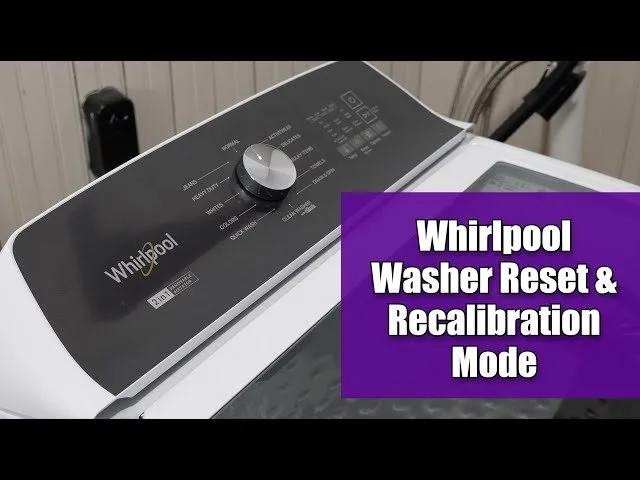
A successful reset is indicated by the control panel returning to its default state, where the “Normal” cycle light or the start indicator is lit and solid. If you previously had flashing error lights, these should disappear, and the machine should allow you to select a new cycle immediately. A poor result occurs if the lights continue to flash or the machine refuses to start a new cycle. This usually happens because the diagnostic sequence wasn’t entered correctly or the power wasn’t disconnected long enough to clear the volatile memory. To prevent this, ensure the dial turns are distinct and wait for the full minute before restoring power. If the machine remains stuck, it’s a sign that a physical component, such as the door latch or the water level sensor, has failed. In these cases, the reset isn’t the solution, and you should call a professional for a diagnostic check.
Maintenance and Safety Standards
The primary rule for maintaining your machine is to ensure the power is always disconnected before performing any cleaning or maintenance, as stated in the Consumer Product Safety Commission guidelines for major appliances.
Keep the area around the base of the machine clear of lint and debris to prevent overheating. If you notice the floor feels warm to the touch during a cycle, clear the ventilation gaps immediately.
After a successful reset, perform a “Clean Washer” cycle with an approved cleaner to ensure the sensors are calibrated correctly. This process should only be performed when the machine exhibits persistent errors; doing it too often can cause unnecessary wear on the electronic interface.
If you encounter frayed wires or sparks near the outlet, stop immediately and keep the power off until a professional technician can inspect the installation.
Never force the selector knob if it feels stuck. This mistake often breaks the internal plastic stems that connect to the main board, turning a simple mechanical cleaning task into a costly motherboard replacement. If the knob resists, inspect the dial for trapped debris first. If the resistance remains, the internal spring mechanism is likely misaligned and requires professional service.
Alternative Reset Methods
The Soft Reboot
If the washer is responsive but acting strangely, you can sometimes trigger a soft reboot by holding the “Start/Pause” button for five seconds. This clears the current cycle buffer without needing to cut the power. It’s faster and safer for minor software glitches, but it won’t fix hardware-level errors or power-related lockouts.
The Breaker Method
If your washer is in a hard-to-reach spot, you can cycle the power using your home’s main circuit breaker. Flip the breaker labeled “Laundry” or “Washer” to the off position for sixty seconds. This is effective but risky if you aren’t sure which breaker controls the unit, as you might accidentally cut power to other essential home appliances.
The Factory Calibration
Some newer Whirlpool models have a built-in calibration mode. You enter this by pressing and holding the “Start” button while selecting specific cycles defined in your owner’s manual. This resets the internal drum sensors to their original factory settings, which is useful if the machine vibrates excessively during the spin cycle.
Frequently asked questions
Can I reset my Whirlpool washer by just unplugging it?
Yes, unplugging the machine for sixty seconds is often enough to clear minor electronic glitches. If the washer is stuck due to a severe software error, you must follow the manual knob-turning sequence to force the control board into a diagnostic state. Simply unplugging it doesn’t always drain the electricity stored in the capacitors, which is why the full minute of wait time is necessary for a complete memory clear.
How long does a reset take?
The reset process itself takes about two minutes of active time, plus the sixty seconds required to discharge the power. If you include the time needed to move the machine and wait for the board to initialize, you should allow for about ten minutes of total effort. Don’t rush the sequence, as the control board requires specific timing to recognize the inputs from the selector knob correctly.
Is it safe to reset a washer while it’s full of water?
No, you should never attempt a reset while the tub contains water. If you must reset a machine that’s full, manually drain the water using the emergency drain hose located behind the bottom kick panel first. Resetting a machine full of water can cause the pump to engage unexpectedly or lead to an overflow if the sensors are misreading the water level.
What happens if the reset doesn’t work?
If the machine doesn’t respond after a proper reset, it indicates a hardware failure rather than a software error. The most common culprits are the door latch sensor, the main control board, or the thermal fuse. At this point, you shouldn’t attempt further repairs yourself; contact a service professional to test the electrical components safely without risking damage to the internal wiring.
Why do the lights blink after I reset it?
Blinking lights after a reset indicate that the washer has entered diagnostic mode. This is a standard part of the process and allows you to read the error code stored in the memory. You should check your specific manual to see what the sequence of blinks means for your model, as each code points to a different physical component that may need attention.
How often should I reset my washer?
You should only reset your washer when you experience a persistent error code or an unresponsive control panel. There’s no benefit to resetting the machine regularly, and doing so won’t improve performance or extend the life of the unit. Frequent resets can indicate an underlying electrical issue in your home’s wiring that needs to be addressed by a professional electrician.
Final Thoughts
If your machine still doesn’t start after this attempt, there’s likely a deeper mechanical issue at play. Don’t worry, though; it’s usually best to contact a certified technician if the lights remain dark. They’ll help you get your laundry routine back on track so you won’t have to stress about it anymore.