
If you own a Roomba, you know how much easier life becomes with a robot vacuum keeping your floors tidy. But as your needs grow, you might wonder: Can Roomba have two home bases? Maybe you have a large house, multiple floors, or just want more flexibility. This question is important because it affects how well your Roomba fits your lifestyle. Let’s explore everything you need to know about using multiple home bases, how it works, and what you should consider before buying extra charging stations.
How Roomba Home Bases Work
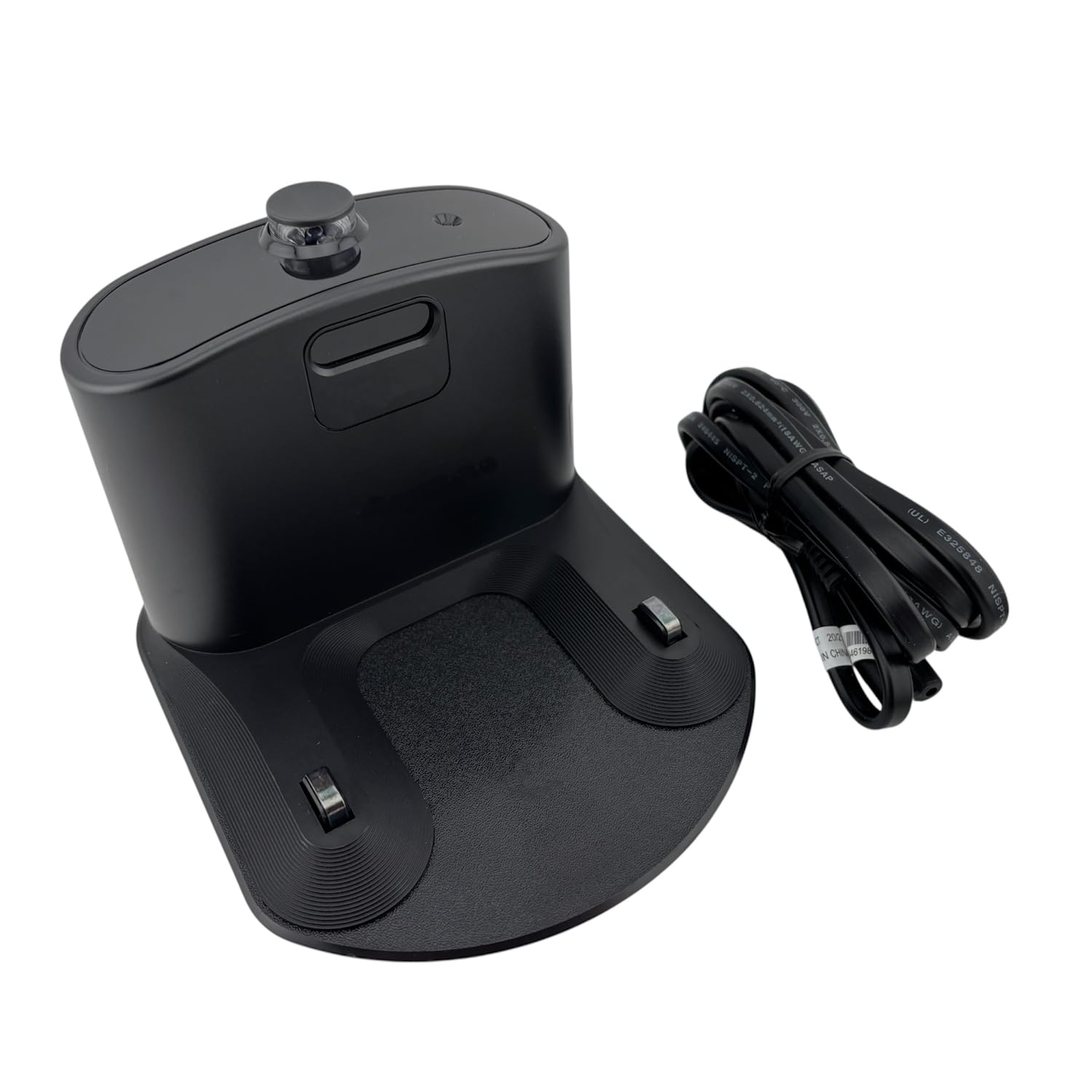
Roomba’s Home Base is more than a charging dock. It’s where the robot starts, ends, and recharges after cleaning. When the battery gets low, Roomba returns to its base automatically. Some newer models use a Clean Base, which empties the dustbin as well.
The Home Base sends out signals that help Roomba find its way back. It also acts as a point for scheduling and updates. For many users, one base is enough. But if your home is large or has several floors, you might want to use two or more bases.
Is It Possible To Use Two Home Bases?
The good news is: Yes, Roomba can use two home bases—but there are important details to understand.
Compatibility By Model
Not all Roombas handle multiple bases the same way. Let’s compare popular models:
| Roomba Model | Multiple Base Support | Notes |
|---|---|---|
| i Series (i7, i3, i4, i6) | Yes | Can remember more than one base |
| s Series (s9) | Yes | Supports multiple bases |
| j Series (j7, j8) | Yes | Handles multiple bases well |
| 600, 800, 900 Series | No | Can only pair with one base at a time |
| Combo Series | Varies | Check specific model details |
If you own a newer Roomba with smart mapping, you can use more than one base. For older models, Roomba only recognizes the last base it docked with.
How Multiple Bases Function
With compatible models, you can place two bases in different locations. Roomba will dock with whichever base it finds first. For example, you can put one in your living room and another upstairs. When cleaning, Roomba will return to the closest base when finished or when it needs a charge.
Some models, like the i7 and s9, also remember maps for different floors. This means you can carry Roomba upstairs, let it clean, and it will find the upstairs base.
Setting Up Two Home Bases: Step-by-step
If your Roomba supports multiple bases, setting them up is simple but requires careful placement.
- Choose Locations: Place each base where Roomba can access it easily. Avoid clutter and walls blocking the path.
- Plug In Both Bases: Connect both to power outlets.
- Update Maps: If your model supports mapping, use the app to save maps for each area.
- Test Each Base: Place Roomba near each base, let it dock, and check if it recognizes both.
- Schedule Cleaning: Set up cleaning routines for each floor or area in your app.
Here’s a quick comparison of setup steps:
| Step | Single Base | Two Bases |
|---|---|---|
| Choose location | 1 spot | 2+ spots |
| Plug in | 1 base | Each base |
| Update map | Optional | Recommended for each area |
| Test docking | Once | With each base |
Benefits Of Using Two Home Bases
Having two home bases offers several advantages:
- Multi-Floor Cleaning: Roomba can clean upstairs and downstairs without moving the base.
- Better Coverage: Roomba always finds a dock, even in large homes.
- Flexible Scheduling: You can set routines for different areas.
- Less Carrying: No need to carry the base when moving Roomba.
- Reduced Downtime: Roomba recharges faster, starts cleaning again sooner.
For example, if you live in a two-story house, you can keep one base downstairs and another upstairs. Roomba cleans both floors with less effort on your part.
Challenges And Limitations
Before buying a second base, consider some possible issues:
- Model Support: Older Roomba models do not support multiple bases.
- App Confusion: Setting up maps for different areas may confuse the robot if not done carefully.
- Cost: Extra bases and Clean Bases are expensive (often $100–$300 each).
- Docking Mistakes: Roomba may dock at the wrong base or fail to find a base if blocked.
A non-obvious insight: Roomba does not “choose” a base—it simply docks at the nearest one it detects. If you want Roomba to dock at a specific base, start cleaning near that base.
Another detail: When using the Clean Base (automatic dirt disposal), only compatible Roombas can empty themselves. If you have two bases but only one Clean Base, Roomba will only auto-empty when docked at that specific base.
Real-world Examples
Let’s look at how people use two bases:
- Large Homes: Owners with big houses place bases at opposite ends for better coverage.
- Multi-Level Living: Families with upstairs and downstairs keep bases on each floor.
- Office Spaces: Businesses use two bases in different rooms for easier cleaning.
One Roomba user shared online that their i7 model cleans both floors with separate maps. They carry the Roomba upstairs, and it docks at the upstairs base. The robot recognizes the new location and works smoothly.
Practical Tips For Two Home Bases
If you decide to use two bases, these tips help avoid problems:
- Place bases in open areas so Roomba can find them easily.
- Avoid placing bases near stairs or obstacles.
- Use the app to create distinct maps for each floor.
- If using a Clean Base and a regular base, mark the Clean Base location clearly in your app.
- Update Roomba firmware for best performance.
If you have pets or kids, keep bases away from areas with frequent movement. Roomba sometimes struggles to dock if toys or furniture block the base.
Comparing Roomba Models For Multiple Bases
Here’s a quick table comparing key features for using two bases:
| Feature | i7 | s9 | j7 | 600 Series |
|---|---|---|---|---|
| Supports multiple bases | Yes | Yes | Yes | No |
| Smart mapping | Yes | Yes | Yes | No |
| Clean Base compatible | Yes | Yes | Yes | No |
| Multi-floor support | Yes | Yes | Yes | No |
| Price | $500+ | $800+ | $600+ | $200+ |
What To Consider Before Buying A Second Base
Buying an extra base is not always necessary. Ask yourself:
- Is your home large enough to need two bases?
- Do you have multiple floors?
- Is your Roomba model compatible?
- Are you willing to invest in extra hardware?
A common mistake: buying a second base for an older model that can’t recognize it. Always check compatibility first.
Another beginner oversight: not updating the app or maps after adding a second base. This can lead to Roomba getting lost or failing to dock.
Cost And Value
Roomba bases, especially Clean Bases, are expensive. Prices range from $100 for a basic base to $300 for Clean Base models. If your Roomba supports multiple bases, the investment can make cleaning easier, but it’s not essential for every home.
If you only clean one floor at a time, you might not need two bases. If you regularly move Roomba between floors, two bases save time and effort.
Official Guidance And Support
iRobot, the maker of Roomba, recommends using multiple bases only with models that support smart mapping. For more information, visit their official FAQ at iRobot Support.
Frequently Asked Questions
Can Any Roomba Use Two Home Bases?
No, only newer models like the i7, s9, and j7 series support multiple bases. Older models, such as the 600 series, recognize only one base.
How Do I Set Up Roomba With Two Bases?
Place each base in an open, accessible area. Plug both in. Use the app to create maps for each floor or area. Test docking with each base to confirm Roomba recognizes them.
Will Roomba Always Return To The Nearest Base?
Yes, Roomba usually docks at the closest base. It does not “choose” a base, but goes to the first one it detects. If both bases are equally close, it may pick randomly.
Is It Worth Buying A Second Base?
If you have a large house or multiple floors, a second base can save time and effort. For small homes or single-floor spaces, one base is usually enough.
Can I Use Two Clean Bases?
Yes, but only if your Roomba is compatible. Models like the i7, s9, and j7 can use more than one Clean Base, auto-emptying at either location.
Roomba’s ability to use two home bases is a powerful feature for those with large or complex homes. With the right model and careful setup, you can enjoy flexible, efficient cleaning across multiple areas. Just remember to check compatibility, update your maps, and place bases wisely.
With these steps, your Roomba will serve you even better, keeping your floors cleaner with less effort.

Credit: www.walmart.com