
When your Samsung dishwasher refuses to turn on, it can disrupt your daily routine and cause frustration. Dishwashers are essential for modern kitchens, making cleaning up after meals much easier. But when the appliance won’t start, you may wonder if you need professional help or if you can fix it yourself. This guide will help you understand why your Samsung dishwasher is not turning on, show you practical troubleshooting steps, and provide clear solutions for common problems. Whether you are a beginner or have some experience with appliances, you’ll find step-by-step advice to get your dishwasher working again.
Common Reasons Your Samsung Dishwasher Won’t Turn On
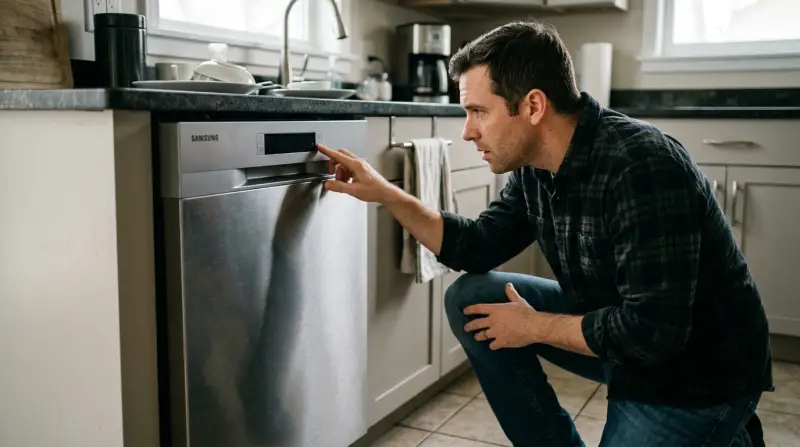
Before you start fixing, it’s important to know the typical causes. Some issues are simple, while others might need expert attention.
- Power supply problems – The dishwasher may not be getting electricity.
- Door latch issues – If the door isn’t closed properly, the machine won’t start.
- Control panel errors – Malfunctioning buttons or display can prevent starting.
- Child lock or delay start – Features like child lock can stop the dishwasher from running.
- Faulty wiring or internal parts – Broken wires or parts inside the dishwasher can cause failure.
- Water supply issues – Without water, the dishwasher can’t operate.
- Blown fuse or tripped breaker – Electrical safety devices may have stopped the flow.
These are the main reasons, but each has unique symptoms and fixes. Let’s dig deeper into each cause.
Checking The Power Supply
The first step is always to check if your dishwasher has power.
How To Test The Outlet
Unplug the dishwasher and plug in a small appliance, like a lamp or phone charger. If it works, the outlet is fine. If not, the outlet may be the problem.
Circuit Breaker And Fuse
Check your circuit breaker box. Dishwashers often use a dedicated breaker. If it’s tripped, switch it off and on again. For older homes, there may be a fuse; replace it if blown.
Power Cord And Plug
Examine the power cord for cuts or burns. Sometimes, moving the dishwasher can damage the cord. If you see damage, replace the cord.
Data Table: Power Supply Troubleshooting
| Check Item | Test Method | Possible Result | Action |
|---|---|---|---|
| Outlet | Plug in lamp | No power | Fix outlet |
| Circuit breaker | Inspect box | Tripped | Reset breaker |
| Power cord | Visual check | Damaged | Replace cord |
Credit: www.samsung.com
Door Latch And Switch Issues
The dishwasher’s door must close fully. If the door latch is broken or not aligned, the machine won’t turn on.
Signs Of Door Latch Problems
- Door feels loose or won’t click shut
- Error messages or blinking lights
- No response when pressing start
How To Fix
- Inspect the latch for dirt or debris. Clean it gently.
- Push the door firmly. Sometimes, dishes block the door.
- If the latch is broken, order a replacement and install it.
Data Table: Door Latch Symptoms And Solutions
| Symptom | Cause | Solution |
|---|---|---|
| Loose door | Misaligned latch | Adjust latch |
| Door won’t close | Obstructed by dishes | Reposition dishes |
| Error code | Faulty switch | Replace switch |
Control Panel Problems
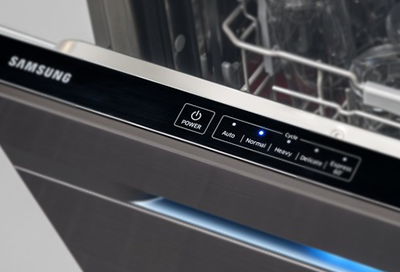
If the control panel is not working, the dishwasher won’t respond to commands.
Common Signs
- Buttons don’t light up or react
- Display is blank
- Beeping or flashing lights
Quick Fixes
- Try a soft reset: Unplug the dishwasher for 2–3 minutes, then plug it in.
- Press and hold the start button for 3 seconds to clear errors.
- If buttons are sticky, clean them with a damp cloth.
Advanced Solution
If the panel still doesn’t work, you may need to replace the control board. This is best done by a technician, especially if your dishwasher is under warranty.
Child Lock And Delay Start Features
Samsung dishwashers have safety features that can stop the machine from starting. These are often activated by accident.
Child Lock
When child lock is on, all controls are disabled. Look for a lock symbol on the panel.
- To turn off: Press and hold the child lock button (usually for 3 seconds).
Delay Start
If delay start is set, the dishwasher waits before starting.
- To cancel: Press the delay start button again, or hold the cancel button.
Example: Real-life Scenario
A user sets the delay start for 3 hours and forgets. The dishwasher doesn’t turn on immediately. Always check the display for delay settings or lock indicators.
Internal Wiring And Parts
Sometimes, the problem is inside the dishwasher. Wiring, motor, or control board failures can stop the machine.
How To Check
- Remove the bottom panel (after unplugging) and look for loose wires.
- Check for burn marks or damaged connectors.
- Listen for any humming or clicking noises when trying to start.
When To Call A Technician
If you find damaged wires or suspect a motor problem, it’s safer to call a professional. DIY repairs can void warranties or cause further damage.
Water Supply Issues
Dishwashers need water to run. If there’s no water, the appliance may not start.
Signs
- Display shows water error codes (like “4E”)
- No sound of water filling when starting
- Dishes come out dry and dirty
What To Do
- Check the water valve under your sink. It should be open.
- Inspect the inlet hose for kinks or blockages.
- Make sure water pressure is normal (usually 20–120 psi for Samsung).
Data Table: Water Supply Troubleshooting
| Problem | Check | Solution |
|---|---|---|
| No water | Valve closed | Open valve |
| Low pressure | Pressure gauge | Adjust supply |
| Blocked hose | Visual check | Clear blockage |
Blown Fuse Or Tripped Breaker
Electrical safety devices protect your home. If your Samsung dishwasher pulls too much power, a fuse or breaker may activate.
Quick Steps
- Go to your electrical panel.
- Find the breaker marked “dishwasher.”
- If it’s off, flip it on.
- For fuses, replace with the same rating.
Tip
If your breaker keeps tripping, the dishwasher may have an internal short. Call an electrician for safety.
Credit: www.samsung.com
Practical Tips For Preventing Dishwasher Problems
You can avoid many issues with routine care:
- Clean the filter monthly to keep water flowing.
- Don’t overload dishes; this can block the door.
- Inspect the power cord every six months.
- Run a cleaning cycle with vinegar to prevent buildup.
When To Repair Or Replace
Sometimes, fixing is not cost-effective. Here’s a quick comparison to help you decide:
| Situation | Repair | Replace |
|---|---|---|
| Dishwasher under 3 years old | Yes | No |
| Major internal part failure | Maybe | Yes |
| Repeated control panel issues | No | Yes |
| Warranty available | Yes | No |
Non-obvious insight: Many users don’t realize that running a dishwasher dry (without water) can damage parts, making the machine refuse to start next time. Also, power surges after storms can silently damage control boards; consider using a surge protector for your dishwasher.
Diagnosing Error Codes
Samsung dishwashers often display error codes when something is wrong. Here are some common ones:
- “CE” – Communication error: Usually means a control board issue.
- “4E” – Water supply error: Check hoses and valves.
- “HE” – Heater error: Indicates a heating problem.
Refer to your user manual or look up codes on the official Samsung website for details. Error codes can save time by pointing to the exact issue.
Professional Help: When Do You Need It?
If your troubleshooting doesn’t work, or if you see signs like burning smell, sparks, or water leaks, stop and call a certified technician. Professional repairs are safer and often covered by warranty.
According to a 2023 Consumer Reports survey, about 35% of dishwasher repairs are electrical, while 40% are mechanical (door, motor, water). Most users report a technician visit costs between $120–$250, depending on the fix.

Credit: www.youtube.com
Frequently Asked Questions
Why Does My Samsung Dishwasher Have Power But Won’t Turn On?
If your dishwasher lights up but won’t start, check the door latch and control panel. Sometimes, the child lock or delay start is active, blocking the machine. Make sure the door is fully closed and all settings are cleared.
Can I Reset My Samsung Dishwasher Myself?
Yes. For most models, unplug the machine for 2–3 minutes, then plug it back in. This can clear minor errors. You can also press and hold the start button for a few seconds to reset the control panel.
What Should I Do If My Dishwasher Shows An Error Code?
Look up the error code in your user manual or on the official Samsung website. Most codes point to specific problems, like water supply or door latch issues. Fix the problem, then restart the dishwasher.
How Often Should I Check The Power Cord And Outlet?
It’s good practice to check the power cord and outlet every six months. Look for signs of wear, burn marks, or loose connections. This prevents unexpected shutdowns or safety hazards.
Is It Safe To Repair Internal Parts Myself?
For simple issues like cleaning or replacing a door latch, DIY is safe. But for wiring or control board problems, it’s better to call a professional. Repairing internal parts can be risky and may void your warranty.
If your Samsung dishwasher is not turning on, careful troubleshooting can often solve the problem without expensive repairs. Start with easy checks—power supply, door latch, control panel—and move to more advanced solutions as needed. Regular maintenance helps prevent future issues and extends the life of your appliance. If you’re unsure or face repeated problems, professional help is the safest choice. For more detailed error code lists and official guidance, visit the Samsung Support site. With these steps, you’ll be ready to tackle most issues and keep your kitchen running smoothly.