
A paper shredder is a simple machine, but when it won’t turn on, it can create big problems at home or in the office. Many people rely on shredders to protect private information and manage paper waste. If your shredder suddenly stops working, you might worry about lost time, data security, or even whether you need a new machine.
But most shredders that won’t start can be fixed with a little patience and basic troubleshooting. This guide will help you understand why your paper shredder won’t turn on and show you practical steps to get it working again.
Understanding The Basics Of Paper Shredder Power Problems
Before you can fix a shredder that won’t turn on, it’s important to know the most common reasons. Many issues are simple, such as power supply problems or a safety feature being activated. Others might relate to internal components or user errors. Here are the main categories:
- Power source issues
- Safety interlocks or sensors
- Overheating and thermal protection
- Mechanical jams
- Internal electrical faults
Knowing these basics will save you time and help you avoid unnecessary repairs or replacements.
Quick Checks: The First Things To Try
If your shredder doesn’t turn on, try these steps before opening the unit or calling for service:
- Check the power cord – Make sure the cord is plugged in firmly to both the wall and the shredder. Sometimes, cords get pulled out by accident.
- Test the outlet – Plug another device (like a lamp) into the same outlet. If it doesn’t work, the outlet may be dead or a breaker may have tripped.
- Look for a power switch – Some shredders have a separate on/off switch in addition to the main control panel.
- Reset buttons – Many shredders have a small reset button, often near the power cord. Press it and wait a few seconds.
These steps solve many cases. If your shredder is still silent, continue with deeper troubleshooting.
Power Supply And Outlet Problems
A surprising number of shredder failures are due to power supply issues. These can be as simple as a loose plug, or as complex as a blown fuse.
| Problem | How to Check | Possible Solution |
|---|---|---|
| Loose power cord | Wiggle and re-plug both ends | Secure the plug firmly |
| Tripped circuit breaker | Test outlet with another device | Reset breaker at main panel |
| Blown fuse (in shredder) | Check user manual for fuse location | Replace with correct fuse type |
| Damaged power cord | Look for cuts or fraying | Replace cord or call technician |
Never use a damaged cord. If you find one, stop using the shredder until it is repaired.
Safety Features That Can Stop Your Shredder
Modern shredders include safety interlocks to prevent accidents. These can also stop your shredder from turning on if not properly engaged:
- Bin safety switch: Many shredders won’t work if the bin isn’t fully in place. Check that the bin is seated correctly.
- Lid or door sensors: If the top isn’t closed or is misaligned, the shredder may not activate.
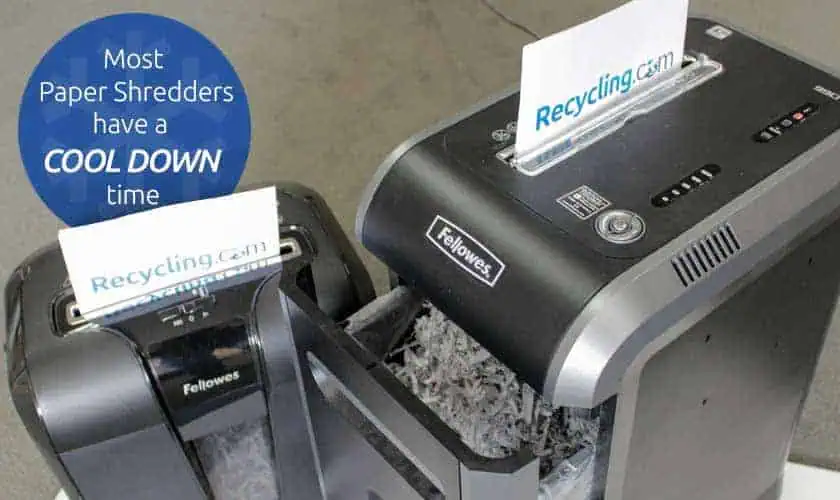
- Overheat protection: Shredders often stop if they get too hot. If you’ve been shredding a lot, let the machine cool down for 20-30 minutes.
Sometimes, sensors get blocked by paper dust or small scraps. Gently clean the sensor area with a dry cloth.
Overheating And Thermal Shutdown
If your shredder stopped suddenly during use and now won’t turn back on, overheating is likely. Most home shredders are built for short use—often just 2 to 5 minutes at a time.
How To Recognize Overheating
- The shredder stopped after heavy use
- The body feels warm or hot
- A warning light (if present) is on
What To Do
- Turn off and unplug the shredder
- Wait at least 20–30 minutes for it to cool
- Plug it in and try again
Some shredders have a thermal reset button on the bottom or side. Check your manual.
Paper Jams And Mechanical Blocks
A paper jam can sometimes prevent a shredder from turning on, especially if the jam triggers a safety feature or blocks the motor. Here’s how to check:
- Unplug the shredder to avoid injury.
- Inspect the feed slot for visible paper jams or foreign objects (like paper clips).
- If your shredder has a reverse function, plug it in, turn it on, and press reverse for a few seconds.
Never use sharp metal tools to clear jams, as this can damage the cutting blades or sensors.
Common Jam-causing Items
- Thick stacks of paper
- Staples or paper clips (if not shredder-safe)
- Credit cards or discs (on models not designed for them)
Removing these items can often get your shredder working again.

Internal Electrical Faults
If you’ve tried all the basic checks and your shredder still won’t turn on, you may have an internal electrical problem. This can include:
- Blown internal fuse
- Damaged switch or circuit board
- Burned-out motor
While some users can replace a fuse, most electrical repairs require a professional. Opening a shredder can void the warranty or create a safety risk. If your shredder is under warranty, contact the manufacturer or authorized repair center.
When To Repair Vs. Replace Your Shredder
Not every shredder is worth fixing. Here’s a simple comparison to help you decide:
| Repair | Replace |
|---|---|
| Under warranty | Older than 5 years |
| Simple fix (cord, bin, reset) | Burned smell or smoke |
| High-quality or expensive model | Parts unavailable |
| Sentimental value | Frequent jams or breakdowns |
Data point: According to industry surveys, the average home shredder lasts 3–5 years with regular use. If your shredder is older or has frequent problems, replacement may be more cost-effective.
Non-obvious Insights Most People Miss
Many beginners overlook two key ideas:
- Sensor cleaning: Tiny bits of paper or dust can block safety sensors. Using compressed air or a dry brush around the feed slot and bin sensors can restore function.
- Correct bin placement: Some bins must be pushed in with extra force or at a certain angle. Even a slight misalignment will keep the shredder off.
Most user manuals explain these in small print, but missing them is a common reason for “dead” shredders.
How To Prevent Future Power Issues
To keep your shredder running smoothly, follow these habits:
- Don’t overload the shredder: Respect the maximum sheet limit.
- Empty the bin regularly: Overflowing bins can block sensors.
- Use the right materials: Only shred paper (unless your model allows staples, cards, or CDs).
- Allow cooling time: Pause after heavy use.
- Clean sensors and blades: Wipe away dust and paper bits.
A few minutes of care can extend your shredder’s life by years.

Signs That Your Shredder Needs Professional Help
Not every problem is safe to fix at home. Call a professional if you notice:
- Burning smell or smoke
- Visible sparks
- Power surges when plugging in
- Unusual noises (grinding, popping)
Attempting to repair these problems yourself can lead to injury or electrical shock.
Choosing A New Shredder (if Needed)
If you decide to buy a new shredder, consider these factors:
- Sheet capacity: How many sheets at once do you need?
- Security level: Cross-cut vs. micro-cut shredders offer different levels of security.
- Duty cycle: For heavy use, choose a shredder with a longer run time and cooling period.
- Noise level: Some models are designed to run quietly for office environments.
- Warranty and support: Longer warranties can save money later.
Always compare features before buying. For more details on different shredder types, visit the Wikipedia page on paper shredders.
Common Mistakes When Troubleshooting
Beginners sometimes make these errors:
- Trying to force the shredder to start (can damage motor)
- Using liquids to clean the inside (dangerous for electronics)
- Ignoring the manual (important reset steps may be missed)
- Forgetting to check both ends of the power cord
Taking a careful, step-by-step approach is safer and usually more effective.
Frequently Asked Questions
Why Does My Shredder Stop Working After Only A Few Minutes?
Many home shredders have a short duty cycle—the time they can run before needing to cool down. If you shred for longer than 2–5 minutes, the shredder may shut off to prevent overheating. Wait 20–30 minutes, then try again.
Can I Fix A Broken Shredder Myself?
You can fix simple problems like paper jams, bin alignment, or basic power issues. But if you suspect an internal electrical fault, it’s best to contact a professional. Opening the shredder may void the warranty and can be dangerous.
What Should I Do If My Shredder Smells Like Burning?
Unplug it immediately. A burning smell can mean a serious electrical problem or motor failure. Continuing to use the shredder could cause a fire or further damage. Seek professional help or consider replacement.
How Often Should I Clean My Shredder?
Clean the sensor area and blades every few weeks, or more often if you use the shredder daily. Use compressed air or a dry cloth—never water or liquid cleaners.
My Shredder Makes Noise But Won’t Shred. What’s Wrong?
This usually means a paper jam or blockage. Turn off and unplug the shredder, carefully remove any stuck paper, and check for foreign objects. If the problem continues, the motor or gears may be damaged.
A paper shredder that won’t turn on is frustrating, but most causes are simple and easy to fix. By checking the power, safety features, and basic maintenance, you can solve many problems at home. When in doubt, check your user manual or contact the manufacturer for help.
Regular care and understanding your shredder’s limits will keep your machine running smoothly for years to come.