
Flip phones are making a comeback, and Tcl flip phones stand out for their affordable prices and simple features. But while many users enjoy the nostalgia and basic call functions, some find themselves facing problems that can be frustrating—especially for those who rely on their phone for daily communication. If you’re considering a Tcl flip phone or already own one, understanding these issues and how to fix them can make your experience smoother.
Why People Choose Tcl Flip Phones
Many choose Tcl flip phones for their simplicity and cost-effectiveness. Older adults and those wanting a break from smartphone distractions often prefer flip phones. These devices offer:
- Longer battery life than most smartphones
- Physical keypads for tactile feedback
- Basic features like calls, texts, and sometimes a camera
- Lower prices, often under $100
But even with these benefits, Tcl flip phones are not without faults. Some problems are minor annoyances, while others can seriously affect usability.
The Most Common Tcl Flip Phone Problems
Let’s look at the most frequent Tcl flip phone issues reported by users. We’ll cover what causes these problems and how you can try to fix them.
Call Quality And Signal Problems
One of the key reasons people buy flip phones is for reliable calls. However, many Tcl flip phone users complain about dropped calls, echo, or poor sound quality.
Causes:
- Weak network signal, especially in rural areas
- Outdated carrier compatibility (some Tcl models only work with 2G/3G networks)
- Microphone or speaker defects
Solutions:
- Check if your area has strong coverage for your carrier. If not, your phone may always have trouble.
- If your flip phone is an older model, check if your carrier still supports its network type. In the US, major carriers are shutting down 2G and 3G networks.
- Clean the microphone and speaker areas with a soft brush.
- If you hear an echo, try using speakerphone or a headset to see if the problem changes.
Software Freezes And Slow Response
Some users find that Tcl flip phones freeze or respond slowly when navigating menus or opening texts.
Causes:
- Limited RAM and processing power
- Too many text messages or contacts stored
- Software bugs or outdated firmware
Solutions:
- Delete old messages and contacts you no longer need.
- Power cycle your phone weekly (turn off and on).
- Check for software updates. Some Tcl flip phones allow updates via the settings menu.
- If freezing continues, a factory reset may help—but back up your contacts first.
Battery Draining Quickly
Flip phones are known for long battery life, but some Tcl users complain that their battery dies after just a day or two.
Causes:
- Battery aging (most flip phones use removable batteries that degrade over time)
- Leaving Bluetooth or mobile data always on
- Poor signal areas (phone uses more power searching for a signal)
Solutions:
- Turn off Bluetooth and data when not needed.
- Reduce screen brightness and set a short screen timeout.
- Replace the battery if it’s more than two years old or swollen.
- Charge overnight, but avoid leaving it plugged in for days.
Charging Port And Charger Issues
Many users report the charging port becoming loose or the phone not charging at all.
Causes:
- Frequent plugging/unplugging wears out the port
- Using third-party chargers that don’t fit well
- Dirt or lint inside the charging port
Solutions:
- Use the original charger and cable whenever possible.
- Clean the port gently with a toothpick or compressed air.
- Avoid wiggling the cable while charging.
- If the port is physically damaged, professional repair may be needed.
Messaging Problems
Text messages are the main way many flip phone users communicate. Common issues include messages not sending, delayed texts, or missing messages.
Causes:
- Network congestion or outages
- Outdated SMS settings
- Full message inbox
Solutions:
- Delete old messages to free up space.
- Restart your phone to refresh the connection.
- Check SMS center settings (ask your carrier for the correct number).
- If problems continue, try your SIM card in another phone to see if the issue is with the device or the network.
Camera Not Working Or Poor Quality
While flip phones are not known for their cameras, some Tcl models include basic cameras. Users sometimes report the camera app not opening or pictures being extremely blurry.
Causes:
- Software glitches
- Low-quality camera sensors (common in budget flip phones)
- Dirty or scratched lens
Solutions:
- Clean the camera lens with a microfiber cloth.
- Restart your phone before using the camera.
- If the app does not open, check for software updates.
Bluetooth And Connectivity Issues
Connecting to Bluetooth headsets or sharing contacts via Bluetooth can be a headache for some Tcl flip phone users.
Causes:
- Outdated Bluetooth version
- Device compatibility problems
- Software bugs
Solutions:
- Make sure both devices are in pairing mode.
- Delete previous Bluetooth pairings if you’re having trouble connecting.
- Try restarting both devices before pairing again.
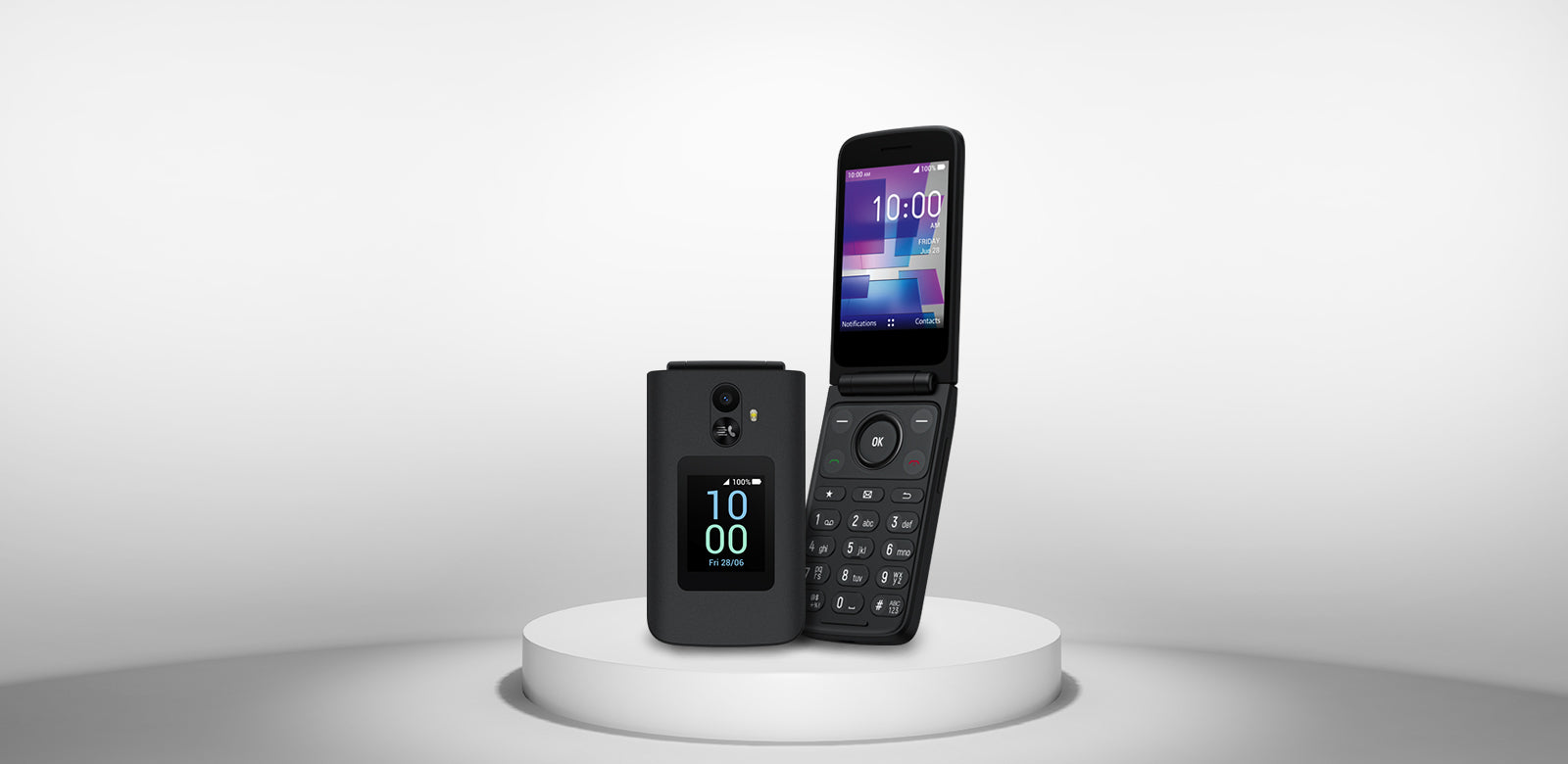
Comparing Tcl Flip Phones: Features Vs. Issues
It helps to compare Tcl flip phones with other brands and even among Tcl models to see if some models are more reliable. Here’s a quick comparison:
| Model | Network Support | Battery Life (Talk Time) | Common Issues |
|---|---|---|---|
| Tcl Flip 2 | 4G LTE | Up to 8 hours | Freezing, message delays |
| Tcl Classic | 4G LTE | Up to 7 hours | Charging port, camera problems |
| Tcl 4056L | 3G/4G | Up to 6 hours | Signal loss, battery drain |
This table shows that even within Tcl’s lineup, some models have more issues in certain areas. For example, the Tcl Flip 2 is known for software freezing, while the Tcl Classic often has charging problems.
Software And Security Updates: What Users Need To Know
Unlike smartphones, flip phones like those from Tcl receive fewer software updates. This can mean:
- Security vulnerabilities may not be patched quickly
- Bugs can remain for the life of the device
- Some features may stop working if carriers change network requirements
If your Tcl flip phone is not updating automatically, check the settings menu under “About phone” or “Software update. ” If no updates are available, you may need to live with some bugs or contact customer support for advice.

Real User Experiences And Data
A 2023 survey by Statista found that over 18% of US flip phone users reported issues with call quality, compared to just 5% of smartphone users. Battery issues were reported by 12% of Tcl flip phone owners, and 9% said their phones froze at least once a week.
Here’s a breakdown:
| Problem | % of Flip Phone Users Reporting |
|---|---|
| Poor call quality | 18% |
| Battery drains quickly | 12% |
| Software freezing | 9% |
| Charging port issues | 7% |
It’s important to note that these problems are not unique to Tcl, but they seem slightly higher than average for flip phones overall.
How To Avoid Or Minimize Tcl Flip Phone Problems
If you want to avoid these issues, consider these practical tips:
- Buy from an official retailer to ensure your phone is new and under warranty.
- Register your device with Tcl for quicker support.
- Keep your phone clean, especially around the charging port and speaker.
- Use the phone’s features as intended—don’t overload it with hundreds of contacts or messages.
- Check network compatibility with your carrier, especially if you plan to use your phone for many years.
Two Insights Many Beginners Miss
- Network Shutdowns: Many new flip phone buyers do not realize that US carriers are actively shutting down 2G and 3G networks. If your Tcl flip phone only supports these networks, it may soon stop working for calls or texts.
- Battery Replacement: Unlike smartphones, many Tcl flip phones allow you to easily replace the battery. Buying a new battery every 18–24 months can solve many performance issues, but most people do not take advantage of this.
Should You Repair Or Replace Your Tcl Flip Phone?
When your phone develops a serious fault, deciding between repairing or replacing can be tough.
- If your phone is less than a year old and under warranty, contact Tcl or your retailer for a free repair or replacement.
- For battery or charging port issues outside warranty, consider the cost of repair versus a new phone. Since many Tcl flip phones cost under $100, replacement is often more cost-effective.
- Avoid attempting complex repairs yourself, as parts for flip phones are harder to find and DIY repairs may void any remaining warranty.
Alternative Flip Phones To Consider
If you find Tcl flip phones consistently unreliable, you may want to consider other brands. Here’s a quick comparison:
| Brand | Popular Model | Price Range | Known Strengths |
|---|---|---|---|
| Nokia | Nokia 2720 Flip | $70–$100 | Durable, good call quality |
| Alcatel | Go Flip 4 | $60–$90 | Simple interface, 4G support |
| Kyocera | DuraXV Extreme | $150–$200 | Rugged, water-resistant |
While no flip phone is perfect, some users find these alternatives offer a better balance of reliability and features. For more technical comparisons, see resources like GSMArena.
Frequently Asked Questions
What Should I Do If My Tcl Flip Phone Won’t Turn On?
First, remove and reinsert the battery if possible. Charge the phone for at least 30 minutes with the original charger. If it still won’t power on, try a different battery if you have one. If none of these steps work, the phone may need professional repair.
Can I Update The Software On My Tcl Flip Phone?
Some Tcl flip phones allow updates via the settings menu under “About phone” or “Software update. ” However, updates are less common than with smartphones. If your phone is not updating, check Tcl’s website or contact customer support.
Why Do My Calls Keep Dropping On My Tcl Flip Phone?
Dropped calls are often due to weak signal or network incompatibility. Check your carrier’s coverage in your area. Make sure your phone supports 4G if your carrier has shut down older networks. If the problem persists, it could be a hardware issue.
How Can I Extend The Battery Life Of My Tcl Flip Phone?
Turn off features like Bluetooth and mobile data when not needed. Lower the screen brightness and delete old messages or contacts. Replace the battery if it’s more than two years old, as battery capacity drops over time.
Are Tcl Flip Phones A Good Choice For Seniors?
Tcl flip phones are popular with seniors due to their simplicity and large buttons. However, some seniors find the menus confusing or experience problems with call quality. It’s best to test the phone in-store before buying to see if it suits your needs.
Tcl flip phones offer a simple, affordable way to stay connected. Like any device, they have strengths and weaknesses. By understanding the most common problems and how to solve them, you can make your Tcl flip phone experience much better.
If you find yourself facing repeated issues, consider switching models or brands for a smoother experience.