
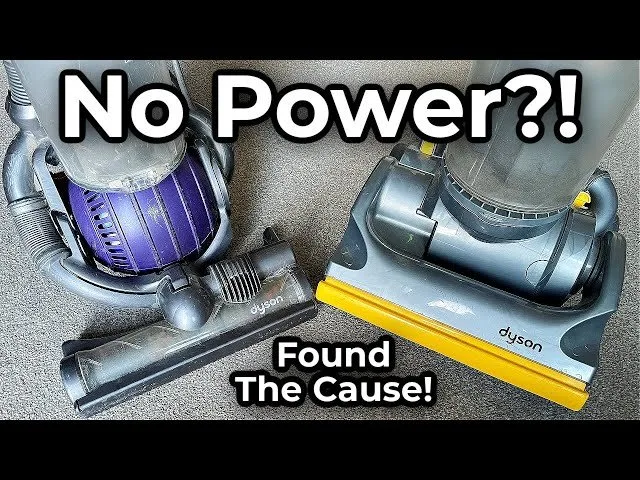
A blocked filter or a depleted battery is the most common reason for a Dyson Vacuum No Power issue, occurring in the vast majority of cases. You can quickly confirm this by checking the filter light or testing the unit while it’s plugged directly into a wall outlet. If the machine doesn’t respond to a reset or a charge, the issue likely sits with the power supply or the internal trigger mechanism.
Troubleshooting a Dyson Vacuum No Power Issue
| Cause | How common | How to confirm it | Fix it yourself? |
|---|---|---|---|
| Clogged filter | Very common | Check for blinking light | Yes |
| Battery failure | Very common | Unit won’t hold charge | Yes |
| Blocked airflow | Common | Check wand and head | Yes |
| Trigger failure | Less common | Switch feels loose | No |
| Motor damage | Rare | Smell or odd noise | No |
| Faulty charger | Rare | No charging light | Yes |
Most users mistake a clogged filter for a dying battery. If your vacuum pulses on and off every few seconds, the filter is likely the culprit. A true battery failure results in a complete loss of power after only one or two minutes of use.
When checking the wand for blockages, use a flashlight to look for trapped debris. A large blockage in the wand can restrict airflow, which may cause the motor to shut down as a protective measure. If you find nothing, inspect the brush roll for tangled fibers.
If the trigger feels loose or fails to click, don’t attempt a repair. Opening the housing often voids your warranty and risks damaging the delicate internal wiring. If the unit emits a burning plastic smell, stop immediately. That indicates a motor failure that requires professional service to prevent a fire hazard.
Clogged filters stopping operation
A dirty filter is the primary safety mechanism preventing the motor from overheating during use. When the filter is packed with fine dust, the machine detects a lack of airflow and cuts power to protect the motor from burning out. You can verify this by removing the filter unit and inspecting the pleats for gray or brown debris. If the filter looks matted or discolored, it’s likely the culprit.
To clean it, run the filter under cold tap water until the water runs clear. Don’t use soap or detergent, as these can damage the filter material. After rinsing, shake off the excess water and leave the filter in a dry, well-ventilated area for at least twenty-four hours. It must be completely dry before you put it back into the machine. If you attempt to use a damp filter, you’ll likely damage the motor, which is a costly mistake.
If you have a spare filter, you can swap it in to see if the power returns instantly. This assumes you’re using a genuine Dyson replacement; off-brand filters often have different air-resistance levels that can trigger the same shutdown error. Check your specific model’s manual for the recommended drying time. If the machine still fails to start after a full cycle of cleaning and drying, the issue is likely electrical rather than airflow-related.
Battery life and charging issues
A battery that no longer holds a charge is the most frequent cause for a cordless unit that simply refuses to start. You can confirm this by plugging the charger directly into the unit and observing the light indicators. If the lights don’t blink or change color to show a charging state, the battery has likely reached the end of its chemical life.
To troubleshoot, ensure your outlet is working by plugging another appliance into the same socket. If the outlet works but the Dyson does not, inspect the charging cable for any visible frays or kinks. If you see damage to the cord, you must stop using the charger immediately to avoid an electrical hazard. You can find guidance on safe electrical equipment usage through the Consumer Product Safety Commission.
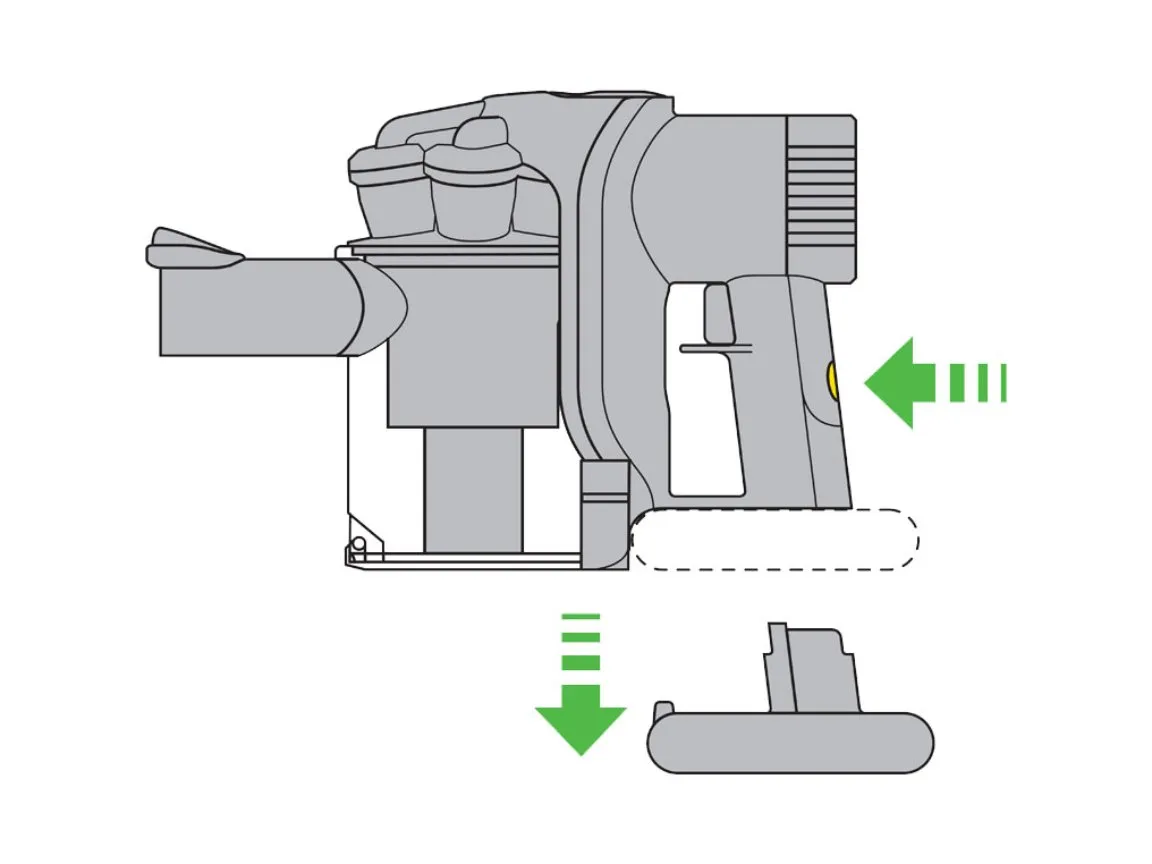
If the battery is the issue, you’ll need to replace the entire battery pack. This is a simple process involving two or three screws depending on your model. If the battery is removable, it’s a straightforward swap. If it’s internal, take care not to strip the screws during removal. This isn’t for you if you’re uncomfortable using a screwdriver or if your model is still under the manufacturer’s warranty, as opening the casing can void your coverage. Always check your warranty status before purchasing a replacement part.
Airflow blockages in the wand
A blockage in the wand or the cleaner head stops the vacuum from running because the motor can’t pull air through the system. You can test for this by removing the wand and the cleaner head entirely. Try to turn the motor on with only the main unit remaining. If the unit runs perfectly without the attachments, you have found a clog in one of the tubes.
Use a long, blunt object like a broom handle to push any stuck debris out of the wand. Never use sharp metal tools like a knife or scissors, as these can puncture the internal seals or damage the plastic housing. Once the path is clear, reattach the parts and test the power again. A common mistake is leaving a small coin or hairball lodged in the connector elbow, which continues to trigger the safety cutoff even if the rest of the tube looks clear.
This fix is simple, but it requires patience to ensure the entire length of the tube is clear. If you find nothing in the wand, check the brush bar on the cleaner head. Hair and carpet fibers often wrap around the bar, preventing it from spinning. If the brush bar is stuck, the vacuum will shut down to prevent the motor from stalling. Manually rotate the brush bar to ensure it moves freely. If it feels stuck even after you remove all visible hair, the bearing inside the head may be seized.
The less likely causes
-
Trigger switch failure: The trigger mechanism can break internally, meaning the electrical signal never reaches the motor. If the device feels “mushy” or fails to click when pressed, the spring has likely snapped. This requires a professional repair.
-
Motor burn-out: If you smell burning plastic or hear a grinding sound, the motor is likely damaged beyond a simple fix. A common mistake is continuing to pull the trigger to “force” it to start; this can permanently fuse the internal copper windings.
-
Faulty power board: Internal circuit board failure prevents the battery from communicating with the motor. If the battery shows a full charge but the unit remains completely unresponsive, the board is the primary suspect.
-
Loose internal wiring: Vibrations can sometimes loosen connections inside the handle. You should never open the housing to check these yourself due to the risk of shock from residual capacitor energy. Always consult a technician for internal diagnostics.
What a fix usually involves
Fixing a Dyson vacuum usually involves either cleaning existing components or replacing modular parts. A simple filter wash costs nothing but time, typically requiring twenty-four hours for the part to dry. If you need a new filter or a replacement battery, these are sold as modular units that you slide or screw into place. A new filter is a small part with a low cost, while a new battery is a more significant investment, often representing a large portion of the price of a new unit.
To determine the exact cost for your specific model, visit the official Dyson support page and enter your serial number. This ensures you buy the correct part, as different models use different battery voltages and connections. Avoid third-party parts that claim to be universal, as they often fail to communicate with the Dyson software. If the fix requires internal work on the motor or the motherboard, you’ll need to contact a service center. These repairs are best handled by authorized professionals, as they have the specialized tools to open the housing without damaging the delicate plastic clips.
Frequently asked questions
Can I use my Dyson while the battery is charging?
No, the machine is designed to cut power to the motor as soon as the charger is connected. This is a safety feature to prevent the battery from overheating or drawing current from two sources at once. You must wait for the battery to reach a full charge before you can use the vacuum again.
Why does my Dyson blink red when I try to turn it on?
A blinking red light usually indicates a battery fault or a communication error between the battery and the motor. Try removing the battery and cleaning the metal contact points with a dry, lint-free cloth. If the light persists after you reattach it, the battery pack likely needs a full replacement to restore power.
How long does a Dyson battery last before it dies?
A battery typically lasts for several years of regular use, though this varies based on usage frequency. If you notice the runtime dropping significantly over a few months, it’s a sign that the battery is reaching the end of its life.
Is it safe to leave my Dyson on the charger?
Yes, the charger is designed to stop drawing power once the battery reaches one hundred percent. The internal management system prevents overcharging, so you can leave it docked when not in use. This keeps the unit ready for your next cleaning task without damaging the battery cells.
What happens if I use a non-Dyson charger?
Using a charger not made for your specific model can damage the battery or even cause a fire hazard. The voltage and current output must match the manufacturer’s specifications exactly. Always stick to the original charging equipment that came in the box or an official replacement from the manufacturer’s website.
Does it matter if I store the vacuum in a cold garage?
Yes, extreme temperatures can significantly reduce the lifespan and performance of lithium-ion batteries. You should store your vacuum in a climate-controlled area, ideally indoors, to keep the battery within its safe operating temperature range. Cold environments can cause the machine to report a false power error or simply fail to start.
Final Thoughts
If your vacuum still won’t start after these checks, it’s time to reach out to Dyson’s support team. They’ll help you determine if you need a professional repair or a replacement part. Don’t worry, as they’re usually happy to assist you in getting your home back to its tidy, clean state.