
When your dryer timer keeps running, it can feel like your laundry routine is stuck on repeat. The clothes finish drying, but the timer keeps ticking, refusing to shut off. This problem is more common than many people think, and it can leave you frustrated and worried about safety or energy waste.
But why does this happen, and what can you do about it?
In this article, you’ll discover what causes a dryer timer to keep running, how to diagnose the issue, and practical steps for fixing it. Whether you’re a DIY homeowner or just want to understand your appliance better, you’ll find clear explanations, real-life examples, and tips to help you take action.
Why Does A Dryer Timer Keep Running?
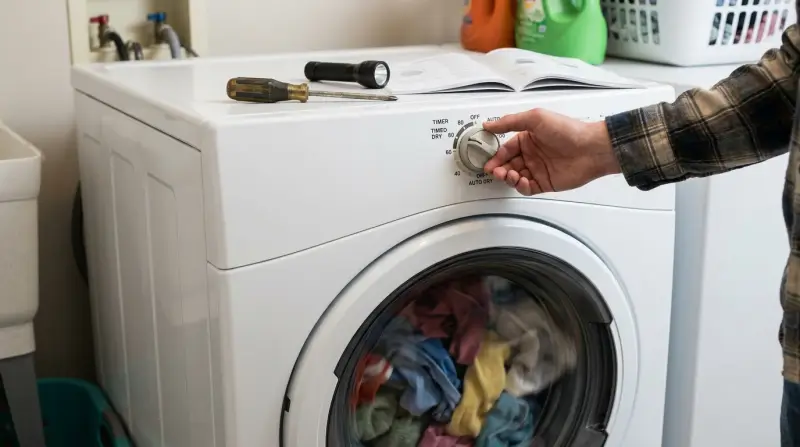
A dryer timer is designed to control how long the machine operates. When it fails, the dryer may run endlessly, wasting power and possibly even overheating. Understanding the root causes is the first step to solving the problem.
How The Dryer Timer Works
Most dryers use either a mechanical timer or an electronic control board. Mechanical timers use gears and contacts; electronic ones rely on sensors and digital controls. Both types are meant to count down and stop the dryer at the right moment.
When the timer doesn’t stop, it usually means something is interfering with this process. The issue could be mechanical, electrical, or related to sensors inside the dryer.
Common Symptoms
- Dryer continues running after cycle ends
- Timer knob does not move or advance
- Clothes are dry, but dryer won’t turn off
- Timer runs even with the door open (rare, but possible)
- Error codes on digital display (for newer models)
If you’re seeing any of these signs, your dryer’s timer system likely needs attention.
Main Causes Of A Dryer Timer That Keeps Running
Let’s look at the most frequent reasons behind this issue, using both expert knowledge and real-world examples.
1. Faulty Timer Motor
The timer motor moves the dial forward as the dryer runs. If this tiny motor jams or fails, the timer can get stuck in one position. Sometimes the timer keeps ticking, but the contacts inside never close the circuit to shut off the dryer.
Example:
A homeowner notices their dryer won’t stop, no matter how long it runs. After removing the control panel, they find the timer motor is hot and not turning. Replacing it solves the problem.
2. Defective Door Switch
The door switch ensures the dryer only operates when the door is closed. If the switch fails in the “closed” position, the dryer may keep running even when it shouldn’t.
Example:
A dryer runs with the door open, and the timer never stops. Testing the door switch with a multimeter shows it’s stuck closed. Replacing the switch fixes both issues.
3. Broken Timer Knob Or Shaft
If the timer knob or shaft is loose, cracked, or stripped, turning it won’t actually move the timer. The dryer may stay on the same cycle forever.
Key Insight:
Many people assume the timer is broken, but sometimes the knob is just spinning freely on the shaft. Always check the knob before replacing expensive parts.
4. Faulty Cycling Thermostat
The cycling thermostat monitors the air temperature inside the dryer. If it’s stuck in the “on” position, the timer may never get the signal to advance.
Example:
A dryer heats up but never finishes the cycle. Testing shows the cycling thermostat doesn’t open when it should, leaving the timer running.
5. Malfunctioning Moisture Sensor
Modern dryers use moisture sensors to detect when clothes are dry. If the sensor is dirty or faulty, it can tell the dryer to keep running—even if the laundry is already dry.
Key Insight:
Moisture sensors can often be cleaned with rubbing alcohol. If you notice your dryer stops working after cleaning, the sensor was likely the issue.
6. Control Board Problems
Newer dryers use electronic control boards instead of mechanical timers. A glitchy board can send the wrong signals, causing the dryer to run too long.
Data:
Control board failures account for about 10% of timer problems in modern dryers, based on industry repair statistics.
7. Wiring Or Electrical Issues
Loose wires, burned contacts, or corroded connectors can all disrupt the timer circuit. This might cause the timer to run without advancing, or to stay powered on endlessly.
Key Insight:
Always unplug the dryer before checking electrical components. Many timer issues are caused by something as simple as a loose connector.
8. User Error Or Settings Issue
Sometimes, the problem is as simple as the wrong cycle or settings. Some cycles (like “air fluff” or “wrinkle prevent”) are designed to run for extended periods.
Example:
A user selects “wrinkle guard” and thinks the dryer is broken when it keeps tumbling every few minutes. Reading the manual clears up the confusion.

Credit: www.youtube.com
How To Diagnose A Dryer Timer That Keeps Running
A systematic approach helps you find the root cause. Here’s a step-by-step process to narrow down the problem.
Step 1: Confirm The Symptoms
- Does the timer dial move at all?
- Does the dryer heat up and dry clothes?
- Does the dryer stop when you open the door?
- Are there any error codes on the display?
- Is the timer running in every cycle, or only some?
Write down your answers—they can help you (or a repair technician) later.
Step 2: Check The Power And Settings
Unplug the dryer. Check that you’re using the right cycle. Make sure the timer knob isn’t stuck between two settings.
Step 3: Inspect The Timer Knob
Pull off the knob and check for cracks or wear. Turn the timer shaft with pliers to see if it advances. If it does, the knob is the problem.
Step 4: Test The Door Switch
With the dryer unplugged, remove the switch and use a multimeter to check for continuity. Replace if faulty.
Step 5: Examine The Timer Motor
Remove the control panel. Look for signs of overheating or burned contacts. Test the timer motor with a multimeter—no continuity means it’s dead.
Step 6: Check Thermostats And Sensors
Locate the cycling thermostat and moisture sensors. Use a multimeter to test for proper operation. Clean the sensors with rubbing alcohol.
Step 7: Inspect The Control Board
Look for burnt spots, loose wires, or damaged components. If you see damage, the control board may need replacement.
Step 8: Review The Wiring
Check all connections for corrosion or loose wires. Reconnect any that are not secure.
Tools And Materials Needed
To diagnose and repair a dryer timer that keeps running, you’ll need a few basic tools and supplies.
- Screwdrivers (Phillips and flathead)
- Multimeter (for electrical testing)
- Needle-nose pliers
- Replacement parts (timer motor, door switch, thermostat, etc.)
- Rubbing alcohol and cotton swabs (for cleaning sensors)
- Owner’s manual (for wiring diagrams and part numbers)
Having the right tools speeds up the repair and helps prevent mistakes.
Step-by-step Repair Solutions
Depending on what you find during diagnosis, here’s how to address each main cause.
Replacing A Faulty Timer Motor
- Unplug the dryer.
- Remove the control panel (usually a few screws).
- Disconnect the wires from the timer (take a picture for reference).
- Remove the old timer motor.
- Install the new motor, reconnect the wires, and reattach the panel.
- Plug in and test.
Always match the part number. Even similar-looking timers can have different wiring.
Fixing A Broken Door Switch
- Unplug the dryer.
- Open the top or front panel to access the switch.
- Remove the switch and disconnect wires.
- Install the new switch and reconnect.
- Test with the door open and closed.
Some dryers have two screws holding the switch; others use clips.
Replacing The Timer Knob
- Pull off the old knob.
- Check the shaft for damage.
- Push on the new knob until it clicks into place.
If the shaft is stripped, it may need to be replaced too.
Cleaning Or Replacing Moisture Sensors
- Locate the moisture sensor bars inside the drum.
- Wipe with rubbing alcohol and a cotton swab.
- If the sensor is still faulty, replace it.
Swapping Out A Cycling Thermostat
- Unplug the dryer.
- Locate the thermostat (usually on the blower housing).
- Remove screws and wires.
- Install the new thermostat and reconnect wires.
Replacing The Control Board
- Unplug the dryer.
- Remove the back or top panel to access the board.
- Take a photo of wire connections.
- Disconnect wires and mounting screws.
- Install the new board, reconnect everything, and test.
Control boards are expensive and not always the culprit. Confirm the diagnosis before buying.
Repairing Wiring Or Connectors
- Unplug the dryer.
- Inspect wires for corrosion or loose connections.
- Clean or replace as needed.
- Secure connections before reassembling.
Key Insight: Most wiring issues show visible signs like discoloration or a burning smell.
When To Call A Professional
Not every problem can (or should) be fixed at home. Here are situations where calling a pro is smart:
- You’re not comfortable working with electricity.
- The repair involves soldering or advanced electronics.
- The dryer is under warranty.
- Replacement parts are expensive or hard to find.
Professional technicians have tools and experience that can save you time and money in complex cases.

Credit: www.reddit.com
Preventing Timer Problems In The Future
Many timer issues can be prevented with a bit of regular care.
Clean Lint Filters And Vents
A blocked vent or lint filter can overheat the dryer, stressing the timer and other parts.
Data: The U.S. Fire Administration reports that 34% of dryer fires are caused by failure to clean lint filters.
Use Dryer As Intended
Don’t overload the dryer or use cycles not designed for your fabrics. Follow the owner’s manual for best results.
Inspect And Maintain Regularly
Check knobs, switches, and door seals every few months. Replace worn parts before they fail completely.
Schedule Professional Maintenance
Having your dryer serviced every 1–2 years can catch electrical or timer problems early.
Cost Comparison: Diy Vs. Professional Repair
Here’s a comparison to help you decide whether to fix the dryer yourself or hire a technician.
| Repair Type | DIY Cost (Parts Only) | Professional Cost (Parts + Labor) |
|---|---|---|
| Timer Motor Replacement | $40–$100 | $120–$250 |
| Door Switch Replacement | $10–$30 | $80–$150 |
| Control Board Replacement | $100–$250 | $200–$400 |
| Moisture Sensor Cleaning | Free | $60–$100 |
Key Insight: DIY can save money, but always consider your safety and the value of your time.
Popular Dryer Brands And Timer Issues
Some dryers are more likely to have timer problems than others. Here’s a quick look at common brands.
| Brand | Timer Type | Known Issues | Average Lifespan |
|---|---|---|---|
| Whirlpool | Mechanical/Electronic | Knob cracking, timer motor wear | 8–12 years |
| LG | Electronic | Sensor errors, board failures | 10–15 years |
| Maytag | Mechanical | Thermostat, knob issues | 8–12 years |
| Samsung | Electronic | Control board glitches | 10–14 years |
Always check your specific model for known recalls or service bulletins.
Energy And Safety Risks
A dryer that keeps running uses more electricity and can become a fire risk.
Energy Waste
A dryer running too long can use an extra 2–4 kWh per load, which adds up on your bill. At the national average of $0. 16 per kWh, that’s up to $0. 64 wasted each load.
Fire Hazard
If the timer never shuts off, heating elements may overheat. This increases the chance of a fire, especially if vents are clogged.
Key Insight: If you ever smell burning or see smoke, turn off and unplug the dryer immediately.
Troubleshooting Examples
Here are two real-world examples to show how these issues play out.
Case 1: Mechanical Timer Jammed
A family’s 10-year-old Whirlpool dryer keeps running, even when the dial is at “off. ” The knob feels normal, but the dryer won’t stop. They unplug the dryer, remove the back panel, and see that the timer motor is jammed.
A $60 replacement timer motor solves the problem.
Case 2: Moisture Sensor Dirty
A user’s LG dryer runs endlessly on the “auto dry” cycle but works fine on “timed dry. ” Cleaning the moisture sensor bars with rubbing alcohol fixes the issue immediately—no parts needed.
Common Mistakes And How To Avoid Them
Mistake 1: Replacing Parts Without Testing
Many people replace the timer first, only to find the problem was a bad door switch or dirty sensor. Always diagnose before buying parts.
Mistake 2: Ignoring Error Codes
If your dryer has a digital display, error codes can tell you exactly what’s wrong. Check the manual or search online for the meaning.
Mistake 3: Skipping Safety Steps
Never work on a dryer while it’s plugged in. Always check for sharp edges, and use insulated tools.
Mistake 4: Overlooking The Manual
The owner’s manual contains important wiring diagrams and troubleshooting steps. It’s often available online if you’ve lost yours.
How Dryer Timers Differ By Model
While the basics are similar, some dryers use unique timer systems.
Mechanical Timers
Older dryers and some basic models use a mechanical timer with gears and cams. These are usually easier to repair but can wear out over time.
Electronic Timers
Newer dryers use electronic control boards with digital displays. These can be more precise and have advanced features, but repairs are often more expensive.
Hybrid Systems
A few dryers use a mix—mechanical for basic cycles, electronic for advanced features.
Key Insight: Always look up your model number before ordering parts or starting repairs.
How To Find The Right Replacement Parts
Getting the correct part is critical to a successful repair.
Where To Look
- Appliance parts stores (local and online)
- Manufacturer’s website
- Model-specific forums or support pages
What To Know
- Full model number and serial number
- Part number from the manual or old part
- Photo of the old part (if possible)
If you’re unsure, bring the part to the store or ask customer service for help.
When It’s Time To Replace The Dryer
Sometimes, repairing an old dryer isn’t worth the cost. Here are signs you may need a new one:
- Multiple major parts have failed (timer, motor, control board)
- Dryer is more than 12–15 years old
- Repair costs exceed 50% of the price of a new dryer
- Frequent breakdowns even after repairs
Data: The average lifespan of a dryer is 10–13 years. If yours is older, a replacement may be a better investment.
Environmental Impact
A dryer running too long uses unnecessary energy, increasing your carbon footprint. Modern dryers are more efficient, so upgrading can save both money and resources.
Key Insight: Cleaning your dryer’s vent and repairing the timer promptly can reduce energy waste by up to 20%.
Where To Get More Help
If you’re stuck, you can find professional repair services through:
- Local appliance repair shops
- Manufacturer’s authorized service centers
- Online forums and video tutorials
For deeper technical information, check out the Clothes dryer Wikipedia page.
Frequently Asked Questions
Why Does My Dryer Keep Running After The Clothes Are Dry?
This often happens if the moisture sensor is dirty or faulty. The dryer thinks clothes are still wet and keeps running. Clean the sensor with rubbing alcohol, and if the problem persists, test and replace the sensor if needed.
Can I Fix A Dryer Timer Myself?
Yes, if you’re comfortable with basic tools and safety steps. Common repairs, like replacing the timer motor or door switch, are within reach for most DIYers. However, if your dryer uses an electronic control board, you may want a professional’s help.
Is It Dangerous If My Dryer Timer Keeps Running?
It can be. A constantly running dryer may overheat, increasing the risk of fire. Always address the problem quickly. If you notice burning smells or the dryer gets very hot, unplug it immediately and have it checked.
How Much Does It Cost To Fix A Dryer Timer That Won’t Stop?
DIY repairs can cost as little as $10 for a door switch, up to $250 for a control board. Professional repairs are usually $80–$400 depending on parts and labor. Weigh the age of your dryer and the cost of repairs before deciding.
How Do I Know If My Dryer Timer Is Electronic Or Mechanical?
Check your owner’s manual or look inside the control panel. Mechanical timers have gears and a dial; electronic models have circuit boards and often a digital display. If you’re not sure, search your dryer’s model number online.
A dryer timer that keeps running is more than just an annoyance—it can waste energy, raise your bills, and even pose a safety risk. With the steps and tips above, you can diagnose and often fix the issue yourself. If the repair feels too complicated or your dryer is nearing the end of its life, consider calling a pro or shopping for a replacement.
Regular maintenance and quick action can keep your laundry routine smooth and your home safe.