
If your Wii Nunchuk suddenly stops working, it can ruin a fun gaming session in seconds. Whether you’re playing classic titles like “Mario Kart Wii” or enjoying family games, the Nunchuk is key for many Wii experiences. But what if it just won’t respond, or the joystick behaves strangely? Don’t panic—most issues are easy to fix at home. This guide will help you understand why your Nunchuk isn’t working, how to troubleshoot it, and what to do if you need a replacement. Even if you’re new to gaming or English, you’ll find clear steps and helpful tips here.
Understanding How The Wii Nunchuk Works
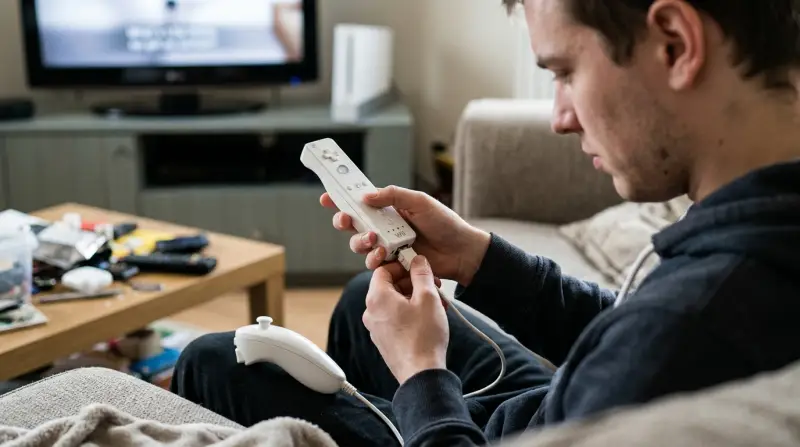
The Wii Nunchuk is more than just an add-on. It connects to the Wii Remote via a short cable and adds an analog stick and two extra buttons (C and Z). Many popular Wii games depend on it for movement, aiming, or special actions.
Inside the Nunchuk, there are sensors, a small circuit board, and wires connecting everything. Unlike the Wii Remote, the Nunchuk does not have its own batteries—it draws power directly from the remote.
Because of this design, problems with the Nunchuk can come from the Nunchuk itself, the Wii Remote, or even the game you are playing. Knowing how it works will help you troubleshoot more effectively.
Common Wii Nunchuk Problems
Some Nunchuk issues are very common. Before you start fixing anything, it helps to recognize the type of problem you have:
- No response at all: The joystick and buttons do nothing in-game.
- Joystick drift: The character moves without you touching the stick.
- Buttons not working: C or Z button fails to register.
- Intermittent connection: The Nunchuk works, but sometimes disconnects or freezes.
- Error messages: The Wii shows a message like “Nunchuk not detected.”
Each problem can have different causes. Sometimes it’s a simple fix, but other times it might mean the Nunchuk or remote is broken.
Fast Troubleshooting Steps
If your Nunchuk doesn’t work, try these steps first. Most issues can be solved quickly with a little patience.
Unplug And Reconnect
Remove the Nunchuk from the Wii Remote, wait a few seconds, and plug it back in. Sometimes, the connection just needs to be reset.
Try Another Nunchuk Or Wii Remote
If you have a second Nunchuk or remote, swap them:
- Use the same Nunchuk with a different remote.
- Use a different Nunchuk with the same remote.
This helps you see if the problem is with the Nunchuk or the remote.
Restart The Wii Console
Turn off the Wii, wait for 10 seconds, and turn it back on. This can clear small software glitches.
Check For Game Compatibility
Some games do not use the Nunchuk or require you to connect it after starting the game. Always check the game’s instructions.
Inspect The Cable
Look for bends, cuts, or exposed wires on the Nunchuk’s cable. A damaged cable is a common cause of problems.
Clean The Connectors
Dirt or dust inside the connector can cause issues. Use a soft, dry cloth or a cotton swab to gently clean the plug.
In-depth Fixes For Persistent Problems
If quick fixes don’t help, it’s time for a deeper look. Let’s break down the most common Nunchuk issues and how to solve them.
Nunchuk Not Responding At All
If nothing happens when you move the stick or press the buttons:
- Test with another remote. If the Nunchuk works, your remote’s port may be faulty.
- Test a different Nunchuk. If another Nunchuk works, your original one may be broken.
- Check the connector port on the remote for dust or damage.
Joystick Drift
This happens when your game character moves by itself.
- Calibrate the Nunchuk: Hold the stick perfectly still, then plug it into the remote. The Wii will reset the center position.
- Restart the console: Sometimes, drift is caused by software errors.
- Check for dirt: Gently move the stick around. If it feels sticky or rough, dirt may be inside. Try carefully blowing compressed air around the base.
Buttons Not Working
If the C or Z button doesn’t respond:
- Press firmly. Light presses sometimes don’t register.
- Check for physical damage. If the button is stuck or loose, it may be broken.
- Test with another game. Some games only use one button.
Intermittent Connection
If your Nunchuk disconnects while playing:
- Wiggle the cable gently while plugged in. If the connection drops, the cable may have an internal break.
- Secure the plug. Make sure it’s pushed in all the way.
Error Messages
If you see “Nunchuk not detected” or similar:
- Unplug and reconnect.
- Restart the game.
- Update your Wii system software if possible.

Comparing Original Vs Third-party Nunchuks
Many people buy third-party Nunchuks because they are cheaper. But is there a difference in quality? Here’s a comparison to help you decide:
| Feature | Original Nintendo Nunchuk | Third-Party Nunchuk |
|---|---|---|
| Build Quality | High, durable plastic | Varies, often lighter |
| Joystick Accuracy | Very precise | Sometimes less accurate |
| Button Responsiveness | Consistent | May feel soft or sticky |
| Compatibility | 100% with all games | Some issues reported |
| Price | Higher | Lower |
If your third-party Nunchuk is not working, it might be a compatibility problem. Some games or remotes do not recognize certain cheap models.
When To Repair Or Replace Your Nunchuk
Sometimes, you can fix a Nunchuk at home. But often, replacing it is the best choice. Here are signs you should consider a replacement:
- Cable is frayed or broken
- Buttons are physically stuck
- Joystick is loose or doesn’t move smoothly
- Multiple Nunchuks fail on the same remote (then the remote may be faulty)
Original Nunchuks are more reliable, but if you must buy a third-party one, check reviews and make sure it’s compatible with your Wii model.
Data Table: Common Wii Nunchuk Problems And Solutions
To help you quickly identify and solve Nunchuk problems, see this summary:
| Problem | Possible Cause | Solution |
|---|---|---|
| No response | Bad connection, broken Nunchuk or remote | Test with another remote/Nunchuk, clean connectors |
| Joystick drift | Improper calibration, dirt | Recalibrate, clean stick, restart console |
| Buttons not working | Broken button, dirt, incompatible game | Test in another game, press firmly, inspect for damage |
| Intermittent connection | Cable damage, loose plug | Wiggle cable, secure connection, replace if needed |
| Error message | Software glitch, hardware fault | Restart game/console, update software |
Tips To Avoid Future Nunchuk Problems
Prevention is better than fixing. Follow these tips to make your Nunchuk last longer:
- Store carefully: Wrap the cable loosely, don’t pull or bend it sharply.
- Avoid dropping: Impacts can damage internal parts.
- Keep connectors clean: Dirt can cause poor connections.
- Don’t force the plug: If it doesn’t fit easily, check for debris.
- Buy quality replacements: Cheap, no-name Nunchuks often fail quickly.
Many people forget that the Nunchuk, like any controller, can wear out over time. Replacing it every few years is normal, especially with heavy use.

Hidden Causes Beginners Often Miss
Many first-time Wii owners overlook these less obvious issues:
- Wii Remote issues: If the remote’s expansion port is damaged or dirty, every Nunchuk you try will fail. Always test both devices.
- Software settings: Some games let you turn off the Nunchuk in the options menu. Make sure the game expects the Nunchuk.
- Updates: Rarely, a Wii system update can fix controller bugs. Check if your Wii is up-to-date.
How To Choose A New Wii Nunchuk
If you decide to buy a replacement, keep these points in mind:
- Compatibility: Make sure it’s designed for the original Wii, not Wii U or Switch.
- Reviews: Read buyer reviews about quality and compatibility.
- Return policy: If it doesn’t work, you’ll want to return or exchange it.
- Price vs. quality: Very cheap Nunchuks often break quickly or may not work at all.
Here’s a quick comparison of purchase options:
| Source | Pros | Cons |
|---|---|---|
| Official Nintendo | High quality, reliable | Expensive, sometimes hard to find |
| Third-party brands | Affordable, widely available | Quality varies, may not last as long |
| Used/secondhand | Cheap, eco-friendly | Unknown condition, no warranty |

Frequently Asked Questions
Why Is My Wii Nunchuk Not Working With Some Games?
Some games do not support the Nunchuk or only need it for special tasks. Always check the game’s instructions or settings menu to see if the Nunchuk is required.
Can I Fix A Broken Nunchuk Cable Myself?
It’s possible to repair a broken cable, but it requires soldering skills and special tools. For most users, buying a new Nunchuk is safer and easier.
How Do I Know If My Nunchuk Is Genuine?
Genuine Nunchuks have the Nintendo logo, use higher quality plastic, and feel heavier. Cheap third-party models may look different and sometimes have odd button shapes or colors.
Will A Wii U Nunchuk Work With My Wii?
Yes, the Wii U Nunchuk is fully compatible with the original Wii. However, some third-party Nunchuks for Wii U may not work with older consoles. Always check compatibility before buying.
Where Can I Find Reliable Information About Wii Accessories?
The official Nintendo support site and trusted gaming resources like Wikipedia are good places to start. They offer detailed guides and troubleshooting help.
If your Wii Nunchuk isn’t working, don’t give up on your favorite games. With the right checks, cleaning, and sometimes a replacement, you’ll be back to playing quickly. Remember, even simple gaming accessories need care and attention for the best experience.