
Many people rely on an Afmat pencil sharpener every day, whether for school, office, or creative work. When this electric sharpener stops working, it can be frustrating and confusing. You may wonder if it’s broken, if you made a mistake, or if there’s a simple fix. This guide will help you understand what causes the problem, how to troubleshoot, and how to get your Afmat sharpener working again.
Afmat sharpeners have a strong reputation for efficiency and durability. However, like any device, they can run into trouble. The good news is that most issues are easy to fix, even for beginners. You do not need special tools or advanced skills just some patience and the right guidance.
Common Reasons Why Your Afmat Pencil Sharpener Is Not Working
Before you start fixing, it’s important to know the main causes. This makes troubleshooting faster and prevents mistakes.
Power Issues
Afmat sharpeners are mostly electric or battery-powered. If your sharpener does not turn on, check:
- The plug: Is it firmly connected?
- The outlet: Does it have power? Try plugging in another device.
- Battery: If you use batteries, are they inserted correctly? Are they new or fully charged?
A surprising number of Afmat sharpener problems are simply power-related. If the device is dead, always check power first.
Pencil Jam
Sometimes, a piece of pencil gets stuck inside the sharpener. This is the most common problem for both students and professionals.
- Wood or lead fragments can block the blades.
- The sharpener may make noise but not sharpen.
- Sometimes, the device will shut down to prevent damage.
Blade Dullness Or Damage
After long use, the blade inside the sharpener can get dull or break.
- A dull blade makes pencils uneven or hard to sharpen.
- Broken blades can stop the sharpener completely.
- Sometimes, you see pencil shavings but the pencil tip is not sharp.
Overheating
If you use the sharpener for many pencils in a row, it can overheat.
- Many Afmat models have an automatic shut-off.
- Letting the sharpener rest for 15–30 minutes usually solves this.
Safety Switch Not Engaged
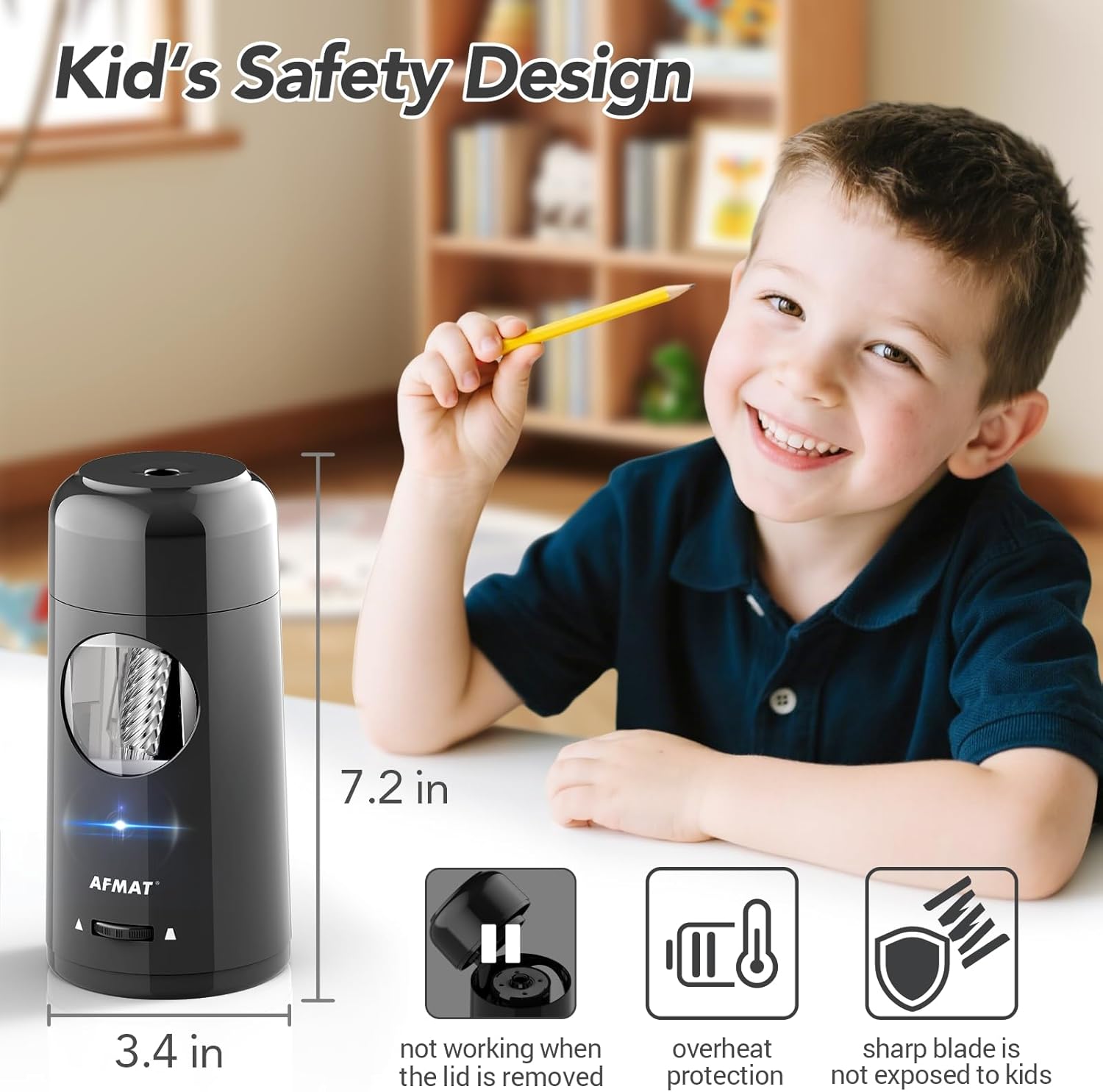
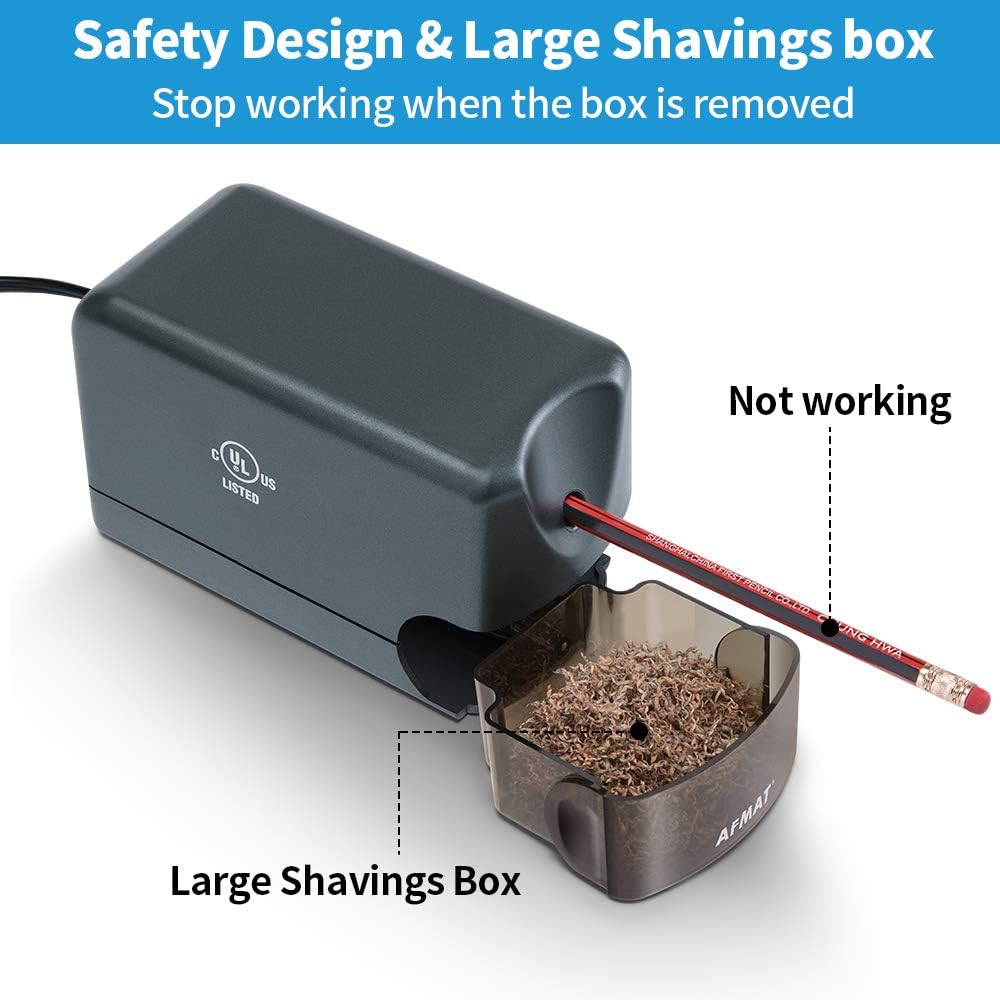
Afmat sharpeners have safety switches to protect users. If the shavings bin is not in place, or the lid is not closed, the sharpener will not work.
- Always check that the bin is fully inserted.
- Make sure the lid clicks shut.
Internal Wiring Fault
Rarely, the wiring inside the sharpener fails.
- If you hear a buzzing sound, or see a flickering light, this could be the problem.
- This often requires professional repair or replacement.
Troubleshooting Steps For Afmat Pencil Sharpener
You do not need to guess. Follow these steps in order. Most users find their sharpener works again after one or two steps.
Step 1: Check Power Supply
- Plug the sharpener into a working outlet.
- For battery models, remove and reinsert the batteries.
- Try new batteries if the device still does not work.
- If the sharpener still does not turn on, continue to step 2.
Step 2: Inspect For Jams
- Remove the shavings bin.
- Look inside the sharpening area. Use a flashlight if needed.
- Gently pull out any stuck pencil fragments using tweezers.
- Avoid using metal tools that can damage the blade.
Step 3: Examine The Blades
- Look for signs of wear or damage.
- If you see rust or broken edges, the blade needs replacement.
- Afmat sells replacement blades online—refer to the product manual for instructions.
Step 4: Let It Cool Down
- If you recently sharpened many pencils, let the device rest for 15–30 minutes.
- Try again after cooling.
Step 5: Check Safety Features
- Make sure the shavings bin is inserted correctly.
- If the bin is cracked or does not fit, order a replacement.
Step 6: Test With Different Pencils
- Sometimes, the pencil itself is the problem.
- Try sharpening a new, high-quality pencil.
Step 7: Inspect Internal Wiring
- If all steps above fail, listen for buzzing, clicking, or burning smells.
- If you notice these signs, stop using the sharpener.
- Contact Afmat support or a local repair shop.

How To Prevent Afmat Sharpener Problems
Most issues can be avoided by following simple care tips.
- Empty shavings bin regularly: A full bin can cause jams and block the safety switch.
- Do not force pencils: Pushing too hard can break the blade or jam the sharpener.
- Use high-quality pencils: Cheap pencils splinter more easily and can jam the device.
- Clean blades occasionally: Use a soft brush to clear debris.
- Let the device cool: Avoid sharpening too many pencils at once.
- Store in a dry place: Moisture can rust the blade and damage electronics.
Afmat Pencil Sharpener Models: Comparison
Not all Afmat sharpeners are the same. Some models are more durable, others are easier to clean. Here is a comparison of three popular Afmat models:
| Model | Power Source | Blade Type | Safety Features | Average Price (USD) |
|---|---|---|---|---|
| Afmat Electric Heavy Duty | AC Adapter | Helical | Auto Shut-off, Bin Sensor | 45 |
| Afmat Battery Operated | AA Batteries | Helical | Bin Sensor | 30 |
| Afmat Manual | Manual | Steel | None | 12 |
When To Repair Vs Replace Your Afmat Sharpener
Sometimes, fixing is possible. Other times, replacement is better. Here’s how to decide:
| Problem | Repair Cost (USD) | Replacement Cost (USD) | Recommendation |
|---|---|---|---|
| Jammed pencil | 0–10 | 30–45 | Repair |
| Dull or broken blade | 5–15 | 30–45 | Repair |
| Internal wiring fault | 25–40 | 30–45 | Replace |
| Cracked shavings bin | 5–10 | 30–45 | Repair |
| Motor failure | 30–40 | 30–45 | Replace |
Non-obvious insight: If your sharpener is over three years old and has a major issue (like motor failure), replacement is often more cost-effective. Many users don’t realize that newer models are more energy-efficient and safer.
Practical Tips For Long-term Afmat Sharpener Use
It’s easy to forget about maintenance once your device is working again. But good habits will extend its life.
- Keep the device clean: Wipe the exterior with a dry cloth.
- Avoid cheap pencils: These often leave more debris.
- Replace blades periodically: Most people wait until the blade fails, but replacing every 12–18 months keeps performance high.
- Watch for overheating: If the device feels hot, let it rest. Overheating shortens motor life.
Beginner mistake: Many users forget to empty the shavings bin until it is overflowing. This can cause jams and even damage the motor.
Afmat Sharpener Vs Other Brands
Is Afmat the best choice? Here’s a quick comparison with other popular brands:
| Brand | Durability | Price Range (USD) | Warranty |
|---|---|---|---|
| Afmat | High | 12–45 | 1 year |
| X-Acto | Medium | 15–50 | 1 year |
| Bostitch | Medium | 18–40 | 3 years |
| OfficeGoods | Low | 20–35 | 6 months |
Afmat stands out for durability and price. Some other brands offer longer warranties, but Afmat’s performance and build quality are well rated.
Real-world Example: Fixing A Jammed Afmat Sharpener
Emily, a teacher, noticed her Afmat sharpener was noisy but not sharpening. She followed these steps:
- Unplugged the sharpener for safety.
- Removed the shavings bin.
- Used tweezers to pull out a stuck pencil tip.
- Cleaned the blade area with a small brush.
- Plugged it back in and tested with a new pencil.
Her sharpener worked perfectly again. This simple fix saved her from buying a new device.
Where To Get Help
If you cannot fix your sharpener, you can:
- Contact Afmat customer service through their website.
- Find replacement parts online.
- Visit a local electronics repair shop.
For more details on electric sharpeners, see the Wikipedia article on pencil sharpeners.
Frequently Asked Questions
Why Does My Afmat Sharpener Stop Working After A Few Pencils?
This is usually overheating. Most Afmat models shut off to protect the motor. Let it cool for 15–30 minutes and try again.
Can I Sharpen Colored Pencils With An Afmat Sharpener?
Yes, but colored pencils are softer and break more easily. Use gentle pressure and clean the blades often to avoid jams.
How Do I Know If The Blade Needs Replacing?
If your pencils come out uneven, or sharpening takes much longer, the blade is likely dull. Check for visible rust or damage.
Is It Safe To Open The Sharpener For Cleaning?
Yes, but always unplug it first. Use only soft tools and avoid touching the blade directly. Never use water near the motor.
Where Can I Buy Afmat Replacement Blades?
You can find replacement blades on Afmat’s official website, Amazon, or office supply stores. Always check the model number before ordering.
Fixing an Afmat pencil sharpener is usually simple, and most problems can be solved without expert help. By understanding common issues and following practical steps, you can keep your sharpener working for years. If you maintain your device and use it properly, you will enjoy sharp pencils and smooth operation every day.
1 thought on “Afmat Pencil Sharpener Not Working? Quick Fixes and Solutions”