
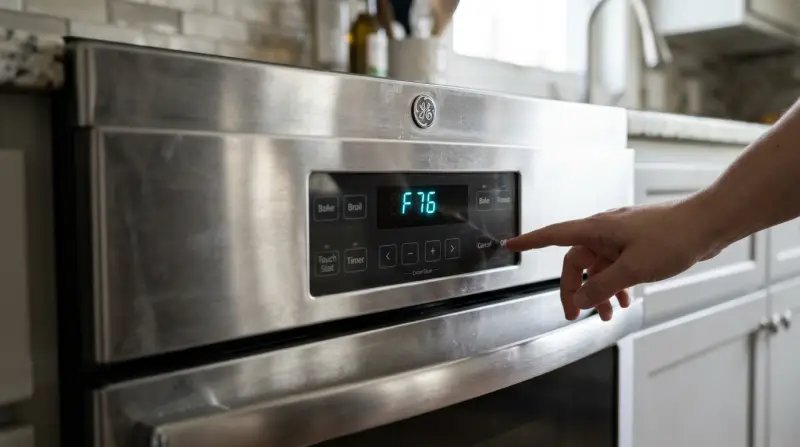
An F76 GE Oven Error Code indicates a communication failure between the main control board and the user interface board. If the error clears after a power cycle, you may continue using the oven, but avoid it if the display remains unresponsive. To troubleshoot, turn off the power at the circuit breaker for 60 seconds; if the code returns immediately, the internal data link is likely broken.
Understanding the F76 Ge Oven Error Code
| What you notice | What it usually means | What to do first |
|---|---|---|
| Display shows F76 code | Data link failure | Reset power at breaker |
| Buttons don’t respond | Control board locked | Check for stuck keys |
| Display is blank/dark | Power supply interruption | Inspect wall outlet |
| Screen flashes or dims | Voltage fluctuation | Check main supply |
| Oven beeps constantly | Hardware communication fault | Unplug for 60 seconds |
| Code appears after cleaning | Moisture in panel | Air dry for 24 hours |
If the F76 code persists after a breaker reset, the control board has likely suffered a permanent hardware failure requiring a technician. Don’t attempt to bypass the wiring.
When buttons fail, check the perimeter of the keypad for debris or grease buildup. A single stuck key often prevents the entire interface from registering new inputs. If the screen is blank, confirm the outlet has power by plugging in a small lamp.
If the oven beeps during a self-clean cycle, moisture has reached the internal ribbon cable. If the error remains after 24 hours of drying, the control board is likely corroded. Never use a hair dryer to accelerate this process, as excessive heat can melt the sensitive plastic membrane. If you see a “PF” code instead of a blank screen, it signifies a simple power failure that requires only a clock reset.
Faulty data communication link
This error happens when the main control board fails to receive a signal from the user interface board. These components are connected by a ribbon cable that transmits high-speed digital data signals. If that cable becomes loose due to heat expansion or if the electronic components on the board fail, the system enters a safety lockout mode to prevent improper heating.
To confirm this, you need to perform a hard reset. Locate the circuit breaker in your home panel that controls the oven and switch it to the “off” position. Wait exactly 60 seconds. This time allows the capacitors on the control board to discharge. When you flip the breaker back to “on,” the control system performs a self-test of all connected sensors and boards. If the F76 Ge Oven Error Code clears and the clock appears, the system has successfully re-established its internal handshake. If the code flashes back within a few seconds, the physical link between the boards is damaged.
If you have a digital display that works but the oven refuses to start, check for a “stuck key” on the glass panel. Sometimes, debris or a physical dent in the control overlay can cause the processor to think a button is held down permanently, which interrupts the communication loop. Wipe the panel with a dry microfiber cloth to ensure no food residue is pressing against the sensors. If the error persists after a full power cycle and a clean panel, the internal data cable has failed and requires a professional replacement.
Damaged control board components
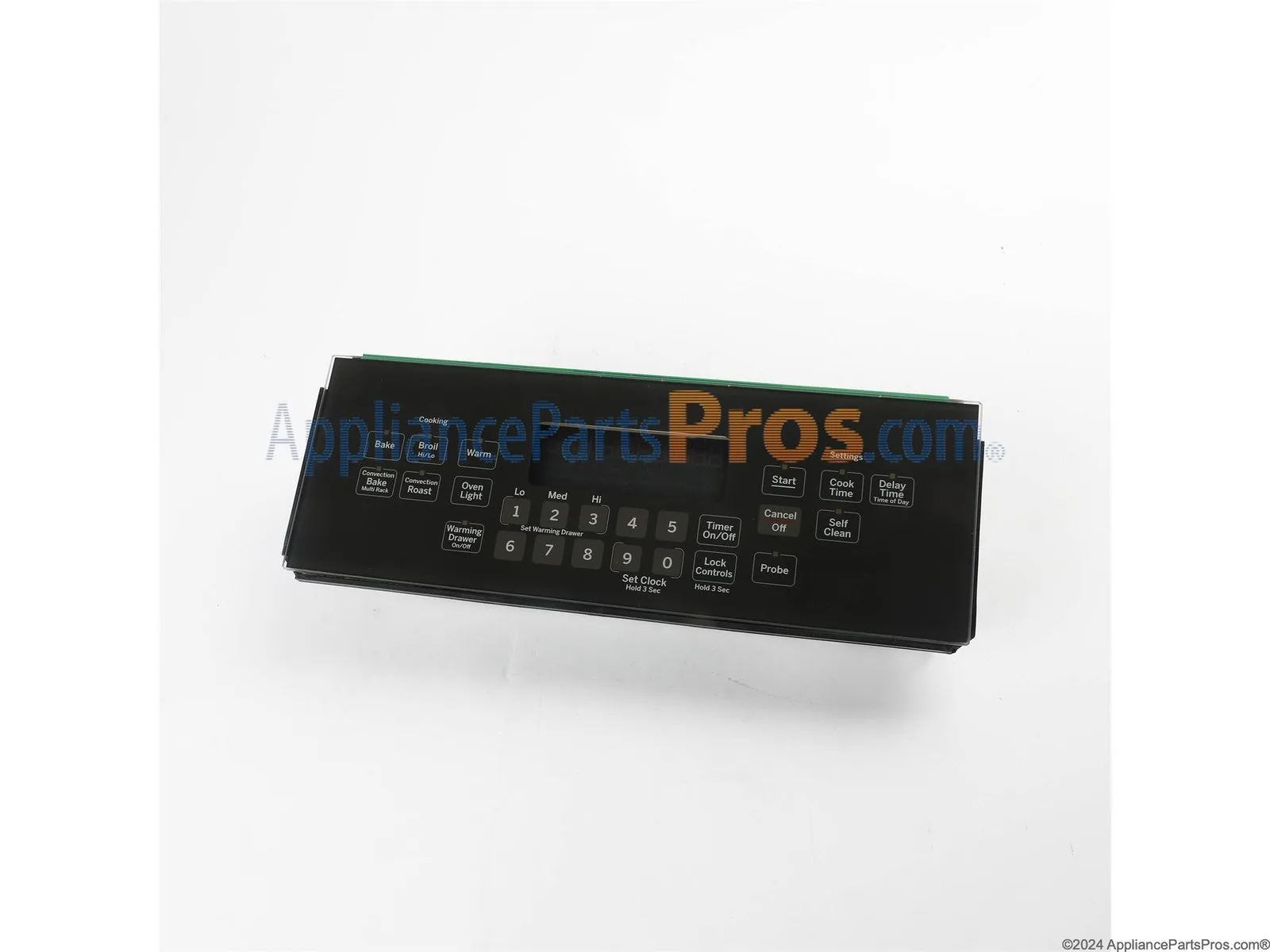
The F76 code often signals that the main control board has suffered a hardware failure rather than just a loose connection. These boards contain sensitive microchips that manage the timing and temperature of your appliance. Over years of use, the heat from the oven can cause the solder joints on the board to crack, especially if the oven is installed in a cabinet with poor ventilation.
To tell this apart from a simple cable issue, observe the behavior of the display during the reset process. If the display flickers, shows garbled text, or emits a faint clicking sound, the control board itself is likely failing. A loose cable usually results in a steady, clear error code, whereas a failing board often produces erratic symbols or partial screen segments.
Many owners mistakenly attempt to clean the board with contact spray. This is a costly error. If the solder joints are already compromised, the chemicals can cause short circuits across the board, potentially damaging the wiring harness or the thermal fuse beyond repair.
If you suspect board damage, check the GE Appliances repair and support page to see if your specific model has known service bulletins regarding control panel hardware. This is a common issue for models manufactured within a specific timeframe, as the electronic components are sensitive to ambient humidity and heat cycling.
If the board is faulty, it can’t be repaired by hand. You must replace the entire unit. This is a trade-off: replacing the board is expensive, but it’s the only way to restore the safety interlocks that prevent the oven from overheating or turning on unexpectedly. If the board remains unresponsive after a full power cycle, don’t attempt to bypass the control logic; the risk of a fire hazard is too high.
Moisture in the control panel
Moisture is a frequent, less common cause that triggers this error code, especially after a deep cleaning session. If you used a wet cloth or a spray cleaner near the edges of the display, liquid can seep into the seam between the glass and the internal electronics. This creates a short circuit across the data pins, which the system interprets as a communication error.
You can distinguish this from a hardware failure by the timing of the error. If the code appeared immediately after you wiped the panel, moisture is the likely culprit. To fix this, shut off the power at the breaker to prevent a short circuit, then use a fan to blow room-temperature air across the control panel for at least 24 hours. Don’t use a hair dryer, as the concentrated heat can melt the plastic components or damage the LCD screen.
A common mistake is assuming the panel is dry because the surface feels warm to the touch. Surface evaporation doesn’t mean the internal ribbon cables are clear of condensation. If you rush the process, you risk permanent electrical arcing that destroys the control board.
If the oven works perfectly after it has dried out, you have successfully avoided a costly repair. If the error stays on the screen after a full day of drying, the moisture has likely caused permanent corrosion on the ribbon cable contacts. This isn’t for you to fix if you’re uncomfortable with electronics. This varies by model — check the label on the side of your oven door for the specific serial number, as some units have sealed panels that should never be opened by the owner. If your model is sealed, the entire control board must be replaced by a technician.
When to stop and get help
If you see smoke or smell burning plastic, turn off the breaker immediately and leave it off. This indicates an active fire risk that requires professional intervention before the unit is ever powered again.
If the oven turns on by itself, this is a dangerous failure of the relay board. It requires an immediate service call, as the unit is no longer responding to safety protocols.
If you must remove the outer metal housing to access the control board, stop immediately. A high-voltage capacitor can hold a lethal charge even after the unit is unplugged. Never touch internal components if you’re unsure how to discharge them safely.
If you need to use a multimeter to test continuity on the control board, this is technician-only work. Misreading these sensitive circuits often leads to permanent board damage.
If the unit is under warranty, don’t attempt any internal repairs. Opening the panel usually voids your coverage, costing you the price of a full replacement.
Contact a certified technician if the error persists after a power cycle. They have the specialized tools to check the voltage output of the boards and the correct software to pair a new control unit with your specific oven model.
Frequently asked questions
Can I fix the F76 error by myself?
Yes, you can fix simple issues like a stuck button or a temporary software glitch by power cycling the unit. If the error is caused by a loose connection or a failed board, you’ll need to replace the internal components. If you aren’t confident removing the front control panel, consult a professional technician to avoid damaging the delicate ribbon cables or the glass interface.
Is the oven safe to use with this code?
No, it isn’t safe to use the oven while an F76 code is displayed. The error means the control board can’t communicate with the heating elements, which could lead to uncontrolled heating or a failure to shut off. Always clear the error by resetting the power before attempting to use the oven again. If the code returns, the appliance isn’t safe to operate.
How long should I leave the power off?
You should leave the power off for at least 60 seconds to ensure the control board fully resets. This time allows the internal memory to clear and the capacitors to discharge completely. If the error persists after one minute, checking the power connection again won’t help, as the issue is likely a physical failure of the internal data link or the board itself.
Does it matter if the oven is hot?
Yes, it matters because high heat can expand metal contacts and cause a loose connection to fail more often. If the error only appears when the oven is hot, the issue is likely a failing solder joint on the control board that loses contact due to thermal expansion. This is a sign that the board needs to be replaced rather than just reset or cleaned.
What happens if I ignore the F76 code?
If you ignore the code, the oven may stop heating entirely or, in rare cases, develop erratic behavior like failing to shut off the elements. The control board acts as the safety brain of the appliance; when it can’t communicate, it can’t monitor the temperature sensors. Ignoring the error risks damage to your food and potentially your home if the heating elements remain powered without regulation.
Why does the code show up after cleaning?
The code shows up after cleaning because liquid or cleaning solution has likely entered the control panel and caused a short circuit. This creates a false communication signal that confuses the main processor. You can usually resolve this by letting the panel air dry for 24 hours, but if the liquid has caused corrosion, the internal ribbon cable or the control board will need replacement.
Final Thoughts
If the display stays blank or the error persists, it’s time to reach out to a professional technician. They’ll have the right tools to test the wiring or replace the faulty board for you. Don’t hesitate to call for help, as it’s the safest way to get your kitchen running again.
Related guides
- What Means CL Error Code on LG Dishwasher: Quick Fix Guide
- LG Dishwasher Error Code OE: Causes, Fixes, and Prevention
- LG Refrigerator Error Code E FF: Quick Fixes and Solutions