
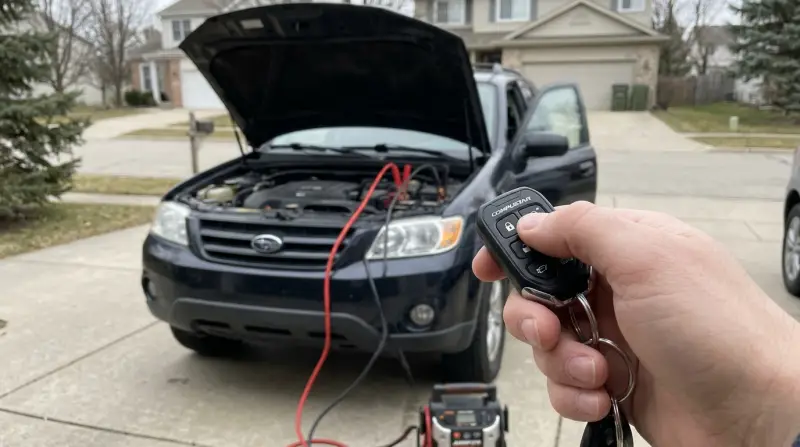
A Compustar system often stops working after a dead battery because it enters “Valet Mode” or loses synchronization with the remote. You can often fix this by cycling your ignition key five times, though the exact sequence varies by model; check your manual or remote label for the specific procedure.
Compustar Not Working After Dead Battery: Why It Happens
| Cause | How common | How to confirm it | Fix it yourself? |
|---|---|---|---|
| Valet Mode active | Very common | Status light blinks slowly | Yes |
| Remote de-synced | Common | No response from system | Yes |
| Blown system fuse | Moderate | No power to brain | Yes with care |
| Low remote battery | Moderate | Dim light on remote | Yes |
| Wiring harness loose | Rare | Wires look disconnected | No |
| Module failure | Very rare | Burnt smell or smoke | No |
Valet mode activation after power loss
Valet mode is a protective state that prevents the remote start and security features from engaging while the vehicle is being serviced. You’ll know this is the cause if the LED light on your antenna or dashboard blinks slowly or stays solid when you try to use the remote.
To exit this mode, you must reset the brain using your ignition key. If you have a standard key, insert it into the ignition and turn it from the “Off” position to the “On” position five times within seven seconds. Don’t start the engine; just cycle the ignition. After the fifth turn, the parking lights on your vehicle should flash, confirming that the system has exited valet mode. If your vehicle has a push-button start, consult the Compustar support documentation to find the button-press sequence specific to your installation.
This process takes about two minutes of your time and costs nothing. If the system doesn’t respond, ensure the vehicle battery is fully charged. A weak battery can cause the module to fail during the reset attempt. If you have the standard remote, the light should turn off or change pattern once the mode is successfully deactivated. If the light remains solid, the module may not be receiving steady power, which indicates a loose connection at the battery terminal.
Remote control synchronization issues
A remote that fails to communicate with the vehicle after a power drain is often simply de-synced from the control module. You can tell this is the cause if the remote lights up when you press a button, but the car doesn’t respond with a horn chirp or light flash.
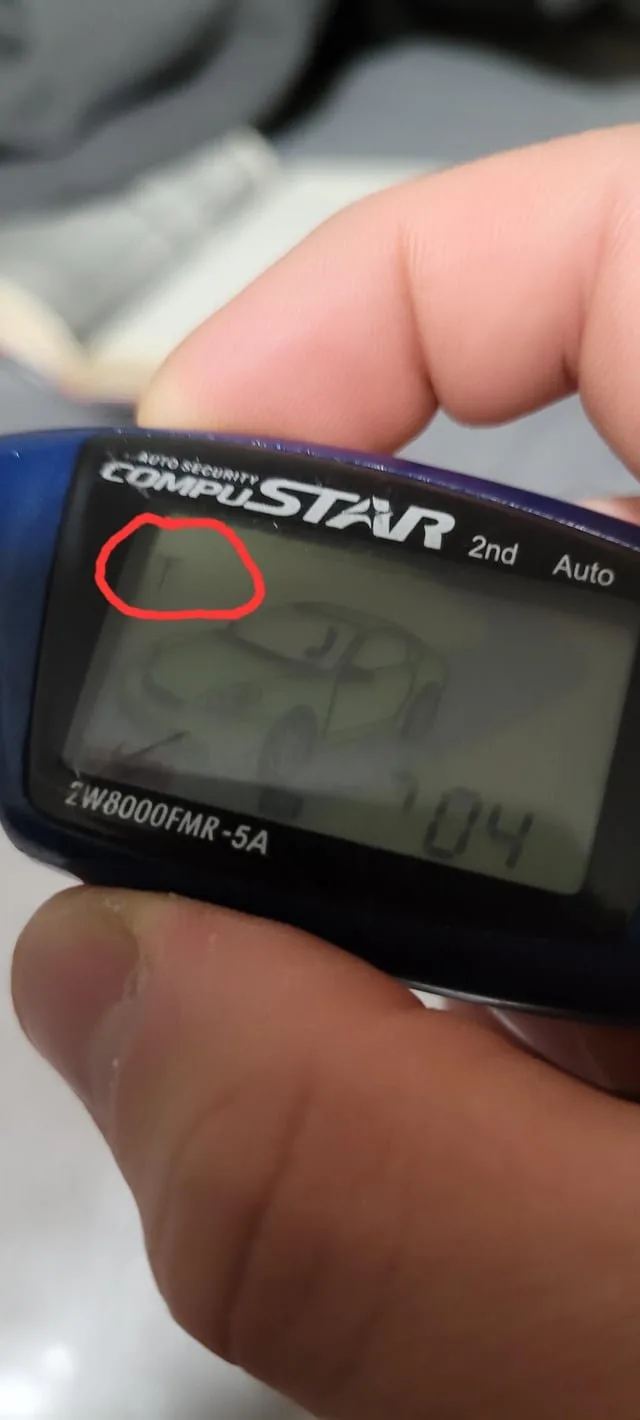
Synchronization requires putting the control module into “Programming Mode.” First, turn your ignition key to the “On” position. Within five seconds, press and hold the lock button on your remote for about four seconds. The vehicle’s parking lights should flash once, indicating that the remote is now paired. If you have a two-way remote, it may display a specific icon to confirm the link is active.
This is a straightforward process, but it isn’t for those who are uncomfortable with timing sequences. If you miss the five-second window, the system will exit programming mode, and you must start over. This varies by model — check the label on your remote to see if it requires a different combination of buttons, such as holding “Unlock” or “Function” instead of “Lock.” If you have multiple remotes, you must program them all during the same session, as the module will erase old codes to make room for the new ones. If the remote fails to pair after three tries, the issue is likely a failing battery inside the remote itself.
Electrical power and fuse failures
The Compustar system relies on a constant 12-volt power source to maintain its settings. You can confirm this by checking the inline fuse holder, usually located under the dashboard near the steering column. If the thin wire inside the fuse is broken or the metal looks burnt, the fuse has failed.
This is a common issue because modern security systems draw power even when the car is off. To fix this, you need to replace the fuse with one of the exact same amperage, which is typically printed on the plastic casing of the fuse itself. If you use a fuse with a higher rating, you risk damaging the control module permanently. If you use a lower rating, the system will blow the fuse again immediately.
This check assumes the fuse is accessible without removing the dashboard panels. If you can’t find the fuse holder, don’t attempt to disassemble the interior trim. Forcing plastic panels can break tabs and create rattles. If the fuse is intact but the system still has no power, the main ground wire may have been knocked loose during the battery replacement. Check the area around the negative battery terminal for any stray wires that aren’t connected to the post. If you find a disconnected wire, it’s a simple fix, but if the wiring is hidden deep behind the dashboard, consult a professional installer to avoid damaging the vehicle’s electrical harness.
The less likely causes
-
Corroded battery terminals: If the connections at the car battery are covered in white or blue powder, the system can’t draw enough current to function. Scrub these terminals with a wire brush and a mixture of baking soda and water to restore a clean contact.
-
Damaged antenna cable: If the cable running from your windshield antenna to the brain is pinched or cut, the remote signal won’t reach the module. Check for sharp bends near the A-pillar where interior trim panels often crush the delicate wiring.
-
Internal module damage: A severe power surge during a jump-start can fry the internal circuit board, which requires a full unit replacement by a qualified shop. If the unit emits a faint burning smell, stop power immediately to prevent a vehicle fire.
-
Hood pin switch failure: If the hood pin is stuck in the “open” position due to rust, the system will prevent remote start as a safety feature. If your dash displays a warning light, the switch is likely failing.
What a fix usually involves
Most fixes for a system that stopped working after a power loss require only your time and a few basic tools. If the problem is a blown fuse, the repair involves replacing a small, inexpensive part that you can find at any auto parts store. The cost depends on the specific fuse type, but it’s usually a very small fraction of the price of a new system. You should check your owner’s manual or the official manufacturer page to confirm the correct fuse rating for your specific model.
If the issue requires a professional, you’ll need to pay for labor and potentially a new control module. A professional will have the specialized diagnostic tools to test the signal strength between your remote and the brain. To get a real quote, call a local authorized installer and describe the symptoms exactly as you see them, including the behavior of the LED light. Avoid shops that ask you to replace the entire system without performing a diagnostic test first, as a simple reset or fuse change is often all that’s needed to get your system back in working order.
Frequently asked questions
Can a dead battery cause the remote to stop working?
Yes, a dead battery can cause the Compustar system to lose its synchronization with your remote. This requires you to re-pair the remote to the vehicle using the standard programming sequence found in your owner’s manual or on the manufacturer’s website.
Is it safe to jump-start a car with an alarm system?
Yes, it’s safe to jump-start the vehicle, but you should always follow the manufacturer’s recommended procedure to avoid electrical spikes. Use a high-quality set of jumper cables and ensure the connections are clean and tight before attempting to start the engine. If the alarm sounds during the process, have your remote ready to press the unlock button to silence the siren and deactivate the security state.
How long does a remote reset take?
About five minutes is usually enough to perform a full remote synchronization. This includes the time needed to sit in the driver’s seat, insert the key, and perform the button-press sequence. If your specific model requires more steps, you can check the documentation provided at the time of installation. Don’t rush the timing, as the module will exit programming mode if you wait too long between steps.
Why is my status light blinking slowly?
A slow blink usually indicates that the system is currently in Valet Mode. This mode is designed to disable remote start and security features while the car is being serviced or parked by someone else. You can exit this state by cycling your ignition key five times within seven seconds, which resets the module to its normal operating mode and restores full functionality to your remote control.
Does it matter if I replace the fuse with a different size?
No, you must never replace a fuse with one of a different amperage rating than what the manufacturer specified. A fuse that’s too large won’t protect the sensitive electronic components of your alarm system from power surges, which can lead to permanent damage. Always check the number printed on the top of the old fuse and ensure the replacement matches that exact value.
What happens if the system still doesn’t work after a reset?
If the system remains unresponsive after you have tried a reset and checked the fuses, the control module may have suffered internal damage. This is rare, but it can happen if there was a voltage surge during the battery failure. At this point, you should contact a professional installer who can test the hardware and determine if the module needs to be replaced or repaired by the manufacturer.
Final Thoughts
If your system still won’t respond after trying these adjustments, don’t worry. It’s possible a fuse has blown or the antenna connection came loose during the power surge. You shouldn’t hesitate to contact a local professional, as they’ll quickly identify if there’s a deeper electrical issue that needs a technician’s touch.
Related guides
- Airtag Not Working After Replacing Battery? Quick Fixes Here
- How to Choose UPS Battery Backup for 3D Printer: Expert Guide