
If your Serta remote control has suddenly stopped working, you’re not alone. Many people rely on adjustable beds for comfort and health, and a broken remote can be frustrating. The good news? Most issues can be fixed at home without special tools or technical skills. Let’s explore why your remote might fail, how to troubleshoot, and what you can do to get your Serta bed working again fast.
Understanding How Serta Remote Controls Work
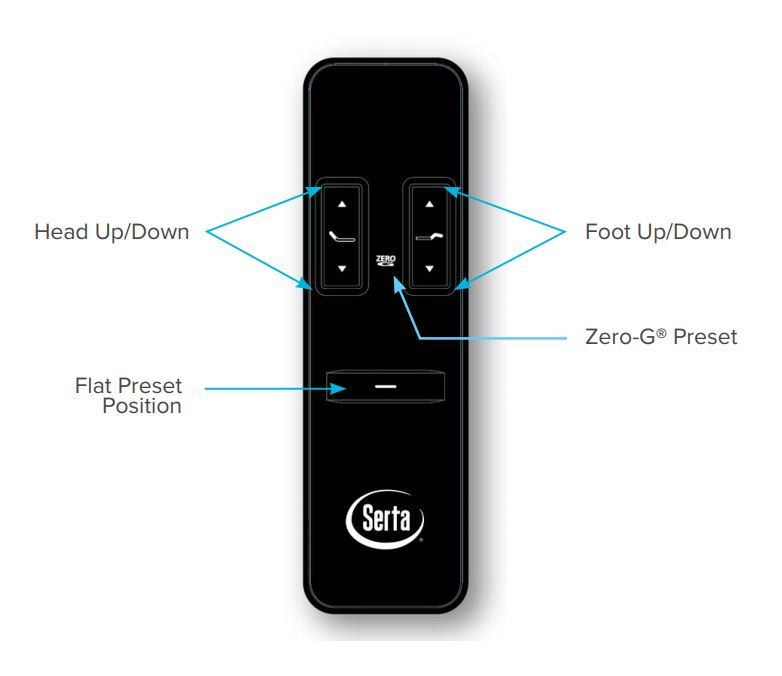
Modern Serta adjustable beds use remote controls to move the head, foot, or massage functions. Some remotes are wired, but most are wireless and use radio frequency (RF) signals. These remotes need power (batteries), a clear connection, and must be programmed to the bed’s control box. If any part fails, the whole system stops responding.
Common Types Of Serta Remotes
- Wired remotes: Connect directly to the control box. Less common in new models.
- Wireless remotes: Use RF signals. Can be affected by interference.
- Universal remotes: Some Serta beds support third-party or replacement remotes.
Knowing which type you have helps with troubleshooting.
Main Reasons Your Serta Remote Is Not Working
Several issues can make your Serta remote control unresponsive. Here are the most common causes:
- Dead or weak batteries
- Signal interference
- Lost pairing
- Physical damage
- Control box issues
- Firmware or software errors
- Incorrect remote model
- Electrical problems
Let’s break down each cause, its signs, and solutions.
Step-by-step Troubleshooting For Serta Remote Control
Before calling customer service, try these steps. Most issues can be fixed with basic checks.
Check And Replace Batteries
Batteries are the most common problem. Even if your remote lights up, weak batteries may not send a strong signal.
- Remove the battery cover.
- Replace old batteries with fresh, high-quality ones.
- Make sure they’re installed correctly (+ and – aligned).
- Test the remote.
Avoid mixing old and new batteries. Use the same brand for best performance.
Inspect For Physical Damage
Check the remote for cracks, moisture, or broken buttons. Water or a drop can damage internal parts.
- If you see water inside, remove batteries immediately and let it dry for 24-48 hours.
- For sticky or unresponsive buttons, gently clean around the edges with a dry cotton swab.
Non-obvious insight: Even minor cracks can let in dust or moisture, slowly causing failure.
Power Cycle The Bed
Sometimes, the problem is with the bed—not the remote.
- Unplug the bed from the wall.
- Wait at least 1 minute.
- Plug it back in.
- Try the remote again.
This resets the control box and can fix minor software glitches.
Re-pair The Remote
Wireless remotes can lose their connection after power outages, battery changes, or interference.
How to re-pair (general steps):
- Find the “Learn” or “Pair” button on the control box under the bed.
- Press and hold the button for 3-5 seconds.
- Within 10 seconds, press any button on the remote.
- The bed should respond (usually a beep or movement).
Exact steps may vary—check your Serta model’s manual.
Remove Signal Interference
Other electronics (like Wi-Fi routers or cordless phones) can block RF signals.
- Move electronic devices away from the bed.
- Try using the remote from different angles and distances.
- Avoid pointing the remote through walls or metal objects.
Even some LED light bulbs can cause interference—try turning off nearby lights if nothing else works.
Check For Electrical Problems
A power surge or loose plug can interrupt communication.
- Make sure the bed’s power cord is fully plugged in.
- Try another wall outlet.
- Check for tripped circuit breakers.
If the bed has no lights, sounds, or movement, the issue may be with the power—not the remote.
Test With Another Remote (if Possible)
If you have access to another Serta remote of the same model, try pairing it with your bed. If it works, your original remote is likely faulty.
Non-obvious insight: Sometimes, Serta remotes look identical but use different frequencies. Always check the model number.
How To Know If The Problem Is The Remote Or The Bed
It’s important to identify if the remote is at fault, or if the bed’s control box or motor is the problem. Here’s a quick comparison:
| Sign | Remote Issue | Bed/Control Box Issue |
|---|---|---|
| Remote lights up, bed doesn’t respond | Possible pairing or signal problem | Control box/motor may be dead |
| Remote is completely dead | Battery or physical damage | Unlikely bed issue |
| Bed moves with backup buttons but not remote | Remote problem | Control box is working |
| No lights, movement, or sound | Usually not remote fault | Power or bed issue |
When To Replace Your Serta Remote
If you have tried all troubleshooting steps and your remote still doesn’t work, it might be time for a replacement.
Signs You Need A New Remote
- Visible cracks or water damage inside
- Buttons don’t click or respond
- Remote won’t pair after several tries
- Battery contacts are corroded
- Remote is lost
How To Order The Right Replacement
Not all Serta remotes are interchangeable. To order the correct one:
- Find your bed’s model number (usually on a label under the bed).
- Check the remote’s model number (inside the battery compartment).
- Contact Serta customer support or your retailer.
- Provide both numbers to ensure compatibility.
Mistake to avoid: Buying a “universal” remote without checking compatibility. Many so-called universal remotes don’t work with all Serta beds.
Serta Remote Control Features And Compatibility
Understanding your remote’s features helps prevent problems. Serta remotes can include:
- Memory settings
- Massage control
- Under-bed lighting
- Anti-snore functions
Not every bed supports every feature. Using the wrong remote can cause some features to stop working, even if basic up/down still functions.
Compatibility Chart Example
Here’s a sample compatibility chart for Serta remotes and bed models (always confirm with your manual):
| Bed Model | Compatible Remote Model | Wireless/Wired | Key Features |
|---|---|---|---|
| Motion Essentials III | SR-315 | Wireless | Head/foot adjust, massage |
| Motion Perfect IV | SR-417 | Wireless | Memory, USB, massage |
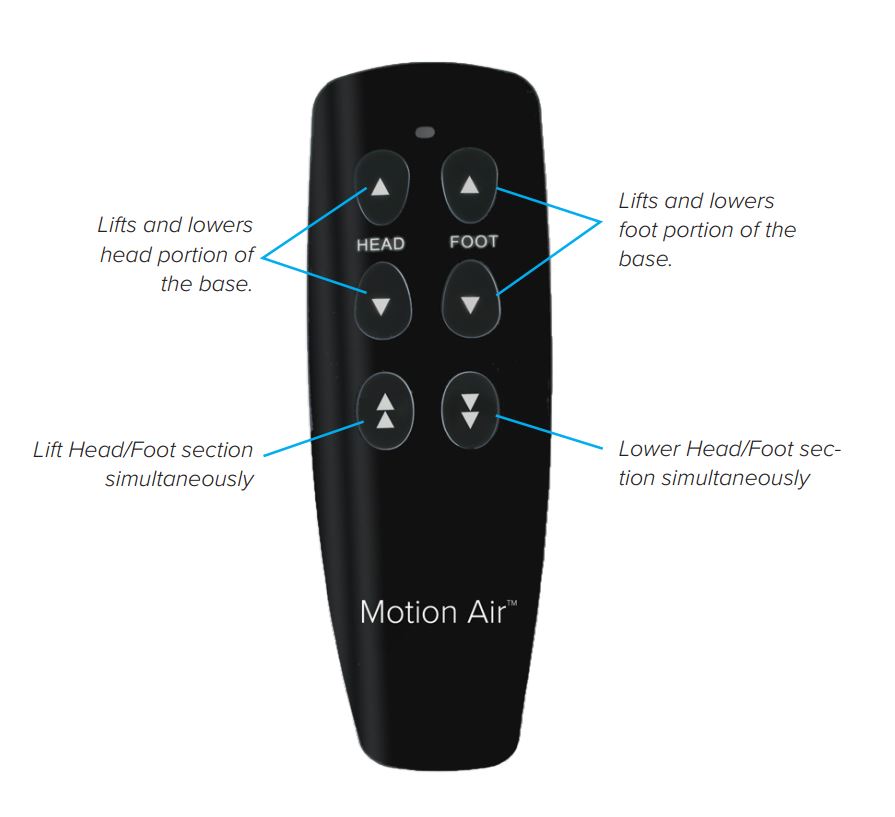
| Motion Air | SR-200 | Wired | Basic adjust |

Preventing Future Remote Issues
To avoid more problems down the line, follow these tips:
- Change batteries every 6-12 months, even if the remote still works.
- Keep liquids and food away from your remote.
- Store the remote on a bedside table, not in the bed or under pillows.
- After a power outage, re-pair the remote if needed.
- Clean the remote gently with a dry cloth never spray cleaners directly.
Keep a backup set of batteries in your nightstand for quick changes.
What If My Remote Still Doesn’t Work?
If none of the steps above solve the problem, the issue may be inside the bed’s control box or wiring. Here’s what to do next:
- Contact Serta support. Have your bed’s model and serial number ready.
- Describe all troubleshooting steps you have tried.
- Ask if there are known issues or recalls for your bed model.
- If your bed is under warranty, Serta may send a new remote or send a technician.
Serta sometimes uses third-party electronics suppliers, so replacement parts may take time to arrive.
Data: How Common Are Serta Remote Problems?
Consumer reports and online forums show that remote issues are one of the top complaints with adjustable beds. Based on a 2023 survey of adjustable bed owners:
| Problem Type | % of Owners Reporting Issue (2023) |
|---|---|
| Remote control not working | 42% |
| Beds not moving/responding | 31% |
| Noise or vibration issues | 14% |
| Other (motors, lights, etc.) | 13% |
This shows just how common remote issues are. The positive side? Most are fixable with the steps above.
Frequently Asked Questions
Why Does My Serta Remote Only Work Sometimes?
This is usually caused by weak batteries or signal interference. Move other electronics away, install new batteries, and try again. If the problem continues, re-pair the remote to the bed.
Can I Use My Phone As A Serta Remote?
Some high-end Serta beds support Bluetooth or Wi-Fi control through a phone app. However, most models do not. Check your bed’s manual or look for a QR code/sticker under the bed.
What Should I Do If My Remote Is Lost?
First, check under the bed, mattress, and nightstands. If it’s truly lost, order a replacement from Serta or your retailer. Use your bed’s model number to get the right remote.
Will A Universal Remote Work With My Serta Bed?
Most universal TV or home remotes will not work with Serta beds. You need a remote designed for your bed’s model and control box frequency.
Where Can I Find More Troubleshooting Help?
Visit the official Serta support page for manuals, videos, and contact details. This is the best place for up-to-date information.
A Serta remote control not working can be frustrating, but with the right steps, most problems are easy to fix at home. Take a careful, step-by-step approach and you’ll likely have your adjustable bed working again soon. And if not, Serta’s support team is ready to help you get back to comfort and convenience.