
Many home cooks love the Ninja Foodi Grill for its ability to grill, air fry, bake, and roast—all in one machine. But just like any kitchen device, it can sometimes stop working as expected. If your Ninja Foodi Grill is not performing well, it can be frustrating, especially when you’re hungry and want a simple meal.
The good news is that most problems with the Ninja Foodi Grill are easy to fix at home. With a calm approach and the right troubleshooting steps, you can often solve the issue yourself, saving time and avoiding costly repairs.
This guide will walk you through the most common Ninja Foodi Grill problems, explain why they happen, and show you how to fix them. You’ll also find tables with quick comparisons, examples of real issues, and practical tips to keep your grill running smoothly.
By the end, you’ll feel more confident using and maintaining your Ninja Foodi Grill, even if you’re not a kitchen expert.
Understanding Your Ninja Foodi Grill
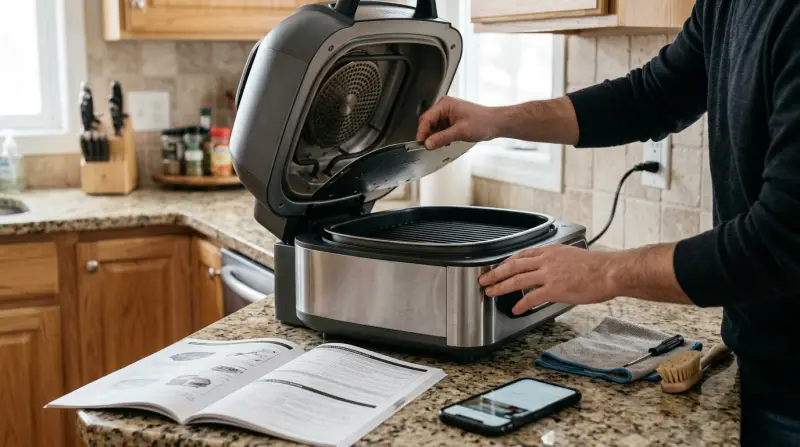
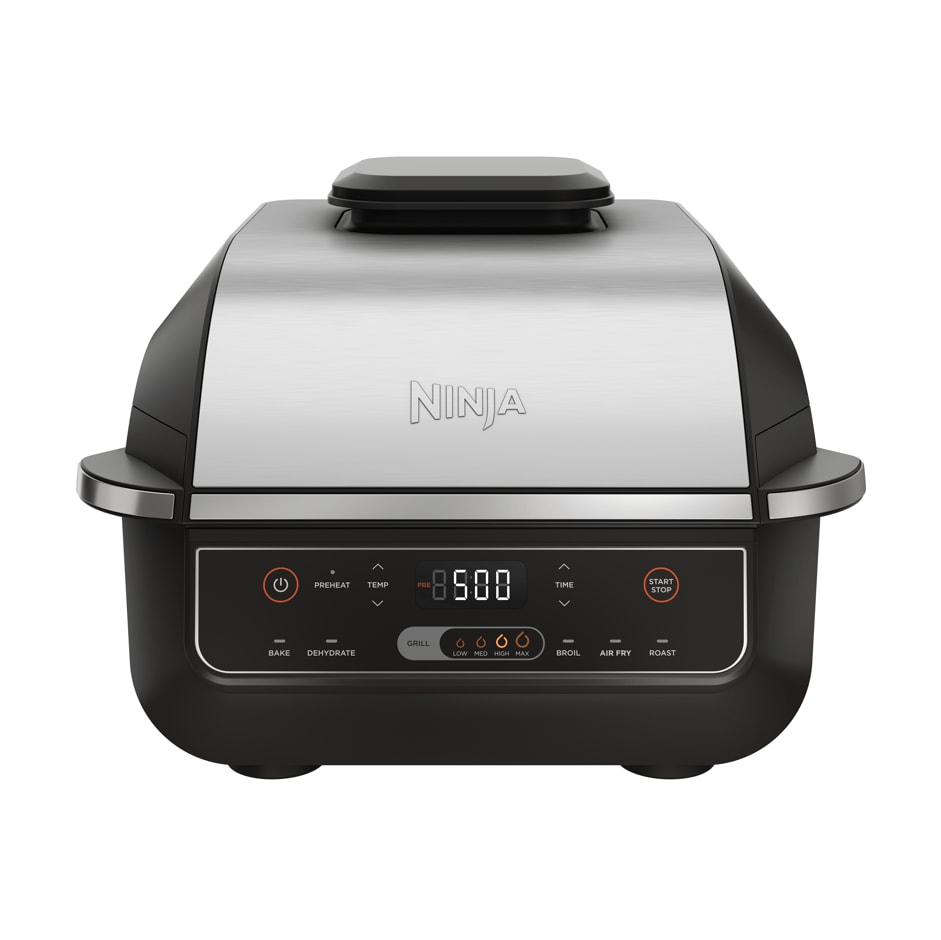
The Ninja Foodi Grill is a multi-use appliance. It can grill, air crisp, roast, bake, and dehydrate. It uses rapid air circulation and high heat to cook food quickly while keeping it juicy. There are several models, such as the Ninja Foodi 5-in-1 and Ninja Foodi XL, but troubleshooting steps are similar for most models.
Most common issues fall into three categories:
- Power and startup problems
- Cooking performance issues
- Maintenance and cleaning errors
Let’s look at each area in detail.
Power And Startup Problems
If your Ninja Foodi Grill won’t turn on or stops working suddenly, start with the basics.
Grill Won’t Power On
Check these things first:
- Power Source: Make sure the power cord is plugged in tightly. Try a different outlet if possible.
- Circuit Breaker: Sometimes, kitchen appliances trip circuit breakers. Check your home’s electrical panel.
- Loose Parts: The grill will not start if the grill lid or cooking pot is not seated correctly.
Non-obvious tip: On some models, the grill needs the crisper basket or grill grate installed to power on.
Display Not Working
If the screen stays blank:
- Unplug the unit for 2 minutes to reset the electronics.
- Plug in again and check for signs of life.
- If the display flashes an error code (like “E01” or “E02”), check the manual for details. Often, these mean overheating or sensor problems.
Grill Turns Off Mid-cook
This usually points to one of these:
- Overheating: The grill has automatic shutoff if it gets too hot. Let it cool for 10 minutes before restarting.
- Loose Connections: Vibration during cooking can move the cord or internal connections. Re-seat everything before starting again.
Here’s a quick comparison of common startup issues and solutions:
| Problem | Likely Cause | Quick Fix |
|---|---|---|
| No power | Outlet, cord, lid not closed | Check outlet, close lid fully |
| Blank display | Electronics reset needed | Unplug, wait, replug |
| Shuts off mid-cook | Overheating | Let cool, restart |
If your grill still won’t start after these steps, try the same outlet with another device to confirm it’s working. If all else fails, contact Ninja support.

Credit: www.amazon.com
Cooking Performance Issues
Once your grill powers on, you might face issues with how it cooks. This can mean uneven heating, food not getting crispy, or error codes during use.
Food Not Cooking Evenly
Several factors can cause uneven cooking:
- Overcrowding: Too much food blocks air flow. Always cook in a single layer.
- Dirty Heating Elements: Grease build-up can change how heat spreads. Clean the element with a soft brush after each use.
- Wrong Accessories: Use the grill grate or crisper basket as the recipe suggests. Swapping these can affect results.
Not Getting Crispy Results
If your fries or chicken stay soggy:
- Make sure you’re using the Air Crisp function, not Bake or Roast.
- Pat food dry before cooking—too much moisture prevents crisping.
- Shake the basket or flip food halfway for even browning.
Beginner insight: Preheating is essential. The Ninja Foodi Grill preheats in 3–8 minutes. Wait for the preheat to finish for best results.
Error Codes During Cooking
Some models show codes like “E01” or “E03.” These usually mean:
- E01: Thermostat or sensor error. Unplug and restart.
- E03: Overheating. Let it cool down.
Always check your manual for model-specific codes. If codes repeat after resets, you may need professional service.
Smoke And Odor Issues
Sometimes, the grill produces too much smoke indoors. This can happen if:
- The grill is not fully clean (old grease burns).
- Oily marinades drip on heating elements.
Example: Using too much oil on chicken wings can create smoke. Use just 1–2 teaspoons for a basket of wings.
Extra tip: Try adding a few tablespoons of water to the drip tray under the basket. This reduces smoke by catching drips before they burn.
Maintenance And Cleaning Errors
Good maintenance prevents most problems with the Ninja Foodi Grill. Poor cleaning leads to smoke, bad smells, and even cooking malfunctions.
Grill Parts Not Fitting
If parts like the grill grate or crisper basket won’t fit:
- Make sure you’re using the right accessory for your model.
- Check for food debris or grease on the edges.
- Insert at the correct angle; don’t force it.
Difficulty Cleaning
The grill’s parts are dishwasher safe, but the heating element is not. Use a damp cloth or soft brush for the inside. Do not use abrasive cleaners—they can damage the nonstick coating.
Surprising insight: Even a thin layer of grease on the element can cause smoke. Clean the heating element every 3–5 uses.
Error Messages After Cleaning
If you see an error after deep cleaning:
- Make sure all parts are dry before reassembling. Moisture can confuse the sensors.
- Double-check that everything is snapped in place.
Here’s a summary of cleaning needs for main parts:
| Part | Cleaning Method | Frequency |
|---|---|---|
| Grill Grate | Dishwasher/sponge | Every use |
| Crisper Basket | Dishwasher/sponge | Every use |
| Heating Element | Soft brush/cloth | Every 3–5 uses |
| Drip Tray | Dishwasher/sponge | Every use |
Don’t forget: Let all parts dry fully before putting the grill away. Moisture can cause rust or electrical issues.
When To Call For Professional Help
Most Ninja Foodi Grill problems can be fixed at home. But sometimes, you need expert support. Contact Ninja’s customer service if:
- The display shows the same error code after multiple resets.
- You see sparks or smell burning electronics.
- The grill heats unevenly even after deep cleaning and proper use.
Safety warning: Never open the grill’s casing or repair electrical components yourself. This voids the warranty and can be dangerous.
Ninja has a good warranty policy and responsive support. Keep your proof of purchase and model number handy when you call or email.
Preventing Problems In The Future
A little care goes a long way. Here’s what you can do:
- Clean after every use—especially the grate, basket, and drip tray.
- Let the grill cool before cleaning. This protects the nonstick surface and sensors.
- Check for loose parts before each use.
- Store accessories inside the grill to avoid losing them.
- Don’t overload the basket. Cook in batches for best results.
Here’s a quick look at how the Ninja Foodi Grill compares to other multi-cookers when it comes to ease of troubleshooting:
| Appliance | Common Issues | Ease of Troubleshooting |
|---|---|---|
| Ninja Foodi Grill | Startup, smoke, uneven cooking | Easy (user manual, simple resets) |
| Traditional Air Fryer | Basket jams, no power | Easy (simple design) |
| Smart Oven | Sensor errors, software bugs | Moderate (may need tech support) |
Notice that the Ninja Foodi Grill is generally easier to fix yourself, as long as you follow the right steps.

Credit: www.youtube.com
Frequently Asked Questions
Why Does My Ninja Foodi Grill Keep Shutting Off?
A common reason for shutting off is overheating. If the grill senses it’s too hot, it will turn off to protect itself. Let it cool for 10–15 minutes, check for blockages around the vents, and make sure the unit is not placed against a wall. If the problem continues, the internal sensor may be faulty.
How Do I Reduce Smoke When Using The Ninja Foodi Grill?
Clean the grill thoroughly, especially the heating element and drip tray. Use less oil and avoid sugary marinades, which burn easily. Adding a few tablespoons of water to the drip tray can also help reduce smoke.
What Do Error Codes Like “e01” Or “e03” Mean?
These codes usually signal a sensor or temperature issue. “E01” often means a sensor error; unplug the grill, wait, and try again. “E03” means overheating—let the grill cool down. For a full list of codes, check your user manual or visit the official Ninja support site.
Can I Put Grill Parts In The Dishwasher?
Yes, most removable parts like the grill grate, crisper basket, and drip tray are dishwasher safe. However, do not place the heating element or the main unit in the dishwasher. Always check the manual for your model.
What Should I Do If My Grill Still Doesn’t Work After Troubleshooting?
If you’ve tried all the steps and your grill still won’t work, contact Ninja customer support. Have your model number, purchase date, and a description of the problem ready. Do not try to open the appliance yourself.
The Ninja Foodi Grill is a reliable kitchen companion, but even the best appliances need a little care. By understanding the common problems and following these troubleshooting tips, you can solve most issues quickly and get back to making delicious meals.
Remember, regular cleaning and careful use prevent most problems. If you ever feel stuck, Ninja’s support is just a call or click away. With these skills, you’ll keep your grill in top shape for years to come.