
Garage Door Lights Blinking is typically caused by a misalignment or an obstruction of the safety sensors located near the floor. You can safely continue using the door if you can manually open and close it without resistance, though you should avoid using the remote until the sensors are cleared. To confirm this is the issue, look at the two small sensors at the base of your door tracks; if one light is off or flickering, they aren’t communicating. This misalignment prevents the door from closing to protect people and pets from accidental injury.
Understanding why your garage door lights blink
| What you notice | What it usually means | What to do first |
|---|---|---|
| Lights blink 10 times | Safety sensor obstruction | Remove floor debris |
| Light is off entirely | Sensor power failure | Check wall outlet |
| Door stops and reverses | Sensor misalignment | Adjust lens angle |
| Lights blink constantly | Logic board error | Perform power reset |
| Clicking sound only | Motor gear damage | Call local technician |
| Wall button flashes | Lock mode active | Press lock button |
Most homeowners assume a blinking light indicates a total system failure, but this is rarely the case. If your door reverses before hitting the floor, check the infrared beam path for cobwebs or tall grass. These small obstructions trigger the safety circuit instantly.
If the lights blink constantly, the logic board has likely encountered a surge. Unplug the unit for a few seconds to reset the logic board before reconnecting it. If the clicking persists after a reset, the internal drive gear is stripped.
You can distinguish a sensor issue from a board error by watching the wall console. If the wall button remains dark while the overhead unit flashes, you have a wiring break between the two components. If the wall button is lit, the problem is localized to the motor head itself.
Sensor obstruction and alignment
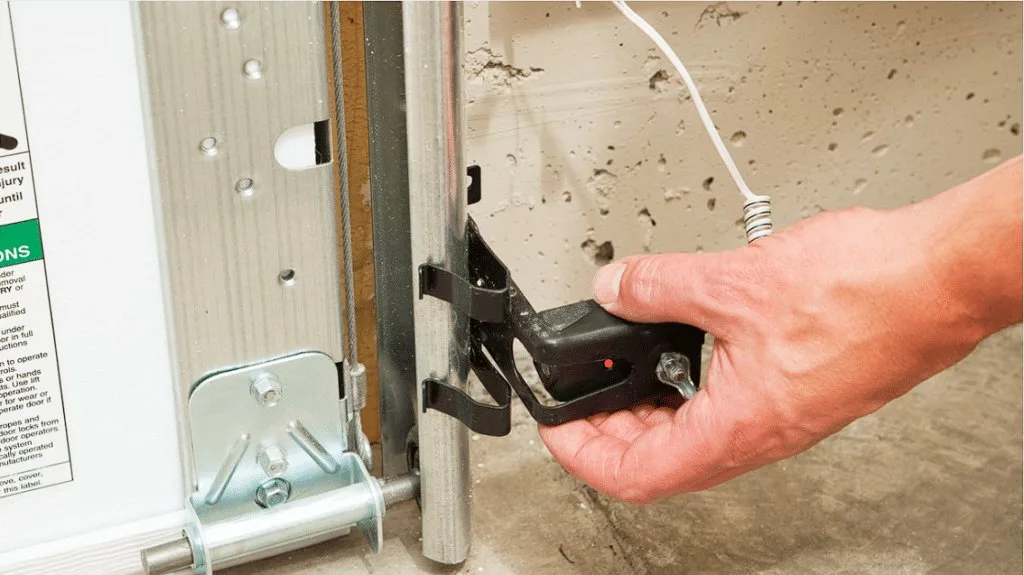
The most common reason for a blinking light is that the invisible beam between your two safety sensors is broken. These sensors act as a safety barrier; if the beam is interrupted, the system refuses to close the door to prevent crushing objects. You can confirm this by checking the color of the LED lights on the sensors. A solid glow on both sensors means they’re aligned, while a blinking or off light on either side indicates a break in the connection.
To fix this, first ensure nothing is blocking the space between the two sensors. Even a small broom or a stray box can prevent the beam from reaching the receiver. If the area is clear, check the mounting brackets. These metal pieces often get bumped by lawn equipment or vehicles. If a bracket is loose, gently push or pull it until both sensors show a solid light.
If you have a Chamberlain or LiftMaster unit, the Chamberlain safety sensor guidance explains exactly how to adjust the alignment for optimal performance. You’ll know you have succeeded when the lights on both sensors turn solid, and the garage door opener stops flashing. If you have a different brand, check the sticker on the side of your motor housing for model-specific alignment notes. If the sensors are solid but the door still won’t close, you may have a wiring issue.
Logic board communication errors
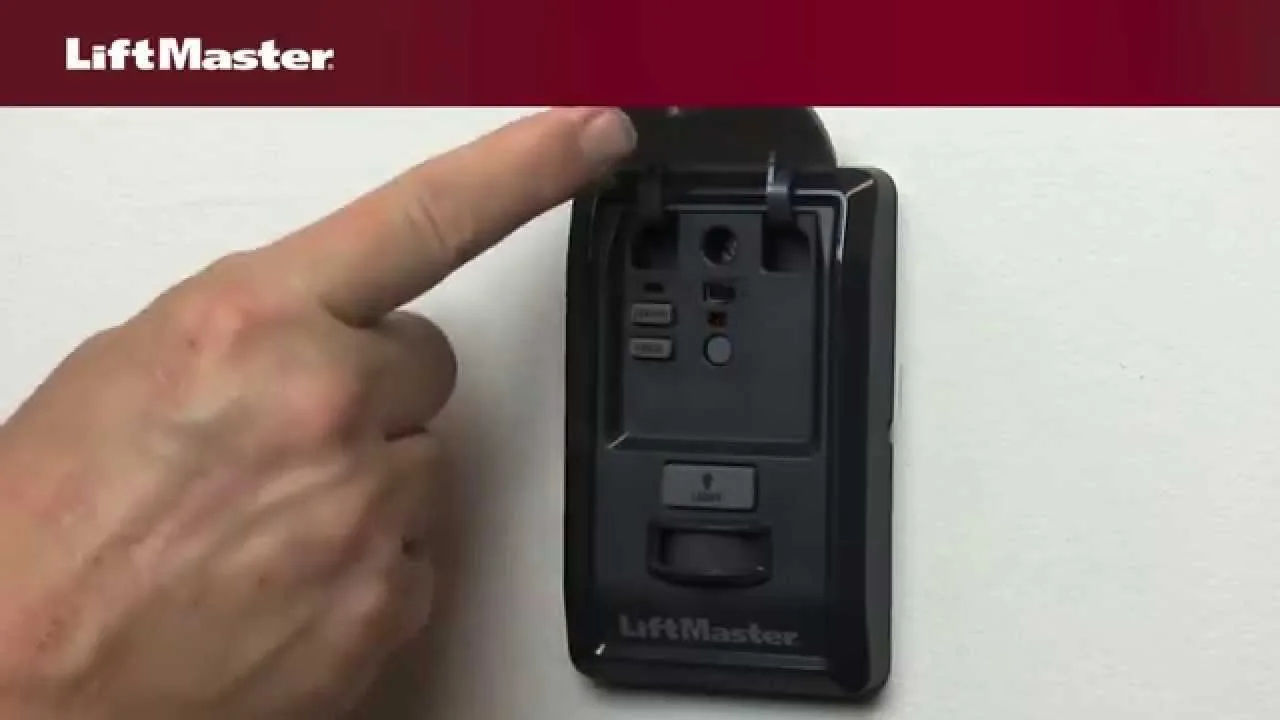
Sometimes the flashing lights indicate that the internal brain of your opener, known as the logic board, has encountered a software glitch. This often happens after a power surge or a brief electrical outage. When the logic board loses its memory or fails to recognize the door’s travel limits, it signals an error through the light system.
You can test this by performing a power cycle. Unplug the garage door opener from the ceiling outlet and wait at least 60 seconds before plugging it back in. This reset often clears temporary memory errors. If the lights stop blinking after the power returns, the system has successfully rebooted.
This is different from a sensor issue because a sensor problem usually allows the door to open but not close. A logic board error might cause the door to move erratically, stop halfway, or refuse to respond to the wall button entirely. If the reset doesn’t work, the issue is likely a hardware failure inside the unit. If you find yourself in this situation, don’t attempt to open the motor housing yourself, as the capacitor inside can hold a dangerous electrical charge even when the unit is unplugged. This is a job for a qualified garage door technician who has the proper tools to test the circuit board safely.
Power and wiring faults
A less common cause for blinking lights is a loose wire or a failing power supply at the wall connection. While the motor might receive enough electricity to turn on the lights, it may not have enough power to engage the motor or complete the safety check. You can tell this apart from the other causes because the light might flicker rhythmically even when you aren’t trying to operate the door.
Inspect the wires running from the wall button and the safety sensors to the motor housing. Look for frayed insulation or loose terminal screws where the wires meet the opener. If you see a bare wire, move it away from any metal surfaces and tighten the screw terminal.
If the opener is plugged into a GFCI outlet, check if the outlet has tripped. These outlets are sensitive to moisture and surges. Press the “reset” button on the face of the outlet to see if power returns to the motor. If the outlet trips again immediately, you have a ground fault in your garage wiring. This requires an electrician to investigate, as it poses a fire risk. If the wires are secure and the outlet is functioning, the issue may be a dying transformer inside the opener. This part isn’t user-replaceable for most homeowners, as it involves working with high-voltage internal components that require specialized testing equipment to diagnose.
When to stop and get help
- Broken or frayed internal wiring: You risk an electrical shock if you touch exposed wires inside the motor housing.
- Persistent motor grinding sounds: This indicates stripped gears which could cause the door to fall if the tension fails.
- Tripping circuit breakers: This suggests a serious electrical fault that needs professional assessment to prevent a fire.
- Door hangs unevenly: If one side of the door is higher than the other, the cables may be damaged or loose.
If you encounter these specific issues, you must stop all attempts to operate the door immediately. Garage doors are under extreme spring tension, and trying to fix mechanical parts without the correct training can result in serious injury. Contact a licensed garage door service company to handle the repairs. They have the specialized tools, such as winding bars and heavy-duty clamps, required to manage the weight and energy stored in your garage door system. Never try to adjust the springs or cables yourself; these parts are under enough pressure to be lethal if released incorrectly.
Frequently asked questions
Can I fix a blinking light by myself?
Most blinking lights are caused by simple sensor obstructions that you can clear in minutes. Simply removing the object or adjusting the bracket usually resolves the issue. If these steps fail, the cause may be electrical or mechanical, requiring professional assistance.
Why does my garage door light blink 10 times?
Ten flashes typically indicate that your safety sensors aren’t communicating properly or are obstructed. The opener is designed to flash as a warning that it won’t close because it can’t confirm the path is clear. Check the floor for any items blocking the sensors and make sure the lenses are clean. If the sensors are clean and clear, gently adjust them until both LEDs show a steady, solid glow.
How long should I wait after a power reset?
You should wait a few seconds before plugging the unit back into the wall. If you plug it back in too quickly, the system may retain the error state. If the lights continue to blink after a full minute, the problem is likely a physical fault rather than a software glitch.
Is it safe to leave the garage door open?
It’s safe to leave the door open if you’re present to monitor the area, but you shouldn’t leave it unattended while it’s malfunctioning. An opener that refuses to close may also fail to detect an obstruction if it does manage to move. For security and safety reasons, keep the door closed manually or locked until you can have a professional repair the sensor or logic board issue properly.
Does the weather affect garage door sensors?
Yes, extreme weather can cause sensors to fail, especially if there’s heavy rain or high humidity. Moisture can enter the sensor housing or corrode the wire connections, leading to intermittent signals. If you notice the lights blinking during a storm, wait for the area to dry out completely. If the problem persists after the weather clears, inspect the wiring for signs of water damage or corrosion at the sensor connection points.
What happens if I ignore the blinking lights?
Ignoring the lights will likely cause the door to refuse to close or reverse immediately upon starting. This is a safety feature designed to prevent the door from hitting people or pets. Operating the door in this state puts your family and property at risk.
Final Thoughts
If the lights keep flashing after you’ve adjusted the sensors, there might be a loose wire or a deeper electrical fault. Don’t hesitate to contact a local technician if you can’t resolve it yourself. It’s better to be safe and get a professional’s help than to risk damaging your home’s system.