
If your LG microwave is not working as it should, or you see strange error messages, a reset can often fix the problem. Many people are surprised to learn that most microwaves, including LG models, do not have a special “reset” button. But there are simple ways to restart your microwave and clear errors, which can save you time and money. This guide will show you how to reset an LG microwave step-by-step, when a reset is needed, and what to do if problems continue.
Why Resetting Your Lg Microwave Matters
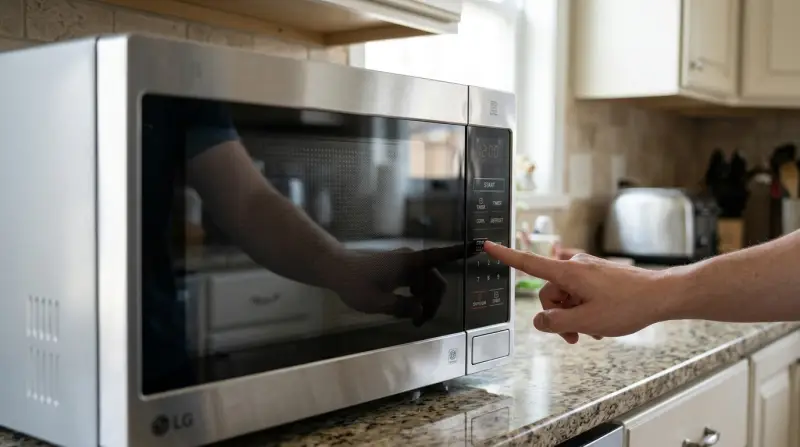
Microwaves are found in almost every kitchen because they make cooking fast and easy. But like other electronic devices, they sometimes stop working or show errors. A reset is often the first thing experts try before looking for bigger problems. Resetting can:
- Clear error codes that pop up after a power surge or accidental button press
- Stop beeping sounds and stuck programs
- Restore normal function after the controls freeze
- Fix unresponsive touchpads or confusing lights
For example, if your LG microwave suddenly shows “SE” or “PF” on the display, a reset may clear these codes. According to a study by the Association of Home Appliance Manufacturers, more than 60% of microwave malfunctions are fixed with a simple reset or power cycle.
How To Reset An Lg Microwave: Step-by-step
Most LG microwaves do not have a physical reset button. Instead, you use the power supply to restart the system. Here’s how you can reset your LG microwave safely at home:
Unplug The Microwave
- Find the power cord at the back of the microwave.
- Carefully pull the plug out of the wall socket.
- Wait for at least 2-3 minutes. This allows the microwave’s memory to clear completely.
Plug It Back In
- After waiting, plug the power cord back into the wall.
- Listen for a beep or watch for the display to turn on. This means the microwave is rebooting.
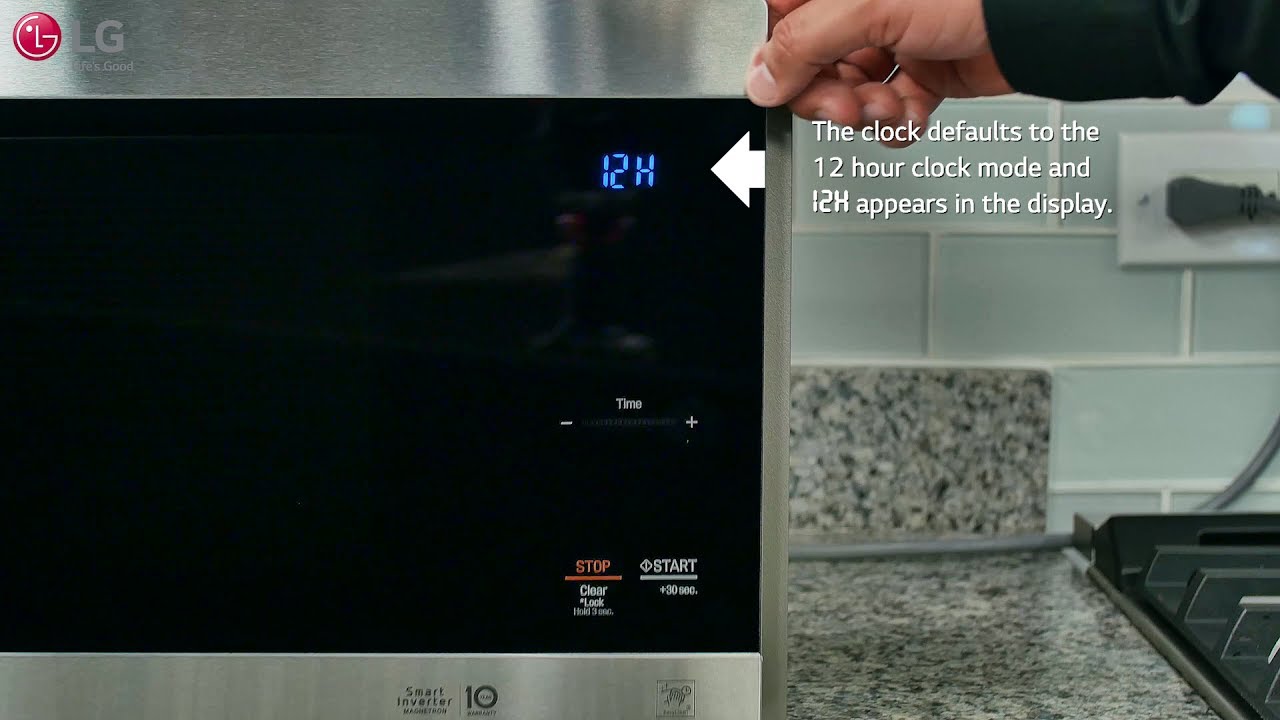
Set The Clock
- Most LG microwaves will ask you to set the clock after a reset.
- Use the number pad to enter the correct time.
- Press the “Clock” or “Start” button to save.
Example:
If your LG microwave showed “PF” (power failure) after a storm, unplugging it for 2-3 minutes and plugging it back in will often remove the code and let you use it again.
Test The Microwave
- Place a cup of water inside.
- Heat it for 30 seconds.
- If the microwave works and there are no error messages, the reset was successful.
For Built-in Models
Some built-in LG microwaves are hardwired into the wall. If you cannot access the plug, turn off the microwave’s circuit breaker in your home’s electrical panel. Leave it off for 2-3 minutes, then turn it back on.
When Should You Reset Your Lg Microwave?
Resetting is not always the answer. Use a reset for these situations:
- The display is frozen or unresponsive
- You see error codes like “SE,” “PF,” or “E-13”
- The buttons do not work
- The microwave keeps beeping or making strange sounds
- After a power outage or surge
However, if the microwave has a burning smell, makes loud noises, or does not power on at all, do not just reset it. These can be signs of deeper electrical or hardware problems.
Common Lg Microwave Error Codes And What They Mean
LG microwaves use codes to show problems. Here are some you might see, and whether a reset can help:
| Error Code | Meaning | Should You Reset? |
|---|---|---|
| SE | Stuck Key Error | Yes, try resetting |
| PF | Power Failure | Yes, reset usually clears it |
| E-13 | Overheating Detected | Yes, after cooling |
| F3 | Sensor Error | Reset, but may need service |
| LOC | Child Lock Active | No, use unlock steps |
Some codes, like “LOC”, mean the child lock is on. In these cases, resetting will not help; you need to turn off the child lock manually.
How To Perform A Hard Reset Vs. Soft Reset
You might hear about hard resets and soft resets. Here’s the difference:
- Soft reset: Cancels the current cooking program. Press the “Stop/Clear” button once or twice.
- Hard reset: Cuts all power to the microwave, clearing memory and errors. This is done by unplugging or turning off the breaker.
Soft resets are good if you just want to stop cooking or clear the display. Hard resets are better for serious errors or frozen controls.
Comparison Of Soft Reset And Hard Reset
| Reset Type | How To Do It | What It Fixes |
|---|---|---|
| Soft Reset | Press “Stop/Clear” | Cancels cooking, clears small errors |
| Hard Reset | Unplug or turn off breaker | Removes persistent errors, reboots system |
Special Reset Instructions For Popular Lg Models
Different LG microwaves may have slightly different reset steps. Here are examples for some popular models:
| Model | Reset Steps | Extra Notes |
|---|---|---|
| LMV2031ST | Unplug 2 min, plug in, set clock | Be sure to reset clock after |
| LMC0975ST | Unplug or use breaker, set clock | Touch controls may need recalibration |
| LMV1831ST | Unplug, wait 3 min, plug in | Display should clear errors |
Always check your microwave’s user manual for the most accurate instructions. You can find digital manuals for LG appliances on the official LG Support site.
What If The Reset Does Not Work?
Sometimes, even after a reset, the microwave still shows errors or does not function. In these cases:
- Check the Power Source: Make sure the outlet works by plugging in another device.
- Inspect the Door: If the door is not closing fully, the microwave will not start. Clean the latch and check for broken parts.
- Try a Different Circuit: Move the microwave to another outlet, if possible.
- Look for Visible Damage: Burn marks, melted plastic, or a cracked display mean you should stop using the microwave.
If these steps do not help, it’s safer to contact LG customer support or a licensed repair technician.
Safety Tips When Resetting
Resetting a microwave is usually safe, but there are a few things to keep in mind:
- Never open the case of your microwave. Internal parts can carry high voltage even when unplugged.
- If you smell burning or see smoke, unplug the microwave and do not use it.
- If water leaks or you see sparks, stop using the microwave right away.
- Children should not try to reset microwaves without adult help.
Non-obvious Insights Most People Miss
- Power surges can cause hidden issues. Even if your microwave looks fine after a storm, errors might appear days later. Using a surge protector can prevent many problems.
- Touchpads can freeze due to humidity. In humid kitchens, condensation on the control panel can cause the buttons to stop working. A hard reset, plus wiping the panel dry, often helps.
- Repeated resets are a warning sign. If you have to reset your microwave often, something else is wrong. It might be a failing circuit board or keypad.
- Clock settings matter. Some LG microwaves will not start if the clock is not set after a reset, confusing many users.
- Error codes can be unique to your model. The meaning of codes like “F3” or “E-13” can change between different LG microwaves. Always check your manual for your exact model.
How To Prevent The Need For Frequent Resets
You can avoid many microwave problems with a few simple habits:
- Use a surge protector to shield your microwave from sudden electrical changes.
- Keep the door latch clean and free of food debris.
- Do not slam the door shut; gentle closing protects the sensors.
- Wipe the control panel dry after cooking to avoid moisture build-up.
- Avoid running the microwave empty, as this can cause overheating and errors.
When To Call A Professional
Resetting is a quick fix, but not a cure-all. Contact a professional if:
- The microwave trips the breaker every time you use it
- You see sparks inside, even after a reset
- The display flashes random symbols or stays blank
- There is a burning smell or smoke
- The door will not close or latch securely
Trying to repair a microwave yourself can be dangerous because of the high-voltage parts inside.
Frequently Asked Questions
How Do I Unlock The Child Lock On My Lg Microwave?
To unlock the child lock, press and hold the “Stop/Clear” button for about 3-5 seconds. The “LOC” message should disappear, and you can use the microwave as normal.
Why Does My Lg Microwave Display “pf” After A Reset?
“PF” stands for power failure. It often appears after a power outage or unplugging the microwave. Resetting the clock will usually clear the code.
Can I Reset My Lg Microwave Without Unplugging It?
Most LG microwaves require unplugging for a full reset. If you cannot unplug it, turn off the circuit breaker for a few minutes and then turn it back on.
Is It Safe To Reset My Lg Microwave Often?
Frequent resets are not normal and may point to a bigger problem. If you find yourself resetting more than once a month, have a technician check the microwave.
Will Resetting Erase All Saved Settings?
A hard reset will clear the clock and any custom programs you have entered. You will need to re-enter these after the reset.
Resetting your LG microwave is simple, but knowing when—and how—to do it safely can save you frustration and help your appliance last longer. If problems continue after a reset, always check with a professional to avoid bigger repair bills or safety risks.