
When your GE dishwasher starts flashing lights and making beeping sounds, it can disrupt your routine and cause confusion. Many homeowners face this issue at least once, and it often signals a problem that needs attention. While the noises and lights can seem alarming, most causes are not serious and can be fixed without calling a technician. Understanding why your dishwasher acts this way can help you solve the issue quickly and avoid bigger problems later.
This guide explores the common reasons behind GE dishwasher lights flashing and beeping, what those signals mean, and how you can troubleshoot or reset your machine. Whether you’re new to dishwashers or have owned one for years, you’ll learn practical steps to get your kitchen back to normal.
Why Do Ge Dishwasher Lights Flash And Beep?
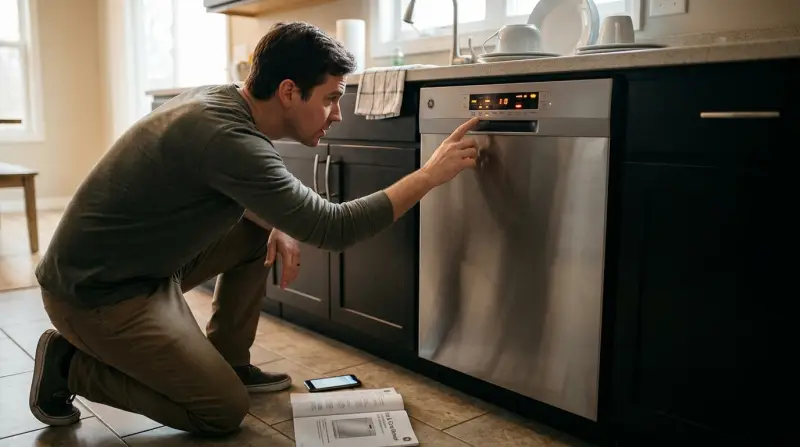
GE dishwashers use lights and sounds to communicate with you. When something is wrong, the machine flashes specific lights and may beep to catch your attention. These signals are a form of code—each pattern means something different.
Some common reasons for flashing lights and beeping include:
- Door not closed properly
- Water supply issues
- Blocked or dirty filters
- Control board errors
- Cycle interruption
While these are the main triggers, sometimes the signals can be due to a simple user error, like opening the door during a cycle or power interruptions.
Understanding Dishwasher Light And Beep Patterns
The meaning behind the lights and beeps depends on the pattern and which lights are flashing. Not all dishwashers are the same, but most GE models share similar codes.
Here is a comparison of some common light patterns and what they usually mean:
| Light Pattern | Possible Cause | Typical Solution |
|---|---|---|
| Start/Reset light blinking | Dishwasher reset, cycle interrupted | Wait 2 minutes, restart cycle |
| All lights flashing | Control board glitch or power surge | Power cycle the dishwasher |
| Cycle light blinking | Door not fully closed | Close and latch door |
| Beeping every 30 seconds | Door opened during cycle | Close door to resume |
Always check your user manual for your specific model, as codes can vary.
How To Troubleshoot Ge Dishwasher Flashing Lights And Beeping
If your dishwasher is acting up, you can try these steps before calling for help. Many problems have simple solutions.
Check The Door And Latch
A loose or unlatched door is a common cause. The dishwasher won’t run if the door isn’t closed tightly.
- Open and close the door firmly.
- Listen for a click, which means the latch is engaged.
- If the machine starts, the problem was a loose door.
If the light continues to blink, inspect the latch for any debris or damage. Sometimes, crumbs or broken parts prevent the door from closing.
Power Cycle The Dishwasher
Like many electronics, dishwashers can freeze or glitch after a power surge.
- Turn off the dishwasher using the control panel.
- Unplug it from the wall or turn off the circuit breaker.
- Wait 2-5 minutes.
- Restore power and try running a cycle.
This simple reset can fix many electronic issues.
Inspect The Water Supply
A dishwasher needs a steady water supply to operate. If the inlet valve is blocked or the water is off, the dishwasher will beep and blink lights.
- Check that the water valve under the sink is fully open.
- Inspect the water inlet hose for kinks or leaks.
- Remove the hose and look for debris.
- Clean out any blockages and reconnect.
Clean The Filters
GE dishwashers have filters that catch food particles. If these get blocked, the dishwasher may stop and signal an error.
- Remove the bottom rack.
- Twist out the filter (usually in the bottom center).
- Rinse the filter under running water.
- Use a soft brush to remove stuck debris.
- Replace the filter and try a cycle.
Cleaning the filter regularly prevents many common issues.
Examine The Control Panel
A stuck or wet control panel can send false signals.
- Make sure the panel is dry.
- Press each button to check for sticking.
- Wipe gently with a soft cloth.
If the panel seems unresponsive, a deeper reset may be needed.
Resetting A Ge Dishwasher: Step-by-step
Sometimes, the only way to clear blinking lights and beeps is to reset the dishwasher. Here’s how:
- Press Start/Reset: Hold the button for 3 seconds.
- Wait: The dishwasher should begin to drain. Wait for 2 minutes.
- Power Off: If the lights continue, turn off the power at the circuit breaker.
- Restore Power: Wait 2-5 minutes, then turn power back on.
- Test: Start a new cycle.
If the signals return, the issue may be more serious.
Common Error Codes And What They Mean
GE dishwashers sometimes display error codes using the lights. Here are a few you might see:
| Error Code | Meaning | Solution |
|---|---|---|
| H2O | Low water supply | Check water valve and hoses |
| LE | Leak detected | Inspect for water under dishwasher |
| F2 | Drainage issue | Clean filters and drain hose |
| PF | Power failure | Reset dishwasher |
Not all models show codes, but when they do, these clues can help you fix the problem faster.
When To Call A Professional
While most flashing lights and beeps are simple to fix, some situations need expert help:
- The dishwasher leaks water onto the floor.
- Lights keep flashing after multiple resets.
- The control panel is unresponsive.
- You see burn marks or smell burning plastic.
- The machine stops mid-cycle every time.
A technician can check for faulty wiring, motor issues, or control board failures. Trying to repair these yourself may void your warranty or cause injury.

Preventing Future Flashing And Beeping Problems
You can prevent most issues by following a few regular habits:
- Clean the filter every month to avoid blockages.
- Check the door latch for wear and tear.
- Inspect hoses for leaks or kinks twice a year.
- Use the right detergent and avoid overfilling the dispenser.
- Run hot water in the sink before starting the dishwasher for better cleaning.
Power surges can damage sensitive electronics. If your home has frequent outages, consider a surge protector for your kitchen appliances.
Non-obvious Insights: What Most Owners Miss
Here are two things many people overlook:
- Hard water can cause repeated beeping issues. Minerals build up inside the machine, confusing sensors. Consider using a dishwasher cleaner or a water softener if you live in a hard water area.
- Interrupting cycles can trigger false errors. Opening the door too often during a cycle can make the dishwasher think there’s a problem, even when there isn’t. Wait until the cycle finishes before opening the door.
Comparing Ge Dishwashers: Older Vs. Newer Models
Some problems are more common in older dishwashers. Here’s how they compare:
| Feature | Older GE Models | Newer GE Models |
|---|---|---|
| Error Codes | Basic blinking lights | Digital display with code |
| Reset Method | Manual power cycle | Button reset option |
| Common Issues | Door latch, drainage | Sensor errors, panel glitches |
| Noise Level | Louder | Quieter |
If you have an older model, upgrading can reduce problems and improve efficiency.
How To Find Your Ge Dishwasher Model Number
Sometimes, troubleshooting depends on knowing your exact model. Here’s where to find it:
- Open the dishwasher door.
- Look on the left or right edge of the door or tub.
- The model number is usually a sticker with a code like GDF610PMJ2ES.
Knowing your model lets you check the right manual or order the correct replacement parts.

Useful Resources
If you want more detailed info or need to order parts, visit the official GE Appliances site. They have downloadable manuals, troubleshooting guides, and customer support.
Frequently Asked Questions
Why Does My Ge Dishwasher Beep Every 30 Seconds?
This usually means the door was opened during a cycle. The dishwasher pauses and beeps to remind you to close the door so it can finish.
How Do I Reset The Flashing Lights On My Ge Dishwasher?
Press and hold the Start/Reset button for 3 seconds. Wait for 2 minutes as the dishwasher drains. If the lights continue, turn off power at the breaker, wait a few minutes, then restore power.
Are Flashing Lights A Sign Of A Serious Problem?
Not always. Most often, flashing lights mean a simple issue like a loose door, filter blockage, or minor error. However, if the problem repeats or there’s a leak, call a technician.
Can I Fix A Ge Dishwasher Beeping Issue Myself?
Yes, many issues can be fixed at home by resetting the machine, cleaning filters, or checking the door latch. For electrical or water leaks, it’s safer to get professional help.
What Should I Do If My Dishwasher Beeps But Won’t Start?
Check that the door is closed and latched, the water supply is on, and the control panel buttons are working. Try resetting the dishwasher. If it still won’t start, the issue may need a service call.
Dealing with GE dishwasher lights flashing and beeping can be frustrating, but most problems are easy to solve with a bit of knowledge and routine care. By following the steps above, you’ll not only fix the current issue but also reduce the chance of it happening again. If you ever feel unsure, don’t hesitate to seek professional help. Your kitchen will soon be quiet and running smoothly again.