
If your GE dehumidifier pump has stopped working, it can quickly become a major problem. A dehumidifier is important for keeping moisture levels low, especially in basements and humid areas. When the pump fails, water may overflow, cause leaks, or even damage your home. Don’t worry—most pump issues can be fixed with some practical troubleshooting. This article will guide you through why the pump stops working, the steps to fix it, and how to prevent future issues. Even if you’re not a technical expert, you’ll find clear advice and real solutions here.
How The Ge Dehumidifier Pump Works
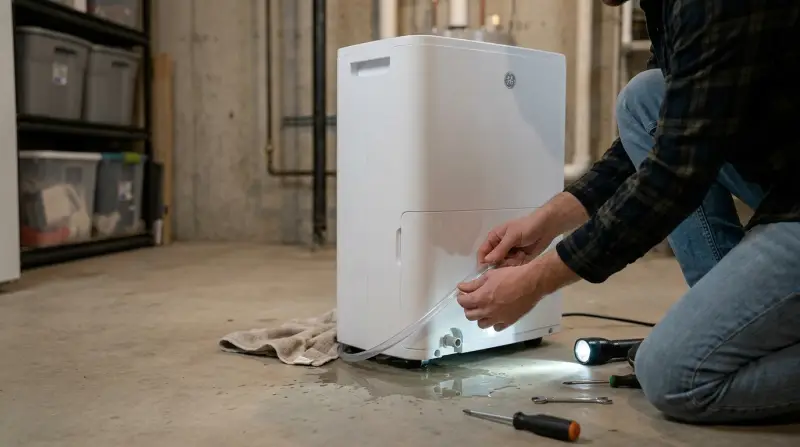
GE dehumidifiers with built-in pumps are designed to remove water from the air and send it directly into a sink or drain. This is different from standard models, which collect water in a bucket you must empty by hand. When the pump is working well, it lets your dehumidifier run for long periods without manual work.
Here’s a simple overview of the process:
- The dehumidifier pulls moisture from the air.
- Water collects in an internal reservoir or tray.
- The pump activates and pushes water out through a hose, usually up to a sink or window.
Most GE models use a small electric pump. It runs automatically when the water tray is full or at regular intervals. If the pump fails, water may not drain, and you could see error messages or leaks.
Common Causes Of Pump Failure
Many things can make your GE dehumidifier pump stop working. Some are simple and easy to fix. Others may need a replacement part or professional help. Here are the most common causes:
- Power Issues: If the dehumidifier has no power or the pump is not getting electricity, it won’t work. Sometimes, the outlet or power cord is the problem, not the pump itself.
- Clogged Drain Hose: The drain hose can get blocked by dirt, mold, or mineral deposits. This stops water from leaving the unit, so the pump may shut down or run dry.
- Full Or Misplaced Water Bucket: If the water bucket is not seated correctly, or if it’s full, many GE units will not allow the pump to run. This is a safety feature to prevent spills.
- Faulty Float Switch: The float switch senses water levels. If it gets stuck or fails, the pump may not turn on when needed.
- Dirty Or Damaged Pump: Over time, the pump can get clogged with dust, debris, or mineral buildup. A worn-out motor or broken part can also stop it from running.
Electrical Or Control Board Fault
Rarely, the main control board or wiring in your dehumidifier can fail, stopping the pump from working even if all other parts are fine.
| Cause | Symptoms | Quick Fix |
|---|---|---|
| Power Issue | No sound, lights off | Check outlet and cord |
| Clogged Hose | Water backup, leaks | Flush or replace hose |
| Full Bucket | Unit stops, error light | Empty and reseat bucket |
| Float Switch Fault | Pump does not start | Check and clean float |
| Pump Blockage | Pump runs but no water moves | Clean pump and screen |
Step-by-step Troubleshooting Guide
When your GE dehumidifier pump is not working, follow these steps. They go from easiest to hardest, so you can save time and avoid unnecessary repairs.
Check Power And Settings
- Make sure the unit is plugged in and the outlet works.
- Test another device in the same outlet.
- Reset your dehumidifier by unplugging it for one minute, then plugging it back in.
- Confirm that the pump function is enabled in the settings.
Inspect And Clean The Drain Hose
- Detach the hose from the pump outlet.
- Flush it with water to remove any blockages.
- If the hose is old or cracked, replace it with a new one of the same size.
- Reattach the hose tightly to prevent leaks.
Empty And Reseat The Water Bucket
- Remove the bucket and empty all water.
- Clean the bucket to remove any dirt or mold.
- Place the bucket back firmly. Listen for a click or check that it sits evenly.
Check The Float Switch
- The float switch is usually in the bucket or tray.
- Gently move the float up and down. It should move freely.
- If it sticks, clean it with a damp cloth.
- If broken, you may need a replacement float switch.
Clean Or Test The Pump
- Unplug the unit before opening it.
- Locate the pump, usually behind a panel or near the hose outlet.
- Remove any visible debris or buildup.
- If you can, detach the pump and test it by connecting it directly to power (only if you are comfortable and safe).
- Listen for motor noise. No noise can mean a failed pump motor.
Inspect Control Board And Wiring
- If all else fails, the problem could be electronic.
- Look for loose wires or burned components inside the unit.
- Professional repair may be needed for control board replacement.
| Step | Tools Needed | Time Estimate |
|---|---|---|
| Check Power | None | 2 min |
| Clean Hose | Bucket, water, brush | 10 min |
| Empty Bucket | None | 3 min |
| Float Switch | Cloth | 5 min |
| Pump Test | Screwdriver, multimeter (optional) | 20 min |
When To Replace The Pump
Sometimes, cleaning and checking connections are not enough. If your pump is making grinding noises, smells burnt, or does not run even with direct power, it likely needs to be replaced. Most GE dehumidifier pumps last about 3-5 years with regular use.
If your unit is older or heavily used, a new pump may solve the issue for good.
Replacement pumps for GE dehumidifiers are available online or through appliance parts stores. Always match the model number for compatibility. Installation is often simple:
- Unplug the unit.
- Remove old pump (usually a few screws and a wire connector).
- Install the new pump, connecting wires and hoses as before.
- Test the unit before closing the panel.
If you’re not comfortable with this, a local appliance repair shop can do it quickly.

Preventing Future Pump Problems
A little maintenance can keep your GE dehumidifier pump working longer. Here are some practical tips:
- Flush the drain hose every month. This prevents mold and blockages.
- Clean the bucket and float switch regularly.
- Place the dehumidifier on a flat, level surface. This helps the float and pump work properly.
- Do not run the unit in freezing conditions. Ice can damage the pump.
- Check the pump’s filter or screen if your model has one.
- Use only the recommended hose length. Too long or steep a hose can strain the pump.
Regular care reduces breakdowns and extends the life of your appliance.
Comparing Ge Dehumidifier Pump Models
Not all GE dehumidifier pumps are the same. Newer models may have improved designs, better controls, or easier access for cleaning. Here is a quick comparison of three common GE pump models:
| Model | Max Pump Height | Hose Type | Average Lifespan |
|---|---|---|---|
| APER50LZ | 16 feet | 3/8″ plastic | 4-5 years |
| ADHR50LB | 15 feet | 1/2″ vinyl | 3-4 years |
| ADHB70LJ | 18 feet | 3/8″ reinforced | 5+ years |
Some users overlook the importance of matching the hose size and length to the pump. Using a longer hose than recommended can cause the pump to burn out early. Always check your manual for exact specifications.
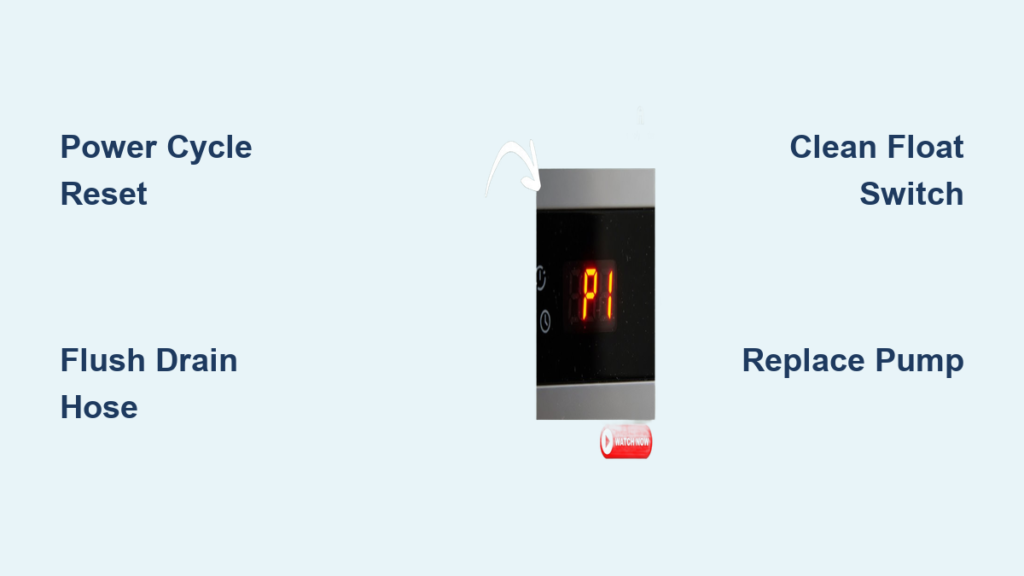
Non-obvious Insights Most Beginners Miss
- Humidity level matters: If your room is only slightly humid, the pump may rarely activate. This can lead to dried-out seals and eventual pump failure from lack of use. Run the pump occasionally, even if not needed, to keep it working smoothly.
- Water quality affects pump life: If your home’s water is hard (high in minerals), mineral buildup can clog the pump faster. Consider flushing with vinegar or a mild descaler every few months to prevent this problem.
Signs It’s Time To Call A Professional
While many problems can be fixed at home, some require a trained technician:
- You see sparks, smoke, or burnt smells from the unit.
- The unit trips your circuit breaker repeatedly.
- The pump motor is running but making loud, unusual noises.
- You’ve tried all troubleshooting steps and nothing changes.
Professional repair can cost $80–$200, depending on your location and the specific fix needed. Sometimes, replacing the whole dehumidifier is more cost-effective if the unit is old or has multiple issues.
Helpful Resources
For more detailed repair guides, diagrams, and genuine replacement parts, you can visit the official GE Appliances support website or check repair forums. A trusted resource is the GE Appliances Dehumidifier Support page.
Frequently Asked Questions
Why Does My Ge Dehumidifier Say “pump Full” Even When The Bucket Is Empty?
The “Pump Full” warning usually means the float switch is stuck, dirty, or the bucket is not seated properly. Remove and clean the bucket, check the float for movement, and reset the unit.
Can I Run My Ge Dehumidifier Without The Pump?
Yes. Most GE models can be used with just the water bucket or a gravity drain hose if you do not need the pump function. Just make sure to disable the pump mode if the pump is faulty.
How Often Should I Clean The Pump And Hose?
For best results, clean the pump and hose once a month. This prevents mold, blockages, and keeps water flowing smoothly.
What Type Of Hose Should I Use For Replacement?
Use the same diameter and type as recommended in your model’s manual. Usually, this is a 3/8-inch or 1/2-inch plastic or vinyl hose, cut to the needed length.
Is A Faulty Pump Covered Under Warranty?
Most new GE dehumidifiers have a 1-year limited warranty. If your pump fails within the warranty period, contact GE customer service for repair or replacement options.
If your GE dehumidifier pump is not working, don’t panic. Most problems can be solved with simple checks and regular maintenance. Keeping your dehumidifier in good shape will protect your home from excess moisture and give you peace of mind. If you run into trouble you cannot fix, professional help is available, and replacement parts are easy to find. Take the time to understand your unit, follow these steps, and you’ll get reliable performance for years to come.