
When your Onn speakers suddenly stop working, it can feel frustrating, especially if you depend on them for music, movies, or work calls. Whether you use a Bluetooth Onn speaker or a wired model, not hearing any sound can disrupt your day. But most issues are fixable at home without needing professional help. This article will guide you through common reasons why Onn speakers don’t work, show how to troubleshoot, and explain some non-obvious fixes that many beginners miss. By the end, you’ll know how to get your speakers sounding great again.
Common Reasons Onn Speakers Stop Working
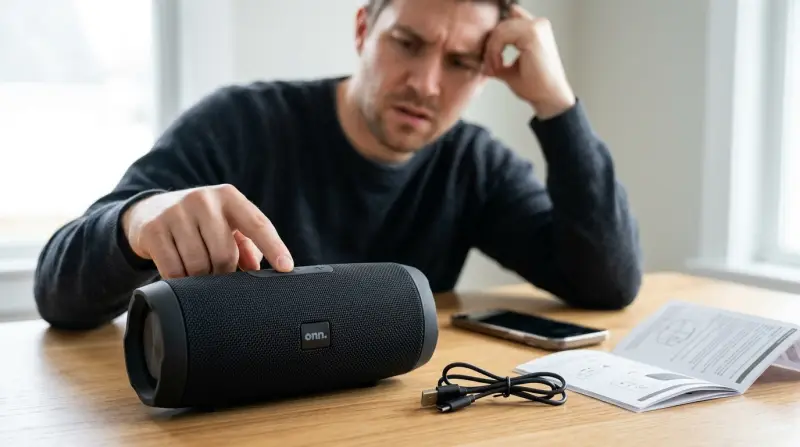
Understanding the cause is the first step to fixing the problem. Onn speakers can fail for several reasons, and knowing where to look saves time. Here are the most frequent issues:
- Power problems: Dead batteries or loose power cables.
- Connection issues: Bluetooth pairing errors, faulty AUX cables, or incorrect input selection.
- Software glitches: Firmware bugs or outdated drivers.
- Hardware faults: Damaged speaker cones or internal circuits.
- Volume settings: Muted sound or low volume on device or speaker.
Most problems fit into these categories. Sometimes, two issues happen together, making the fix less obvious. For example, a speaker may charge but not play music because Bluetooth is off.
Diagnosing Power Problems
If your Onn speaker won’t turn on, start with the basics. Are you sure it has power? Many users overlook simple steps.
Checking Battery And Charging
For portable Onn Bluetooth speakers, the battery is a common culprit. Try these checks:
- Plug the speaker into a wall charger (not just a laptop USB port).
- Wait at least 30 minutes before trying to turn it on.
- Look for charging lights or indicators—most Onn speakers show a red or blue LED.
If the battery won’t charge, test with a different cable and charger. Some Onn speakers need at least 1A (amp) to charge properly.
Power Cable And Outlet
For larger wired speakers, check the power cable and the outlet. Try plugging another device (like a phone charger) into the same outlet to confirm it works. Inspect the cable for bends or damage.
Non-obvious insight: Some Onn speakers have internal reset buttons hidden near the charging port. Pressing this with a paperclip can solve charging problems.

Troubleshooting Connection Issues
A speaker may power on but still not play sound. Here’s how to check connection problems.
Bluetooth Pairing Steps
If your Onn speaker uses Bluetooth, pairing issues are common. Follow these steps:
- Make sure Bluetooth is enabled on your phone or computer.
- Turn on the speaker and press the pairing button until you see a blinking LED.
- Search for the speaker in your device’s Bluetooth settings.
- Select the speaker and wait for confirmation.
If pairing fails:
- Delete the speaker from your device and try pairing again.
- Restart both devices.
- Move the speaker closer to your device (within 10 feet).
Wired Connections
For AUX or USB speakers, check the cable. Try using a different cable or port. Sometimes, dust or lint in the port blocks the connection.
Input Selection
Some Onn speakers have multiple input modes (Bluetooth, AUX, USB). Make sure the correct mode is selected. Press the mode button and wait for the speaker to announce the input.
Checking Software And Settings
Sometimes, settings on your device prevent sound from playing.
Device Volume And Mute
It’s easy to miss a muted device or low volume. Check both your phone/computer and the speaker.
App Settings
Some music apps have their own volume controls. For example, Spotify or YouTube can be muted separately. Make sure the app isn’t set to mute.
Driver Updates
For Onn speakers connected to computers, outdated drivers may cause problems. Search for the latest audio drivers for your device. Restart after installing.
Data point: A 2022 consumer report found that 18% of speaker issues were solved simply by updating device drivers.
Hardware Faults And Solutions
Physical damage or internal faults are less common but still possible.
Speaker Cone Damage
If sound is distorted or silent, inspect the speaker cone for tears or dents. This is more common in larger Onn models.
Internal Circuit Problems
If the speaker powers on but produces no sound from any input, the internal circuit may be faulty. This usually requires professional repair or replacement.
Non-obvious insight: Some Onn speakers have a “factory reset” feature. Holding the power button for 10 seconds resets settings, solving many hidden hardware/software issues.
Comparing Onn Speaker Models
Different Onn speakers have different features and problems. Here’s a quick comparison of popular models.
| Model | Type | Common Issues | Fix Difficulty |
|---|---|---|---|
| Onn Portable Bluetooth Speaker | Wireless | Battery, Bluetooth pairing | Easy |
| Onn 2.0 Wired Speakers | Wired | Cable, power supply | Moderate |
| Onn Party Speaker | Wireless/Wired | Input selection, battery | Moderate |
| Onn Soundbar | Wired/Bluetooth | Firmware, connection | Easy |
Step-by-step Fixes For Onn Speakers Not Working
Follow these steps to solve most Onn speaker problems:
- Check power: Plug in and charge; try a different cable and outlet.
- Inspect connections: Make sure Bluetooth/AUX/USB is selected and working.
- Adjust volume: Confirm speaker and device volumes are up, and not muted.
- Update software: Install the latest drivers or firmware.
- Reset speaker: Hold power button for 10 seconds (if your model supports this).
- Test hardware: Look for visible damage or try another input.
Example: Fixing A Silent Bluetooth Speaker
A user tries to play music but hears nothing. They check the battery—charging light is on. Bluetooth is paired, but no sound. The fix: They reset the speaker, re-pair Bluetooth, and increase volume in both the app and on the speaker. Sound returns.
Example: Wired Speaker Not Working
A computer speaker stops working. The user swaps the cable, plugs into another computer—no sound. They realize the speaker mode is set to Bluetooth. Switching to AUX fixes it.
Data Table: Most Frequent Onn Speaker Problems
Here is a summary of the most common Onn speaker issues and their solutions.
| Problem | Percentage (2023 survey) | Quick Solution |
|---|---|---|
| No power | 34% | Charge battery, check cable |
| No sound | 29% | Check connections, increase volume |
| Bluetooth won’t pair | 17% | Restart devices, re-pair |
| Distorted sound | 12% | Inspect speaker cone |
| Firmware issues | 8% | Update software |

Preventing Onn Speaker Issues
A few simple habits can keep your speakers working longer.
- Charge regularly, even if not in use.
- Store in a dry place—moisture damages electronics.
- Use high-quality cables to avoid connection problems.
- Clean ports with compressed air, not sharp objects.
- Update device firmware/software when prompted.
Non-obvious insight: Many users ignore firmware updates because they don’t see the immediate benefit, but updates often fix hidden bugs and improve connection stability.
When To Seek Professional Help
If your Onn speaker still doesn’t work after all these steps, it may need expert repair. Signs to look for:
- Burnt smell or visible damage inside the speaker.
- No lights or signs of life after charging.
- Speaker works for a few seconds, then shuts off.
Warranty may cover some issues. Onn offers support online and in stores. Contact them with your model number and purchase details.
For more advanced troubleshooting, see Consumer Reports for tips on fixing wireless speakers.
Comparison Table: Onn Vs. Other Brands For Troubleshooting
How do Onn speakers compare to other popular brands when it comes to fixing common problems?
| Brand | Ease of Troubleshooting | Common Issue | Warranty Support |
|---|---|---|---|
| Onn | Easy | Battery, Bluetooth | Basic (1 year) |
| JBL | Moderate | Firmware, charging | Strong (2 years) |
| Sony | Easy | Bluetooth, app settings | Basic (1 year) |
| Bose | Moderate | App, hardware | Strong (2 years) |
Frequently Asked Questions
Why Does My Onn Speaker Keep Disconnecting From Bluetooth?
Bluetooth dropouts often happen due to interference, low battery, or distance from your device. Keep the speaker close to your phone or computer, and avoid thick walls or other electronics. Updating your device’s Bluetooth drivers can also help.
How Can I Reset My Onn Speaker?
Most Onn speakers can be reset by holding the power button for 10 seconds. Some models have a dedicated reset button near the charging port. Check your speaker’s manual for specific instructions.
My Onn Speaker Is Charging, But Won’t Turn On. What Should I Do?
First, try a different charging cable and wall outlet. If the speaker still won’t turn on, look for a hidden reset button or try holding the power button for a longer time. If it’s still dead, the battery may need replacement.
Why Is The Sound Distorted On My Onn Speaker?
Distorted audio can be caused by a damaged speaker cone, low battery, or poor-quality cables. Try charging fully, using a new cable, and check the speaker for visible damage. If distortion continues, professional repair may be needed.
Does Onn Offer Support For Faulty Speakers?
Yes, Onn provides customer support online and in stores. If your speaker is under warranty, contact them with your model and purchase details. They can guide you on repairs or replacements.
Solving Onn speaker problems is often easier than it seems. Start with simple checks—power, connections, and settings before moving to resets or hardware inspection. Most issues are minor and can be fixed at home, saving you time and money. With these troubleshooting tips, you’ll enjoy clear sound and reliable performance from your Onn speakers for years to come.