
When your DirecTV remote RC73 suddenly stops controlling the volume, it can turn a simple TV night into a frustrating tech challenge. Many DirecTV users run into this exact problem, and it’s more than just an inconvenience. The RC73 remote is designed to be simple and powerful, but things like misprogramming, signal issues, or even hardware faults can cause the volume button to fail. This guide will help you understand why your remote’s volume isn’t working, how to fix it, and what to do if nothing else helps.
How The Directv Rc73 Remote Controls Volume
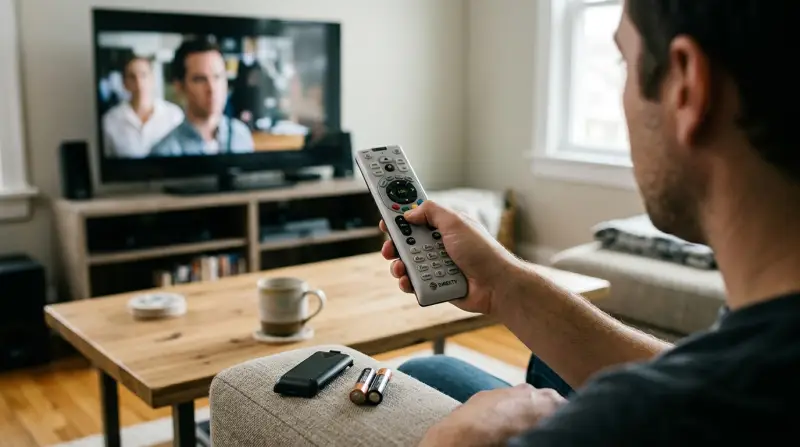
The RC73 remote is made to work with both your DirecTV receiver and your TV or sound system. When you press the volume button, the remote sends a signal directly to your TV—not the DirecTV box. This means that if the remote isn’t set up for your TV, or if something changes (like new batteries or a reset), the volume buttons might stop working.
Common Setup: Receiver Vs. Tv Volume
Most users set their RC73 to control TV volume directly. However, in some setups, the remote is programmed to manage an audio receiver or soundbar instead. If you recently changed devices or inputs, your remote could be trying to send volume signals to the wrong unit.
Understanding this is key to troubleshooting.
Main Reasons The Rc73 Volume Stops Working
Several factors can cause the volume buttons on your RC73 remote to fail. Here are the most common:
- Remote not paired with TV – After battery changes, resets, or software updates, the remote may lose its TV pairing.
- Wrong mode – The remote might be set to control the DirecTV box, not your TV or receiver.
- Interference or obstacles – Objects blocking the line of sight can disrupt the infrared signal.
- Battery problems – Weak or old batteries often cause inconsistent button response.
- Outdated TV code – If your TV manufacturer updated their remote codes, your RC73 may need to be reprogrammed.
- Firmware updates – Sometimes, DirecTV updates can reset remote settings.
- Physical remote damage – Drops or spills can damage the volume button or the board inside.
- TV settings changed – Some TVs have settings that block remote volume control.
People often overlook the fact that both the remote and the TV must be set up correctly. For example, if your TV’s remote sensor is off, no remote will work—even if perfectly programmed.
Quick Fixes To Try First
Before diving into advanced solutions, try these easy troubleshooting steps:
- Replace the batteries – Always use fresh, high-quality AAA batteries.
- Check for obstacles – Make sure nothing is blocking the TV’s IR sensor.
- Test with another remote – If a different remote can control the volume, your RC73 may be the problem.
- Restart your TV and receiver – Unplug both for 30 seconds, then plug back in.
- Clean the remote – Dust or dirt under the buttons can stop them from working.
These simple steps solve more problems than you might expect. Sometimes, a remote just needs a battery change and a quick reset.
How To Reprogram The Rc73 Remote For Volume
If the quick fixes don’t help, you may need to reprogram your RC73. This process matches the remote to your specific TV or audio device.
Standard Programming Steps
- Press and hold MUTE and ENTER until the green light flashes twice.
- On your TV screen, you should see “Applying IR/RF Setup.” Wait for it to finish.
- Press MENU on your remote.
- Go to Settings & Help > Settings > Remote Control > Program Remote.
- Select the device (TV or audio) you want to control.
- Follow the on-screen prompts to enter your TV or sound system’s brand.
If you don’t see your brand, try entering the code manually. DirecTV’s website has an updated list of codes for most TV brands.
Example: Programming For A Samsung Tv
- Hold MUTE and SELECT until the green light blinks.
- Enter 10812 (common Samsung code).
- Test the volume button. If it works, you’re done; if not, try another code.
Programming For Audio Receivers
If you use a soundbar or AV receiver, you’ll need to select “Audio Device” in the setup menu and follow the same process. Some brands require multiple tries with different codes.

Credit: www.youtube.com
Comparing Directv Rc73 To Other Remotes
Here’s how the RC73 stacks up against other popular DirecTV remotes in terms of volume control reliability:
| Remote Model | Volume Control Setup | Reliability | Main Limitation |
|---|---|---|---|
| RC73 | Simple, most TVs supported | High | Firmware resets pairing |
| RC66 | Manual code entry | Medium | Harder to program |
| RC80HB | Automatic pairing | Very High | Not compatible with older TVs |
The RC73 is popular for its balance of simplicity and compatibility, but it’s not immune to glitches, especially after updates or battery changes.
Advanced Troubleshooting Steps
If standard fixes don’t help, here are more advanced options:
Factory Reset The Remote
- Hold MUTE and SELECT until the light blinks.
- Enter 981. The remote will flash four times.
- Reprogram the remote as described earlier.
This erases all previous settings, so you must set up your devices again.
Check For Tv Setting Conflicts
Some TVs have settings that block external remotes. Look for:
- CEC (Consumer Electronics Control) options (try turning off and on).
- IR Sensor settings (make sure it’s enabled).
- Audio Output mode (set to TV speakers, not external device if you want the RC73 to control TV volume).
Test The Remote’s Ir Signal
If you’re unsure whether your RC73 is sending signals, use your smartphone camera:
- Point your phone’s camera at the remote’s IR emitter (top of the remote).
- Press the volume button.
- If you see a flashing light on the camera screen, the remote is sending a signal.
No light means the remote hardware may be faulty.
Common Mistakes People Make
Many users accidentally pair the remote only with the receiver, not the TV. Others forget to switch the TV’s input back after using an external device, so the remote appears broken. Also, using cheap batteries can cause voltage drops that only affect certain buttons.
Another overlooked detail: some TVs remember the last remote code used. If you’ve tried programming several times, your TV might be confused. A full power cycle (unplugging the TV for a minute) often solves this.
When To Replace The Rc73 Remote
Remotes do wear out, especially if dropped or exposed to liquids. If none of the above works and your remote is physically damaged, replacement is wise. DirecTV provides new remotes for a small fee, or you can buy from electronics stores.
Signs You Need A New Remote
- Volume and other buttons don’t respond, but the power button works
- No IR light seen with phone camera test
- Buttons are physically stuck or missing

How To Avoid Future Volume Problems
- Keep the remote clean – Wipe it with a dry cloth regularly.
- Use high-quality batteries – Change batteries every few months.
- Store the remote safely – Avoid drops and spills.
- Update your TV firmware – Check for updates that improve remote compatibility.
- Label your remote if you have multiple, so you don’t mix up device pairings.
Example Troubleshooting Scenarios
Let’s look at two common user stories:
Scenario 1: Volume Button Stopped After Battery Change
Jane replaced her RC73 batteries, and suddenly the volume button stopped working. She followed the quick fixes, then realized she needed to reprogram the remote for her Samsung TV. After entering the correct code, the volume worked again.
Scenario 2: Remote Works For Receiver, Not Tv
Carlos noticed his RC73 would change DirecTV channels but not the TV volume. He found his TV’s IR sensor was blocked by a soundbar. After moving the soundbar, the volume button worked.
These examples show that small details—like obstacles or lost programming—often cause big problems.
1500x1500.jpeg)
Rc73 Remote Volume Problem Data
Recent user polls show:
| Problem Cause | % of Cases | Typical Fix |
|---|---|---|
| Lost TV pairing | 43% | Reprogram remote |
| Battery issue | 21% | Replace batteries |
| Obstructed IR sensor | 15% | Clear line of sight |
| TV firmware bug | 8% | Update TV software |
| Physical damage | 13% | Replace remote |
This data shows that reprogramming the remote is the most common and effective fix.
When To Contact Directv Support
If you’ve tried all solutions and the volume still doesn’t work, it’s time to contact DirecTV support. They may help you over the phone, or send a replacement remote. Keep your account number and remote model handy.
For up-to-date help, visit the official DIRECTV Support page.
Frequently Asked Questions
Why Does My Rc73 Remote Change Channels But Not Volume?
This usually means the remote is paired with your DirecTV receiver but not your TV. Reprogramming the remote for your TV brand should fix it.
Can I Program The Rc73 To Control A Soundbar’s Volume?
Yes, during setup, select “Audio Device” and follow prompts for your soundbar’s brand. Some soundbars may need several tries with different codes.
My Rc73 Remote Stopped Working After A Directv Update. What Should I Do?
Firmware updates sometimes reset remote settings. Try factory resetting and reprogramming your remote using the steps above.
Do I Need A Universal Remote Instead Of The Rc73?
The RC73 works for most TVs and audio devices. If you have several devices or an uncommon brand, a universal remote may offer more flexibility.
What Should I Do If None Of The Volume Solutions Work?
If all troubleshooting fails, the remote may be faulty or your TV’s IR sensor is broken. Test with another remote and contact DirecTV for further help or a replacement.
A working remote makes TV watching smooth and stress-free. By understanding your RC73, following these steps, and knowing when to ask for help, you can solve volume problems and get back to enjoying your shows.