
When you try to make a quick purchase with your Securespend Card and it doesn’t work, frustration sets in fast. Maybe you’re at the checkout, or trying to buy something online, and your payment is declined. For many, these prepaid Visa or Mastercard cards are convenient for shopping, gifting, or managing spending. But when they stop working, it’s confusing and sometimes embarrassing. This article will help you understand why your Securespend Card might not work, how to fix common issues, and what you can do to prevent future problems.
What Is A Securespend Card?
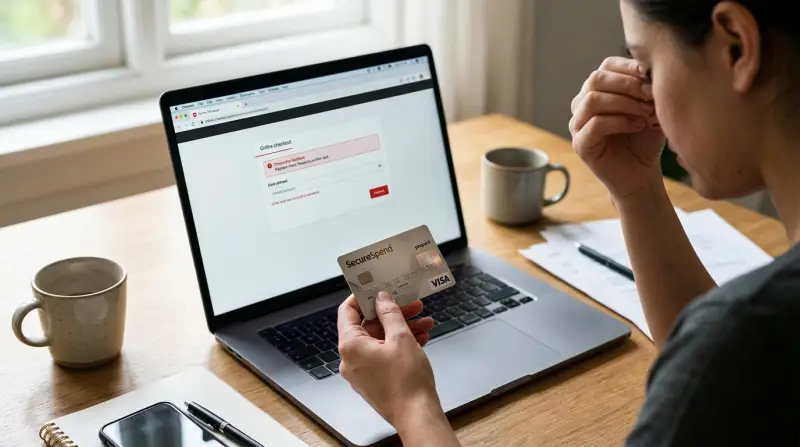
A Securespend Card is a prepaid debit card, usually a Visa or Mastercard, that you can use almost anywhere these brands are accepted in the United States. You buy these cards at stores, load them with a set amount of money, and then spend up to that amount. There’s no need for a bank account or credit check, making them popular for gifts or for people who want to control their spending.
Securespend Cards do not require registration for basic use, which protects privacy. However, this also means there are limits and rules that can sometimes lead to unexpected problems at checkout.
Common Reasons Your Securespend Card Is Not Working
If your Securespend Card is not working, the issue usually falls into a few categories. Understanding these can save you time and stress.
Insufficient Balance
The most common reason is simply not enough funds on the card. Some purchases, especially at restaurants or gas stations, may put a hold for more than your total bill to cover tips or adjustments.
Example: If you have $25 on your card and try to pay a $24.50 restaurant bill, the system may add a 20% tip hold, causing a decline.
Activation Problems
Most Securespend Cards are activated at the point of sale. However, sometimes the activation fails due to technical errors or store system glitches. If you try to use the card before it’s fully activated, it will be declined.
Using The Wrong Payment Method
Some merchants only accept debit, not credit, or vice versa. Selecting the wrong option at checkout can cause a decline.
Expired Card
Every Securespend Card has an expiration date. Once it’s passed, the card is no longer valid—even if there’s money left.
Blocked Merchant Types
Certain businesses, like car rentals or hotels, often block prepaid cards or require a credit card for deposits.
Online Purchase Issues
Online stores may decline prepaid cards if the billing address is missing, mismatched, or not accepted. Some sites block all prepaid cards for security.
Security And Fraud Protection
If the system detects strange spending patterns or believes the card is stolen, it can temporarily block transactions.
Technical Errors
Sometimes, the card network or payment processor experiences outages, causing all cards to fail. This is rare but possible.
Quick Troubleshooting Steps
Before you panic or throw away your card, try these steps. Many problems can be fixed in minutes.
- Check Your Balance: Call the number on the back of the card or visit the official Securespend website.
- Review Recent Transactions: Look for holds, declines, or unexpected charges that reduced your balance.
- Confirm Activation: If you just bought the card, wait a few minutes and try again. If it still fails, contact customer support.
- Check Expiry Date: Make sure your card is still valid.
- Try a Different Payment Method: If in-store, try running as debit instead of credit, or vice versa.
- Use at Accepted Merchants: Avoid car rentals, hotels, or international websites that may not accept prepaid cards.
- Register Your Card: If shopping online, register your card with your name and address on the issuer’s website.
- Contact Securespend Support: If all else fails, call their support line for help.
Comparing Securespend Card To Other Prepaid Cards
A quick comparison helps you see where Securespend stands out—and where it has limits.
| Feature | Securespend Card | Vanilla Visa | Green Dot |
|---|---|---|---|
| Registration Required | No (for basic use) | Optional | Yes |
| Reloadable | No | No | Yes |
| International Use | No | Some cards | Yes |
| Online Purchases | Possible (with address) | Possible | Yes |
| Card Replacement | No | Sometimes | Yes |
Securespend is simple and private but not reloadable. If you need international use or reloading, other cards may be better.
Addressing Specific Securespend Card Problems
Card Not Working At Checkout
If your Securespend Card is declined at a physical store, try these tips:
- Ask the cashier to run the transaction as “credit” first, then as “debit” if it fails.
- If the total purchase is higher than your card balance, ask to split payment—use your card for the exact balance, then pay the rest another way.
- For gas stations, pay inside rather than at the pump, as pumps often require a higher pre-authorization hold.
Card Not Working Online
Online purchases often cause the most confusion. Here’s how to fix common issues:
- Register your card online with your name and billing address. Some sites reject cards without this info.
- Double-check the shipping and billing address fields match your registration.
- Avoid international websites; most Securespend Cards work only in the US.
- Make sure the purchase amount does not exceed your available balance (including taxes and shipping).
Card Not Working For Subscription Services
Many subscription services (like Netflix or Spotify) do not accept prepaid cards due to recurring billing risks. If you need to pay for subscriptions, look for services that accept gift cards or consider a reloadable debit card instead.
Why Holds And Pre-authorizations Matter
Some merchants place a hold or pre-authorization on your card. For example, hotels may put a $100 hold even if your final bill is lower. These holds can tie up your funds for days, making it look like you have less money than you do.
If you suspect a hold, check your online statement and wait a few days. The funds usually return after the merchant releases the hold.
How To Avoid Securespend Card Issues
Most problems can be avoided with good habits.
- Know your balance before you shop.
- Register your card for online use if possible.
- Keep your card details safe and don’t share them with unknown sites.
- Use the card soon after buying. Some cards charge fees after a few months of inactivity.
- Save your card even if empty for returns or disputes.
What To Do If Your Card Still Won’t Work
Sometimes, you try every fix and your card still fails. Here’s what to do next:
- Contact Customer Service: Use the number on the back of your card. Prepare your receipt and card number. Be patient—wait times can be long.
- Keep Your Receipt: This is often required for disputes or refunds.
- Report Lost or Stolen Cards Quickly: If you lose your card, report it right away. But be aware: Securespend Cards are not always replaceable.
- Escalate If Needed: If the company will not help and you believe money is missing, contact the Consumer Financial Protection Bureau (CFPB).
Real-life Example: Why Your Card Can Be Declined
Imagine you have a Securespend Card with $50. You try to book an Uber ride for $35. The system places a $40 hold to cover possible changes. You also used the card for a $10 online purchase earlier, but the merchant has not processed the transaction yet.
If both holds are active, your card balance appears less than $50, so the ride is declined.
This is a common situation with prepaid cards. Always keep a buffer and track pending transactions.
Data: Why Prepaid Card Declines Happen
Research from the Federal Reserve shows that prepaid card declines are most often caused by:
- Insufficient funds (61%)
- Merchant restrictions (15%)
- Technical errors (10%)
- Expired cards (8%)
- Fraud blocks (6%)
This data highlights that checking your balance and knowing merchant rules can prevent most problems.
Table: Common Securespend Card Decline Messages
Here are some typical decline messages and what they mean:
| Decline Message | What It Means | How to Fix |
|---|---|---|
| Insufficient Funds | Not enough money | Use a smaller amount or add another payment method |
| Card Not Activated | Activation problem | Contact customer service or wait a few minutes |
| Card Expired | Past expiration date | Buy a new card |
| Invalid Merchant | Merchant type blocked | Try a different store or use cash |
| Transaction Not Allowed | Blocked by card rules | Check the card terms or try another card |
Two Insights Most People Miss
- Prepaid cards often have hidden fees that slowly reduce your balance—like inactivity fees or monthly charges after a certain period. Always check the terms included with your card, and use it before fees kick in.
- Holds can last up to 7 days or longer, especially at hotels or gas stations. If you need every dollar, avoid using your Securespend Card at these places.
When To Consider Another Payment Option
If you need to:
- Make international purchases
- Use recurring subscriptions
- Reload your card with more money
- Get cash at ATMs
A Securespend Card is not the best choice. Consider other prepaid cards or a basic checking account debit card for more flexibility.

Frequently Asked Questions
Why Does My Securespend Card Say “invalid” Even Though I Just Bought It?
This usually means the card has not been activated properly at the register. Return to the store with your receipt and card. If they cannot help, call Securespend customer service. Activation can sometimes take up to an hour.
Can I Get My Money Back If My Securespend Card Is Lost Or Stolen?
In most cases, if you lose your card and it is not registered, you cannot get your money back. Some cards offer replacement with a fee if you have the original purchase receipt and card details. Always keep the card and receipt until all funds are used.
Why Can’t I Use My Securespend Card At The Gas Pump?
Gas stations often put a high pre-authorization hold on cards to make sure there are enough funds for a full tank. If your card’s balance is low, it will be declined. Go inside and tell the cashier the exact amount to charge your card.
How Do I Register My Securespend Card For Online Purchases?
Visit the official Securespend website. Enter your card number and follow instructions to add your name and address. This helps online stores verify your card and process the payment.
Are There Fees For Not Using My Securespend Card?
Yes, many prepaid cards, including Securespend, charge inactivity fees after a few months. Check your card’s terms using the card or checking your balance online regularly can help you avoid these fees.
A Securespend Card is a simple, private way to pay. But when it doesn’t work, it can be annoying. With the steps and insights above, you can solve most problems and use your card more confidently. If you still have issues, reach out to customer service or consider other payment options for greater flexibility. For more information, you can visit the official Securespend website.